

SteamOS has moved from curiosity to contender: Valve’s Linux-based gaming OS now offers a genuine alternative to Windows for a wide swath of players, particularly those with AMD hardware and a Steam-centric library — but the switch is pragmatic, not panacea. Steam Deck Gains Proton 7.0 Support to Bolster Games Library, VRS Incoming))
SteamOS began as Valve’s homebrew environment for the Steam Deck and has since evolved into a full desktop-capable distribution with a controller-first Game Mode and a KDE Plasma desktop for traditional tasks. The combination of SteamOS, Proton (Valve’s compatibility layer), and a maturing open-source graphics stack has narrowed the long-standing gap between Linux and Windows gaming in meaningful ways. Community tests and hands-on reviews show parity or even wins in many single-player and GPU-bound workloads, while the broader ecosystem — from supports day-to-day desktop use on SteamOS.
That said, SteamOS is not simply “Windows without Microsoft.” It is a purpose-built, gaming-first OS that trades universal compatibility for a leaner runtime, more predictable behavior on handhelds, and deep integration with the Steam ecosystem. Those design choices explats and its blind spots.
Valve is addressing this visibility problem by introducing a SteamOS compatibility rating system in the store so users can see whether a game is SteamOS compatible on non-Deck devices — the labels are derived from Deck compatibility data and will help buyers know which titles are safe to expect on SteamOS. But a compatibility flag does not replace publisher-level anti-cheat choices, which remain the final deciders for many multiplayer titles.
If you’re intrigued, follow a staged migration plan to reduce risk and protect your installed library:
SteamOS’s rise from niche to capable platform is one of the most consequential shifts in PC gaming infrastructure in years. It doesn’t obliterate Windows’ role overnight, but it lowers the friction for many players to opt for a leaner, more gaming-focused operating system — and in doing so, it forces the wider ecosystem to reckon with Linux-first realities. If your library and habits align, the hassle of wrestling with Windows drivers and background tweaks can be replaced by a system that simply starts playing; if not, SteamOS is still a practical complement that reduces dependency on Microsoft without demanding a leap of faith. The choice today is strategic: test first, hedge with a fallback, and join the growing contingent of players treating SteamOS as a serious, long-term option.
Source: Geeky Gadgets Switching to SteamOS Beats the Hassle of Fixing Windows Drivers & Tweaks
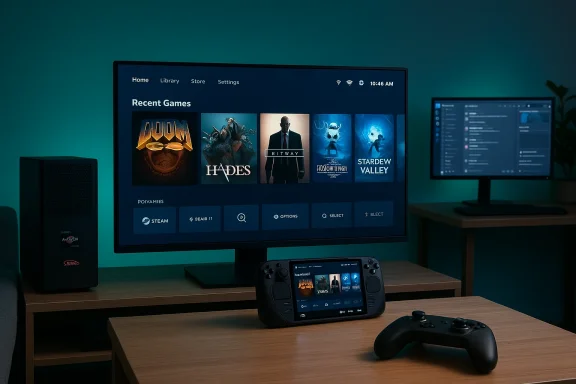 Background / Overview
SteamOS began as Valve’s homebrew environment for the Steam Deck and has since evolved into a full desktop-capable distribution with a controller-first Game Mode and a KDE Plasma desktop for traditional tasks. The combination of SteamOS, Proton (Valve’s compatibility layer), and a maturing open-source graphics stack has narrowed the long-standing gap between Linux and Windows gaming in meaningful ways. Community tests and hands-on reviews show parity or even wins in many single-player and GPU-bound workloads, while the broader ecosystem — from supports day-to-day desktop use on SteamOS.That said, SteamOS is not simply “Windows without Microsoft.” It is a purpose-built, gaming-first OS that trades universal compatibility for a leaner runtime, more predictable behavior on handhelds, and deep integration with the Steam ecosystem. Those design choices explats and its blind spots.
Why SteamOS matters now
The technical inflection points
Three technical developments made today’s SteamOS viable:- Proton’s maturation as a compatibility layer, which translates DirectX calls to Vulkan and packages a range of runtime fixes so many Windows-only titles run without native ports. Proton’s steady releases have been a decisive factor in shifting developers’ and players’ expectationsy.
- Improved vendor driver support and Mesa stack progress, particularly for AMD’s open drivers, which reduce variance and improve stability across titles. Community and vendor collaboration have tightened the compatibility loop for Linux performancization of SteamOS through the Steam Deck and “Powered by SteamOS” OEM devices, which created an ecosystem that’s more than a hobby project — it’s a supported platform with verified compatibility badges.
The user expayers who prioritize a plug‑and‑play, console-like experience, SteamOS offers benefits that matter in daily use:
- A controller-first Game Mode that reduces distractions and simplifies launching games.
- Strong Steam Input and controller support that minimize the need for keyboard-and-mouse setups.
- Desktop functionality through Flatpak apps (Discord, OBS, browsers) for common non-gaming workflows.
- Leaner background activity than a default Windows 11 install, often yielding steadier frame timings and improved battery/suspend behavior on handhelds.
Installation and setup: simplestalling SteamOS is straightforward for most users: Valve distributes recovery images and a guided installer that detects additional storage and integrates existing Steam library folders automatically. That ease of setup lowers the barrier for users who want to test the OS on a spare NVMe or dual-boot. Community guides consistently recommend backing up Windows first, then trying SteamOS from a Live session or secondary drive before committing to a full wipe.
Key practical tips:- Image your Windows drive and preparee
- Test hardware with a Live USB — confirm networking, GPU detection, and controller input.
- Use a separate disk or dual-boot for a low-risk transition; professional workflows or anti-cheat‑locked multiplayer should remain on a Windows fallback.
SteamOS gaming performance: where it shines and where it doesn’t
Real-world parity and case-by-case wins
Recent show that SteamOS can match or even exceed Windows in particular scenarios: Linux’s lower background overhead, tuned power/thermal governors on SteamOS images, and Proton’s evolving translation pipeline can yield better 1% lows and fewer micro-stutters in shader-heavy scenes. On the other hand, Windows still leads in some titles and driver stacks — performance is highly title- and driver-specific. Independent test suites and creators have returned mixed but promising results, demonstrating that SteamOS is no longer a universal compromise; it is a trade that often favors single-player and handheld workloads.Shader compilation and the Vulkan shader cache problem
One of the most persistent user complaints when switching to SteamOS or Proton-backedtVulkan shaders" on first run or after updates. Valve’s shader pre-caching feature helps by distributing precompiled shader caches, but in some cases initial compilation can still take minutes to hours depending on the game and GPU, and the process may block gameplay until completed. Community reports and Valve’s GitHub issue tracker show this is an ongoing pain point for games with large shader permutations — the advice: enable shader pre-caching and allow background processing when you can (e.g., overnight) to avoid interruptive waiting during play.Upscaling, DX translation and AMD advantages
VKD3D-Proton and related tools have introduced support for modern upscalers (e.g., FSR variants) and refined DX12 translation paths that help AMD systems in particular. When Proton or VKD3D can expose or inject an upscaling path, AMD GPUs can leverage FidelityFX Super Resolution and similar features to recover performance while retaining image quality — a direct win for many titles. These advances are concrete engineering improvements that have real gameplay impact for players who tune their stack.Compatibility: the anti-cheat and multiplayer story
The central limiter: anti-cheat
The largest and most practicaSteamOS migration is anti‑cheat. Kernel-level anti-cheat systems and publisher policies that depend on Windows kernel hooks remain largely incompatible with a Linux kernel environment unless a vendor explicitly provides a user-space Linux path. While Valve and anti-cheat vendors have cooperated to enable BattlEye and Easy Anti‑Cheat for many titles under Proton, the coverage is uneven — and some publishers have chosen to withdraw Linux/Steam Deck support for reasons tied to cheat detection complexity. High-profile cases include titles that have restricted SteamOS play due to anti-cheat concerns; these real-world examples underscore why competitive players often need to retain Windows.Valve is addressing this visibility problem by introducing a SteamOS compatibility rating system in the store so users can see whether a game is SteamOS compatible on non-Deck devices — the labels are derived from Deck compatibility data and will help buyers know which titles are safe to expect on SteamOS. But a compatibility flag does not replace publisher-level anti-cheat choices, which remain the final deciders for many multiplayer titles.
Practical takeaways on multiplayer
- If you regularly play competitive online titles (shooters, competitive MMOs), verify anti-cheat support before switching.
- For titles that require kernel-level protections, keep a Windows install on a second drive or a separate machine to preserve access.
- Watch the developer and anti-cheat vendor pages and Steam compatibility metadata for updates; the landscapedd Linux support or Proton paths.
Peripherals, audio, and niche hardware support
SteamOS handles common peripherals — headsets, gamepads, standard keyboards and mice — well, especially in controller-oriented modes where Steam Input shines. For specialized hardware (racing wheels, flight sticks, complex SDK-based devices), you may still encounter Windows-only companion software or firmware tools. In such cases, expect:- Partial functionality (basic input recognized, advanced mapping missing).
- The need to run vendor software under Windows to configure device profiles.
- Possible community drivers or reverse-engineered tools for popular peripherals, butpport risks.
Desktop functionality: more than a game launcher
SteamOS supports mainstream desktop workflows better than its early iterations. Flatpaks provide up-to-date apps like Discord and OBS; the KDE desktop mode lets you use a mouse-and-keyboard workflow when needed; and Steam Input even enables typing and navigation via controllers. This makes SteamOS a practical hybrid for users who want to game primarily but occasionally need web browsing, chat, or streaming tools without booting into Windows. But for professional-grade productivity software (certain Adobe Creative Cloud apps, some proprietary engineering or CAD suites), Windows remains the necessary The transition plan: safe ways to test or convertIf you’re intrigued, follow a staged migration plan to reduce risk and protect your installed library:
- Inventory and backup: create a full image of your Windows drive and export saves/settings. Use Steam Cloud where possible.
- Live-test SteamOS from USB: check GPU and controller detection, basic app behavior.
- Dual-boot or separate disks: keep a small Windows install for anti-cheat or professional apps.
- Install Steam, enable Proton, and add your Steam library folders. Try your top 10 must-play titles and note which need Proton or GE-Proton tweaks.
- Tune drivers, Mesa, and kernel versions: find a stable combination and use snapshots/rollback tools (Btrfs + Timeshift) to protect against bad updates.
- If you rely on niche peripherals, verify vendor support or plan to keep a Windows fallback.
the critical judgment
Strengths
- Lean gaming-first UX and strong controller integration that improve the living-room and handheld experience.
- **Often better frame-time coy/thermal behavior on handhelds and tuned desktops.
- Maturing compatibility tooling (Proton, VKD3D, previously Windows-only titles playable without developer ports.
- Simplified install and hardware detection for mainstream setups, par machines.
Risks and limits
- Anti-cheat and multiplayer compatibility remains the single largestome popular online titles remain unusable on Linux for policy or technical reasons.
- Vulkan shader processing delays can cause long first-run waits if not handled with pre-caching; this is an ongoing engineering challenge for some titles.
- Specialized peripherals and niche drivers may lack Windows-equivalent companion software on SteamOS.
- Hardware and driver variability, especially with proprietary stacks (even experiences across systems.
Where claims are still uncertain
Some reports attribute universal, game‑wide performance wins to SteamOS; that claim is overbroad. Performance is title-, driver-, and config-dependent. When you read headlines about SteamOS “beating Windows” in raw FPS, check whether the tests were apples-to-apples (same driver versions, same power profiles, same in-game presets). When in doubt, validate with independent benchmarks for your exact hardware. Community meta-analyses recommend treating single-system anecdotes definitive.The road ahead: incremental wins matter
Valve’s roadmap and the broader ecosystem signal continued progress: expanded compatibility metadata in Steam, ongoing Valve/anti-cheat vendor cooperation, Proton updates that incorporate modern upscalers and DX12 fixes, and wider OEM adoption of SteamOS images. These incremental steps — none of them a magic bullet — collectively push the needle toward SteamOS becoming a realistic OS choice for an increasing number of gamers. Expect the compatibility matrix to keep shifting; publishers and anti-cheat vendors may open or close doors depending on policy, security, and engineering investments.Final verdict: who should switch, and how
SteamOS is ready to be more than an experiment if your profile matches this checklist:- You primarily play single-player or co-op Steam-native titles.
- You own or are willing to use AMD hardware, or you accept extra driver fiddling for other vendors.
- You value a controller-first or handheld-centric experience.
- You are willing to dual-boot or keep a Windows fallback for anti-cheat‑protected multiplayer or specialized software.
Quick practical checklist before you flip the switch
- Backup: full image of Windows drive.
- Hardware check: Live USB test of GPU and controllers.
- Library mapping: point Steam to existing library folders.
- Shader prep: enable Steam shader pre-caching and background processing.
- Anti-cheat audit: confirm multiplayer titles’ status.
- Fallback plan: separate Windows drive or VM for edge cases.
SteamOS’s rise from niche to capable platform is one of the most consequential shifts in PC gaming infrastructure in years. It doesn’t obliterate Windows’ role overnight, but it lowers the friction for many players to opt for a leaner, more gaming-focused operating system — and in doing so, it forces the wider ecosystem to reckon with Linux-first realities. If your library and habits align, the hassle of wrestling with Windows drivers and background tweaks can be replaced by a system that simply starts playing; if not, SteamOS is still a practical complement that reduces dependency on Microsoft without demanding a leap of faith. The choice today is strategic: test first, hedge with a fallback, and join the growing contingent of players treating SteamOS as a serious, long-term option.
Source: Geeky Gadgets Switching to SteamOS Beats the Hassle of Fixing Windows Drivers & Tweaks
