

A sudden, quietly distributed driver pushed through Windows Update last week left a small but vocal group of users unable to mount or browse their phones, cameras and other portable devices — the offending package was listed as Microsoft – WPD – 2/22/2016 12:00:00 AM – 5.2.5326.4762 and, for some systems, it broke Media Transfer Protocol (MTP) and other Windows Portable Devices functionality until Microsoft removed the package and issued corrective updates.
Microsoft’s Windows Portable Devices (WPD) subsystem is the class driver framework that exposes connected media and storage devices — phones, cameras, media players, USB drives — to Windows applications. WPD implements standard protocols such as Media Transfer Protocol (MTP) and Picture Transfer Protocol (PTP) and supersedes older subsystems like Windows Media Device Manager (WMDM) and Windows Image Acquisition (WIA). WPD drivers live in the device stack that negotiates how the OS enumerates and talks to devices over USB, Bluetooth and IP transports.
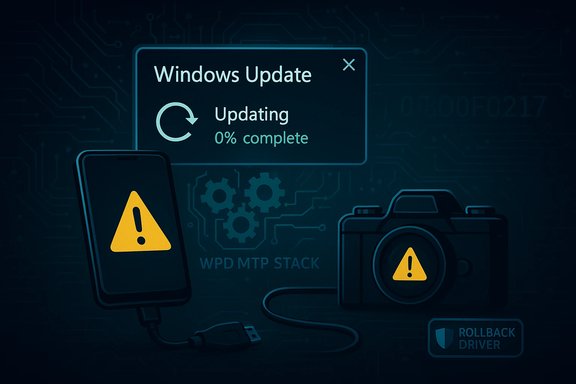
The driver listed above — recognizable from its long, timestamped name and the version string 5.2.5326.4762 — was distributed through Windows Update and began manifesting problems when users connected phones or cameras. Symptoms ranged from repeated driver installation failures to devices appearing only as charging peripherals (no file access), error codes during update or device enumeration, and devices being listed in Device Manager with warning icons instead of normal MTP entries.
Microsoft’s public response acknowledged an “incorrect device driver” had been released and stated the driver was removed from Windows Update and later addressed by cumulative updates that removed the package from affected systems.
Key fixed actions taken by Microsoft:
For users, the takeaways are straightforward: verify update history when device problems appear, be prepared to roll back drivers and install vendor-supplied software, and use available tools to block problematic updates until a vetted fix arrives. For administrators, this is a reminder to prefer controlled, policy-driven update management and to validate updates on representative hardware before broad deployment.
Microsoft’s removal of the package and subsequent corrective updates resolved the issue for most users, but the incident underscores a permanent truth for Windows maintainers and users alike: updates change systems, and even trusted channels can sometimes deliver regressions. Protecting workflows against those regressions requires policy, process and, sometimes, a manual intervention or two.
Source: BetaNews Mysterious Windows driver causing problems for users
 Background / Overview
Microsoft’s Windows Portable Devices (WPD) subsystem is the class driver framework that exposes connected media and storage devices — phones, cameras, media players, USB drives — to Windows applications. WPD implements standard protocols such as Media Transfer Protocol (MTP) and Picture Transfer Protocol (PTP) and supersedes older subsystems like Windows Media Device Manager (WMDM) and Windows Image Acquisition (WIA). WPD drivers live in the device stack that negotiates how the OS enumerates and talks to devices over USB, Bluetooth and IP transports.The driver listed above — recognizable from its long, timestamped name and the version string 5.2.5326.4762 — was distributed through Windows Update and began manifesting problems when users connected phones or cameras. Symptoms ranged from repeated driver installation failures to devices appearing only as charging peripherals (no file access), error codes during update or device enumeration, and devices being listed in Device Manager with warning icons instead of normal MTP entries.
Microsoft’s public response acknowledged an “incorrect device driver” had been released and stated the driver was removed from Windows Update and later addressed by cumulative updates that removed the package from affected systems.
What happened (timeline and symptoms)
Timeline — concise sequence
- A driver package identified as Microsoft – WPD – 2/22/2016 – 5.2.5326.4762 surfaced via Windows Update and began installing automatically on some Windows 10 systems and optionally on Windows 7/8.1 machines.
- Starting the same day it was pushed, users reported failures to connect Android phones, Windows Phones, cameras and other MTP/PTP devices; some installations showed errors such as driver install failures and codes like 0x800f0217.
- Microsoft removed the problematic package from Windows Update after reports accumulated.
- Microsoft later published corrective updates for affected Windows 10 branches that remove the incorrect driver and restore device connectivity.
Common user-reported symptoms
- Device charges but is not recognized for file transfer (no drive letter, no portable device entry).
- Device appears in Device Manager but as an unrecognized or generic MTP device with a yellow warning.
- Repeated reinstallation attempts from Windows Update that either fail or repeatedly reintroduce the bad driver.
- Explorer does not show connected camera/phone storage even when the device is present and enumerated.
- Error codes during Windows Update or Device Manager operations (e.g., 0x800f0217 reported in community threads).
Technical analysis — WPD, MTP and why a driver matters
How WPD and MTP fit into the Windows device stack
- WPD is a class driver/subsystem that lets Windows enumerate and interact with media-capable devices using standard protocols. Where a device implements MTP (most modern Android devices and many cameras), Windows can use the built-in MTP/WPD stack without vendor drivers.
- When a driver in that stack is replaced, updated, or misidentified, Windows’ ability to match a device to the correct class driver can be interrupted. That’s what happened here: the WPD entry is the handshake point used to assign the right driver for MTP/PTP/MSC behaviors.
Why a bad WPD driver breaks connectivity
- The WPD driver contains protocol handlers and object-model mapping used by Explorer, the shell, and applications to enumerate a device’s storage and content. If the WPD component or one of its MTP transport modules is replaced by an incompatible version, Windows may either fail to bind the right driver or install a driver that does not properly present device interfaces to user-mode components.
- Drivers are kernel- and user-mode pieces. Even small mismatches in expected function table layouts, device IDs, or interface GUID handling can make a device appear only as a charging or non-file-transfer peripheral.
Not all devices are the same — vendor extensions matter
- Many vendors provide their own MTP/USB helpers (or ADB drivers for Android) that coexist with Microsoft’s WPD components. If Windows Update replaces or interferes with an OEM-supplied component — or attempts to install a generic driver that conflicts with device-specific user-mode components — devices can fail to enumerate correctly.
- Community reports suggested particular conflicts with some vendor/SoC drivers, but root-cause detail varied by device and platform. In short, driver distribution via Windows Update exposed a compatibility mismatch on a subset of hardware.
Microsoft’s response and fixes
Microsoft’s official position — as posted in community and support channels — was that an "incorrect device driver" was released and then removed from Windows Update. The company subsequently provided updates intended to remove the incorrect driver from systems where it had already been installed. Those corrective updates were delivered as part of normal servicing for the affected Windows branches.Key fixed actions taken by Microsoft:
- Immediate removal of the problematic driver package from Windows Update distribution.
- Release of targeted updates for Windows 10 servicing branches to remove the incorrect driver from any systems on which it had been installed.
- Guidance to affected users on recovery steps such as rolling back drivers, reinstalling device firmware/vendor drivers, or applying the released cumulative updates.
How to identify if you were affected
- Open Settings → Update & Security → Windows Update → View update history and scan for an entry that matches Microsoft – WPD – 2/22/2016 12:00:00 AM – 5.2.5326.4762.
- In Device Manager, look under Portable Devices, Universal Serial Bus controllers, or Other devices for entries with yellow warnings, or for devices listed as generic MTP USB Device that do not expose storage.
- If your phone charges but you cannot access files, that is a classic symptom of an MTP/WPD bind failure.
Practical recovery and mitigation steps
Below are practical, sequential steps for home users and power users to recover device functionality. Enterprises should apply policy-based controls (see the Enterprise section below).- Check Windows Update history
- Verify whether the WPD driver package is listed as installed. If it appears, proceed to rollback/removal steps.
- Roll back the driver via Device Manager
- Open Device Manager, find the device (usually under Portable Devices or as an MTP device), right-click → Properties → Driver → Roll Back Driver (if enabled).
- If Roll Back is not available, choose Update Driver → Browse my computer for driver software → Let me pick from a list of available drivers → select MTP USB Device or the OEM driver if present.
- Uninstall device and delete driver software
- In Device Manager, right-click the device → Uninstall device. If the option appears, check Delete the driver software for this device. Reboot, then reconnect the device. Windows should either use a working built-in MTP driver or prompt to reinstall — at that point, avoid reinstalling the problematic WPD package if it appears.
- Install the vendor (OEM) driver
- Download and install the latest device/phone manufacturer USB/MTP drivers from the vendor website. For Android devices, many manufacturers publish official PC suites or standalone drivers. Installing the OEM driver typically prevents Windows from reinstalling the problematic generic driver.
- Use System Restore
- If the above steps fail and you have a restore point from before the driver was installed, restore to that point.
- Hide the update (Windows 10)
- Run Microsoft’s “Show or hide updates” troubleshooter (wushowhide.diagcab) to hide the problematic driver update from Windows Update until a fix is in place. For older branches where wushowhide is less effective, a roll-back or manual driver replacement is the immediate remedy.
- If you must, pause Windows Update or use a manual update policy
- Temporarily pause updates or use Group Policy / Windows Update for Business to stage updates. This reduces the chance of automatic reinstallation of a problematic driver.
- For stubborn cases: manual removal via driver store
- Advanced users can remove the driver package from the driver store using pnputil (list and delete the offending driver) and then reboot. This requires administrative command-line proficiency and caution.
- Confirm presence in Update History.
- Roll back or uninstall driver in Device Manager.
- Install OEM drivers from vendor site.
- Use System Restore if needed.
- Hide update with wushowhide tool.
- Apply Microsoft’s corrective cumulative update when available.
Enterprise considerations and recommended policies
For IT departments the incident underlines the tension between automatic driver delivery and controlled testing:- Enforce driver update controls through WSUS, SCCM, or update rings in Windows Update for Business. Stage drivers in a test ring before broad deployment.
- Use Group Policy to enable “Do not include drivers with Windows Update” on machines that require vendor-tested drivers only.
- Maintain a repository of validated OEM drivers for common endpoint models; prefer vendor-signed drivers over generic updates when devices are used for production workflows (phones used for imaging, kiosks, point-of-sale).
- Where possible, configure telemetry and update reporting so that device-enumeration regressions are detected quickly in a controlled pilot before reaching line-of-business users.
Strengths in Microsoft’s handling — and where it fell short
Strengths
- The problematic package was quickly removed from Windows Update once evidence accumulated.
- Microsoft produced and distributed corrective updates that specifically removed the incorrect driver from affected systems.
- The company’s community acknowledgements and follow-up patches show the Windows update pipeline includes remediation mechanisms for distribution mistakes.
Shortcomings and risks
- A driver marked as a Microsoft-distributed package should have stronger assurances of compatibility across widely deployed device classes — the event exposed weaknesses in the vetting or metadata matching process that let a third-party-supplied driver slip to broad distribution.
- Automatic update behavior on Windows 10 resulted in the package installing without explicit user consent on many machines, creating unexpected breakage for non-technical users who expect updates to be a safety improvement, not a regression.
- The vendor/third-party provenance and exact root cause of the compatibility failure were not immediately transparent; in multiple community threads users and commentators had to reverse-engineer symptoms to return systems to working order.
Lessons learned and broader implications
- Automatic driver updates are convenient but not risk-free. Where a device is business-critical, prefer vendor-managed update workflows or test-update rings.
- Users should know how to check Update History and be comfortable rolling back drivers via Device Manager, or be prepared to install vendor drivers as an alternative.
- For vendors and platform maintainers, this incident highlights the need for tighter distribution controls and telemetry to detect adverse effects quickly.
- The supply chain for drivers (including third-party vendors submitting packages) requires both validation and clear traceability; packages distributed via a trusted update channel must be accountable and reversible.
Notes on conflicting or unverified claims
Several community posts suggested the driver attempted to replace ADB/MTP drivers for specific SoC vendors, or that it originated from a particular vendor. While vendor-specific conflicts were widely reported by users and troubleshooting posts pointed at certain device families, precise attribution of the driver’s origin and the low-level mechanics that triggered the conflict vary between reports. Microsoft described the package as an "incorrect device driver" that was released by a third party; that description is the authoritative claim available from the vendor. Any deeper claims about which vendor component triggered the mismatch should be treated as user-sourced troubleshooting hypotheses unless confirmed by vendor or Microsoft diagnostics.Recommendations — practical, short-term and long-term
Short-term (home users and power users)- If you rely on phone or camera file access, check your update history now and roll back/remove the WPD package if present.
- Install the OEM driver from the device manufacturer; avoid relying solely on generic Windows Update drivers for device-critical systems until you confirm compatibility.
- Use the Show or hide updates troubleshooter to block reinstallation until Microsoft’s corrective update is applied.
- Device Manager → Roll back or uninstall the driver (delete driver if option appears).
- Reboot and reinstall OEM driver.
- Run wushowhide.diagcab to hide the bad update.
- Apply the Microsoft fix when it’s available through Windows Update for your branch.
- Use test rings and WSUS/SCCM to control driver rollout centrally.
- Configure Group Policy to exclude drivers from automatic Windows Update when necessary.
- Maintain a verified driver library for managed endpoint models.
Final assessment — why this matters
This WPD driver incident is a textbook example of the tradeoffs built into modern update ecosystems: automatic distribution speeds fixes and simplifies driver deployment for the majority, but it can also propagate a single mistaken package broadly and rapidly. The incident highlights the importance of staging, vetting, and rollback controls — especially for components as foundational as the WPD/MTP stack that affect daily user workflows.For users, the takeaways are straightforward: verify update history when device problems appear, be prepared to roll back drivers and install vendor-supplied software, and use available tools to block problematic updates until a vetted fix arrives. For administrators, this is a reminder to prefer controlled, policy-driven update management and to validate updates on representative hardware before broad deployment.
Microsoft’s removal of the package and subsequent corrective updates resolved the issue for most users, but the incident underscores a permanent truth for Windows maintainers and users alike: updates change systems, and even trusted channels can sometimes deliver regressions. Protecting workflows against those regressions requires policy, process and, sometimes, a manual intervention or two.
Source: BetaNews Mysterious Windows driver causing problems for users
