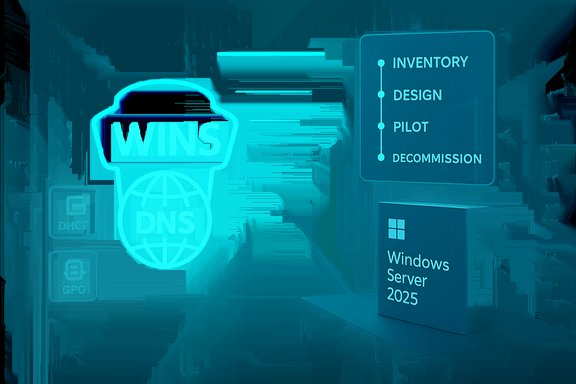
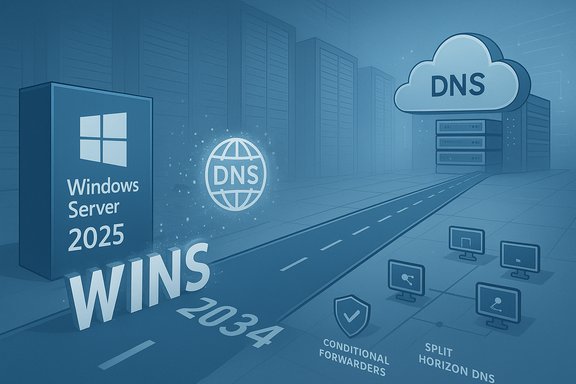
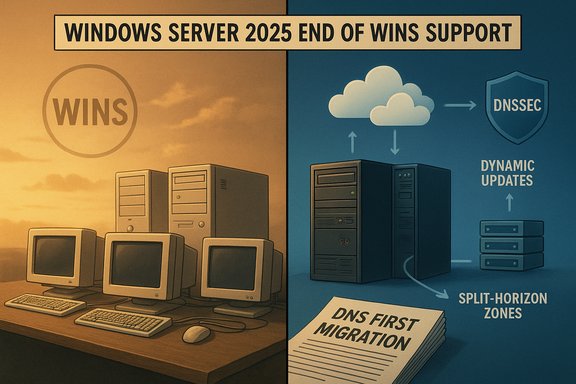
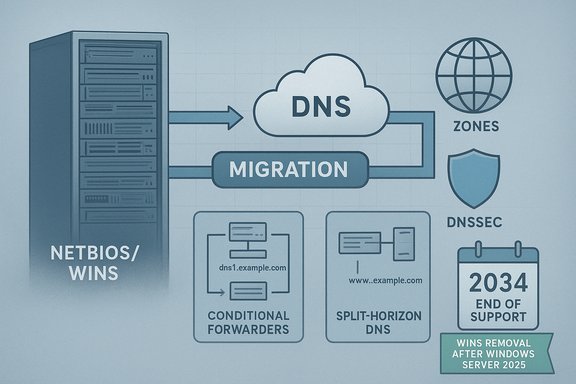
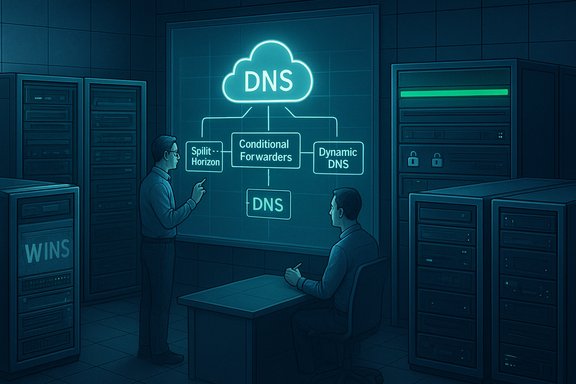
Microsoft has confirmed a formal timeline to remove Windows Internet Name Service (WINS) from future Windows Server releases — and it has altered the public wording in the official guidance to clarify that WINS in Windows Server 2025 will remain under the product’s standard support lifecycle through November 2034, while the feature itself will be removed from releases after Windows Server 2025.
WINS is a legacy NetBIOS name-to-IP-address mapping service first introduced decades ago to help Windows hosts find one another on IPv4 networks. Over time Microsoft has deprecated WINS in documentation and replaced most functionality with DNS and Active Directory–integrated name resolution. The company’s new support article — updated November 21, 2025 — formally records that Windows Server 2025 will be the last LTSC release to ship WINS, and that WINS will no longer be included in Windows Server releases that follow it. The guidance also points administrators to the Windows Server 2025 lifecycle documentation for exact support dates. This announcement is the endpoint of a long-running trend: Microsoft has been moving enterprise name resolution and related services toward DNS (with DNSSEC, conditional forwarders, split-horizon DNS and related modern features) while encouraging organizations to stop relying on NetBIOS/WINS. The official rationale is technical and security-driven: DNS is a distributed standard built on RFCs and offers better scalability and security options than an old centralized WINS replication model.
Recommended high-level steps:
1. Inventory and dependency discovery
Higher‑education and research networks have already retired internal WINS services in prior years as a local IT modernization step; these early retirements provide real-world examples of how to sequence a WINS removal with minimal user impact when a proper DNS plan is in place.
Note: If your environment relies on an in-house or vendor-managed appliance with undocumented NetBIOS/WINS behavior, that is an implementation detail outside Microsoft’s published guidance. Those specific dependencies must be validated directly with the vendor.
Source: Microsoft - Message Center WINS removal: Moving forward with modern name resolution - Microsoft Support
 Background
WINS is a legacy NetBIOS name-to-IP-address mapping service first introduced decades ago to help Windows hosts find one another on IPv4 networks. Over time Microsoft has deprecated WINS in documentation and replaced most functionality with DNS and Active Directory–integrated name resolution. The company’s new support article — updated November 21, 2025 — formally records that Windows Server 2025 will be the last LTSC release to ship WINS, and that WINS will no longer be included in Windows Server releases that follow it. The guidance also points administrators to the Windows Server 2025 lifecycle documentation for exact support dates. This announcement is the endpoint of a long-running trend: Microsoft has been moving enterprise name resolution and related services toward DNS (with DNSSEC, conditional forwarders, split-horizon DNS and related modern features) while encouraging organizations to stop relying on NetBIOS/WINS. The official rationale is technical and security-driven: DNS is a distributed standard built on RFCs and offers better scalability and security options than an old centralized WINS replication model. What changed in Microsoft’s messaging (the short version)
- Microsoft published a support article titled “WINS removal: Moving forward with modern name resolution.” The page includes a change log showing an edit on November 21, 2025 that adjusted wording in the Summary and supporting paragraphs to emphasize that WINS in Windows Server 2025 will “remain under the standard support lifecycle through November 2034.”
- The article clarifies that Windows Server 2025 is the final Long-Term Servicing Channel (LTSC) release to include WINS and that future Windows Server releases will not include the WINS Server role, the WINS MMC snap-in, or WINS automation APIs. Administrators should assume WINS will be gone in versions after Windows Server 2025 and plan migrations accordingly.
Overview: Why Microsoft is removing WINS
Modern standards and security
- DNS is the modern standard for host naming and resolution. It provides a hierarchical, distributed namespace and protocol-level features defined by RFCs that support large-scale, global resolution. WINS predates these modern practices and was designed for NetBIOS-era networks.
- Security: DNS supports defenses such as DNSSEC and modern operational practices. WINS and NetBIOS-based name resolution lack comparable protections and present attack surface differences that are troublesome for modern security postures. Microsoft explicitly lists security and lifecycle reasons in its rationale.
Lifecycle and product policy
- Microsoft’s deprecation/removal process for Windows Server features follows defined lifecycle rules. WINS was previously listed as deprecated, and now the company has published the removal timeline so organizations have a multi-year runway to migrate. The Windows Server 2025 lifecycle policy is the authoritative place to confirm support end dates.
What this actually removes (technical inventory)
When WINS is removed from post-2025 Windows Server releases, expect the following items to be gone from the OS image and supported management surface:- WINS Server role and binaries (service components that host and maintain the WINS database).
- WINS Microsoft Management Console (MMC) snap-in and GUI tooling for WINS.
- WINS automation APIs and any programmatic management interfaces that scripts or products used to call for WINS administration.
Administrators should assume no native WINS server or management tools will ship in later server releases.
What organizations should do now — strategic guidance
Microsoft’s announcement is intentionally generous on timing: Windows Server 2025 remains the last version to carry WINS and the product lifecycle for that OS extends into late 2034, giving many organizations close to a decade to migrate. That said, the risk is not just the calendar — it’s hidden operational and application dependencies. Treat this as a project, not a checklist.Recommended high-level steps:
- Audit: Inventory any servers, workstations, printers, network appliances, backup appliances, legacy apps, or scripts that rely on NetBIOS name resolution/WINS. A targeted audit across DHCP options, legacy IP-telephony systems, embedded devices and third‑party applications is essential.
- Classify applications and devices: Group items into: (A) trivial to migrate (modernize DNS or use FQDN), (B) requires moderate effort (reconfigure or replace), (C) legacy/unsupported systems (may need replacement, vendor engagement, or long-term isolation).
- Design a DNS-first migration strategy:
- Use conditional forwarders and split-horizon DNS for isolated namespaces.
- Consider DNS suffix/search-list configuration and DHCP scope updates to minimize user-visible changes.
- If you host legacy resources with no stable FQDN, plan for static records or relocation to devices that support DNS registration.
- Testing plan: Pilot migrations in lab/vlan segments. Ensure authentication, file shares, printer access, and domain joins behave as expected before mass rollout.
- Fallback and rollback: Where safe, retain minimal WINS servers during staged migrations only until verification is complete — but plan for their eventual removal. Microsoft’s long runway allows staggered migration, but do not treat WINS as a permanent fallback.
Migration playbook — practical, technical steps
Below is a practical migration playbook designed for sysadmins and IT teams migrating from WINS to DNS-based resolution.1. Inventory and dependency discovery
- Use DHCP server scopes and options to find WINS server entries.
- Query network devices and printers for NetBIOS/WINS settings.
- Scan logs and network NetBIOS traffic (UDP 137/138) to spot active clients.
- Use application inventory tools and group policy objects (GPOs) to find scripted WINS references.
- Decide between centralized DNS, split-horizon (internal/external), and conditional forwarders.
- Implement DNS zones for legacy subnets and register authoritative records for static hosts.
- Plan proper DNS suffixes and DHCP options so clients resolve short names to FQDN automatically.
- Remove WINS server IP options from DHCP scopes and add DNS suffixes/search lists where necessary.
- Ensure DNS dynamic updates are enabled for clients and servers that should auto-register.
- Stagger the DHCP change: update pilot scopes first, observe behavior, then roll to production.
- For old apps that use NetBIOS names, seek vendor updates or add FQDN support via application config changes.
- If applications are unpatchable, consider host-based static entries (short term) or app-layer proxies that provide FQDN mapping.
- Record all changes, update configuration management databases (CMDB), and prepare user-facing instructions for any visible name changes.
- After thorough verification and an agreed safety period, remove WINS role, remove DHCP WINS options, and retire WINS servers.
- Validate name resolution across subnets and VLANs, check authentication and SMB access, and confirm scheduled tasks, scripts, and backup software behave normally.
Technical details and migration tactics IT teams will need
DNS replacements for common WINS scenarios
- NetBIOS short name resolution: Replace by standardizing DNS suffixes and encouraging use of FQDNs. Configure search suffixes in DHCP/GPO so users can continue using short names where possible.
- Local-only resources (ad-hoc printers, home lab devices): Provide static DNS entries or relocate those devices onto VLANs with stable DNS registration.
- Name registration replication: WINS had a centralized replication model; DNS uses zone transfers and dynamic updates. If you previously relied on WINS replication semantics, design DNS zone replication carefully across sites.
Windows-specific notes
- Active Directory and many modern Windows APIs already rely on DNS; converting client configurations to DNS will usually not break AD interactions. Historically, Microsoft itself documented the recommendation to move to DNS for name resolution.
Security hardening benefits
- Migrating to DNS lets organizations use DNSSEC for integrity and signed zone controls, and to integrate modern outbound DNS protections (for example, allowlist/DoH enforcement and Zero‑Trust DNS controls). These advantages are explicitly cited by Microsoft as part of the rationale for removal.
Risks and operational caveats — what can go wrong
- Hidden dependencies: Legacy applications, vendor devices, or lab equipment can silently require NetBIOS/WINS. These are the items that will produce the most friction during migration.
- Disconnected networks: Some air‑gapped, isolated networks relied on WINS because they lacked robust DNS infrastructure. Migration here may require temporary DNS servers or local DNS appliances.
- Operational mistakes during DHCP/DNS rollout: Misconfigured DHCP options or DNS zone transfers can cause larger outages than the WINS removal alone. Always pilot and validate before broad change.
- Printer and embedded device failures: Embedded devices often have limited hostname configuration options. Plan for their replacement or extended isolation if necessary.
- Third-party vendor lock-in: Unsupported third-party software that only speaks NetBIOS may require vendor engagement, often including paid updates or system replacement.
Timeline and project planning example (suggested)
Microsoft’s policy gives a long runway, but the migration timeline below is a pragmatic program for organizations that want to be ready well before the removal of WINS from post-2025 releases.- Month 0–3: Inventory & risk classification. Identify all WINS consumers and categorize them by migration difficulty.
- Month 3–6: DNS design and pilot. Create split-horizon and conditional forwarder designs; pilot with non-critical VLANs.
- Month 6–12: Application migrations and vendor remediation. Engage vendors, update applications, and replace intractable hardware where required.
- Month 12–18: Broader DHCP and client rollouts. Remove WINS DHCP options from staged scopes and monitor.
- Month 18–24: Finalize verification and decommission WINS servers used only for fallback. Update documentation and close project.
Community and ecosystem signals
The messaging around WINS removal aligns with other Microsoft server modernization moves (for example, the documented deprecations in Windows Server 2025 and removals of other legacy roles). Community and enterprise forums show administrators discussing similar deprecations and migration strategies for other legacy items in Windows Server 2025. These conversations underscore the practical reality that migrations take time and vendor cooperation.Higher‑education and research networks have already retired internal WINS services in prior years as a local IT modernization step; these early retirements provide real-world examples of how to sequence a WINS removal with minimal user impact when a proper DNS plan is in place.
Verification and cross-references (what was checked)
Key claims in Microsoft’s announcement were verified against multiple authoritative references:- The Microsoft support article titled “WINS removal: Moving forward with modern name resolution” (main announcement and change log).
- The Windows Server lifecycle and product lifecycle pages confirming the Windows Server 2025 lifecycle timeline and how Microsoft publishes lifecycle dates for LTSC releases.
- Microsoft Learn documentation on DNS and the WINS lookup integration, which explains the technical differences and recommended DNS migration patterns that inform practical migration choices.
Note: If your environment relies on an in-house or vendor-managed appliance with undocumented NetBIOS/WINS behavior, that is an implementation detail outside Microsoft’s published guidance. Those specific dependencies must be validated directly with the vendor.
Quick migration checklist (one page: actionable tasks)
- Inventory: Export DHCP scopes, review GPOs, scan UDP 137/138 activity.
- Stakeholders: Identify business owners of legacy apps and embedded devices.
- DNS design: Author split-brain zones and conditional forwarders for legacy namespaces.
- Pilot: Move one business unit or lab, validate file shares, authentication, and print services.
- Vendor engagement: Open tickets or contract renewals with vendors for legacy software/hardware.
- Training: Educate desktop and server teams on DNS tooling and troubleshooting.
- Decommission: Schedule WINS server role removal after successful verification and a defined hold period.
Final analysis: benefits, trade-offs, and risk management
- Benefits: Migration away from WINS improves security posture, enables modern DNS features (including DNSSEC and easier integration with cloud services), and reduces operational debt tied to obsolete code paths. It aligns with Microsoft’s long-term architecture for Windows and cloud services.
- Trade-offs: The main trade-off is project scope and complexity: deep inventories, vendor coordination, and potential hardware replacement are likely required. Some disconnected or isolated networks will need special handling. Test-and-validate discipline is non-negotiable.
- Risk management: Use phased pilots, maintain a short-term fallback plan for stubborn endpoints (but avoid permanent static workarounds), and fund the migration as a multi-year program. Microsoft’s published timeline provides predictability; organizations should not conflate “long runway” with “indefinite postponement.”
Conclusion
Microsoft’s formal announcement — and the revision to its wording on November 21, 2025 — makes the position clear: WINS will be gone from Windows Server releases after Windows Server 2025, and WINS functionality in Windows Server 2025 will be governed by the usual Windows Server lifecycle through November 2034. That provides substantial time for careful planning, testing, and staged migration. However, the work is non-trivial: hidden dependencies and vendor‑supplied devices will require deliberate discovery and remediation. Treat this as an infrastructure modernization program — start the inventory, design DNS-first solutions, pilot early, and engage vendors — and use the extended lifecycle window to avoid last‑minute scrambles.Source: Microsoft - Message Center WINS removal: Moving forward with modern name resolution - Microsoft Support