

WinSAT has spent years hiding in plain sight, and that obscurity is almost more interesting than the benchmark itself. Windows System Assessment Tool is still present in modern Windows, still capable of measuring CPU, memory, disk, and graphics, and still useful for quick bottleneck checks when you do not want to install anything extra. Microsoft’s own documentation confirms that the tool remains part of the Windows assessment stack and that its comprehensive mode rates core system components with numeric scores. (learn.microsoft.com)
The odd part is not that WinSAT exists; it is that so many Windows users never encounter it now that the old Windows Experience Index interface is gone. Microsoft moved the visible consumer-facing layer away, but the underlying assessment engine never really disappeared. For enthusiasts, repair techs, and admins, that makes WinSAT less of a relic and more of a buried utility waiting to be rediscovered. (learn.microsoft.com)
WinSAT, short for Windows System Assessment Tool, is one of those Microsoft components that feels half-forgotten and fully practical at the same time. It traces back to the Vista era, where it powered the Windows Experience Index and gave consumers a simple score for their hardware. Microsoft’s documentation still describes WinSAT Comprehensive as a way to rate a computer’s CPU, memory, disk, and graphics subsystems with numerical scores where higher generally means better performance. (learn.microsoft.com)
That history matters because it explains the strange gap between what WinSAT can do and what people think it can do. The old WEI badge was easy to understand, but it also reduced a fairly sophisticated assessment engine to a single number. Once Microsoft removed the public-facing UI, the tool became much less visible even though the command-line backend stayed alive in Windows 10 and Windows 11. (learn.microsoft.com)
The MakeUseOf article captures the appeal well: WinSAT is fast, built in, and good enough for a broad first look at system heatitute for specialized benchmarking suites, but it can quickly tell you whether your storage is dragging down the machine or whether a graphics subsystem looks suspiciously weak. That makes it especially handy for rapid triage, which is often the first thing people need when a PC feels slower than it should.
There is also a cultural angle here. Windows users have become conditioned to think benchmark tools mean downloads from Futuremark, CrystalDiskMark, Cinebench, AIDA64, or another third-party utility. WinSAT reminds us that Microsoft already built a decent diagnostic pathway into the OS itself, then largely stopped explaining it to users. That silence may have contributed to the mythology that “Windows has no built-in benchmark,” when in fact it has had one for years. (learn.microsoft.com)
A final reason WinSAT deserves attention is that it illustrates a broader Windows truth: hidden tools often survive because Microsoft keeps them useful for internal or OEM workflows even after the consumer UI disappears. The result is a tool that feels abandoned but is still documented, still runnable, and still worth knowing about. Forgotten does not mean useless. It often means unadvertised.
That structure is what makes the tool useful in practice. It does not just ask, “Is this PC fast?” It asks which part of the machine is most likely to limit responsiveness. For the average Windows user, that is often the only question that matters, because the pain point is not theoretical performance but day-to-day friction: slow boot, delayed app launches, stuttering gmultitasking. (learn.microsoft.com)
This makes WinSAT surprisingly useful for upgrades and troubleshooting. After an SSD swap, a RAM upgrade, or a driver change, rerunning the relevant test gives you a concrete before-and-after comparison. That is much more persuasive than a vague “it feels faster,” especially when you are explaining a hardware purchase to someone else or validating whether a fix actually worked.
That matters because WinSAT is not some random hidden executable. It is part of a larger testing philosophy: assess, compare, remediate, and reassess. Even if Microsoft no longer promotes the consumer-facing aspect, the engineering logic behind it has never entirely vanished.
The easiest full run is
The key point is that WinSAT is practical when you know what you are trying to isolate. If the machine is generally fine but storage is suspect,
There is also a modern hardware problem. On today’s fast SSDs, high-end GPUs, and hybrid CPU platforms, a simplistic 1.0-to-9.9 scale can feel a bit archaic. The benchmark can still measure something real, but the language around the score no longer feels contemporary. That mismatch helps explain why the tool now feels more like an internal diagnostic than a mainstream consumer product.
That distinction matters because a lot of benchmark debates collapse into false equivalence. A CPU rendering test, a storage microbenchmark, and a general system assessment do not serve the same purpose. WinSAT is useful because it gives you a broad, quick, built-in first pass; the others are useful because they go much deeper in their respective domains.
Microsoft’s assessment documentation reinforces that distinction. The broader toolkit includes scenarios for file handling, Internet Explorer performance, boot behavior, media transcoding, and other specific workloads, which shows that WinSAT is just one layer in a more elaborate ecosystem. Specialized tools focus on one dimension; Microsoft’s tooling philosophy is closer to a suite of measurement modes. (learn.microsoft.com)
There is also a bigger Windows lesson here: many users think of the platform as bloated precisely because they lready available. WinSAT is an example of built-in capability that gets ignored once a newer, shinier ecosystem of third-party apps takes over the conversation. The OS can feel stripped down even when it still contains a surprising amount of diagnostic depth.
The MakeUseOf article notes that WinSAT helped reveal a slow hard drive as the bottleneck on an older laptop, and that replacing it with an SSD meaningfully improved the machine’s perceived speed. That is exactly the sort of use case where a built-in benchmark pays off. It turns a vague complaint into an actionable hardware diagnosis.
Microsoft’s broader assessment documentation emphasizes the same workflow: assess a clean machine, add hardware or software, rerun the tests, and compare results. That is the kind of process IT departments rely on when they need evidence rather than intuition. (learn.microsoft.com)
That is a very Microsoft decision: keep the infrastructure, de-emphasize the interface, and let the utility remain available to people who know to look for it. The downside is discoverability; the upside is continuity. In a product as old and sprawling as Windows, those tradeoffs are often unavoidable.
That support logic may be why WinSAT has survived while the consumer veneer vanished. OEMs, repair teams, and administrators still need measurable outcomes, even if the average home user does not. The visible score may have gone away, but the measurement framework still has value.
Another concern is that the tool’s obscurity makes it hard to support socially. If fewer people talk about WinSAT, fewer guides exist, and the less likely newer users are to interpret results correctly. That weakens the tool’s community value even if the code itself remains functional.
The more interesting question is whether Windows users will continue rediscovering these hidden utilities one at a time, or whether Microsoft will eventually offer a clearer built-in performance story for power users. Right now, WinSAT occupies a weird but useful middle ground: too basic for benchmark purists, too technical for casual users, and just practical enough to remain worth knowing.
Source: MakeUseOf Windows has a benchmark tool so good it makes you wonder why Microsoft never mentioned it
The odd part is not that WinSAT exists; it is that so many Windows users never encounter it now that the old Windows Experience Index interface is gone. Microsoft moved the visible consumer-facing layer away, but the underlying assessment engine never really disappeared. For enthusiasts, repair techs, and admins, that makes WinSAT less of a relic and more of a buried utility waiting to be rediscovered. (learn.microsoft.com)
 Overview
WinSAT, short for Windows System Assessment Tool, is one of those Microsoft components that feels half-forgotten and fully practical at the same time. It traces back to the Vista era, where it powered the Windows Experience Index and gave consumers a simple score for their hardware. Microsoft’s documentation still describes WinSAT Comprehensive as a way to rate a computer’s CPU, memory, disk, and graphics subsystems with numerical scores where higher generally means better performance. (learn.microsoft.com)That history matters because it explains the strange gap between what WinSAT can do and what people think it can do. The old WEI badge was easy to understand, but it also reduced a fairly sophisticated assessment engine to a single number. Once Microsoft removed the public-facing UI, the tool became much less visible even though the command-line backend stayed alive in Windows 10 and Windows 11. (learn.microsoft.com)
The MakeUseOf article captures the appeal well: WinSAT is fast, built in, and good enough for a broad first look at system heatitute for specialized benchmarking suites, but it can quickly tell you whether your storage is dragging down the machine or whether a graphics subsystem looks suspiciously weak. That makes it especially handy for rapid triage, which is often the first thing people need when a PC feels slower than it should.
There is also a cultural angle here. Windows users have become conditioned to think benchmark tools mean downloads from Futuremark, CrystalDiskMark, Cinebench, AIDA64, or another third-party utility. WinSAT reminds us that Microsoft already built a decent diagnostic pathway into the OS itself, then largely stopped explaining it to users. That silence may have contributed to the mythology that “Windows has no built-in benchmark,” when in fact it has had one for years. (learn.microsoft.com)
A final reason WinSAT deserves attention is that it illustrates a broader Windows truth: hidden tools often survive because Microsoft keeps them useful for internal or OEM workflows even after the consumer UI disappears. The result is a tool that feels abandoned but is still documented, still runnable, and still worth knowing about. Forgotten does not mean useless. It often means unadvertised.
What WinSAT Actually Measures
At its core, WinSAT runs synthetic tests against several system components. Microsoft’s documentation states that WinSAT Comprehensive measures CPU, memory, disk, and graphics performance, and that the results are expressed numerically. The mem subcommand specifically tests system memory bandwidth using behavior similar to large memory-to-memory buffer copies in multimedia workloads. (learn.microsoft.com)That structure is what makes the tool useful in practice. It does not just ask, “Is this PC fast?” It asks which part of the machine is most likely to limit responsiveness. For the average Windows user, that is often the only question that matters, because the pain point is not theoretical performance but day-to-day friction: slow boot, delayed app launches, stuttering gmultitasking. (learn.microsoft.com)
Subsystem scores and the bottleneck story
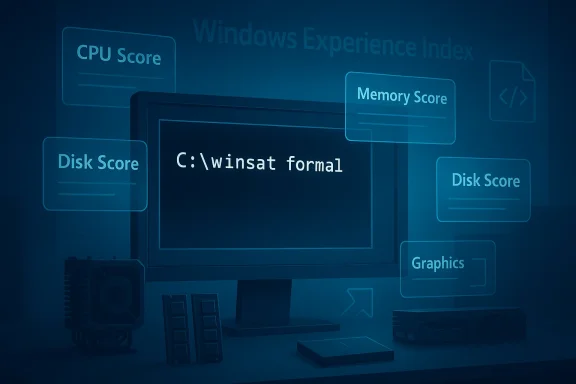
The MakeUseOf piece highlights the classic WinSAT pattern: CpuScore, MemoryScore, GraphicsScore, and DiskScore feed into a broader system score, which effectively exposes the weakest link. That is the real value proposition. If a machine scores well on everything except storage, the diagnosis is obvious even before a deeper tool gets involved.This makes WinSAT surprisingly useful for upgrades and troubleshooting. After an SSD swap, a RAM upgrade, or a driver change, rerunning the relevant test gives you a concrete before-and-after comparison. That is much more persuasive than a vague “it feels faster,” especially when you are explaining a hardware purchase to someone else or validating whether a fix actually worked.
- CPU score helps spot processor limits or unusual throttling.
- Memory score is useful when multitasking or browser-heavy workloads feel sticky.
- Disk score is often the most revealing on older systems.
- Graphics score can surface driver or GPU-related weakness.
- System score tends to reflect the lowest-performing core area.
Why Microsoft kept it
Microsoft likely kept WinSAT because the underlying assessment framework still serves administrative and OEM needs. The broader Windows Assessment Toolkit documentation shows a much wider ecosystem of tests and workflows, including baseline comparisons, driver verification, file handling, and boot performance. WinSAT is only one part of that larger assessment world, but it remains the simplest visible remnant of it. (learn.microsoft.com)That matters because WinSAT is not some random hidden executable. It is part of a larger testing philosophy: assess, compare, remediate, and reassess. Even if Microsoft no longer promotes the consumer-facing aspect, the engineering logic behind it has never entirely vanished.
How to Run It
The most important practical detail is that WinSAT wants an elevated terminal. Microsoft’s documentation for `w says the command must be executed from an elevated Command Prompt, and the MakeUseOf article notes that some tests fail without admin rights. In other words, WinSAT is built for system-level inspection, not casual user-space tinkering. (learn.microsoft.com)The easiest full run is
winsat formal, which triggers a comprehensive assessment. According to the article, this runs CPU, memory, desktop graphics, 3D graphics, and storage tests, then writes XML output into the WinSAT DataStore directory. That makes it easy to preserve a baseline, compare later runs, or parse the output with scripts.The basic workflow
The command-line approach is a little old-school, but it is not difficult once you know the pattern. The general flow is: open an elevated prompt, run the test, wait for the system to finish, and then inspect the generated XML. WinSAT can also be pointed at specific workloads, which is useful when you do not need a full formal run.- Open Command Prompt or PowerShell as administrator.
- Run
winsat formalfor a full assessment. - Use
winsat cpu,winsat mem, orwinsat diskfor targeted tests. - Check the XML files under C:\Windows\Performance\WinSAT\DataStore.
- Compare before-and-after results after upgrades or driver changes.
Targeted commands and switches
WinSAT also exposes more granular switches. Microsoft documents options like-v for verbose output and -xml for saving results to a specified file in the memory test, while the MakeUseOf article notes disk and graphics flags such as -seq, -ran, and -fullscreen. That combination makes the tool more flexible than many people expect from a “forgotten” Windows utility. (learn.microsoft.com)The key point is that WinSAT is practical when you know what you are trying to isolate. If the machine is generally fine but storage is suspect,
winsat disk is the obvious first move. If multitasking feels sluggish, memory bandwidth is a better target. That kind of focused test can save time before you escalate to more specialized diagnostics.winsat formalfor an all-around checkwinsat cpufor processor behaviorwinsat memfor memory bandwidthwinsat diskfor storage throughputwinsatverbose and XML options for logging and scripting
Why It FeAT did not disappear because it stopped working. It fell out of sight because Microsoft removed the consumer-friendly scoreboard that made it visible. Once the Windows Experience Index stopped being front-and-center, the underlying benchmark ceased to have a simple public identity. That is how a useful tool becomes a rumor. (learn.microsoft.com)
The old WEI interface also became a liability. It was easy to misunderstand, easy to oversimplify, and easy to reduce to a badge on an OEM sales page. Scores that were meant to guide optimization often became marketing shorthand instead. In that environment, it is not shocking that Microsoft preferred to retire the UI rather than continue supporting a consumer scorecard with diminishing credibility.The Windows Experience Index problem
WEI was useful in a limited way, but it encouraged a single-number mindset. Consumers often treated the score as if it were a substitute for actual benchmarking nuance, even though different workloads behave very differently. That made the output feel authoritative while hiding the underlying complexity.There is also a modern hardware problem. On today’s fast SSDs, high-end GPUs, and hybrid CPU platforms, a simplistic 1.0-to-9.9 scale can feel a bit archaic. The benchmark can still measure something real, but the language around the score no longer feels contemporary. That mismatch helps explain why the tool now feels more like an internal diagnostic than a mainstream consumer product.
A tool hidden by design
WinSAT’s obscurity is also a byproduct of Microsoft’s product philosophy. The company has increasingly favored guided experiences, settings pages, and curated diagnostics over raw command-line utilities for general users. That may improve accessibility, but it also means useful powetly become invisible.- The tool remained in Windows.
- The visible interface did not.
- The documentation survived, but the marketing did not.
- The user base shifted toward third-party benchmark apps.
- The result was a classic hidden but not gone utility.
How It Compares to Third-Party Benchmarks
WinSAT sits in a different category from Cinebench, CrystalDiskMark, and 3DMark. Those tools are more specialized, more widely discussed, and usually better at isolating a single workload or component. WinSAT’s strength is breadth and convenience, not deep specialization.That distinction matters because a lot of benchmark debates collapse into false equivalence. A CPU rendering test, a storage microbenchmark, and a general system assessment do not serve the same purpose. WinSAT is useful because it gives you a broad, quick, built-in first pass; the others are useful because they go much deeper in their respective domains.
Breadth versus depth
If you want to test a graphics card under sustained load, a dedicated graphics benchmark is usually the better choice. If you want a detailed storage profile, a purpose-built disk benchmark is often more revealing. WinSAT is not trying to win that contest. It is trying to be the least expensive way to identify where the problem probably is.Microsoft’s assessment documentation reinforces that distinction. The broader toolkit includes scenarios for file handling, Internet Explorer performance, boot behavior, media transcoding, and other specific workloads, which shows that WinSAT is just one layer in a more elaborate ecosystem. Specialized tools focus on one dimension; Microsoft’s tooling philosophy is closer to a suite of measurement modes. (learn.microsoft.com)
Practical value for enthusiasts
For enthusiasts, that means WinSAT is a sanity-check tool more than a definitive benchmark. It is especially useful after upgrades, driver changes, or OS reinstalls, because you can compare results quickly without installing half a dozen utilities. In a troubleshooting session, convenience often beats perfection.- WinSAT is quick to launch.
- It is already present on the system.
- It provides a broad hardware snapshot.
- It is good for validating obvious changes.
- It is not a replacement for deep-dive benchmarking.
Why WinSAT Still Matters in 2026
The reason WinSAT still matters is not nostalgia. It is utility. A tool that ships with the OS, requires no download, and can expose a clear bottleneck still has a place in 2026, especially for support staff and power users who are trying to answer a question quickly. (learn.microsoft.com)There is also a bigger Windows lesson here: many users think of the platform as bloated precisely because they lready available. WinSAT is an example of built-in capability that gets ignored once a newer, shinier ecosystem of third-party apps takes over the conversation. The OS can feel stripped down even when it still contains a surprising amount of diagnostic depth.
Consumer usefulness
For consumers, the value is simple. If a laptop feels slow, WinSAT can help identify whether the problem is storage, memory, graphics, or CPU-related without first buying or downloading anything. That is especially handy on older machines, travel devices, or systems where you want a quick read before deciding whether an upgrade is worth the trouble.The MakeUseOf article notes that WinSAT helped reveal a slow hard drive as the bottleneck on an older laptop, and that replacing it with an SSD meaningfully improved the machine’s perceived speed. That is exactly the sort of use case where a built-in benchmark pays off. It turns a vague complaint into an actionable hardware diagnosis.
Enterprise usefulness
For enterprise environments, the value is even more obvious. Baseline measurements, scripted checks, and repeatable comparisons are what help technicians distinguish between a configuration issue and a hardware issue. Because WinSAT can save XML output, it becomes more interesting as a building block for automation and fleet diagnostics.Microsoft’s broader assessment documentation emphasizes the same workflow: assess a clean machine, add hardware or software, rerun the tests, and compare results. That is the kind of process IT departments rely on when they need evidence rather than intuition. (learn.microsoft.com)
The hidden advantage
The hidden advantage is that WinSAT is already trusted by the operating system. It is not some aftermarket binary with uncertain provenance. It is part of the Windows assessment ecosystem, and that gives it a baseline legitimacy that random freeware tools sometimes lack.- No separate installation.
- Familiar Windows execution model.
- XML output suitable for automation.
- Useful for baseline and regression comparisons.
- Good enough for first-pass diagnostics.
What Microsoft Gained by Keeping It Quiet
Microsoft likely benefits from WinSAT’s quiet survival in a few ways. First, it avoids reviving the awkward consumer debate around a single Windows score. Second, it preserves a technical assessment engine for internal, OEM, and admin workflows. Third, it keeps the company from having to market a feature that no longer fits its modern Windows story. (learn.microsoft.com)That is a very Microsoft decision: keep the infrastructure, de-emphasize the interface, and let the utility remain available to people who know to look for it. The downside is discoverability; the upside is continuity. In a product as old and sprawling as Windows, those tradeoffs are often unavoidable.
OEM and support logic
From an OEM perspective, a benchmark like WinSAT makes sense because it provides a standardized baseline for assessing system components. Microsoft’s assessment toolkit documentation explicitly discusses comparing configurations, identifying unusual values, and establishing clean-system baselines before and after adding hardware or software. That is the language of manufacturing validation and support triage, not consumer marketing. (learn.microsoft.com)That support logic may be why WinSAT has survived while the consumer veneer vanished. OEMs, repair teams, and administrators still need measurable outcomes, even if the average home user does not. The visible score may have gone away, but the measurement framework still has value.
The cost of invisibility
The cost, of course, is that useful tools get underused. If people do not know WinSAT exists, they cannot benefit from its quick diagnostics. That pushes them toward installing external tools, which is fine, but also slightly absurd when Windows already contains a passable first-line benchmark.- Hidden tools can survive for years.
- Surviving is not the same as being useful to everyone.
- Discoverability often determines adoption.
- Adoption shapes community knowledge.
- Community knowledge shapes which tools become “standard.”
Strengths and Opportunities
WinSAT’s biggest strength is that it offers a built-in, low-friction hardware snapshot that can help users identify bottlenecks in minutes. It also gives Microsoft a scalable assessment framework that works across consumer, admin, and OEM contexts, even if the public-facing interface is gone. That combination makes it more valuable than its obscurity suggests.- No installation required on a standard Windows system.
- Fast enough for quick triage when a PC feels slow.
- Broad coverage across CPU, memory, graphics, and storage.
- XML output supports scripting and comparison.
- Useful baseline for upgrades and troubleshooting.
- Administrative relevance for support teams and technicians.
- Good first pass before specialized benchmarks.
Where it shines most
The best use cases are the mundane ones: a slow laptop, a suspiciously weak SSD, a memory upgrade you want to verify, or a machine whose overall feel does not match its specs. In those moments, WinSAT is less about bragging rights and more about decision-making. It helps answer “what should I look at next?”Risks and Concerns
WinSAT’s main weakness is that it can look more authoritative than it really is. Synthetic benchmarks can mislead if users treat them as direct proxies for real-world experience, and the older scoring model is especially vulnerable to that mistake. A number is not a verdict. It is a clue.- Synthetic results may not map cleanly to real workloads.
- Outdated score framing can make results feel less relevant.
- Limited visibility means many users never learn it exists.
- Overinterpretation can lead to bad upgrade decisions.
- Benchmark gaming was a real historical concern with WEI-era thinking.
- Specialized workloads still need specialized tools.
- Modern NVMe and GPU behavior may not be fully captured by a simple pass.
The practical caveat
The biggest risk is misuse by overconfidence. If someone sees a low score and assumes they have isolated the root cause, they may overlook driver problems, thermal throttling, background software, or workload-specific issues. WinSAT is best used as a first diagnostic, not a final answer.Another concern is that the tool’s obscurity makes it hard to support socially. If fewer people talk about WinSAT, fewer guides exist, and the less likely newer users are to interpret results correctly. That weakens the tool’s community value even if the code itself remains functional.
Looking Ahead
WinSAT is unlikely to become a mainstream Windows feature again, and that is probably fine. Microsoft has moved on to more modern diagnostics and more curated user experiences, while enthusiasts continue to rely on third-party benchmarks for deeper analysis. But the tool’s survival suggests that Microsoft still sees value in a broad internal assessment layer, even if it no longer wants to market the consumer-friendly version of it. (learn.microsoft.com)The more interesting question is whether Windows users will continue rediscovering these hidden utilities one at a time, or whether Microsoft will eventually offer a clearer built-in performance story for power users. Right now, WinSAT occupies a weird but useful middle ground: too basic for benchmark purists, too technical for casual users, and just practical enough to remain worth knowing.
What to watch next
- Whether Microsoft adds any modern UI around system assessment again.
- Whether WinSAT remains stable in future Windows releases.
- Whether more users script WinSAT for fleet diagnostics.
- Whether OEMs or repair workflows continue to rely on its XML output.
- Whether built-in Windows diagnostics become more visible to consumers.
Source: MakeUseOf Windows has a benchmark tool so good it makes you wonder why Microsoft never mentioned it
Last edited:
