Windows Media Player CD Metadata Lookup Goes Offline: How to Tag Ripped Discs

  • Thread Author
Microsoft's quiet retreat from one of the small conveniences that made desktop Windows feel like a living jukebox has landed with a thud for anyone still ripping CDs: Windows Media Player's online album-lookup service has stopped returning metadata, leaving freshly inserted discs labelled “Unknown album” and forcing users to type track names by hand or find new tooling to restore what used to happen automatically.

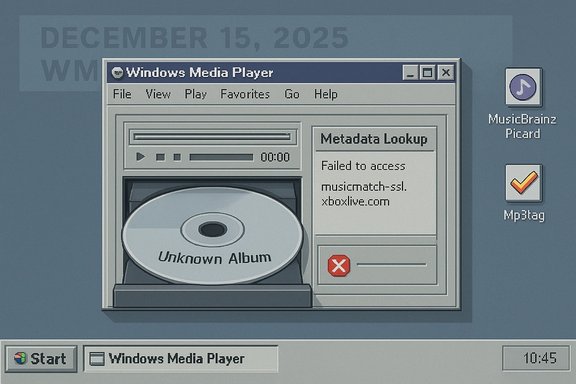
Retro Windows 95-style desktop with Windows Media Player showing an Unknown Album CD and a metadata lookup error.Background​

Windows Media Player (WMP) has carried CD lookup functionality since the early multimedia era of Windows, querying an internet metadata service to match a disc’s table-of-contents (TOC) or acoustic fingerprint to album titles, track lists, and cover art. For many users the last two decades that lookup has been invisible — insert a disc, and WMP would populate fields for you. That smooth UX depends on a remote metadata provider, and when that endpoint goes dark the experience collapses back into the manual era. Several community reports place the onset of the problem around mid-December 2025, when many users began seeing “No match found” responses from the endpoint WMP uses for album information: musicmatch-ssl.xboxlive.com. Microsoft’s own user forums quickly filled with reports of the same symptom and the same error URL, and the spike in tickets and community threads strongly suggests a centralized outage or the retirement of a metadata endpoint rather than a client-side bug affecting only a handful of devices. At the time of writing there is no public Microsoft press release reversing the observed behavior.

Overview: what stopped working, and when​

  • What broke: Windows Media Player's online album lookup — the "Find album information" feature — has been returning no metadata for many commercial CDs. Users attempting to fetch album data see the lookup pointing to musicmatch-ssl.xboxlive.com and then a "No match found" response.
  • When it started: user reports and community posts cluster around 15 December 2025 as the day many users first noticed the failure. Subsequent posts through December and into January show the issue persisted and community troubleshooting produced no official fix.
  • Official context: Microsoft published broader notices about retiring certain Windows metadata services earlier in 2025, announcing the end of servicing for device metadata and Windows Metadata and Internet Services (WMIS) in May 2025. While that post covers device metadata workflows rather than music metadata specifically, it signals a company-level trend of winding down older metadata services and may be relevant to the tooling decisions behind WMP’s lookup endpoints. Microsoft’s announcement explicitly detailed retirement timing and migration guidance for partner-submitted device metadata packages.

Why this matters: the practical impact​

For casual listeners the change is an annoyance; for collectors, archivists, and anyone who cares about clean metadata, the shift matters in concrete ways.
  • Broken metadata means music files ripped without tags are harder to organize, search, and export. Many consumer workflows — playlists, media servers, portable players — rely heavily on consistent tag fields (Artist, Album, Album Artist, Track Number, Year, Genre, Artwork).
  • Legacy tools and scripts built around WMP’s automatic lookup now fail. Automated bulk-ripping or archival projects that assumed WMP would fill tags must either add manual steps or switch tooling.
  • Accessibility and usability regressions: users with limited dexterity, older adults, or those who depend on WMP’s simple GUI now face repetitive typing tasks or a migration learning curve.
  • Preservation concerns: a company pulling endpoints quietly makes it harder to maintain long-term, reproducible archival workflows for physical media collections.

What caused it — and what’s confirmed vs. speculative​

Confirmed facts:
  • Multiple users and Microsoft community threads show the endpoint musicmatch-ssl.xboxlive.com in the error dialog and report a sudden inability to fetch CD metadata beginning 15 December 2025. This is corroborated across Microsoft’s Q&A forums and independent community boards.
  • Microsoft announced the retirement of WMIS and device metadata servicing in a May 5, 2025 blog post. That announcement covers the end-of-servicing and offers guidance for driver- and package-based replacements for device metadata. The document does not call out consumer music metadata specifically, but it indicates Microsoft is actively pruning older metadata services across Windows.
Plausible inferences (not directly confirmed):
  • Microsoft likely concluded that the usage of WMP’s online metadata lookups is low, and maintaining the service was not worth the operational cost. This is a reasonable corporate calculus given WMP’s “Legacy” branding and Microsoft’s focus on newer apps and cloud services, but Microsoft has not explicitly stated this reason for the music metadata outage.
  • The musicmatch endpoint may have been an externally-hosted service or an internal endpoint mapping to a third-party metadata provider; the observed behavior could be the result of the provider terminating the contract or Microsoft deliberately decommissioning the endpoint.
Flagged as unverifiable without Microsoft confirmation:
  • Any claim that Microsoft “turned it off” as a deliberate move to push customers to a modern Media Player app, or that the endpoint was retired as part of a license expiry, remains speculative until Microsoft issues a formal statement. Community chat transcripts and anecdotal reports point in that direction, but they are not official confirmations.

Short-term fixes and workarounds​

If you depend on WMP for ripping and tag population, there are practical workarounds. Some are quick replacements, others are more robust long-term solutions.
  • Try another player for ripping and tagging. Apple iTunes (still available for Windows) and third-party apps such as MusicBee or Exact Audio Copy (EAC) are known to fetch metadata reliably and support a range of tag formats. Community reports note iTunes still recognized discs that WMP could not.
  • Use a dedicated tagger/updater: MusicBrainz Picard combined with AcoustID/Chromaprint can identify tracks by fingerprint and apply highly accurate tags and artwork. Picard is recommended for archival-grade tagging because it uses open databases and acoustic fingerprints rather than purely textual lookups.
  • Repoint or tweak WMP’s metadata provider (advanced, may not work): older registry tweaks once allowed reverting WMP from musicmatch-ssl.xboxlive.com back to a legacy Microsoft metadata endpoint (fai.music.metaservices.microsoft.com). Community guides and Microsoft forum posts show this used to be a workaround, but it appears the option is now disabled or the legacy endpoint no longer supplies the needed data for many discs. Attempting registry edits to change PREFERREDMETADATAPROVIDER has been suggested, but results are mixed and Microsoft has deprecated that route in some builds. Proceed with caution when editing the registry.
  • Manual tagging and tag editors: tools like Mp3tag make it feasible to edit batches of files and import artwork. While manual tagging is tedious, a combination of a fingerprinting tool (MusicBrainz) and a tag editor gives you precise control.
  • Third-party metadata providers and services: commercial databases such as Gracenote and AllMusic (AMG) provide licensed metadata to many vendors. Some ripping/tagging tools can be configured to use these third-party services, but access can be paid or restricted by license. Long-term archival workflows that rely on licensed metadata should consider the sustainability and terms of those providers. Historical context shows WMP has used a mix of data providers over the years, including MusicMatch, AMG, and third-party services.

Quick step-by-step: rip a CD and get correct tags (recommended path)​

  • Install a dedicated ripper with good metadata support, e.g., Exact Audio Copy (EAC) or iTunes.
  • Rip to a lossless format such as FLAC for archive quality.
  • Run MusicBrainz Picard on the ripped files to identify by fingerprint and tag them.
  • Use Mp3tag (or similar) to verify fields and embed album art.
  • Import files into your media library (WMP will read embedded metadata from the files).
This flow decouples ripping from WMP and ensures your files carry their metadata irrespective of whether WMP’s online services are available.

Longer-term considerations and implications​

This outage — or retirement, depending on how Microsoft frames it — is symptomatic of broader industry dynamics:
  • Legacy feature maintenance is expensive. As companies shift resources toward cloud services, subscription models, and platform-specific ecosystems, legacy desktop conveniences are the first to feel the pruning shears.
  • Centralized metadata is a single point of failure. Clients that rely on a company-controlled endpoint are exposed to outages or deprecations outside the user’s control. Open-source alternatives (MusicBrainz) and local tagging avoid that fragility.
  • Vendor lock-in and licensing create fragility for cultural preservation. Commercial metadata providers can change terms, monetize access differently, or cease operations. Archivists and institutions managing large physical collections need metadata strategies that are vendor-agnostic or backed by open data.
  • User experience regressions impact accessibility. Microsoft’s decision calculus may have prioritized a small active user base, but for the users affected the usability regressions are real. Tools and interfaces that catered to less technical users (like WMP’s “Find album information” menu) must be replaced by user-friendly alternatives, or Microsoft needs to offer migration tooling.

Security, privacy, and operational notes​

  • Using an external metadata lookup exposes minimal metadata to the provider (disc TOC and network details), but some privacy-conscious users prefer local fingerprinting and tag editing to avoid any external queries.
  • If you employ registry hacks or third-party binaries to redirect WMP to alternate endpoints, treat them as a maintenance risk. Altering default behaviors can have unintended interactions with Windows updates or future app changes.
  • For institutional use (libraries, archives), document your workflow and consider maintaining a local metadata repository or using an open dataset that can be hosted internally.

Who’s affected and what to do next​

  • Affected users: anyone who still relies on Windows Media Player (Legacy) or the modern Media Player app’s built-in "Find album information" feature for CD metadata. Many of the affected posts show users on Windows 10 and Windows 11.
  • Immediate actions users should take:
  • Switch ripping/tagging to a modern, well-supported app (iTunes, MusicBee, EAC).
  • Adopt MusicBrainz Picard or similar for accurate, open metadata.
  • If you need to continue using WMP, embed tags into files so WMP displays them locally.
  • Consider backing up your metadata (tags and art) in a sidecar or database for future-proofing.
  • If you want Microsoft to act: file feedback through Windows Feedback Hub and the Microsoft Q&A forum — these channels are visible to Microsoft engineers and may influence prioritization for fixes or guidance. Several community threads now show Microsoft staff noting the issue but no public remediation plan has been announced.

Strengths and weaknesses of Microsoft’s approach​

Strengths:
  • Centralized metadata services historically provided a frictionless user experience: insert a CD, and WMP did the heavy lifting.
  • Licensing partnerships with metadata providers meant wide coverage across commercial releases when the services were operational. Historically WMP and similar players have used industry databases such as AMG, Muze, and Gracenote to supply artwork and descriptive metadata.
Weaknesses and risks:
  • Single-vendor failure mode: the sudden unavailability of a single endpoint demonstrates the fragility of depending on a central service without clear fallback options.
  • Poor communication: the lack of an authoritative Microsoft update or advisory leaves users scrambling and fuels speculation. When Microsoft retires services, a clear deprecation path with migration guidance would help users plan.
  • Erosion of legacy support: WMP is already branded “Legacy” in Windows 11. Retiring features without migration tooling accelerates the lifecycle end for users who relied on older ecosystems.

A preservationist’s view: why this is a small story with outsized consequences​

To most people the change is a minor inconvenience. For those building digital collections, however, the metadata is the difference between discoverability and obscurity. A ripped CD with no embedded tags effectively becomes opaque: searching by album, curating playlists, and exchanging tracks across systems all become more laborious.
This episode underlines the importance of treating metadata as part of the archival object; the audio file’s container should include the cataloging information rather than depending on an ephemeral network lookup. Institutions and power users who care about preserving fidelity and metadata integrity should consider:
  • Always ripping with tags embedded.
  • Keeping independent metadata backups (e.g., JSON dumps or MusicBrainz release IDs).
  • Favoring open metadata standards and fingerprints (AcoustID/Chromaprint) where possible.

Final assessment and takeaway​

The Windows Media Player metadata outage is an unwelcome reminder that conveniences we’ve long taken for granted — instant album lookup, automatic artwork, and ready-made tags — rest on networked services that can be retired, moved, or broken overnight.
Pragmatically, the fallout is manageable: modern ripper/tagger tools and open metadata services provide robust alternatives. For users who value convenience over switching tools, however, the sudden change will feel like a regression.
Practically speaking:
  • Treat the outage as a signal to decouple your library from any single client’s lookup service.
  • Move to a workflow that embeds metadata into files and leverages open databases for lookup (MusicBrainz/AcoustID).
  • If you want corporate behavior to change, push feedback through Microsoft’s official channels and track their community updates.
The era of shiny automatic CD lookups wasn’t so much ended by a single outage as revealed to have been supported by fragile, centralized plumbing; repairing that plumbing or accepting an alternative plumbing (open, local, or third-party) is now the user’s responsibility.
Source: theregister.com Microsoft Windows Media Player stops serving up CD info
 

Microsoft quietly pulled the plug on the online album-lookup service that made Windows Media Player (both the legacy desktop app and the modern Media Player in Windows 11) automatically populate track lists and cover art when you inserted a CD, leaving users seeing “Unknown album” or the prompt to “Update album info offline.”

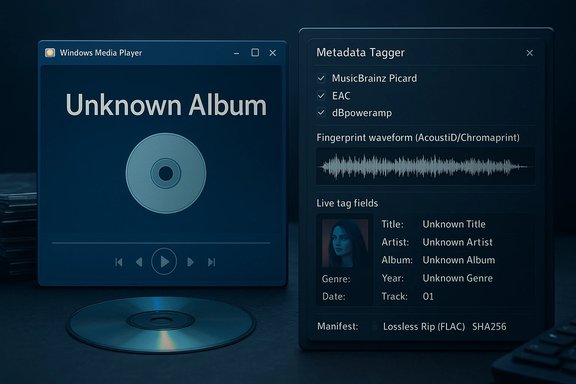
Blue-toned desktop showing Windows Media Player with Unknown Album and a metadata tagging panel.Background​

For decades, one of the small but powerful conveniences of desktop Windows was the moment you popped a compact disc into a drive and Windows Media Player (WMP) automatically filled in the album title, artist, track list, and artwork. That behavior depended on an online metadata endpoint — most visibly the musicmatch-ssl.xboxlive.com service referenced in WMP’s dialogs — that WMP queried to match a disc’s table-of-contents (TOC) or acoustic fingerprint with commercial release metadata. Recent reports show that endpoint stopped returning results around mid-December 2025, and the feature now fails in both the classic WMP and the modern Media Player app.
This is not a bug confined to a legacy app: both the old and new players appear affected, and community troubleshooting has been unable to restore automatic metadata lookups. The outage was first noticed by end users and then confirmed through forum threads where the same endpoint was repeatedly shown in the error dialog.

What changed, exactly​

  • The “Find album information” / “Update album info” workflow that previously queried a Microsoft/Xbox metadata endpoint no longer returns metadata for many commercial CDs.
  • The dialog points to the musicmatch-ssl.xboxlive.com endpoint and returns a failure or “No match found” instead of populated track fields.
  • Both the legacy Windows Media Player included in Windows and the modern Media Player app in Windows 11 are impacted, so this affects a wide range of users who still rely on built-in Windows ripping/tagging workflows.
These facts are corroborated by multiple community posts and troubleshooting threads; while the exact cause (a deliberate Microsoft shutdown vs. third-party provider termination) has not been publicly confirmed by Microsoft, the observed pattern is consistent with an endpoint retirement or decommissioning rather than a transient outage.

Why this matters more than it looks​

At first glance this seems like a minor UX regression: instead of automatically receiving album metadata, users must type it in. But the implications extend further:
  • Archival integrity: Ripping without embedded tags makes audio files harder to organize, search, and preserve. For collectors and archivists, metadata is as important as the audio files themselves.
  • Accessibility: Users who depended on WMP’s simple GUI — older adults or people with limited dexterity — now face repetitive manual data entry or a confusing migration to third-party tools.
  • Automation workflows break: Bulk ripping scripts or batch workflows that assumed WMP’s lookup service now need additional steps or a different toolchain.
  • Vendor fragility: Centralized metadata endpoints are single points of failure; when they go away suddenly, the user experience collapses.
The outage is also a reminder that conveniences tied to vendor-controlled cloud services can disappear without a local fallback or proper migration plan. For many users, that moment of silence — insert disc, instant metadata — was a tiny but meaningful example of polished desktop UX. Its loss is why the reaction has felt larger than the raw feature count implies.

What Microsoft has (and hasn’t) said​

There is no clear public Microsoft announcement that explicitly states “we retired the music metadata service used by Windows Media Player.” Community threads report a Microsoft support representative acknowledging server shutdowns, and a broader context of Microsoft reducing or retiring older metadata services was documented earlier in 2025 when Microsoft announced the retirement of certain Windows metadata services. However, the specific music metadata endpoint’s retirement has not been accompanied by a clear, widely published migration path for users. That gap in official communication is a major source of frustration.
Because Microsoft has not published a formal, user-facing deprecation notice tied to WMP’s CD-lookup service, the cause-and-effect remains partly inferred: users see the musicmatch-ssl.xboxlive.com hostname in failure dialogs and simultaneous reports from across Microsoft forums strongly suggest centralized decommissioning rather than isolated client-side bugs. That conclusion is well supported by community evidence but remains technically speculative until Microsoft issues an authoritative statement.

Short-term workarounds and immediate options​

If you’re facing this right now and you want to rip CDs with accurate metadata, there are two pragmatic options:
  • Use a third-party ripper/tagger that queries a different metadata provider.
  • Continue ripping with WMP but manually enter metadata afterward (tedious, but workable).
The more practical and recommended approach is to switch to other tools that remain supported and use robust metadata services:
  • iTunes (Windows): Known to recognize CDs reliably and continue using Apple’s metadata services; many users report it still populates metadata where WMP fails.
  • Exact Audio Copy (EAC): A power-user favorite for accurate, verified rips (paranoid-grade error detection).
  • dBpoweramp: Commercial, high-quality rips with good metadata and cover art handling.
  • MusicBee: Free, polished player/ripper with support for multiple online metadata sources.
  • MusicBrainz Picard + AcoustID (Chromaprint): Open-source, fingerprint-based tagging that identifies tracks by audio fingerprint rather than relying solely on textual databases — great for archival precision.
  • foobar2000 + plugins: Highly configurable rip/tag ecosystem for power users.
Switching to any of the above tools will restore automatic metadata lookup and, in many cases, provide more control and better archival options than the old WMP workflow.

Quick recommended rip + tag workflow (archival-grade)​

  • Use a good optical drive and choose a lossless format (FLAC) for preservation.
  • Rip with Exact Audio Copy (EAC) or dBpoweramp to get verified, accurate rips and an associated rip log.
  • Run MusicBrainz Picard to fingerprint tracks (AcoustID/Chromaprint) and apply MusicBrainz metadata (release IDs, accurate track titles, composer credits).
  • Embed cover artwork into the FLAC files and include MusicBrainz release IDs in tags for provenance.
  • Store rip logs, checksums (SHA256), and MusicBrainz IDs in a metadata sidecar (JSON) or a small archival database.
  • Back up both audio and metadata to multiple locations (cloud + local NAS + cold storage).
This approach decouples your library from any single third-party lookup service and provides a reproducible, verifiable archival trail. It’s what libraries and serious collectors do to avoid future breakage.

Step-by-step: using MusicBrainz Picard to replace WMP’s lookup​

  • Install MusicBrainz Picard.
  • Rip audio to FLAC with EAC or dBpoweramp and ensure files have accurate filenames (Track01.flac etc).
  • In Picard, drag your ripped files into the left pane and click “Scan” (which uses AcoustID/Chromaprint) to identify tracks by fingerprint.
  • Review candidate releases on the right pane and select the correct release (ideally the exact version/pressing).
  • Click Save to write normalized tags, MB release ID, and cover art to files.
Benefits: fingerprinting avoids false matches that TOC-only lookups can make, and MusicBrainz is an open, community-curated database that you control and can mirror if needed.

Technical and preservation considerations​

  • Lossless vs. lossy: For archiving, rip to FLAC (lossless) so the audio is preserved bit-for-bit. Keep a separate MP3 copy if you need a portable lossy version.
  • Rip verification: Use tools that produce error-corrected rips and rip logs (EAC, dBpoweramp). Store rip logs alongside files.
  • Metadata provenance: Embed MusicBrainz Release IDs and other stable identifiers into tags — they’re machine-readable and make future reconciliation simple.
  • Artwork: Save high-resolution cover art as embedded images and as a separate cover.jpg in each album folder.
  • Checksums: Generate SHA256 checksums for each file and store them in a manifest file for future integrity checks.
These steps create a durable digital archive that remains useful even if any single metadata provider disappears.

Why this happened (analysis and likely rationale)​

  • Low usage: Microsoft likely concluded that maintaining a dedicated CD metadata endpoint for WMP had cost and telemetry trade-offs that couldn’t be justified by the small, dwindling user base that still rips CDs on Windows. WMP is labeled “Legacy” in Windows 11, and usage telemetry probably showed decline. This is a plausible explanation but not an official confirmation.
  • Service consolidation and licensing: Metadata services historically relied on third-party providers (AMG, Gracenote, Muze). Contracts, licensing costs, and changes in strategic priorities can cause endpoints to be withdrawn.
  • Strategic product focus: Microsoft’s focus has shifted to cloud services and newer experiences (e.g., the modern Media Player, Xbox ecosystem, Copilot). Legacy desktop features are often deprioritized in such transitions.
These are reasonable corporate motivations and are consistent with Microsoft’s prior retirements of other metadata and device servicing features earlier in 2025, but the precise internal rationale for this endpoint’s shutdown has not been published publicly by Microsoft. Treat statements about intent as plausible analysis, not confirmed fact.

Risks and downsides of Microsoft’s approach​

  • Poor communication: Retiring a service without clear user notice or migration guidance harms trust, especially for communities that rely on it for preservation tasks.
  • Single-vendor failure mode: Users who accept convenience without local backups are left vulnerable when services disappear.
  • Accessibility regression: Stripping a simple GUI convenience pushes less technical users into manual workflows they’re ill-equipped to handle.
  • Cultural preservation impact: For institutional archivers and serious collectors, the loss of easy, automated metadata lookup complicates large-scale digitization projects.
These are not hypothetical; they’re real, measurable impacts reported by affected users in community forums and support threads.

What users should do next (practical checklist)​

  • If you still own CDs and want them digitized with reliable metadata, stop relying on WMP’s online lookup and:
  • Choose a ripper that supports verified rips (EAC, dBpoweramp).
  • Use MusicBrainz Picard (fingerprint-based) to tag files reliably.
  • Embed artwork and save rip logs and checksums.
  • Back up both audio and metadata to multiple locations.
  • If you prefer a simpler route, install iTunes or MusicBee for automatic metadata fetching and straightforward ripping; both are more likely to continue working without Microsoft’s specific endpoint.
  • If you’re an institutional user, consider hosting a local metadata service or mirroring open metadata (MusicBrainz) to avoid dependence on external endpoints.

Larger implications: a micro-story about a macro trend​

This is a small feature in one program, but the pattern is familiar: as companies consolidate cloud services and move to new business models, legacy conveniences vanish. The WMP CD-lookup shutdown is a clear example of how an apparently minor backend endpoint can materially degrade user experience and preservation workflows when it’s unceremoniously retired.
The remedy is partly technical (use open, fingerprint-based databases and archive thoroughly) and partly civic (demand clearer deprecation notices and migration guidance from platform vendors). Users and institutions should treat metadata as first-class content worth preserving alongside audio files.

Final assessment​

The removal of WMP’s automatic CD metadata lookup is a real loss of convenience and a reminder that networked conveniences are ephemeral. For casual users who seldom rip CDs, it’s an irritation. For collectors, archivists, and accessibility-dependent users, it is a meaningful regression that introduces tangible labor and risk.
There are solid, long-term alternatives: open databases like MusicBrainz, robust ripping tools such as EAC or dBpoweramp, and fingerprint-based taggers like Picard give you control and future-proofing. Shifting to these tools is mildly painful at first but results in a more durable, transparent archival workflow than relying on a single vendor endpoint. Community reporting strongly suggests the endpoint musicmatch-ssl.xboxlive.com stopped serving metadata around December 2025, and Microsoft’s prior metadata retirements earlier in 2025 provide context for why this might have happened — though the company has not issued a clear public migration plan specific to music metadata. Users who care about their collections should act now to decouple their libraries from ephemeral lookup services.

If your next step is to digitize a collection, follow the archival-grade workflow above: lossless rips, verified logs, fingerprinted metadata, embedded art, and redundant backups — a small upfront effort that protects your music against future service retirements and keeps your collection discoverable and usable for years to come.

Source: How-To Geek Windows Media Player just lost one of its oldest features
 

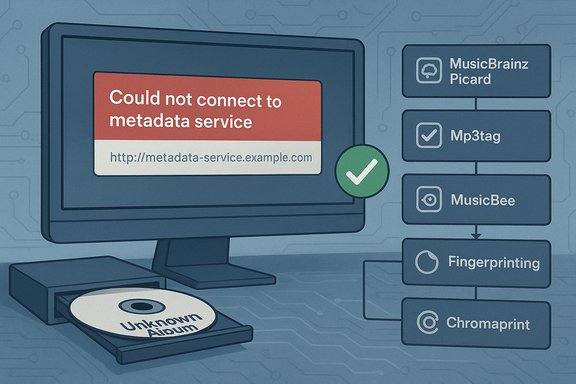
Computer shows 'Could not connect to metadata service' beside a metadata workflow and an Unknown Album CD.
Microsoft quietly removed the online CD metadata lookup that Windows Media Player has relied on for decades, so inserting an audio CD into a Windows 10 or Windows 11 machine no longer reliably returns album artwork, track names, composer/genre fields, or other standard metadata — both the legacy Windows Media Player and the new Media Player app fail to connect to the service that previously populated those fields automatically.

Background / Overview​

For many Windows users the ritual was simple: pop a compact disc into the drive, watch Windows Media Player query an online service, and see album title, artist, track list and cover art appear without typing a single character. That convenience depended on a remote metadata endpoint (most visibly referenced in error dialogs as musicmatch-ssl.xboxlive.com). In mid‑December 2025 that lookup began returning failures or “No match found,” and community reports show the symptom affected both the legacy Windows Media Player and the modern Media Player app included with Windows 11. Microsoft has not published a clear, user-facing announcement specifically acknowledging the removal or retirement of the CD‑metadata service for Windows Media Player. Community threads, Microsoft Q&A entries, and independent reporting record the outage and the DNS/URL surfaced by the player dialogs, but they stop short of a formal confirmation from Microsoft that the endpoint was deliberately retired rather than suffering an extended outage. That lack of an authoritative statement is an important part of this story: the observable behavior is clear, the intent behind it is not. Why it matters: metadata turns ripped audio files from opaque blobs into searchable, sortable, and shareable items. Without robust automatic lookup, ripping becomes a much more manual process — or requires moving to third‑party tools and open metadata networks. For casual users the change is a nuisance; for archivists, collectors, broadcasters and anyone managing large physical collections, it is a workflow regression with tangible costs.

What stopped working — technical symptoms and verified timeline​

The observable failure modes​

  • When a CD is inserted, both the legacy Windows Media Player and the modern Media Player app either leave files labeled as “Unknown album/track” or show an error such as “We couldn’t connect to the service. Check your internet connection, then try again.” Yet network connectivity is often normal, and other apps can reach the internet. The Media Player dialog points at musicmatch-ssl.xboxlive.com as the metadata endpoint.
  • Attempts to use “Find album information” or “Update album info online” return a blank result or “No match found” where previously results and artwork appeared. The failure is reproducible across multiple CDs and across multiple machines by users reporting the issue.

Timeline and verification​

  • Community reports and Microsoft Q&A threads cluster the onset of the failures around December 15, 2025, when multiple users reported previously working lookups suddenly failing. Microsoft’s Q&A board shows multiple users posting the same failure symptoms on December 15–16, 2025.
  • Independent outlets and community sites replicated the behavior in their own tests shortly after users flagged the problem, confirming the lookup failures across several devices. These independent checks make it clear the issue was not limited to a single build, driver, or local configuration.

What this likely means (and what is still speculative)​

The technical evidence — repeated appearance of the same metadata endpoint in failure dialogs and the rapid, cross‑platform appearance of the problem — strongly suggests the underlying service or endpoint behind WMP’s CD lookup is no longer serving metadata. That could be a result of:
  • An internal Microsoft decommissioning of the metadata endpoint (intentional retirement).
  • Contractual/operational changes with a third‑party metadata provider that Microsoft had been routing through that host.
  • A targeted outage or DNS/pathing change that broke the route between clients and the metadata backend.
Which of the three is the true cause is not publicly confirmed; Microsoft has not posted a formal deprecation note specifically for the CD‑lookup service. Community posts and troubleshooting threads point at a deliberate retirement as plausible — especially given Microsoft’s broader metadata retirements earlier in 2025 — but that remains an inference until Microsoft issues an authoritative statement. Treat claims of corporate intent as plausible but not verified.

Why Microsoft might have pulled the plug (analysis)​

  • Low usage and maintenance cost: CD ripping and optical drives are niche today. Telemetry almost certainly shows a declining user base for built‑in CD metadata lookups. Continuing to operate and license a global metadata service for a shrinking audience carries ongoing cost and legal obligations. This is a pragmatic corporate calculation many platform vendors make.
  • Licensing and vendor consolidation: Historically, Microsoft’s metadata supply chain included a variety of partners (MusicMatch, AMG/AllMusic, Gracenote, etc.. Licensing costs and contract terms change; if a supplier withdraws support or licensing terms become untenable, Microsoft must choose between absorbing costs or withdrawing the service.
  • Product strategy and legacy labeling: Microsoft explicitly marks parts of the Windows ecosystem as “Legacy” and focuses development efforts on cloud services and newer experiences. That strategic posture makes it more likely the company will prune older networked conveniences without shipping new migration tooling.

The practical impact: who loses, and how badly​

  • Casual listeners: an annoyance. The workaround is to use an alternative player or to manually type metadata after ripping, which many will tolerate for occasional use.
  • Power users, archivists, DJs, radio producers and collectors: a real problem. These users rely on accurate metadata, rip logs, checksums and proven workflows. The removal of an automatic lookup increases manual workload and can break scripted or automated ripping workflows.
  • Accessibility concerns: WMP’s simple UI served users with limited dexterity who preferred a point‑and‑click workflow. For these users, switching tools or entering metadata by hand presents a nontrivial accessibility burden.
  • Integration and automation: software that interacted with WMP’s lookup as part of a larger pipeline — e.g., cataloging or broadcast ingest systems — may require redevelopment or an alternate metadata source.

Alternatives and immediate workarounds​

There are several well‑established alternatives that restore automatic metadata lookup and provide stronger archival workflows. The recommendations below are practical, tested, and presented with pros/cons.

Quick swap: drop‑in players that still fetch metadata​

  • Apple iTunes (Windows): continues to use Apple’s metadata service (Gracenote under the hood historically) to populate CD information automatically on many discs. Many users reported iTunes still working where WMP failed.
  • MusicBee: a free, feature‑rich Windows player with configurable metadata sources and powerful auto‑tagging. It supports multiple lookup providers and offers batch workflows for large libraries.
  • dBpoweramp and Exact Audio Copy (EAC): both commercial (dBpoweramp) and free (EAC) options excel at verified rips and can query metadata sources during ripping. dBpoweramp’s frontend is polished for batch ripping; EAC is the archival favorite for error checking.

Open metadata and fingerprinting (recommended for archives)​

  • MusicBrainz + Picard + AcoustID (Chromaprint): this open, community‑driven approach identifies tracks via audio fingerprinting and applies reliably curated metadata. For archival workflows it is preferable because it decouples identification from proprietary endpoints and embeds persistent IDs (MusicBrainz Release IDs) into tags.

Manual but fast: tag editors and batch tools​

  • Mp3tag and similar editors: allow batch editing and embedding of cover art. Useful as a finishing step to clean up tags after fingerprinting or after importing from an alternate service.

A practical, recommended rip + tag workflow (archive‑grade)​

  1. Use a reliable drive and rip to a lossless format (FLAC) to preserve audio fidelity.
  2. Rip with a verified ripper — Exact Audio Copy (EAC) or dBpoweramp — to produce error‑checked, verified rips and save rip logs.
  3. Run MusicBrainz Picard to fingerprint tracks (AcoustID/Chromaprint) and match them to the correct release in MusicBrainz.
  4. Save tags and embed high‑resolution cover art; include MusicBrainz release IDs and other provenance metadata in tags.
  5. Generate checksums (SHA‑256) and store rip logs and tag manifests alongside audio files.
  6. Back up both audio and metadata to multiple locations (local NAS + cloud + offline cold storage).
This workflow decouples your archive from any single vendor’s lookup service and provides a reproducible, auditable chain of custody for music files.

Step‑by‑step quick fixes you can do right now​

  • If you prefer keeping WMP for playback: rip as usual, then use MusicBrainz Picard to tag the files. WMP will read embedded tags and display metadata locally even if the online lookup is unavailable.
  • If you want a near‑drop‑in replacement with automatic lookups: install MusicBee or iTunes and use their auto‑tagging during ripping. Test on a few discs first to confirm match quality.
  • For one‑off tagging: use Mp3tag to quickly paste metadata and add artwork to multiple files at once. This is faster than editing individual tracks in WMP.

Risks and downsides of the current situation​

  • Single‑vendor fragility revealed: the outage shows the danger of depending on a single centralized endpoint for metadata. When that endpoint goes offline, the user experience collapses for everyone relying on it.
  • Poor communication and process: no public, clear deprecation notice for the affected feature leaves users uncertain whether the outage is temporary or permanent and what action Microsoft recommends. That gap fuels frustration and speculation.
  • Erosion of archival guarantees: institutions and collectors that stored music files assuming automatic metadata retrieval may now find their collections less discoverable unless they retrofit metadata into files. Retrofitting at scale is time‑consuming.
  • Accessibility regression: users who relied on the WMP GUI for simple tagging and ripping are effectively forced to adopt tools that are more powerful but less accessible by default.

What Microsoft could — and should — do​

  • Publish a clear, user‑facing statement explaining the status of the WMP CD metadata service, whether it was retired, and why.
  • Provide explicit migration guidance and recommended third‑party tools for users who still rely on optical media.
  • Consider adding a built‑in fallback that allows Media Player to query open metadata sources (MusicBrainz) or to perform local fingerprinting if possible.
  • For institutional customers, offer guidance on hosting or mirroring metadata to protect large, mission‑critical collections.
At present there is no widely published Microsoft notice specifically about the music metadata endpoint; the broader context of metadata retirements earlier in 2025 is relevant, but it does not substitute for a direct, clear communication about this particular feature.

Long‑term lessons for users and institutions​

  • Treat metadata as part of the archival object. Embed it into files and maintain rip logs, checksums, and release identifiers (MusicBrainz IDs) as part of a durable preservation strategy.
  • Prefer open, community‑curated services for long‑term resilience. MusicBrainz and AcoustID can be mirrored and do not require opaque licensing that can be turned off without notice.
  • Keep automated workflows flexible: design ripping and tagging pipelines that can switch providers or use fingerprinting rather than a single textual lookup. This reduces single‑point‑of‑failure risk.

Final assessment​

The disappearance of Windows Media Player’s automatic CD metadata lookup is more than a UI quirk — it’s a concrete example of how platform vendors prune legacy services and how that pruning can disrupt user workflows overnight. The technical facts are corroborated by Microsoft Q&A threads and numerous independent community reports documenting the same failure behavior centered on the musicmatch‑ssl.xboxlive.com endpoint and the same December 2025 timeframe. The most prudent path forward for affected users is to adopt alternative tools and to embed metadata into files rather than relying on a transient network lookup. This episode is a reminder that the convenience of centralized cloud services carries operational fragility. For those who care about discoverability, preservation and automation, the answer is to take control of metadata — use fingerprinting, open databases, and verified rippers — and to treat embedded tags and rip logs as first‑class parts of any music archive.

Quick reference: useful tools mentioned​

  • Exact Audio Copy (EAC) — verified rips, archival workflows.
  • dBpoweramp — polished batch ripping and metadata handling.
  • MusicBrainz Picard + AcoustID (Chromaprint) — fingerprinting and open metadata.
  • MusicBee — free player with strong auto‑tagging and library management.
  • Mp3tag — fast batch tag editor for embedding artwork and cleaning tags.
The technical disruption is real; the practical remedies are proven. Users who value convenience can switch to third‑party players; users who value archival resilience should embrace fingerprinting and embedded metadata now.

Source: Tom's Hardware Windows Media Player’s ‘find album information’ functionality has been removed — you’ll have to find other software for playing and ripping CDs with relevant track information
 

Microsoft has quietly removed the online CD metadata lookup that generations of Windows users have taken for granted, leaving both the classic Windows Media Player (Legacy) and the modern Media Player app in Windows 11 unable to auto-populate album titles, track names, artwork, composer credits, or genre when an audio CD is inserted.

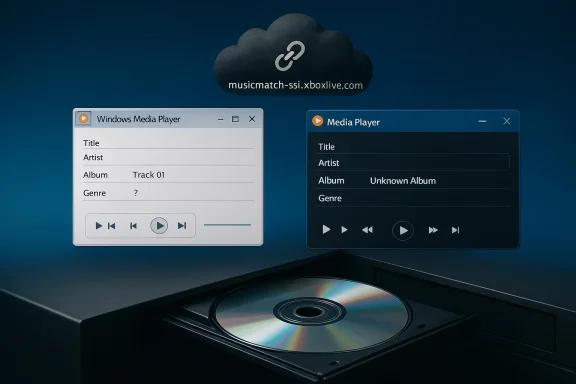
Two floating media players hover above an open CD drive against a blue gradient backdrop.Background / Overview​

For decades, one of the small but powerful conveniences on desktop Windows was automatic CD metadata lookup: insert a disc, and the player would query a remote service, match the disc and return album metadata so the rip or playback experience was complete without manual typing. That functionality relied on a centrally hosted endpoint that the players queried to convert a disc’s table-of-contents (TOC) or fingerprint into a commercial release record.
In mid‑December 2025 users began reporting that the endpoint used by Windows Media Player—most visibly referenced as musicmatch-ssl.xboxlive.com—stopped returning metadata. The symptom is the same in both the old WMP and the modern Media Player app: an error dialog that suggests checking the internet connection, or a “No match found” result where album and track information once appeared. Microsoft has not published a public statement confirming why the service is unavailable, and official communications remain absent at the time of writing. Where Microsoft’s intent is unclear, community reports and diagnostic checks strongly indicate the metadata endpoint has been taken offline or has otherwise stopped serving the expected responses.

What changed — a factual timeline​

  • Mid‑December 2025: A cluster of user reports appears indicating that CD lookups suddenly failed. Many users who performed successful rips and lookups earlier in the week found the feature broken the next day.
  • Error behavior: The player’s “Find album information” or “Update album info online” workflows reference musicmatch-ssl.xboxlive.com but receive no usable metadata, returning generic error dialogs or “No match found.”
  • Scope: The problem affects both Windows Media Player (Legacy) and the Media Player app bundled with Windows 11, meaning the regression is not limited to legacy code paths.
  • Microsoft statement: As of this writing there is no authoritative public announcement from Microsoft specifically addressing the removal or retirement of the music metadata endpoint. Any assertion that the service was intentionally retired is therefore plausible but not formally confirmed; the lack of an official notice is an important part of the story and should be considered when planning next steps.

Why this matters: metadata is not cosmetic​

Metadata turns an audio file from an opaque blob into a discoverable, sortable object. Good metadata enables:
  • Fast search by artist, album, composer, or genre across large collections.
  • Consistent playlists and integrated library views in media players.
  • Accessibility benefits for users relying on assistive technologies that read track data.
  • Interoperability with mobile devices and other media software when tags are embedded in files.
When metadata disappears from an automated pipeline, the costs are not merely convenience: for collectors, archivists, librarians, and any user who manages a library of ripped discs, the loss means extra manual labor, lower discoverability, and increased fragility of archival workflows.

Technical anatomy: how WMP’s metadata lookup worked (and what likely broke)​

Windows Media Player historically used a server-side metadata lookup service that matched a disc to metadata records by comparing the CD’s TOC and sometimes acoustic fingerprints. The lookup flow typically looked like this:
  • Player reads the disc TOC (track start times and lengths).
  • Player sends a lookup request to a metadata endpoint with the TOC (and sometimes a fingerprint).
  • Server returns a match with a release record: album title, track names, artist, composer, genre, and artwork.
  • Player writes or displays the metadata during rip or playback.
Confirmed observations from many affected users show the players attempted to connect to musicmatch-ssl.xboxlive.com, but that endpoint no longer returns usable responses. Whether the endpoint was decommissioned intentionally, had its DNS behavior changed, or the backend provider’s contract was terminated is not publicly confirmed. Any claim about Microsoft’s motives or contractual reasons is therefore speculative and should be treated as such.

Who is affected​

  • Casual users who occasionally play CDs will notice tracks labeled “Track 01,” “Unknown Album,” or missing artwork.
  • People who relied on Windows’ built-in rip-and-tag workflow now need a separate tool to supply metadata.
  • Archivists and power users with large CD collections are most impacted: retrofitting metadata at scale is time-consuming.
  • Accessibility-dependent users who used the simple WMP UI to manage collections are forced to adopt third‑party tools with different accessibility trade-offs.

Immediate workarounds and long-term alternatives​

The core remedy is simple in concept: decouple your archive from the single vendor lookup service. Practical options fall into two categories — tools that fetch metadata from other services, and workflows that embed and preserve metadata locally.

Recommended third‑party tools (practical, widely used)​

  • MusicBrainz + MusicBrainz Picard: open and community-maintained metadata; Picard uses acoustic fingerprinting (AcoustID/Chromaprint) to match tracks precisely.
  • Exact Audio Copy (EAC) or dBpoweramp: ripping tools that produce verified, archival-quality rips and integrate with metadata providers.
  • MusicBee: a free music manager and ripper with strong metadata support and good auto-tagging capabilities.
  • iTunes / Apple Music (desktop): still provides CD lookup for many releases and remains a convenient alternative for users who prefer a plug-and-play solution.
  • Mp3tag: powerful tag editor for batch edits and embedding artwork.
  • Picard + Mp3tag combination: Picard for accurate identification and Mp3tag for fine-grained batch adjustments.

Quick step-by-step: rip and tag a CD with a resilient workflow​

  • Use a high-quality optical drive and rip to a lossless format (FLAC) with EAC or dBpoweramp for archival rips.
  • After ripping, open the files with MusicBrainz Picard and click “Scan” to perform acoustic fingerprint matching and retrieve the correct release metadata.
  • In Picard, verify the candidate release, then click Save to write normalized tags and embed cover art into files.
  • Optionally run Mp3tag to make bulk adjustments (genre normalization, composer fields, multi-artist formatting).
  • Import the files into any player (Windows Media Player will read embedded tags) or maintain a separate playback workflow with MusicBee.

Short, user-focused fixes​

  • If you prefer keeping WMP for playback, rip with a separate tool that embeds tags (e.g., dBpoweramp), because WMP will display embedded metadata even if the online lookup is unavailable.
  • For one-off tagging, use Mp3tag to paste metadata and artwork into multiple files quickly.
  • Avoid registry hacks and unsupported redirections unless you are comfortable maintaining them; editing the registry can break future updates and has mixed results.

Best practices for collectors, archivists, and institutions​

For anyone digitizing a collection or preserving audio for long-term use, follow an archival-grade workflow:
  • Rip to lossless (FLAC or ALAC) for bit‑perfect preservation.
  • Use a verified ripper (EAC, dBpoweramp) that generates rip logs and error-correction.
  • Fingerprint and tag with MusicBrainz Picard to record stable release identifiers (MusicBrainz release IDs).
  • Embed high-resolution cover art directly into files and also store a cover.jpg in each album folder.
  • Create checksums (SHA‑256) and store rip logs and manifest files alongside audio files.
  • Back up audio, tags, and manifests to multiple locations (local NAS, cloud, and offline cold storage).
  • Consider hosting a local metadata mirror if you manage a very large collection or need institutional resilience.
This approach treats metadata as part of the archival object and decouples it from any single online lookup provider.

Assessing Microsoft’s move: benefits, liabilities, and governance questions​

Notable strengths of retiring legacy services​

  • Operational cost savings: maintaining low‑usage network services has a recurring cost for vendor infrastructure and licensing.
  • Focus on modern platforms: pruning legacy dependencies allows Microsoft to concentrate engineering effort on current cloud and subscription services.
  • Security and maintenance: older metadata stacks may harbor unmaintained components and retiring them can reduce an attack surface.

Major weaknesses and risks​

  • Single‑vendor fragility: the user experience collapses when a single end-point is decommissioned without a fallback or migration path. This is particularly acute when the feature felt “invisible” to users and required no intervention.
  • Poor communication: absence of an explicit, user-facing notice or migration guidance creates confusion and forces users into ad-hoc solutions.
  • Accessibility regressions: the built-in WMP GUI was approachable for non-technical users. Requiring third-party tools shifts the burden to users who may face steeper learning curves and accessibility mismatches.
  • Preservation risk: institutions that relied on the automatic lookup may now need to retrofit metadata for large archives, a labor-intensive and error-prone process.

Governance and policy questions​

  • When vendors retire network services that underpin local functionality, should they publish deprecation schedules and migration tools?
  • What legal or contractual constraints (metadata licensing) cause metadata endpoints to be fragile, and how can open metadata standards be prioritized for cultural preservation?
  • Should operating systems ship with optional adapters to query open databases (e.g., MusicBrainz) as a fallback when proprietary endpoints are unavailable?
These are not purely technical questions; they touch on vendor responsibility and cultural stewardship.

Practical risks and cautions​

  • Registry tinkering and third‑party redirections are short-term hacks: they may break with future Windows updates and are not a sustainable policy.
  • Commercial metadata providers (Gracenote, AMG) are viable but often behind paid licenses and proprietary terms. Relying on them exchanges one single point of failure for another.
  • Fingerprint-based matching is more robust than TOC-only matches but can still produce false positives. Always review Picard’s suggestions when archiving rare or reissued pressings.
  • If you rely on automation, include human verification and spot checks in your workflow to avoid mass-mislabeling.

What Microsoft could — and should — do now​

  • Publish a clear user-facing update that explains whether the metadata endpoint was retired, when, and why.
  • Offer migration guidance and recommended third-party apps for users who still use optical media.
  • Add built-in fallback support to Media Player (e.g., optional MusicBrainz integration or a local fingerprinting option) to avoid hard regressions in core usability.
  • Provide tools or documentation for institutional customers to host or mirror metadata locally for resiliency.
Until Microsoft provides definitive guidance, community-maintained best practices and third-party tools remain the pragmatic path forward.

Final assessment and practical takeaway​

The disappearance of Windows Media Player’s automatic CD metadata lookup is a small change with outsized consequences for certain user groups. For the average person who rarely uses optical media, the impact is minor. For collectors, archivists, librarians, and users who prize owning physical media and maintaining local, well-curated libraries, it is a meaningful regression that increases friction and operational risk.
The sensible user response is straightforward:
  • Treat metadata as part of your preservation responsibility — embed tags, save rip logs, and maintain checksums.
  • Adopt resilient, open metadata pipelines (MusicBrainz/AcoustID + Picard) and verified rippers (EAC/dBpoweramp).
  • File feedback through official Microsoft channels if you want the company to provide a migration plan or reinstate a fallback.
This incident is a practical reminder that conveniences built on centralized services can disappear overnight. Building your media workflow to be vendor-agnostic and self-contained is the best insurance against future retirements.

Conclusion
Windows’ built-in media experience has regressed in a concrete way for users who still value physical media. The immediate fixes are well-known and established: use modern rip/tag tools, fingerprint for accuracy, and embed metadata into your files. What remains unresolved is corporate communication: users deserve a clear explanation from the platform vendor about why an old, widely used convenience was removed and what alternatives Microsoft recommends. Until then, the responsibility for preserving the discoverability and integrity of ripped music collections sits with users, archivists, and institutions — not with a single opaque network service.

Source: eTeknix Microsoft Ends CD Metadata Support in Windows 11 Media Player
 

Back
Top