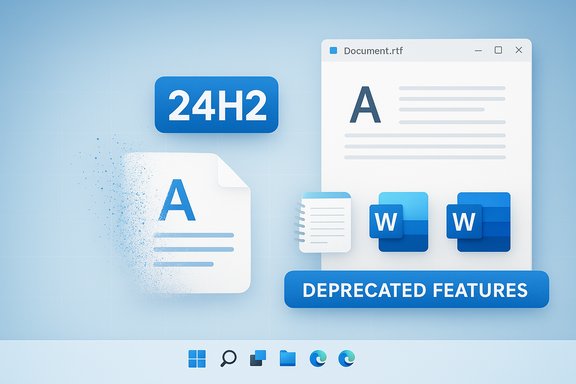
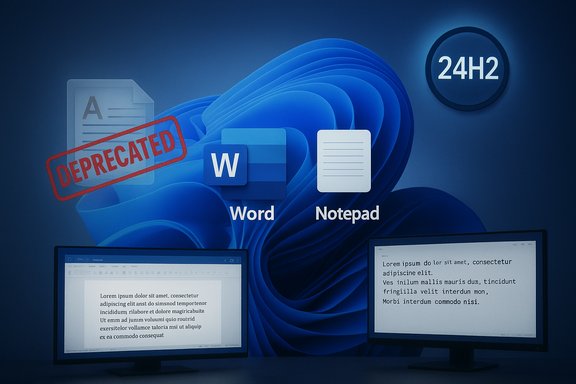
Microsoft quietly pulled the plug on WordPad — the lightweight rich‑text editor that's been bundled with Windows since the Windows 95 era — when Windows 11 version 24H2 rolled out, moving the app to Microsoft’s official Deprecated Features list and removing its binaries from fresh OS images. This change leaves Windows without a built‑in, default RTF viewer and forces a rethink for users and administrators who relied on WordPad as the in‑between tool that sat between Notepad and the full Microsoft Word experience.
Security concerns are a plausible explanation — RTF and OLE parsing have produced high‑severity vulnerabilities historically — but Microsoft did not publicly pin the removal to a security incident or campaign. The better documentary evidence shows business and engineering trade‑offs: overlapping functionality, evolving user behavior, and a desire to reduce the default Windows footprint. For users and organizations that relied on WordPad’s specific combination of speed, offline availability, and lightweight rich‑text features, the change demands decisions: adopt a modern alternative, maintain a carefully controlled local copy of the old binaries (with known risk), or move workflows to cloud/office ecosystems. For administrators, the immediate priorities are auditing dependencies and communicating migration plans to avoid disruption.
Microsoft’s deprecation documentation and the subsequent coverage by industry outlets make the facts unambiguous: WordPad has been retired from new Windows 11 24H2 images and administrators should plan accordingly. The broader consequences — what this says about Microsoft’s product priorities, how users will adapt, and whether the community will push back or accept the change — will play out in how users and enterprises respond over the coming months.
Source: bgr.com Why Microsoft Discontinued WordPad After 30 Years - BGR
 Background
A 30‑year utility, quietly retired
WordPad debuted with the consumer boom that followed Windows 95 and stayed largely unchanged in role if not in every UI detail. It offered simple formatting (fonts, bold/italic, lists, alignment) and supported Rich Text Format (.rtf) and, in later years, some subset handling of .docx and .odt files. For decades it filled a useful niche: more capable than plain text Notepad but far lighter — and free — compared with Microsoft Word.How WordPad fit into Windows’ app hierarchy
- Notepad — a minimal plain‑text editor for logs, scripts, and quick notes.
- WordPad — a basic WYSIWYG editor with rich text support for formatted notes and simple documents.
- Microsoft Word — a full‑featured commercial word processor for heavy‑duty document production.
What Microsoft announced (and what it actually removed)
Official deprecation and removal timeline
Microsoft’s documentation now lists WordPad as no longer being updated and slated for removal, specifying that WordPad will be removed from all editions of Windows starting with Windows 11, version 24H2 and Windows Server 2025. The guidance explicitly recommends Microsoft Word for rich text formats such as .doc and .rtf, and Windows Notepad for plain text (.txt). The deprecation/removed‑features pages also advise developers to avoid depending on WordPad binaries if their applications rely on them.The precise binaries affected
Microsoft’s resources list the binaries that are being removed:- wordpad.exe
- wordpadfilter.dll
- write.exe
Why Microsoft’s public explanation is thin — and what that implies
Microsoft’s official line
Microsoft’s public documentation states only that WordPad is deprecated and will be removed, and recommends alternatives (Word, Notepad). There’s no extended rationale in the official notices explaining strategic or technical drivers for the change beyond the standard deprecated features language and migration guidance for developers.What Microsoft didn’t say (and why that matters)
Microsoft did not offer a public post explaining whether the removal was motivated predominantly by:- security (reducing attack surface),
- maintenance burden (legacy code that requires testing and security patching),
- product consolidation (driving people to actively developed editors or Microsoft 365 services),
- OS image size and complexity (trimming seldom‑used components),
or some combination of the above.
Plausible reasons behind the decision — evidence and limits
1) Overlap and shrinking usage footprint
Notepad has received substantial upgrades in recent Windows releases (tabs, spellcheck, on‑device AI text features, limited formatting and Markdown preview in Dev/Canary builds), narrowing WordPad’s unique value proposition. Many users now opt for cloud editors (Google Docs, Office for the web), free suites (LibreOffice), or lightweight third‑party apps — reducing WordPad’s active user base and making continued investment less defensible. This trend is documented across industry coverage and product update notes.2) Maintenance and engineering cost
Every in‑box app increases the Windows maintenance surface area: compatibility, testing across devices and languages, security patching, and localization. Microsoft’s decision to remove older or low‑use components in the past has often been framed as streamlining the OS image and reducing engineering debt. Microsoft’s deprecation pages instruct developers not to rely on WordPad binaries — a signal that the company intends to remove long‑term maintenance obligations. While Microsoft did not publish explicit cost figures, the removal is consistent with an engineering posture that favors consolidating effort on actively developed apps.3) Security and attack surface reduction (plausible, but not confirmed)
WordPad, and the Rich Text Format (RTF) parsing engine and converters it depends on, have a documented history of security vulnerabilities that could be exploited via crafted RTF or OLE content. Notable examples include CVE‑2017‑0199 and earlier RTF/WordPad-related buffer‑overflow and parsing bugs that Microsoft patched over the years. Removing a legacy in‑box application that parses potentially hostile document formats plausibly reduces the default attack surface for an unpatched or misconfigured machine. However, Microsoft has not publicly stated that security was the deciding factor, so although the security explanation is credible, it remains speculative rather than confirmed.The practical fallout: what users and admins will notice
For everyday users
- Windows 11 24H2 fresh installs will not include WordPad by default. Users who upgrade from older versions may find the app removed from Start and Accessories as part of the update process. Microsoft suggests using Word (desktop or web) for formatted documents and Notepad for plain text. For many casual users the change will be frictionless; others who used WordPad as a quick local RTF editor will need to adopt an alternative.
For IT administrators and developers
- Any scripts, automation, or line‑of‑business tools that called wordpad.exe, write.exe, or relied on the WordPad filter will break on new images. Microsoft explicitly warns developers to avoid taking a direct dependency on these binaries. Administrators must audit system images, update references, and provide replacements in managed images.
For power users and recovery workflows
- WordPad has long been a pragmatic recovery tool — for example, it sometimes could open documents that Word marked as corrupt (stripping unsupported formatting) and thus acted as a crude but useful rescue method. With WordPad removed, those recovery workflows will need replacements: either a third‑party RTF viewer, LibreOffice, or scripted utilities that can extract text. Analysts warned that this particular convenience would be missed by some support teams.
Alternatives and migration strategies
Official Microsoft paths
- Microsoft Word (desktop / Microsoft 365 / Word for the web): the supported rich‑text/document editing solution recommended by Microsoft. Best for heavy editing, enterprise compatibility, and security updates.
- Windows Notepad: increasingly capable for plain‑text tasks, and Microsoft has been enhancing it with tabs, formatting features, and AI assistance on some channels. Notepad is not a drop‑in RTF editor, but for many short notes it suffices.
Local third‑party replacements (free and paid)
- LibreOffice (Writer) — full office suite capable of reading and writing .rtf, .doc, .docx and a robust local alternative for offline users.
- Jarte — a lightweight word processor that explicitly uses the same Windows RTF editing engine WordPad historically leveraged; it offers a richer UI and is pitched as a WordPad replacement for users who liked the small footprint and fast startup.
- Other lightweight apps — Atlantis, AbiWord, OnlyOffice, and numerous portable RTF editors provide fast local editing without Microsoft 365 subscriptions. BGR and other outlets have recently curated lists of alternatives.
How to restore WordPad (workarounds and caveats)
A number of community guides documented that copying the WordPad binaries from a pre‑24H2 machine into a non‑system folder on a 24H2 machine will allow the executable to run. The typical approach documented by several outlets:- On a machine with Windows 11 23H2 or earlier, copy the Accessories folder from:
- C:\Program Files\Windows NT\Accessories
(this contains wordpad.exe and the language MUI files). - Move that folder to a safe location on the 24H2 machine (for example, %UserProfile%\Documents\WordPad).
- Launch wordpad.exe directly or create a shortcut/pin to taskbar.
Security implications — deeper analysis
Historical RTF and WordPad weaknesses
RTF, OLE, and auxiliary file converters that have been part of Windows’ document stack have a decades‑long history of vulnerabilities. Several CVEs and advisories explicitly referenced WordPad or the RichEdit/MSFTEDIT components, and Microsoft historically recommended caution with untrusted RTF documents. Removing the in‑box WordPad app reduces the set of default attack surfaces on a clean install — but it does not remove the underlying document parsing libraries if they’re still present for other Windows components or apps. The security benefit therefore depends on which components are actually removed from the image and how other apps continue to handle RTF/embedded objects.Not a silver bullet
- If third‑party apps still include or call the same RTF parsing libraries, attackers still have targets.
- Users who reinstall WordPad from older binaries reintroduce the same parsing code onto their machines.
- Effective security requires patching, secure configuration, and cautious handling of documents from untrusted sources — not merely removal of one UI wrapper app.
Strengths and risks of Microsoft’s move — balanced critique
Strengths (why this could be a net positive)
- Reduced maintenance burden: fewer in‑box components mean Microsoft can concentrate engineering and testing resources on actively developed apps.
- Smaller attack surface for default installs: fewer default apps parsing complex document formats is a defensible security posture on paper.
- Encourages modernization: nudging users toward actively maintained editors (Notepad updates, Word for the web, Microsoft 365) can improve long‑term compatibility and feature delivery.
Risks and downsides
- Loss of a simple, local middle‑ground editor: not everyone wants or can use cloud editors or pay for Microsoft 365. Offline users, low‑bandwidth environments, and some educational or kiosk setups lose a convenient option.
- Operational disruption: scripts and legacy workflows that called WordPad binaries will break unless proactively audited and updated. Enterprise imaging teams and ISVs must adapt.
- User outrage and friction: Microsoft previously saw pushback when it moved Paint to the deprecated list and then reintroduced it following community reaction. WordPad’s removal will likely generate similar complaints from power users and certain business users who depended on its convenience.
Clear guidance for IT teams and users
For IT admins
- Audit images and scripts now — search for invocations of wordpad.exe, write.exe, and wordpadfilter.dll in images, Group Policy logon scripts, or installer packages.
- Plan migration — decide whether to standardize on Microsoft Word (Office/Microsoft 365), LibreOffice, Jarte or another lightweight editor for managed endpoints.
- Communicate to users — identify power users who rely on WordPad for specific workflows (e.g., corrupt‑doc triage) and provide tested alternatives ahead of upgrades.
- If necessary, maintain a vetted copy — for closed environments where WordPad is essential, maintain a secured, offline copy of the WordPad binaries and document the security implications and lack of vendor support. Treat this as an interim measure only.
For everyday users
- Try Notepad’s newer features for simple text work; use LibreOffice or Word for the web for richer editing without a local Word install. If you absolutely must keep WordPad’s behavior, create a backup of the Accessories folder on your older Windows machine before upgrading to 24H2. Remember that running a retired binary is unsupported and may carry security risk.
Final assessment
Microsoft’s removal of WordPad from Windows 11 24H2 is consistent with a broader strategy of trimming low‑usage legacy components and steering users toward actively maintained, cloud‑capable tools. The company’s official messaging is deliberately terse: WordPad is deprecated, it won’t be updated, and developers should avoid depending on its binaries. That clarity helps administrators and developers make practical plans, but the lack of an explicit rationale leaves room for speculation.Security concerns are a plausible explanation — RTF and OLE parsing have produced high‑severity vulnerabilities historically — but Microsoft did not publicly pin the removal to a security incident or campaign. The better documentary evidence shows business and engineering trade‑offs: overlapping functionality, evolving user behavior, and a desire to reduce the default Windows footprint. For users and organizations that relied on WordPad’s specific combination of speed, offline availability, and lightweight rich‑text features, the change demands decisions: adopt a modern alternative, maintain a carefully controlled local copy of the old binaries (with known risk), or move workflows to cloud/office ecosystems. For administrators, the immediate priorities are auditing dependencies and communicating migration plans to avoid disruption.
Microsoft’s deprecation documentation and the subsequent coverage by industry outlets make the facts unambiguous: WordPad has been retired from new Windows 11 24H2 images and administrators should plan accordingly. The broader consequences — what this says about Microsoft’s product priorities, how users will adapt, and whether the community will push back or accept the change — will play out in how users and enterprises respond over the coming months.
Source: bgr.com Why Microsoft Discontinued WordPad After 30 Years - BGR