2K and Visual Concepts have published the PC system requirements for WWE 2K26 ahead of its global rollout, and the details make one thing clear: this is a mid‑range‑friendly, yet technically modern PC release that nudges players toward current-generation silicon and a modestly large install footprint. The Steam storefront and the official WWE 2K support page list matching minimum and recommended hardware — including an unusual emphasis on specific CPU instruction support (AVX2 and F16C) and explicit VRAM minimums — while the studio also confirmed that The Island free‑roam mode will be available on PC for the first time, closing a notable feature gap with consoles.
WWE 2K26 is scheduled to launch worldwide in March, with standard editions slated for March 13 and several premium editions offering up to a week of early access beginning March 6. Visual Concepts and 2K have positioned this entry as an expansive package that expands modes, roster size, and customization, and they have made a point of publishing concrete PC guidance so PC players can verify compatibility before day one. The Steam product page reproduces the same system table the studio has published to support channels.
Why this matters: wrestling games historically ship on many platforms with divergent feature sets and performance targets. Publishing a clear PC requirement matrix alongside confirmation that The Island will finally come to PC reduces uncertainty for buyers and highlights the technical tradeoffs Visual Concepts has taken to deliver that experience across Steam and consoles.
Minimum (Playable)
If your CPU predates AVX2/F16C or your GPU has less than 6 GB of VRAM, this is a good moment to delay purchase or plan a focused upgrade (first to SSD, then GPU, then RAM/CPU as needed). And if you create content or stream, consider moving to 32 GB system RAM or ensure your streaming workflow offloads to GPU encoding to preserve frame stability.
For readers planning to buy day one, run the validation checklist above, clear adequate disk space, and update drivers; that will reduce the risk of launch‑day headaches and ensure you get the full feature set — including The Island — on PC.
Concluding note: Visual Concepts and 2K have given PC players both the hardware roadmap and a feature promise — The Island on PC — that makes WWE 2K26 a more compelling buy for desktop fans than some earlier entries. As with all big releases, keep an eye on post‑launch driver notes, community benchmarking, and the studio’s support pages for tweaks or clarifications in the hours and days after release.
Source: GAM3S.GG WWE 2K26 PC Requirements Revealed Ahead of Launch | GAM3S.GG
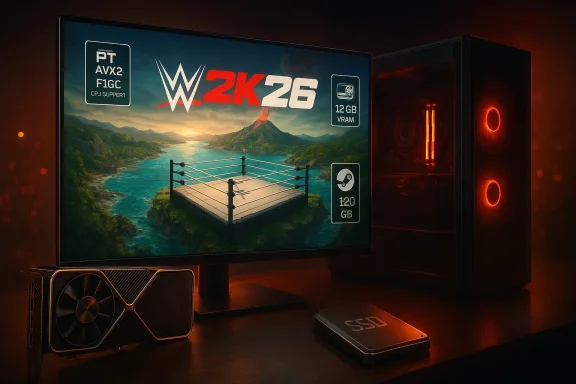 Background / Overview
WWE 2K26 is scheduled to launch worldwide in March, with standard editions slated for March 13 and several premium editions offering up to a week of early access beginning March 6. Visual Concepts and 2K have positioned this entry as an expansive package that expands modes, roster size, and customization, and they have made a point of publishing concrete PC guidance so PC players can verify compatibility before day one. The Steam product page reproduces the same system table the studio has published to support channels. Why this matters: wrestling games historically ship on many platforms with divergent feature sets and performance targets. Publishing a clear PC requirement matrix alongside confirmation that The Island will finally come to PC reduces uncertainty for buyers and highlights the technical tradeoffs Visual Concepts has taken to deliver that experience across Steam and consoles.
The Official PC Requirements — At a Glance
Below is the distilled, verified specification the developer and storefront currently publish. These are short, explicit lists reproduced by both the Steam product page and WWE’s official support documentation.Minimum (Playable)
- OS: Windows 10 64‑bit.
- CPU: Intel i7‑4770 or AMD Ryzen 5 1500X.
- Memory: 16 GB RAM.
- GPU: NVIDIA RTX 2060 or AMD RX 5700 (GPU must have at least 6 GB VRAM).
- DirectX: Version 12.
- Storage: 120 GB available space.
- Notes: CPU must support AVX2 and F16C instruction sets; DirectX 9.0c compatible sound card required.
- OS: Windows 10 64‑bit.
- CPU: Intel i7‑7700 or AMD Ryzen 5 2600.
- Memory: 16 GB RAM.
- GPU: NVIDIA RTX 3060 (12 GB) or AMD RX 6700 XT (or equivalent); At least 12 GB of video memory recommended.
- DirectX: Version 12.
- Storage: 120 GB available space.
- Notes: CPU must support AVX2 & F16C.
Quick interpretation of those numbers
- The minimum column targets a high‑end older CPU (i7‑4770) and mid‑range GPUs from the RTX 20/AMD 5000 era, which points to a baseline expectation of 1080p play at modest settings rather than ultra presets.
- The recommended column lists hardware that is still midrange by modern standards (RTX 3060 / RX 6700 XT) but insists on 12 GB of VRAM, implying higher texture pools or larger streaming buffers at higher settings.
- 120 GB of free drive space is a significant install footprint for a sports title; plan for additional overhead (packs, updates).
Technical Deep Dive: What Each Spec Means for Your PC
CPU and the AVX2 / F16C requirement
The published requirement that a CPU must support AVX2 and F16C is notable because it can exclude very old Intel and AMD chips. AVX2 (Advanced Vector Extensions 2) accelerates SIMD (single instruction, multiple data) workloads such as physics, animation blending, and certain AI/pathfinding routines. F16C is an instruction for half‑precision float conversions that some engines use to reduce memory and bandwidth for large arrays (for example, when packing texture or animation data).- Practical effect: If your CPU predates the Intel Haswell‑class (where AVX2 became common) or early Ryzen SKUs lacking F16C support, you may be unable to run the game even if your core clock and core counts look sufficient on paper. Check your CPU’s documented instruction set before purchase.
GPU and VRAM: 6 GB minimum, 12 GB recommended
- The minimum GPU guidance (RTX 2060 / RX 5700) with a 6 GB VRAM floor aligns with a 1080p/medium experience. That’s a real‑world baseline for many modern titles.
- The recommended guidance explicitly calls out 12 GB of VRAM, which matters for high‑resolution textures, larger texture streaming budgets, and some advanced effects. Modern midrange cards such as the RTX 3060 (12 GB variant) and RX 6700 XT (12 GB) satisfy this. If you’re on a GPU with 6–8 GB of VRAM and plan to push settings or play at 1440p+, you may need to reduce texture quality to avoid hitching and swapping.
Memory (RAM): 16 GB baseline
- WWE 2K26 lists 16 GB as the requirement for both minimum and recommended tiers. That’s consistent with many contemporary AAA games and indicates the game’s working set is not unusually large on system RAM alone. However, the combination of 16 GB system RAM and a 12 GB VRAM recommendation on the GPU suggests the studio expects most memory pressure to live on the graphics card for higher‑fidelity presets.
Storage: 120 GB and practical headroom
- The 120 GB install footprint is significant. Expect additional day‑one patches, DLC, and unpacking overhead that can raise the real disk requirement beyond the headline. Installing to an SSD (NVMe recommended) will reduce streaming stutters and shorten load times, particularly in The Island mode where world streaming and dynamic missions are common.
The Island: A Major Mode Comes to PC
One of the most consequential non‑hardware items in this reveal is confirmation that The Island mode will be playable on PC at launch. Previously, that sandbox, faction‑based free‑roam mode was limited to console releases; its inclusion on Steam for WWE 2K26 removes a feature disparity and brings a deeper, persistent multiplayer‑adjacent experience to PC players.- What The Island is: an open, WWE‑themed environment where players join factions, complete encounters, and vie for control; it blends single‑player quests, social hubs, and PvE/PvP encounters.
- Why it matters on PC: The Island introduces persistent world streaming, more runtime entities, and social features that can stress both CPU and I/O — which helps explain the developer’s focus on AVX2 support and an SSD‑friendly install. It also means PC players will have to contend with the same online‑service lifecycle (servers, updates, and potential microtransaction economies) that have defined console experiences in recent years.
Upgrade and Tuning Guidance for Windows PC Players
If you’re deciding whether to upgrade hardware or tune settings, here’s a practical checklist and sequence to follow.- Confirm CPU instruction support:
- Use a system utility or your CPU’s specification page to check for AVX2 and F16C support. This is a blocking requirement — lacking those instructions can prevent the game from launching.
- Prioritize GPU VRAM over raw clock speeds:
- If you target the recommended experience, prioritize a GPU with ≥12 GB VRAM (RTX 3060 12GB or RX 6700 XT). That lets you raise texture pools and reduces streaming pressure.
- Keep 16 GB system RAM as the baseline:
- 16 GB will get you in the game; if you stream or run many background apps, consider 32 GB for headroom — not because the game strictly requires it, but because creators running encoders and browser tabs will benefit from extra memory. Industry reporting on modern, asset‑heavy titles recommends this practical headroom for creators.
- Use an SSD with ample free space:
- Install to an SSD and leave an extra 20–40 GB free beyond the 120 GB headline to accommodate unpacking and day‑one patches. NVMe will deliver the best streaming results.
- Drivers and Windows:
- Keep GPU drivers up to date around launch; the Steam store and support channels may list recommended driver versions if specific fixes are required for day‑one stability. Windows 10 is supported per the published spec, but Windows 11 users may see marginal benefits from newer OS driver stacks.
Performance Expectations: Realistic Targets
- On a system that meets the minimum table (i7‑4770 / RTX 2060 / 16 GB), expect playable 1080p at medium presets and stable framerates with some compromises to texture quality and scene complexity.
- On a system matching the recommended table (i7‑7700 / RTX 3060 12 GB / 16 GB), expect comfortable 1080p performance with higher texture detail; pushing to 1440p or ultrawide monitors will likely require upscaling or lowered quality due to the midrange GPU target.
- If you run capture/streaming software at the same time, plan to allocate extra RAM and CPU headroom — simultaneous workloads will shift the effective performance target downward unless you upgrade system RAM or offload encoding to the GPU.
Risks, Caveats, and What to Watch For
- Instruction set hard requirements (AVX2/F16C): This is the single most consequential compatibility caveat for older CPUs. If your machine is many years old, it’s worth double‑checking support before buying. The studio’s insistence on these instructions suggests engine code paths rely on vectorized math or half‑precision conversions.
- Large install + update overhead: The 120 GB headline is a minimum; day‑one patches or bundled content can raise that number. Low‑capacity SSDs and constrained systems will need housekeeping before launch.
- Online mode longevity: The Island’s presence on PC is welcome, but online modes depend on publisher support. Past WWE titles have experienced relatively short live lifespans for online services; players seeking long‑term multiplayer may face eventual shutdowns. Plan to capture content for preservation if you care about long‑term access.
- Feature parity and platform differences: While The Island is now on PC, minor differences in UI, controller support, or platform services between Steam and console ecosystems can persist. Expect periodic parity patches but also platform‑specific quirks at launch.
- Potential documentation quirks: Early pre‑release spec tables sometimes contain typographical mismatches (e.g., GPU models vs VRAM columns) in other games’ disclosures; this is uncommon but not unprecedented. If a spec looks inconsistent with known hardware SKUs, check the official support article for clarifications. For WWE 2K26, the Steam and WWE support pages are aligned at time of writing.
How to Validate Your PC Right Now (Step‑by‑Step)
- Open your system information utility (Windows System Information or a third‑party tool like CPU‑Z) and confirm CPU model and supported instruction flags (look for AVX2/F16C).
- Check GPU model and VRAM in Device Manager or your GPU control panel — confirm you have at least 6 GB for minimum and 12 GB for the recommended experience.
- Verify available free space on your install drive; clear 160–180 GB to be safe if you have limited overhead.
- Update GPU drivers to the latest stable build and ensure Windows updates are applied.
- If you plan to stream, consider upgrading to 32 GB RAM or ensuring your CPU has sufficient cores/threads for encoding alongside gameplay.
Final Assessment: Strengths and Potential Risks
Strengths- Clear, published PC guidance from both Steam and official support reduces buyer uncertainty and helps players plan upgrades ahead of launch. The matching store and support table is a welcome transparency move.
- The Island on PC is a meaningful feature parity win that expands the game’s long‑term appeal on Steam and brings a larger sandbox experience to desktop players.
- Midrange accessibility: The recommended GPU targets (RTX 3060 / RX 6700 XT) are widely available on the used and new markets, making the recommended experience achievable without high‑end upgrades.
- Instruction set requirement (AVX2/F16C) risks excluding older but still relatively capable CPUs, which could surprise buyers who look only at core counts and clock speeds.
- Large install size and the potential for early patches will demand disk housekeeping and may complicate day‑one installs for bandwidth‑constrained players.
- Online mode lifecycle is an external risk. The Island’s value relies on live services; history shows publisher decisions can make online features ephemeral. Consider documenting favorite moments locally.
Bottom Line for WindowsForum Readers
If you run a reasonably modern midrange rig — a discrete GPU with 6–12 GB of VRAM, a CPU from the Haswell or later families that supports AVX2 and F16C, 16 GB of system RAM, and an SSD with ~150 GB free — you should be able to experience WWE 2K26 on PC comfortably at 1080p with medium‑to‑high settings. The inclusion of The Island on PC and the clarity of the published requirements are both positive moves that make the buying decision simpler.If your CPU predates AVX2/F16C or your GPU has less than 6 GB of VRAM, this is a good moment to delay purchase or plan a focused upgrade (first to SSD, then GPU, then RAM/CPU as needed). And if you create content or stream, consider moving to 32 GB system RAM or ensure your streaming workflow offloads to GPU encoding to preserve frame stability.
For readers planning to buy day one, run the validation checklist above, clear adequate disk space, and update drivers; that will reduce the risk of launch‑day headaches and ensure you get the full feature set — including The Island — on PC.
Concluding note: Visual Concepts and 2K have given PC players both the hardware roadmap and a feature promise — The Island on PC — that makes WWE 2K26 a more compelling buy for desktop fans than some earlier entries. As with all big releases, keep an eye on post‑launch driver notes, community benchmarking, and the studio’s support pages for tweaks or clarifications in the hours and days after release.
Source: GAM3S.GG WWE 2K26 PC Requirements Revealed Ahead of Launch | GAM3S.GG