

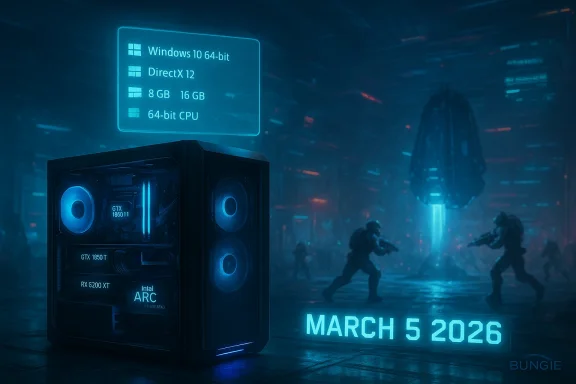
Bungie has set a firm launch date for Marathon — March 5, 2026 — and has published the official PC system requirements that will define who can jump into its extraction-shooter loop at launch. The headline is simple: Marathon’s published requirements are modest by modern triple‑A standards, but a few details in the spec sheet deserve close reading — and cautious interpretation — before you decide whether to upgrade, tweak settings, or pre-order.
Marathon has been one of the most-discussed shooters since Bungie announced it in 2023. Built around a PvPvE extraction loop and developed by the team that made Halo and Destiny, the game experienced multiple delays and substantial iteration after alpha feedback. Bungie’s public notes and recent playtests show the studio listened to criticism — changes such as proximity chat, solo-queue options, and pacing adjustments were part of the rework — and the March 5, 2026 launch is the result of that extended development window.
On PC, Bungie (via its Steam storefront entry) has published both Minimum and Recommended specifications. The numbers are refreshingly conservative for an online shooter: the Minimum spec targets older mid-range hardware, while the Recommended spec sits in the mainstream mid-range tier. That should translate to broad accessibility for players who run machines from the last several years.
There are two important clarifications here:
However, Bungie is launching in a crowded moment. Other extraction shooters have risen in popularity in recent months, and Marathon’s delays have kept expectations high. The game’s performance at launch, the clarity of the PC settings UI, and how Bungie patches issues post‑launch will matter at least as much as the raw spec sheet.
From a platform perspective, Bungie’s direct messaging around account linking and cross‑platform play is important: players remain sensitive to account requirements and platform lock‑ins. Bungie has indicated PC and Xbox users won’t be forced to link a PlayStation Network account, which removes a potential barrier and PR risk.
At the same time, be alert to two practical points: the GPU naming in the recommended spec appears inconsistent and should be treated as a 2060‑class target, not a literal new GTX SKU; and Intel Arc gamers will need to confirm ReBAR support is enabled on their systems for expected performance parity.
If you’re on the edge of the recommended tier and value smoother, higher‑framerate gameplay, prioritize a GPU upgrade and move to 16 GB of RAM. If you’re on minimum hardware and want to try Marathon at launch, set realistic visual expectations, install on an SSD if possible, and keep drivers updated. Bungie’s studio pedigree and the accessible system requirements set a promising stage for Marathon — but as with any online title, the launch experience will ultimately depend on how the game runs across a wide variety of PC hardware and how quickly Bungie reacts to day‑one reports.
Source: Turtle Beach https://eu.turtlebeach.com/blog/marathon-system-requirements-minimum-recommended-and-more/
 Background
Marathon has been one of the most-discussed shooters since Bungie announced it in 2023. Built around a PvPvE extraction loop and developed by the team that made Halo and Destiny, the game experienced multiple delays and substantial iteration after alpha feedback. Bungie’s public notes and recent playtests show the studio listened to criticism — changes such as proximity chat, solo-queue options, and pacing adjustments were part of the rework — and the March 5, 2026 launch is the result of that extended development window.On PC, Bungie (via its Steam storefront entry) has published both Minimum and Recommended specifications. The numbers are refreshingly conservative for an online shooter: the Minimum spec targets older mid-range hardware, while the Recommended spec sits in the mainstream mid-range tier. That should translate to broad accessibility for players who run machines from the last several years.
Official system requirements (as posted on PC storefronts)
Bungie’s PC requirements are displayed in the standard Steam layout and list the following breakdowns.Minimum (what Bungie says you need to run the game)
- Requires a 64-bit processor and operating system
- OS: Windows 10 64-bit (latest Service Pack)
- Processor: Intel Core i5‑6600 or AMD Ryzen 5 2600
- Memory: 8 GB RAM
- Graphics: NVIDIA GeForce GTX 1050 Ti (4 GB) or AMD Radeon RX 5500 XT (4 GB) or Intel Arc A580 (8 GB, with ReBAR on)
- DirectX: Version 12
- Network: Broadband internet connection
Recommended (what Bungie says you should have for a smoother experience)
- Requires a 64-bit processor and operating system
- OS: Windows 10 64-bit (latest Service Pack)
- Processor: Intel Core i5‑10400 or AMD Ryzen 5 3500
- Memory: 16 GB RAM
- Graphics: NVIDIA GeForce GTX 2060 (6 GB) or AMD Radeon RX 5700 XT (8 GB) or Intel Arc A770 (16 GB, with ReBAR on)
- DirectX: Version 12
- Network: Broadband internet connection
What the numbers mean — practical read on Bungie’s specs
CPU: Generation and core balance
Bungie’s CPU picks (i5‑6600 / i5‑10400 and Ryzen 5 2600 / Ryzen 5 3500) are telling. The Minimum list reaches back to older quad‑core Intel parts (i5‑6600, Skylake era) and first‑generation Zen‑based Ryzen 5 2600. These are four‑ to six‑core chips with mid‑tier single‑thread performance by modern standards.- For minimum expectations: those CPUs imply the game is targeted to run on systems that were mainstream several years ago. If you’re still on a dual‑channel DDR4 build with a mid‑range quad/hex core CPU, you should be able to complete runs at lower to medium settings.
- For the recommended level: the i5‑10400/Ryzen 5 3500 are solid mainstream choices that point toward a 60fps target at 1080p on medium‑high settings when paired with the recommended GPUs.
Memory: 8 GB vs 16 GB
The Minimum calls out 8 GB, which is the bare floor for modern games and reflects minimal background usage. The Recommended 16 GB aligns with current best practice for online shooters that rely on background services, texture streaming, and multitasking (voice chat, overlays, browsers).- If your system has 8 GB: expect to close other apps and possibly lower texture/resolution settings to avoid stutters.
- If you have 16 GB or more: you’ll be in a much better place for stable in‑game performance and future updates.
Graphics cards: tiers and caveats
Bungie lists three GPU lines in each tier including NVIDIA, AMD, and Intel Arc entries. The Minimum includes GTX 1050 Ti and RX 5500 XT — older 4 GB cards that typically handle 1080p at low‑to‑medium settings in modern titles. The Recommended includes RX 5700 XT and a GPU labeled GTX 2060 (6 GB) alongside Intel Arc A770.There are two important clarifications here:
- The NVIDIA entry in the recommended list appears with an unusual name: GTX 2060 (6 GB). NVIDIA historically sold RTX 2060, not a GTX‑branded 2060, and the RTX 2060 is the common mid‑range 6 GB/6–12 GB era card known in reviews and benchmarks. That mismatch looks like a naming typo from the storefront. Treat the intention as a mid‑range 2060‑class card — the 6‑GB RTX 2060 or an equivalent contemporary mid‑range GPU.
- Bungie explicitly lists Intel Arc A580/A770 with a note that ReBAR (Resizable BAR) must be enabled for performance. That’s unusual but helpful: vendor‑specific features often change how the Arc hardware is balanced versus AMD/NVIDIA.
DirectX and Windows: Windows 10 required at launch
The official listing names Windows 10 64‑bit (latest Service Pack) for both minimum and recommended. Modern PC storefronts sometimes list Windows 10 as the baseline even when Windows 11 would also run the game. Expect Windows 11 to be supported operationally, but the published spec names Windows 10 explicitly. If you run Windows 11, you should still be fine — but if your setup is on older Windows versions, plan to update.Storage and updates: unknowns to budget for
Steam’s entry warns that storage requirements may increase and that mandatory updates can change install size. Bungie hasn’t yet frozen install size at the time of the spec posting, so anticipate a moderate download and an SSD recommendation for reasonable load times and less texture streaming delay. If you’re tight on drive space, free up an extra 30–60 GB to be safe on day one.Networking and accounts
The spec demands a broadband internet connection; online features (cross‑play, matchmaking, and persistent account systems) are core to Marathon’s loop. Bungie’s prior alpha/test messaging also indicates a Bungie.net account will be required for playtests and, likely, for launch features. Importantly, Bungie has explicitly said PC/Xbox players will not need PlayStation Network linking to play on those platforms.Red flags, typos, and verification — read the small print
The storefront spec is generally straightforward, but a couple of items demand scrutiny:- The “GTX 2060” listing: NVIDIA’s 2060 family is historically the RTX 2060 in the 20‑series. The Steam entry uses the GTX prefix, which is inconsistent with NVIDIA’s product naming. Multiple outlets and storefront clones repeated the line exactly as posted, suggesting the error originated in the posted spec and was syndicated. This is likely a simple naming error rather than a hint at some other internal GPU. Treat the entry as a 2060‑class card (RTX 2060 or equivalent).
- ReBAR for Intel Arc: requiring Resizable BAR to be enabled for Arc cards indicates the Arc drivers or architecture rely on ReBAR for performance parity. Players using Arc hardware should confirm BIOS and driver settings before launch; older motherboards may need BIOS updates.
- Storage size not given: Bungie flagged that install size might increase. Plan for flexibility and a decent SSD, because extraction shooters typically stream many small assets and benefit from faster storage.
What this means for different players
If you own an older/entry PC (GTX 1050 Ti / 8 GB RAM)
- Expect playable runs on low‑to‑medium settings at 1080p with reduced texture quality and potential pop‑in. Marathon’s extraction loops place emphasis on multiplayer encounters, so consistent framerate matters — you’ll want to cap framerate to reduce stutter and optimize stability.
- Close background apps and ensure your OS and GPU drivers are up to date. If you have an HDD, expect longer load times and occasional texture streaming hitches.
If you own a mainstream mid‑range rig (i5‑10400 + RTX 2060 / RX 5700 XT + 16 GB)
- This is the configuration Bungie lists as “recommended” — you should see comfortable 60fps gameplay at 1080p, likely at medium‑high settings with good visual fidelity. If you pair that CPU/GPU with an SSD and up‑to‑date drivers, you’ll hit a sensible balance of visuals and responsiveness.
If you chase 1440p / 120fps / future‑proofing
- You’ll want GPUs and CPUs well above the recommended tier. Consider contemporary mid‑to‑high cards and newer six‑to‑eight core CPUs. Marathon’s engine appears well optimized for mid‑range hardware, but high‑frame competitive play will require extra headroom.
Optimization tips and checklist for launch day
- Update GPU drivers before you launch — major game launches often require the latest vendor drivers for bug fixes and performance boosts.
- Enable ReBAR only if your platform supports it and you know how to toggle it; Arc owners should enable ReBAR per Bungie’s note. If you have an older motherboard, check for a BIOS update.
- Install on an SSD if possible to reduce loading and streaming hiccups. If you must use HDD, expect longer load times.
- Set Windows power plan to High Performance while gaming and disable aggressive background tasks.
- Match your resolution to your hardware — if you have a minimum‑spec GPU, target 1080p with scaling/resolution options instead of native high resolutions.
- Use an FPS cap or adaptive sync to avoid microstutters on older hardware.
- Allocate 16 GB of RAM if you can; it’s the simplest upgrade that improves stability for online shooters.
Wider implications for Bungie and the extraction‑shooter space
Marathon’s relatively modest published requirements are good news for the genre’s growth. Extraction shooters often require persistent server support, social features (voice, proximity chat), and competitive balancing; making the game accessible to players who don’t own bleeding‑edge hardware helps populate lobbies and sustain long‑term matchmaking.However, Bungie is launching in a crowded moment. Other extraction shooters have risen in popularity in recent months, and Marathon’s delays have kept expectations high. The game’s performance at launch, the clarity of the PC settings UI, and how Bungie patches issues post‑launch will matter at least as much as the raw spec sheet.
From a platform perspective, Bungie’s direct messaging around account linking and cross‑platform play is important: players remain sensitive to account requirements and platform lock‑ins. Bungie has indicated PC and Xbox users won’t be forced to link a PlayStation Network account, which removes a potential barrier and PR risk.
Risks and unknowns to watch
- Typos and inaccuracies in storefront listings. The “GTX 2060” naming is likely a mistake but demonstrates how a single typo can cause confusion about hardware parity. Keep an eye on official Bungie communications or patch notes if the spec changes.
- Performance variance across drivers. Intel Arc drivers have matured quickly but remain more sensitive to driver versions and vendor features such as ReBAR. Arc owners should confirm BIOS/driver readiness.
- Post‑launch patching. Extraction shooters often change significantly after player feedback. Performance targets can shift as Bungie adjusts features and adds content, and that can increase storage and CPU/GPU load over time.
- Server load and matchmaking experience. A low client‑side spec doesn’t mitigate potential server or networking issues; users should expect typical day‑one matchmaking strain.
Step‑by‑step pre‑launch checklist for PC players
- Verify your GPU driver is the latest production driver from your vendor.
- Ensure Windows 10 or Windows 11 is fully updated.
- If you own Intel Arc hardware, confirm ReBAR is enabled in your BIOS and drivers.
- Free up at least 30–60 GB of SSD space (more if you’re tight).
- Upgrade to 16 GB RAM if you currently have 8 GB and plan to play other modern titles.
- Test your broadband connection and router settings ahead of launch if you plan to play competitively or stream.
Final verdict and recommendation
Bungie’s Marathon posts a conservative and accessible hardware baseline: 8 GB RAM and GTX 1050 Ti / RX 5500 XT class cards for minimum play, and 16 GB with 2060‑class or RX 5700 XT‑class GPUs for a recommended experience. That means many players will be able to join day one without heavy upgrades, which is excellent for community growth around a multiplayer extraction shooter.At the same time, be alert to two practical points: the GPU naming in the recommended spec appears inconsistent and should be treated as a 2060‑class target, not a literal new GTX SKU; and Intel Arc gamers will need to confirm ReBAR support is enabled on their systems for expected performance parity.
If you’re on the edge of the recommended tier and value smoother, higher‑framerate gameplay, prioritize a GPU upgrade and move to 16 GB of RAM. If you’re on minimum hardware and want to try Marathon at launch, set realistic visual expectations, install on an SSD if possible, and keep drivers updated. Bungie’s studio pedigree and the accessible system requirements set a promising stage for Marathon — but as with any online title, the launch experience will ultimately depend on how the game runs across a wide variety of PC hardware and how quickly Bungie reacts to day‑one reports.
Source: Turtle Beach https://eu.turtlebeach.com/blog/marathon-system-requirements-minimum-recommended-and-more/
