

Bungie’s Steam store page now lists the PC system requirements for Marathon, confirming that the studio has targeted a broad slice of PC hardware for its March 5, 2026 launch and opening pre-orders for Steam, PlayStation 5, and Xbox Series X|S. The published specs set a modest bar on the minimum side—an Intel Core i5-6600 or AMD Ryzen 5 2600 paired with a GeForce GTX 1050 Ti or Radeon RX 5500 XT and 8 GB of RAM—while the recommended build for a smoother experience moves players toward modern mid‑range GPUs and 16 GB of system memory. Taken together, the numbers reveal Bungie’s clear design choice: make Marathon accessible to the widest possible player base at launch, but leave room to scale up visuals and performance on better hardware.
Bungie has repeatedly shown a tendency to keep accessibility high on its tech priorities. The studio’s previous large‑scale live service title used a proprietary, evolved engine and similarly modest baseline requirements to reach more players. Marathon runs on an updated iteration of that in‑house engine, which the studio has matured over multiple projects to balance networked world systems and scalable rendering across hardware tiers.
This approach dovetails with the studio’s stated platform plans for Marathon: a cross‑play, cross‑save launch on PC, PS5, and Xbox Series X|S, with pre‑orders already open. The public roadmap and pre‑order structure suggest Bungie intends sustained live service support post‑launch, which raises a second technical priority: maintain a stable, low‑friction install and matchmaking experience for large, geographically distributed player cohorts.
The notion that Marathon’s modest PC requirements could make a Switch 2 port feasible is speculative. While the minimum GPU targets are historically older-generation discrete cards, console ports hinge on multiple additional variables beyond raw GPU compute: memory layout, unified RAM bandwidth (consoles are often constrained by this more than raw GPU shader count), input paradigms, anti‑cheat systems, and the studio’s commercial and support priorities. Until Bungie announces official support and a development/porting plan, any talk of a Switch 2 version remains a possibility, not a promise.
Flag: Marathon’s PC requirements are permissive, but that alone does not guarantee a Switch 2 or other new platform version. That is an engineering possibility, not a confirmed roadmap item.
The roadmap elements—pre‑orders, cross‑platform launch, and post‑launch content plans—align with a live service model that benefits from a large and stable player base. For players and PC builders, the practical takeaway is simple: if your rig is from the last five to eight years you’ll probably be able to install and play Marathon, but anyone chasing 1440p or high‑frame‑rate competitive play should plan modest hardware upgrades and an NVMe install to get the best experience.
Caveat: several game‑specific performance targets (storage, framerate goals, and settings presets) remain unspecified in the store requirements and may be clarified closer to launch. Those waiting for peak fidelity details should watch Bungie’s official updates in the weeks before March 5, 2026.
Source: xiaomitoday.com Bungie Confirms Marathon PC System Requirements Following Pre-Order Launch
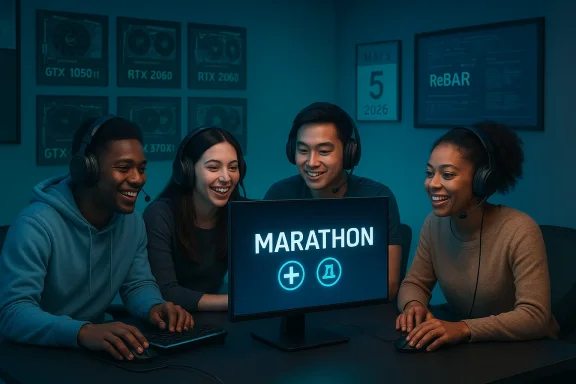 Background: where this fits in Bungie’s strategy
Bungie has repeatedly shown a tendency to keep accessibility high on its tech priorities. The studio’s previous large‑scale live service title used a proprietary, evolved engine and similarly modest baseline requirements to reach more players. Marathon runs on an updated iteration of that in‑house engine, which the studio has matured over multiple projects to balance networked world systems and scalable rendering across hardware tiers.This approach dovetails with the studio’s stated platform plans for Marathon: a cross‑play, cross‑save launch on PC, PS5, and Xbox Series X|S, with pre‑orders already open. The public roadmap and pre‑order structure suggest Bungie intends sustained live service support post‑launch, which raises a second technical priority: maintain a stable, low‑friction install and matchmaking experience for large, geographically distributed player cohorts.
The numbers: Marathon’s PC system requirements (what’s required)
The Steam store entry lists two official levels of PC hardware guidance: Minimum and Recommended. The headline points are:- Minimum
- OS: Windows 10 64‑bit (latest Service Pack)
- CPU: Intel Core i5‑6600 or AMD Ryzen 5 2600
- RAM: 8 GB
- GPU: NVIDIA GeForce GTX 1050 Ti (4 GB) or AMD Radeon RX 5500 XT (4 GB) or Intel Arc A580 (8 GB, with ReBAR enabled)
- DirectX: Version 12
- Network: Broadband internet connection
- Recommended
- OS: Windows 10 64‑bit (latest Service Pack)
- CPU: Intel Core i5‑10400 or AMD Ryzen 5 3500
- RAM: 16 GB
- GPU: NVIDIA RTX 2060 (6 GB) or AMD RX 5700 XT (8 GB) or Intel Arc A770 (16 GB, with ReBAR enabled)
- DirectX: Version 12
- Network: Broadband internet connection
What the minimum specs mean for players and builders
Bungie’s minimum spec is intentionally attainable. A GeForce GTX 1050 Ti debuted in 2016 and the Radeon RX 5500 XT in 2019, so the entry‑level GPU targets hardware that many gamers already own. That has several immediate implications:- Broad compatibility: players on older gaming laptops and budget desktops are likely to be able to install and run Marathon at reduced fidelity. This lowers the barrier for trial and entry into Bungie’s new live service economy.
- Conservative visual targets: a 1050 Ti or RX 5500 XT is a 1080p, medium‑setting GPU by modern standards. The minimum spec implies the game will be tuned to remain playable on 1080p at modest settings rather than demanding high frame rates or 4K fidelity for baseline functionality.
- Marginal upgrade path: users on integrated or very old discrete GPUs will need at least a modest graphics upgrade to reach the minimum. But for many casual or budget gamers, the required updates are small and inexpensive.
Why Intel Arc is singled out (the ReBAR caveat)
Intel Arc entries appear in both the minimum and recommended GPU lists, but the Steam entry tags Arc cards with “ReBAR ON.” Resizable BAR (or ReBAR) is a PCIe capability that allows the CPU to map the whole GPU framebuffer into the CPU address space and issue larger memory transactions. For Intel Arc desktop GPUs, enablement of ReBAR has been demonstrably important to performance and smoothness.- If you are using an Intel Arc GPU, check your UEFI/BIOS and system compatibility. ReBAR usually depends on the motherboard firmware and is often labelled as “Resizable BAR” or “Above 4G Decoding.” Some older systems may not support it.
- Intel’s Arc drivers and documentation have advised that ReBAR is recommended for optimal Arc performance; some independent benchmarking showed sizable losses with ReBAR disabled on certain Arc cards.
- In short: Arc owners need to plan a BIOS/firmware check before assuming stock performance—ReBAR is not a software toggle in Windows alone.
CPU, memory, and DirectX: modest and modern
The CPU choices—Intel Core i5‑6600 minimum and i5‑10400 recommended—are mainstream, mid‑range chips from recent CPU generations. The minimum CPU is a 4‑core Skylake part capable of moderate game threading, while the recommended i5‑10400 is a 6‑core part that gives extra headroom for background tasks and higher player counts in multiplayer scenarios.- Memory: 8 GB minimum is a practical baseline for a modern multiplayer shooter; 16 GB recommended aligns with today’s expectations for running the OS, launcher, web browser, and game simultaneously without swapping.
- DirectX 12: Marathon targets modern rendering paths and feature sets; DirectX 12 is standard for titles that want low-level GPU control and multi‑threaded rendering.
What Bungie didn’t publish (and why it matters)
There are two conspicuous absences in the published requirements:- No storage requirement listed yet. Steam’s official data fields currently omit a file size. For a live service shooter, install size and patch sizes matter a great deal. Historically, Bungie games (including Destiny 2) have required tens of gigabytes; expect Marathon’s install size to be non‑trivial and to expand over time with updates.
- No explicit target resolution or frame‑rate guidance. The minimum and recommended specs list GPUs but don’t say whether they target 1080p/60fps, 1440p/60fps, or 1080p/120fps. That leaves ambiguity for players judging expected visual fidelity.
Anti‑cheat and security considerations
Marathon’s Steam feature set indicates the game “uses kernel level anti‑cheat” and calls out BattlEye. Kernel‑level anti‑cheat systems are common in live multiplayer shooters because they provide deeper access to system state for cheat detection, but they also come with tradeoffs:- Pros: deeper cheat detection and potentially more robust runtime anti‑tamper, which matters for competitive extraction gameplay where item loss and match fairness are central.
- Cons: kernel‑level drivers run with high privileges and have historically created concerns around system stability, driver conflicts, and long‑term compatibility with OS updates. They can also complicate anti‑cheat removal in the event of uninstallation.
Platform support, Sony ownership, and the Switch 2 question
Bungie’s public position around platform support is straightforward: Marathon will launch on PC (Steam), PS5, and Xbox Series X|S with cross‑play and cross‑save. The studio has stated it currently has no plans to support additional hardware but will consider it in the future. That comment appears to have been offered in the context of developer interviews and official Q&A.The notion that Marathon’s modest PC requirements could make a Switch 2 port feasible is speculative. While the minimum GPU targets are historically older-generation discrete cards, console ports hinge on multiple additional variables beyond raw GPU compute: memory layout, unified RAM bandwidth (consoles are often constrained by this more than raw GPU shader count), input paradigms, anti‑cheat systems, and the studio’s commercial and support priorities. Until Bungie announces official support and a development/porting plan, any talk of a Switch 2 version remains a possibility, not a promise.
Flag: Marathon’s PC requirements are permissive, but that alone does not guarantee a Switch 2 or other new platform version. That is an engineering possibility, not a confirmed roadmap item.
User guidance: how to prepare your PC for Marathon
If you plan to play Marathon on day one (or pre‑order), follow these practical steps to reduce friction at launch:- Confirm OS and updates
- Run a 64‑bit Windows 10 install with the latest service pack and OS updates. If you use Windows 11, ensure it’s updated too—compatibility is typically backward‑compatible, but Bungie lists Windows 10 as the target baseline.
- Update GPU drivers
- Install the latest drivers from NVIDIA, AMD, or Intel. For Arc users, also check Intel’s guidance around ReBAR and driver maturity.
- Check Resizable BAR (if you use Intel Arc)
- If you own or plan to buy an Intel Arc card, verify that your motherboard UEFI exposes ReBAR/Resizable BAR and that it’s enabled; update motherboard firmware if necessary.
- Reserve storage
- Clear at least 40–80 GB of free disk space ahead of time even though the official install size isn’t yet posted—live service games can be large and expand quickly.
- Review anti‑cheat policy
- Decide if you’re comfortable running kernel‑level anti‑cheat drivers like BattlEye. If you have unusual security policies or enterprise endpoints, consider how those drivers will interact with system management tools.
- Back up system and drivers
- Before making major firmware or driver changes (e.g., enabling ReBAR or flashing BIOS), back up important data and note current BIOS/UEFI versions.
- Network readiness
- Marathon requires a broadband internet connection; if you have a spotty connection, consider wired Ethernet for more reliable match connectivity.
Strengths in Bungie’s approach — why this is reasonable
- Accessibility-first hardware baseline: targeting GPUs from the 2016–2019 timeframe protects a large installed base of players and lowers the economic friction of entry.
- Cross‑platform launch and cross‑play: maintaining parity across PC, PS5, and Xbox Series X|S helps build a unified player pool for a multiplayer extraction shooter, increasing matchmaking liquidity.
- Mature engine tooling: Marathon uses an iteration of Bungie’s proprietary engine that has been optimized across previous live titles—this should help with network and scalability tasks essential to live services.
- Clear recommended upgrade path: Bungie provides an explicit step‑up to mid‑range hardware (RTX 2060 / RX 5700 XT), which gives players a realistic target to obtain smoother performance without chasing high‑end GPUs.
Risks and open questions — what could go wrong
- Optimization and early performance: alpha and playtest feedback for live service shooters is often mixed. With a live launch, performance fragmentation across driver versions, BIOS setups, and anti‑cheat interactions can create a noisy early experience.
- Anti‑cheat and driver stability: kernel‑level anti‑cheat systems are powerful but bring systemic stability risks and support costs; any issues with BattlEye could generate player dissatisfaction and support overhead.
- Storage growth: without a published install size, players may be blindsided by large day‑one or post‑launch patch sizes that affect download times and disk budgets.
- Platform politics and access fears: although Bungie has said PC and Xbox players won’t need a PSN account, ownership by a first‑party publisher can make players suspicious of future access or platform policy shifts. Clear, consistent policy communication will be key.
- Live service health: extraction shooters live or die by player retention and content cadence. Technical stability, anti‑cheat fairness, and timely content updates matter as much as initial system requirements.
Practical upgrade recommendations (if you want better than recommended)
If you want to play Marathon at high quality and higher frame rates, consider these targets:- GPU: NVIDIA RTX 3060 Ti / RTX 4060 Ti or AMD Radeon RX 6700 XT and up for smooth 1440p/60+ performance.
- CPU: Ryzen 5 5600X or Intel Core i5‑12400 for extra threads and single‑thread headroom.
- RAM: 16 GB minimum, 32 GB if you multitask heavily (streaming, browser tabs, background apps).
- Storage: NVMe SSD for reduced load times and better streaming of in‑game assets (critical in extraction shooters where short load and level streaming matter).
- Network: wired Ethernet or high‑quality Wi‑Fi 6 router to lower packet loss and latency.
The bottom line: what Marathon’s requirements say about Bungie’s launch strategy
Bungie’s published Marathon system requirements indicate a conservative, player‑inclusive launch strategy: deliberately low minimums, a realistic mid‑range recommended target, and nuanced support for hardware quirks (notably Intel Arc’s ReBAR dependency). The approach reduces entry friction and supports community growth at launch, but it also places the onus on Bungie to deliver robust post‑launch tuning, clear communication about file sizes and patching, and careful handling of anti‑cheat impacts.The roadmap elements—pre‑orders, cross‑platform launch, and post‑launch content plans—align with a live service model that benefits from a large and stable player base. For players and PC builders, the practical takeaway is simple: if your rig is from the last five to eight years you’ll probably be able to install and play Marathon, but anyone chasing 1440p or high‑frame‑rate competitive play should plan modest hardware upgrades and an NVMe install to get the best experience.
Caveat: several game‑specific performance targets (storage, framerate goals, and settings presets) remain unspecified in the store requirements and may be clarified closer to launch. Those waiting for peak fidelity details should watch Bungie’s official updates in the weeks before March 5, 2026.
Source: xiaomitoday.com Bungie Confirms Marathon PC System Requirements Following Pre-Order Launch
