

IO Interactive has published the first official PC system requirements for 007 First Light ahead of its May 27, 2026 launch, and the numbers present a pragmatic but surprising set of trade‑offs: a broadly accessible minimum target paired with an unusually high recommended RAM requirement that will steer many PC players toward memory upgrades if they want a smooth 60‑FPS 1080p experience. The reveal arrives as IOI also confirmed a two‑month slip from the original March window to May 27, 2026, so players and PC builders have time to prepare — but they should read the fine print and check compatibility before preloading.
007 First Light is IO Interactive’s standalone origin‑story take on James Bond, positioned as a cinematic, action‑steeped thriller that leans on the studio’s Glacier engine and Hitman pedigree. The title has attracted attention both for its ambitious production values and for IOI’s explicit platform support across PlayStation 5, Xbox Series X|S, Nintendo Switch 2, and Windows PC. IOI delayed the game from its initial March 27, 2026 date to May 27, 2026, citing additional polish and refinement time; the studio says the game is playable from start to finish, and the delay is intended to ensure a smooth launch. Alongside the release shift IO Interactive and their partners have started to show more technical detail for the PC build. Multiple outlets published the developer’s first official PC tiers, which target two primary perf‑envelopes: Minimum (1080p / 30 FPS) and Recommended (1080p / 60 FPS). The minimum tier is intentionally conservative on CPU/GPU choices, while the recommended tier notably lists 32 GB of system RAM, a departure from the more common 16 GB recommendation seen across many modern AAA titles. That single spec is the most consequential takeaway for many PC owners.
Minimum readiness (for playable 1080p/30):
Source: Windows Report https://windowsreport.com/007-first-light-system-requirements-revealed-ahead-of-may-2026-launch/
 Background / Overview
007 First Light is IO Interactive’s standalone origin‑story take on James Bond, positioned as a cinematic, action‑steeped thriller that leans on the studio’s Glacier engine and Hitman pedigree. The title has attracted attention both for its ambitious production values and for IOI’s explicit platform support across PlayStation 5, Xbox Series X|S, Nintendo Switch 2, and Windows PC. IOI delayed the game from its initial March 27, 2026 date to May 27, 2026, citing additional polish and refinement time; the studio says the game is playable from start to finish, and the delay is intended to ensure a smooth launch. Alongside the release shift IO Interactive and their partners have started to show more technical detail for the PC build. Multiple outlets published the developer’s first official PC tiers, which target two primary perf‑envelopes: Minimum (1080p / 30 FPS) and Recommended (1080p / 60 FPS). The minimum tier is intentionally conservative on CPU/GPU choices, while the recommended tier notably lists 32 GB of system RAM, a departure from the more common 16 GB recommendation seen across many modern AAA titles. That single spec is the most consequential takeaway for many PC owners. What IO Interactive published — the numbers you need
The official PC specs published around the same time by IOI and reported by major outlets boil down to two clear columns. Cross‑checking coverage shows consistent figures for CPU, GPU, VRAM and storage — though some outlets raise questions about the VRAM pairing at the recommended level (more on that later). The consolidated requirements below reflect the numbers reported by the developer and reproduced by independent outlets.Minimum (Target: 1080p @ 30 FPS)
- Processor: Intel Core i5‑9500K or AMD Ryzen 5 3500.
- Graphics: NVIDIA GTX 1660 / AMD RX 5700 / Intel discrete GPU equivalent (approx. 8 GB VRAM class).
- System RAM: 16 GB.
- Video RAM: 8 GB.
- Storage: ~80 GB minimum headline install; SSD recommended for streaming and load performance.
- OS: Windows 10 / Windows 11, 64‑bit.
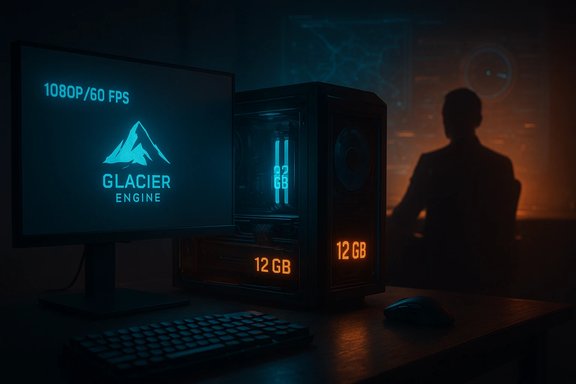
Recommended (Target: 1080p @ 60 FPS)
- Processor: Intel Core i5‑13500 or AMD Ryzen 5 7600.
- Graphics: NVIDIA RTX 3060 Ti / AMD RX 6700 XT / Intel discrete GPU equivalent.
- System RAM: 32 GB (note: this is unusually high for a 1080p/60 target).
- Video RAM: 12 GB.
- Storage: ~80 GB minimum; SSD recommended.
- OS: Windows 10 / Windows 11, 64‑bit.
Verification and cross‑checks: how reliable are these numbers?
The core result — the minimum and recommended tiers above — is confirmed by multiple independent gaming outlets and the developer’s storefront presence:- Game Informer published a breakdown of both minimum and recommended tiers and explicitly lists 32 GB for the recommended RAM column. That piece matches other contemporaneous reporting.
- PC Gamer independently reproduced the same basic column layout and flagged some internal inconsistencies (notably VRAM vs GPU pairings).
- Windows Report covered the reveal and added developer comments about an NVIDIA collaboration and possible DLSS 4 integration for multi‑frame generation. That technical context helps explain performance targets but does not change the baseline hardware table.
Why the numbers matter — a practical translation for Windows players
The published minimum keeps the entry bar accessible: a CPU and GPU class that are still common among midrange rigs, coupled with 16 GB of RAM, will allow many players to “get in and play” at 1080p with visual presets scaled down. The recommended column is where the guidance becomes interesting and more prescriptive: asking for 32 GB of RAM for a 1080p/60 experience is unusual and signals one or more of the following technical realities:- The game likely maintains larger in‑memory asset sets, meaning textures, animation caches, simulation data, or streaming buffers that increase working memory pressure. This is common in titles that combine large levels, many NPCs, or extensive physics/AI.
- IOI may be optimizing the 60‑FPS target with additional background systems (recording, post‑processing buffers, higher fidelity streaming) that benefit from extra RAM headroom.
- The studio might be targeting creators or streamers who often run overlays, capture software and browsers in the background; listing 32 GB nudges that audience to prepare accordingly.
Vendor tech, upscalers and performance boosters
IO Interactive’s PC messaging references collaboration with NVIDIA and potential support for NVIDIA GeForce RTX technologies, including DLSS 4 and Multi‑Frame Generation to raise frame rates while preserving visual fidelity. That partnership is important because modern vendor upscalers and frame‑generation features can dramatically reduce GPU demand and effectively allow lower‑spec GPUs to achieve higher perceived frame rates. IOI’s CTO framed this as part of delivering “performance, responsiveness, and visual fidelity” on PC. Key practical implications:- If DLSS 4 / Multi‑Frame Generation or comparable AMD upscalers are supported, players with slightly older GPUs can often enable those features to hit higher FPS without changing base hardware. However, frame‑generation can impact input feel and latency in competitive scenarios, so test before committing for speed‑sensitive play.
- Vendor upscalers still depend on driver maturity and engine integration. IOI and vendors normally publish recommended driver builds around launch; installing the recommended driver version has become a common tip to avoid day‑one regressions.
Upgrade priorities — what to buy and when
If you’re deciding whether to upgrade before May 27, prioritize based on the following order of impact for 1080p play and streaming:- Storage (SSD) — Move the game to an SSD if you’re still on an HDD. IOI recommends SSD use to avoid streaming hitching; the headline storage need is about 80 GB, but preloads and day‑one patching can require additional temporary headroom (plan for 120–160 GB free).
- System RAM — Many players can run the minimum with 16 GB, but if you plan to meet the developer’s recommended target or to multitask (stream, record, run browser/editor), 32 GB is advisable given IOI’s published guidance. That’s the single largest change for many.
- GPU — For native 1080p/60 on higher presets the recommended classes (RTX 3060 Ti / RX 6700 XT) still make sense. But pay attention to VRAM counts; cards with insufficient VRAM for IOI’s texture pools may force quality reductions even if GPU compute is adequate. Consider cards with >=12 GB VRAM if you plan to max textures.
- CPU — The listed CPUs (i5‑13500 / Ryzen 5 7600) are modern midrange choices. If your GPU is already strong but your CPU is much older, upgrading CPU will smooth frame timing in CPU‑sensitive sequences.
Compatibility, anti‑cheat and Windows caveats
At the time of the system spec reveal IO Interactive has not announced a Windows‑only OS lock. The published requirements list Windows 10 or Windows 11 for both tiers, which keeps the platform accessible to a broad Windows install base. That said, studios sometimes add more stringent OS or firmware requirements (TPM / Secure Boot) when integrating certain anti‑cheat solutions near launch. Monitor IOI support notes for any anti‑cheat firmware checks before launch. Other platform caveats to be mindful of:- Handheld Windows devices and some low‑power laptops may technically run the game but will require aggressive settings reductions for thermal and power constraints. IOI has not specifically published a handheld optimization guide yet.
- Dual‑boot, Proton/SteamOS or unofficial Linux setups may face compatibility gaps at launch; official support remains Windows‑first. If you run alternative OSes, plan around a Windows environment for day‑one play.
Performance expectations and real‑world testing advice
Published spec sheets target single scenarios — native 1080p at discrete framerate targets with presumed mid‑range settings. Here's how to interpret them practically:- Minimum (1080p / 30 FPS): Expect to run on medium‑low presets, reduce view distance and shadow/detail levels, and enable motion/stability options as needed. Integrated GPU systems and older dedicated cards can play with scaled settings.
- Recommended (1080p / 60 FPS): If you want consistent 60 FPS with higher quality, follow the recommended GPU + the 32 GB RAM guidance. If you prefer higher refresh rates (120 Hz+), expect to rely on upscalers or a stronger GPU class than the recommended column.
- 1440p / 4K: IOI has not yet published native 1440p/4K tiers. For higher resolutions, assume step‑up hardware (RTX 4070/4080 or equivalent) or use vendor upscalers. Wait for IOI’s official 1440p/4K guidance and launch benchmarks before ordering extreme upgrades.
- Update Windows and GPU drivers to the recommended versions IOI and vendors publish.
- Install on an SSD; ensure extra free space during the preload/patch window.
- Run the game’s built‑in benchmark if included; otherwise run a short native‑resolution session to collect baseline frametimes before enabling upscalers.
- Test with the vendor upscaler on/off to judge artifacts vs fps gains, and measure input latency if you play competitively.
- If you capture/stream, test your encoder settings (hardware encoder NVENC/AMF preferred) to ensure adequate headroom.
Risks, inconsistencies and what to watch for
A few tension points in the initial reveal deserve close attention:- VRAM vs GPU model mismatch: The 12 GB VRAM recommendation juxtaposed with GPUs like the RTX 3060 Ti (which typically ships with 8 GB) suggests IOI may be signaling ideal VRAM more than exact GPU‑model parity. That could cause confusion for buyers who read the GPU model but not the VRAM figure. Verify both GPU model and memory when planning purchases.
- Storage growth at launch: The headline storage figure of roughly 80 GB is the current guidance, but preloads and mandatory day‑one patches frequently raise the temporary disk requirement. Keep ample free space during preloads (plan 120–160 GB) to avoid downloader and installer failures.
- Late‑breaking OS/anti‑cheat mandates: Although IOI currently lists Windows 10/11 support, publishers sometimes add firmware‑level checks for certain online components. Check IOI’s support site and the storefront notes ahead of launch to avoid compatibility surprises.
- Storefront metadata variance: Epic Store and Steam may populate system fields at different times; rely on IOI’s official posts for the final word and use multiple reputable outlets for cross‑checks.
Quick checklists — readiness and troubleshooting
Use these short, actionable lists to prepare your Windows PC for launch.Minimum readiness (for playable 1080p/30):
- Windows 10/11 (64‑bit) updated.
- At least 16 GB system RAM.
- GPU equivalent to GTX 1660 / RX 5700 with ~8 GB VRAM.
- SSD with 80 GB free (120+ GB recommended during preload).
- Current GPU drivers and Windows updates.
- Windows 10/11 (64‑bit) updated.
- 32 GB system RAM.
- GPU equivalent to RTX 3060 Ti / RX 6700 XT with 12+ GB VRAM where possible.
- NVMe SSD preferred, 120–160 GB free during preload/patching.
- Vendor drivers matching IOI’s recommended builds at launch.
- Update GPU drivers; reboot.
- Close overlays/background apps (Discord, browser, recording tools).
- Lower texture and view distance first to reduce VRAM pressure.
- Enable vendor upscalers to trade native resolution for framerate.
- If weird stability/anti‑cheat errors appear, check IOI’s support notes and firmware settings (TPM/Secure Boot only if explicitly required).
Conclusion — what Windows players should do now
IO Interactive’s first PC system requirement reveal for 007 First Light sets a direction that many PC owners can meet, but it makes a notable call on memory. The minimum tier keeps the door open to midrange systems, while the recommended tier’s 32 GB requirement is a clear nudge to creators and players who want rock‑steady 60‑FPS 1080p. Cross‑checked reports from Game Informer, PC Gamer and Windows Report confirm the numbers and highlight a few inconsistencies (VRAM vs GPU pairings) that buyers should consider before upgrading. Practical next steps:- Verify your rig against the published table and prioritize upgrades to system RAM and SSD storage if needed.
- Keep an eye on IOI’s official channels and vendor driver recommendations as the May 27, 2026 launch approaches.
- If you plan to use DLSS/FSR or other vendor upscalers, test them early — they will materially affect what hardware you actually need to hit your frame‑rate goals.
Source: Windows Report https://windowsreport.com/007-first-light-system-requirements-revealed-ahead-of-may-2026-launch/
