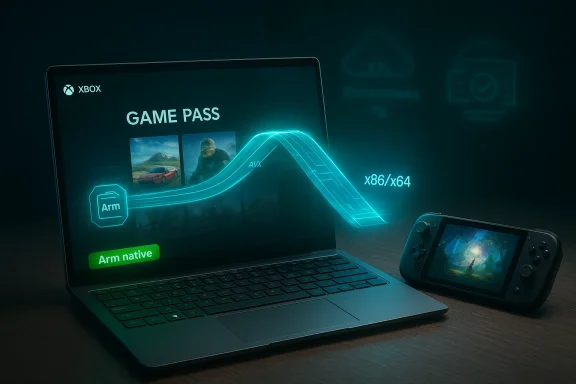
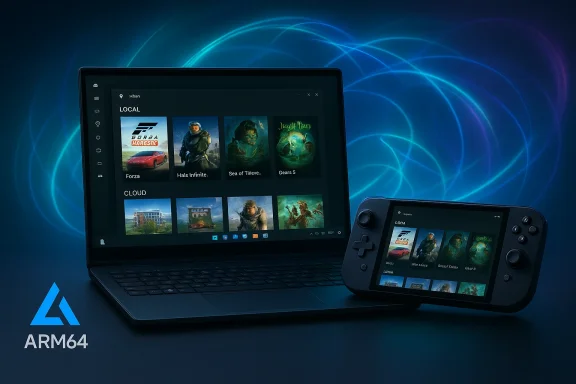
Microsoft’s January platform update flips a long-standing constraint for Windows on Arm: the Xbox app is now available on all Arm-based Windows 11 PCs, enabling players to download, install and play a large portion of the Xbox PC catalog locally while preserving Xbox Cloud Gaming as a seamless fallback.
Arm-powered Windows PCs have long promised excellent battery life, thin-and-light designs, and always‑connected connectivity. For years, however, modern PC gaming remained a major weak point for the platform. The root causes were technical and ecosystem-driven: most AAA PC titles target x86/x64, modern engines and middleware often assume SIMD extensions like AVX/AVX2, and many multiplayer titles rely on kernel‑level anti‑cheat drivers that historically lacked Arm support.
Over the past 18 months Microsoft and its partners—OEMs, silicon vendors, middleware providers and game studios—worked to close those gaps. The recent public milestone, announced in January 2026, is the culmination of that cross‑stack effort: a native Xbox client for Arm-based Windows 11 devices plus important platform-level compatibility work that makes local installs and local play practical for many titles.
The coordinated work with anti‑cheat vendors—most visibly Epic’s Easy Anti‑Cheat—has produced Arm‑aware stacks and validation flows. That enables locally run multiplayer in titles that previously required cloud play or were blocked entirely.
Key implications:
This is meaningful progress: it broadens choice for gamers who value portability and battery life, and it gives developers and partners a clearer pathway to reach those users. At the same time, it is not the end of the work. Emulation enables compatibility but not instant parity; performance, multiplayer readiness and long‑term parity will depend on ongoing investment from publishers, middleware vendors and silicon partners.
For consumers, the practical approach is simple: update your device, consult Windows Performance Fit and compatibility badges, and try titles that are recommended for your hardware. For anyone who requires competitive parity or the absolute highest performance, x86 rigs remain the established standard. For the rest, Arm-based Windows 11 PCs now offer a genuine and growing option for playing modern PC games—locally, portably, and with cloud streaming as a reliable safety net.
Source: SSBCrack Xbox App Now Available on All Arm-Based Windows 11 PCs - SSBCrack News
 Background
Arm-powered Windows PCs have long promised excellent battery life, thin-and-light designs, and always‑connected connectivity. For years, however, modern PC gaming remained a major weak point for the platform. The root causes were technical and ecosystem-driven: most AAA PC titles target x86/x64, modern engines and middleware often assume SIMD extensions like AVX/AVX2, and many multiplayer titles rely on kernel‑level anti‑cheat drivers that historically lacked Arm support.Over the past 18 months Microsoft and its partners—OEMs, silicon vendors, middleware providers and game studios—worked to close those gaps. The recent public milestone, announced in January 2026, is the culmination of that cross‑stack effort: a native Xbox client for Arm-based Windows 11 devices plus important platform-level compatibility work that makes local installs and local play practical for many titles.
What changed (the headline items)
- The Xbox app (the Xbox PC client) is now supported on all Arm-based Windows 11 PCs, allowing discovery, download, installation and management of compatible games from the Xbox PC app catalog and Game Pass.
- Microsoft reports that more than 85% of the Game Pass catalog is compatible with Arm-based Windows 11 PCs today, using a mix of native Arm builds, validated Prism emulation, or cloud fallback.
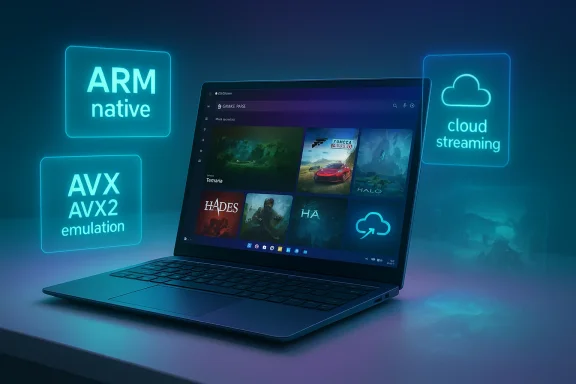
- Prism, Windows’ x86/x64→Arm64 runtime translation layer, has been extended to emulate additional x86 instruction‑set extensions—notably AVX and AVX2—which converts many “won’t start” failures into runnable processes under emulation.
- Epic’s Easy Anti‑Cheat (EAC) and other anti‑cheat vendors have shipped Arm‑aware support paths, enabling multiplayer titles that depend on kernel‑mode anti‑cheat (examples called out include Gears of War: Reloaded and Fortnite).
- Windows introduces or expands user‑facing signals—Windows Performance Fit guidance and handheld compatibility badges—so players can quickly assess which titles are likely to run well on a given device.
- A Game Save Sync Indicator is rolling out to give visible confirmation that cloud saves are uploaded, helping avoid lost progress when switching devices.
Why this matters: compatibility, not parity
The significance of this update is pragmatic. It changes how people can use Arm-based Windows PCs for gaming today.- For users: local installs reduce input latency, enable offline play, allow local caching and shader compilation, and bring a more familiar PC workflow to Arm devices.
- For developers and publishers: a broader installed base of Arm-capable devices means incremental incentives to test, certify, and eventually ship native Arm builds for high‑value titles.
- For OEMs and silicon partners: the update validates investments in driver delivery and per‑title optimization tooling that speed fixes outside firmware cycles.
Deep dive: Prism emulator and AVX/AVX2 emulation
What Prism does
Prism is the runtime binary translation layer that converts x86 and x64 instruction streams into Arm64 operations at runtime. Historically it enabled many everyday x86 apps to run on Arm, but modern AAA games often probe for advanced CPU features (for example, AVX/AVX2-based math routines). When a title detects missing CPU features, it may abort launch or fall back to reduced code paths.AVX/AVX2 emulation—what changed
By extending Prism to advertise and translate AVX and AVX2 (and related instruction families), Windows removes a common cause of hard launch failures in modern titles. This converts many previously unlaunchable games into runnable processes under emulation. In practical terms:- Many physics, audio, animation and shader preprocessing routines that used to block startup now succeed.
- Titles that previously required cloud streaming for compatibility can often be installed and played locally—albeit with the performance caveats described below.
Performance tradeoffs
Emulating wide SIMD extensions in software carries an unavoidable cost. AVX and AVX2 on x86 execute on wide vector units designed for heavy parallelism. When those sequences are translated to Arm instructions, the runtime must emulate equivalent behaviorr without the benefit of x86’s native wide vectors. Consequences:- GPU‑bound games (where the GPU is the bottleneck) often see acceptable results under emulation because the CPU work is a smaller fraction of total frame cost.
- CPU‑heavy workloads (complex physics, large AI simulations, or CPU‑bound frame stages) will experience larger penalties—sometimes enough to force lower quality settings or reduced CPU workload.
- Emulation can increase power draw and thermal output because CPU cycles are used to translate and emulate instruction sequences that would otherwise execute more efficiently on native x86 hardware.
Anti‑cheat and multiplayer: the EAC pivot
One of the long-standing blockers for local multiplayer was anti‑cheat. Many competitive titles rely on kernel-mode anti‑cheat stacks that historically were compiled only for x86/x64 or failed to function under translation.The coordinated work with anti‑cheat vendors—most visibly Epic’s Easy Anti‑Cheat—has produced Arm‑aware stacks and validation flows. That enables locally run multiplayer in titles that previously required cloud play or were blocked entirely.
Key implications:
- Several high-profile titles that depend on kernel anti‑cheat are now playable on Arm devices with local installs and online multiplayer enabled.
- Anti‑cheat coverage will be incremental and title‑by‑title: not every multiplayer title is immediately available. Competitive players should verify anti‑cheat support for each game.
- Anti‑cheat validation is a safety and fairness concern. Vendors must continue to certify their Arm stacks to maintain match integrity and protect competitive ecosystems.
Windows Performance Fit and compatibility signals
To help users select games that will play well, Microsoft is rolling out or expanding two player‑facing tools:- Windows Performance Fit: a guidance system that offers recommendations based on a device’s hardware capabilities—CPU, GPU, thermal headroom and other telemetry—to suggest titles likely to run well locally.
- Handheld compatibility badges: store‑level signals that indicate whether a title is expected to perform acceptably on handheld or Arm-class devices.
Practical guidance: how to get the best experience on Arm-based Windows 11 PCs
- Update Windows and the Xbox app
- Ensure the device is running the latest Windows 11 build that includes the Prism and platform updates.
- Update the Xbox PC app
- Install the newest Xbox client so the storefront, install behavior and compatibility badges are available.
- Check Windows Performance Fit and compatibility badges
- Use the guidance to choose titles suited to your hardware before downloading large game installs.
- Keep GPU drivers current
- Follow OEM and silicon partner guidance for downloadable GPU driver updates—these often include per‑title fixes and optimizations.
- Verify anti‑cheat support for multiplayer
- Confirm whether the game’s anti‑cheat vendor supports Arm scenarios if you plan to play online.
- Use cloud streaming for unsupported titles
- Xbox Cloud Gaming remains a seamless fallback for any title that doesn’t yet run locally.
- Monitor the Game Save Sync Indicator
- Confirm your cloud saves are synced before switching devices or powering down.
Realistic expectations and best-case scenarios
- Ideal cases: GPU‑bound, modern titles with light CPU workloads will frequently run well under Prism emulation on capable Arm hardware, especially when coupled with per‑title driver fixes and lower CPU settings.
- Challenging cases: titles that rely heavily on AVX‑accelerated CPU workloads, server‑side physics, or demanding CPU simulations will show the biggest gaps compared to high‑end x86 machines.
- Competitive multiplayer: even with anti‑cheat support, competitive players should validate matchmaking latency and input responsiveness for their specific device before expecting parity with desktop-class rigs.
Developer, publisher and OEM considerations
This cross‑stack compatibility work reduces friction and opens new opportunities—but it also changes responsibilities.- Developers and studios
- Can now consider staged Arm strategies: ship a validated emulation experience first, then optimize or provide native Arm builds for high-value titles.
- Should test per‑title performance and document expectations (supported SKUs, recommended settings).
- Middleware and anti‑cheat vendors
- Need to continue expanding Arm support and provide clear certification paths for publishers.
- Must ensure Arm stacks meet the same integrity and security requirements as x86 counterparts.
- OEMs and silicon partners
- Should tighten driver release cadences and provide user‑facing controls for per‑title optimization.
- Need to profile thermal and power behavior under sustained gaming workloads on Arm silicon and tune device firmware accordingly.
Risks, caveats and remaining gaps
- Company‑reported figures require context. The “more than 85% of Game Pass catalog compatible” figure is a Microsoft‑supplied estimate; compatibility can span a spectrum from “launches and runs” to “runs with significant caveats.” Expect per‑title variation.
- Emulation is not a magic performance equalizer. CPU-bound workloads will be the clearest areas of divergence versus native x86.
- Anti‑cheat coverage is improving but remains incomplete. Some multiplayer titles will still be playable only via cloud or on x86 machines until vendors or publishers take additional steps.
- Driver maturity and per‑title optimization cadence will shape the real experience. Devices with more updatable driver ecosystems will see faster fixes.
- Battery life and thermals: sustained gaming on thin Arm hardware may trade battery life or trigger thermal throttling; users should monitor temps and tune settings.
- Publisher willingness to produce native Arm builds remains an open commercial question. Emulation reduces friction but long-term parity depends on developer investment.
What to watch next
- Publisher certification lists and per‑title notes: those lists will clarify which big titles are fully validated for Arm in both single‑player and multiplayer contexts.
- Native Arm ports and recompiles: evidence of large studios shipping Arm‑native builds will be the clearest sign of long‑term parity investment.
- Driver cadence improvements from silicon partners: faster fixes and per‑title tuning will materially change the user experience.
- Broader middleware support: additional anti‑cheat vendors and SDKs moving to Arm will unlock yet more multiplayer titles.
- Real‑world benchmarks and hands‑on reviews: independent tests across a representative set of devices will help separate marketing claims from practical performance expectations.
Conclusion
The Xbox app arriving on all Arm-based Windows 11 PCs is a watershed moment for Windows on Arm. It converts a long-held compatibility project into a tangible user benefit: many Game Pass titles are now discoverable, downloadable and playable locally on Arm devices, and cloud streaming fills the remaining gaps. The lion’s share of the work—Prism emulation improvements, anti‑cheat collaboration, more agile driver delivery—was quietly assembled across the platform, and the user-facing result is an Xbox client that finally behaves like a full storefront on Arm.This is meaningful progress: it broadens choice for gamers who value portability and battery life, and it gives developers and partners a clearer pathway to reach those users. At the same time, it is not the end of the work. Emulation enables compatibility but not instant parity; performance, multiplayer readiness and long‑term parity will depend on ongoing investment from publishers, middleware vendors and silicon partners.
For consumers, the practical approach is simple: update your device, consult Windows Performance Fit and compatibility badges, and try titles that are recommended for your hardware. For anyone who requires competitive parity or the absolute highest performance, x86 rigs remain the established standard. For the rest, Arm-based Windows 11 PCs now offer a genuine and growing option for playing modern PC games—locally, portably, and with cloud streaming as a reliable safety net.
Source: SSBCrack Xbox App Now Available on All Arm-Based Windows 11 PCs - SSBCrack News