

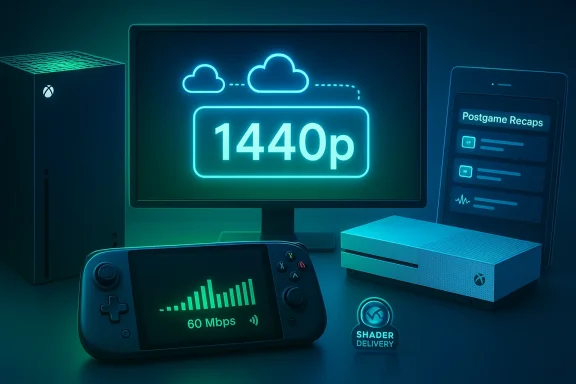
Xbox’s latest February update quietly turned into one of the more consequential monthly patches in recent memory — not because it rewired Xbox hardware, but because it pushed concrete, practical improvements into the hands of players who still use older consoles and handhelds, while nudging Microsoft’s cloud and UX strategies forward in subtle but important ways. The headline is simple: Xbox Cloud Gaming can now stream at up to 1440p on Xbox Series X|S, Xbox One X, and Xbox One S for Xbox Game Pass Ultimate members. But the release also bundles a package of user-facing features — from Postgame Recaps in the Xbox PC app to new UI sounds, removable storage improvements for ROG Xbox Ally devices, and an updated cloud gaming web experience — that together make this a broader quality‑of‑life and platform‑readiness update rather than a single flashy headline. This matters because it extends meaningful value to older hardware, improves first‑run experiences through shader delivery indicators, and signals the kinds of incremental ecosystem work Microsoft is using to keep Game Pass competitive.
For years cloud services have chased three levers that determine perceived quality: resolution, bitrate, and latency. Microsoft’s cloud streaming has progressed from modest resolutions to more ambitious targets; moving the consoles themselves into the 1440p fold closes a practical gap for tens of millions of players who still use Xbox One hardware or who run games on 1440p monitors.
However, higher resolution requires more bandwidth. Microsoft’s messaging indicates both a resolution and higher bitrate rollout; independent reporting around this round of updates referenced bitrate ceilings in the mid‑20s Mbps for higher‑quality streams in earlier upgrade phases. In short:
Microsoft’s Advanced Shader Delivery Indicator is a simple but meaningful diagnostic: it tells you whether a game’s shaders were delivered pre‑compiled (i.e., baked ahead of time on the server) or whether the client had to compile on first run. In practice:
What’s most compelling is that Microsoft is combining technical optimizations (bitrate and shader delivery) with UX and ecosystem work (recaps, navigation sounds, handheld compatibility). That combination is exactly what platform‑level maintenance should look like: not a parade of headline features, but steady investment in the day‑to‑day quality that keeps players engaged and reduces friction for developers and hardware partners.
The February update isn’t a single watershed moment, but it is the sort of cumulative engineering and UX work that rarely makes headlines and nevertheless improves millions of sessions. For owners of older Xbox consoles and the new generation of Windows handhelds, this is an update that’s worth trying: check your Game Pass tier, test a cloud stream on a 1440p display, and decide whether the new recaps and sounds make your gaming flow feel more polished. Microsoft’s moves here underline a pragmatic strategy — invest where the biggest installed base lives, smooth the edges of the experience, and use cloud fidelity gains to raise perceived value. That’s a smart path for an ecosystem that now competes on both hardware variety and service quality.
Source: Windows Central Xbox’s February update is way bigger than expected
 Background: why 1440p streaming matters now
For years cloud services have chased three levers that determine perceived quality: resolution, bitrate, and latency. Microsoft’s cloud streaming has progressed from modest resolutions to more ambitious targets; moving the consoles themselves into the 1440p fold closes a practical gap for tens of millions of players who still use Xbox One hardware or who run games on 1440p monitors.- 1440p is widely adopted on PC and mid‑range TVs, and increasingly common on handhelds and monitors used by serious players.
- Raising the resolution ceiling on the consoles directly benefits owners who stream rather than run a game locally, especially where local hardware can’t deliver a modern PC‑level experience.
- From a business standpoint, improving cloud fidelity on older consoles increases the perceived value of Game Pass Ultimate and reduces friction for players who habitually switch between cloud and installed play.
What’s in the February update (high level)
Microsoft’s February update bundles several items that will be immediately visible to users:- 1440p, higher‑bitrate cloud streaming for Xbox Game Pass Ultimate subscribers on Xbox Series X|S, Xbox One X, and Xbox One S.
- Postgame Recaps in the Xbox PC app (available for Xbox Insiders) that summarize a play session with captures, achievements, and relevant highlights.
- New UI navigation sounds in the Xbox PC app when navigating with a controller — a small UX tweak that makes PC navigation feel more like console navigation and can be toggled in Settings > Audio.
- Removable storage formatting improvements on ROG Xbox Ally handhelds, simplifying the process of installing/running games from microSD cards.
- A new Advanced Shader Delivery Indicator to show whether shaders were pre‑compiled or delivered in a way that avoids heavy runtime compilation on first launch.
- The updated Xbox Cloud Gaming web experience moving through public preview for wider testing.
Technical deep dive: 1440p, bitrates, and what to expect
What 1440p means for players
Streaming at 2560×1440 (commonly called 1440p) is a meaningful jump above 1080p: it increases pixel density by roughly 78%, which results in noticeably sharper textures, UI elements, and distant geometry on appropriately sized displays. For users with 27‑inch 1440p monitors or handhelds with crisp 1440p panels, the difference is visually obvious.However, higher resolution requires more bandwidth. Microsoft’s messaging indicates both a resolution and higher bitrate rollout; independent reporting around this round of updates referenced bitrate ceilings in the mid‑20s Mbps for higher‑quality streams in earlier upgrade phases. In short:
- Expect better visual fidelity and fewer compression artifacts on games that are both supported by the cloud backend and running on displays that can natively show 1440p.
- Actual quality will still be shaped by network stability and ISP throttling; a faster upstream to your home is irrelevant here, but stable downstream bandwidth and low packet loss are crucial.
Bandwidth guidance and latency realities
If you care about getting consistent, high‑quality streams, test your connection and aim for headroom. Practical guidance for cloud gaming has not changed: a sustained, stable downstream in the high‑teens to mid‑20s Mbps range is generally recommended for 1440p at higher bitrates. But bandwidth alone doesn’t guarantee responsiveness — latency and packet loss still make or break an online streaming experience, especially for fast‑paced multiplayer titles.Supported titles and regional rollout
Microsoft’s rollout is device‑wide but not necessarily game‑wide. Not every title will immediately benefit because backend encoding and game‑specific optimizations play a role. Where developers have implemented server‑side support for higher fidelity streams, you’ll see it; otherwise the stream may still default to lower encodes. Microsoft is incrementally enabling support by region and title, so expect a phased experience rather than an instantaneous universal upgrade.Why the Advanced Shader Delivery Indicator matters
Shader compilation is one of the most notorious sources of first‑run stutters in modern games. When a game loads a shader variant for the first time, the runtime usually compiles that shader to machine code before execution — an operation that can pause gameplay for a fraction of a second or longer, especially on machines with slower CPUs or limited shader cache.Microsoft’s Advanced Shader Delivery Indicator is a simple but meaningful diagnostic: it tells you whether a game’s shaders were delivered pre‑compiled (i.e., baked ahead of time on the server) or whether the client had to compile on first run. In practice:
- Games with pre‑compiled shaders should have smoother first launches and fewer early‑session hitching events.
- The indicator is a transparency and troubleshooting tool for users and developers; it reduces guesswork about whether stuttering is due to shader compilation or other system issues.
- For cloud play, pre‑compiled shader delivery is a backend optimization that reduces perceived load‑time friction; for local installs, it can also inform players about whether a pre‑downloaded shader package exists for a title.
Postgame Recaps: convenience, discovery, and privacy tradeoffs
The new Postgame Recaps feature in the Xbox PC app is designed around a simple premise: after a session, give players an immediate, useful summary — captures taken, achievements unlocked, and other highlights with optional suggestions. There are several angles to evaluate:- From a UX perspective, recaps are handy. They save you from manually searching for clips or tracing which achievements fired during a session.
- For community and sharing, the recap is a low‑friction way to surface moments players may want to post or save.
- From a privacy standpoint, the feature necessarily keeps the Xbox app running in the background to detect when a session ends and to gather the relevant signals. Microsoft says the app is optimized to minimize memory and performance impact, and users can toggle recap types under Settings > App > Postgame recaps. If you opt out of all recap types, the app won’t start in the system tray with game launches.
ROG Xbox Ally improvements and removable storage — what handheld users should know
The ROG Xbox Ally handheld family (including the more powerful Ally X) has been a focal point for Microsoft’s push into controller‑first Windows handhelds. For Ally owners, the update delivers two practical things:- Easier formatting of removable storage (microSD) to support installing and running games from card storage.
- Driver and compatibility tweaks aimed at improving game installs and runtime behavior.
- MicroSD cards vary widely in sustained throughput and IOPS; premium UHS‑II/UHS‑III or SD Express cards will perform far better than cheap Class 10 cards.
- Some games (especially modern AAA titles) will still have higher load times and texture streaming differences when run from a microSD compared with NVMe internal storage.
- The formatting UX and system support make it much easier for casual users to expand their library without wrestling with cryptic drive partitioning steps.
UI sounds, Full Screen Experience hints, and the console‑like bridge
Small changes can have outsized psychological impact. Adding navigation sounds to the Xbox PC app when using a controller is a good example: it makes the interface feel more responsive and consistent with the console experience. These are optional, adjustable in Settings > Audio, and they serve multiple purposes:- Provide auditory feedback that confirms a control input — especially useful in controller‑first contexts where a mouse hover isn’t available.
- Help unify the cross‑device UX between consoles, handhelds, and Windows machines — an important goal as Microsoft pushes features like the Xbox Full‑Screen Experience to a wider array of devices.
- Lower the perceived learning curve for players switching from console to PC or handheld.
Developer and platform implications: Handheld Compatibility Program and Xbox Play Anywhere expansion
February’s update is not just about consumer face value; it includes expansions to the Handheld Compatibility Program and increases in Xbox Play Anywhere support. The implications:- For developers, the Handheld Compatibility Program encourages testing and optimization targeted at handheld use‑cases — control layouts, performance targets, and UI scaling.
- For players, Xbox Play Anywhere reaching 1,000+ titles reinforces cross‑device ownership: buy once, play on console, PC, or supported handhelds.
- This creates an incentive structure that nudges developers toward multi‑form portability, which over time could make the Xbox ecosystem more coherent and reduce friction for consumers moving between hardware.
Risks, caveats, and things Microsoft still needs to address
No update is perfect. Here are the key risks and outstanding issues to keep in mind:- Bandwidth and ISP limitations. 1440p streaming requires higher sustained downstream. Millions of players live where ISPs throttle or impose data caps; for them, better resolution may be impossible or expensive to sustain.
- Regional rollout and inconsistency. Microsoft is rolling changes region‑by‑region and title‑by‑title. Players may see inconsistent behavior across games or even device pairs in the same household.
- Shader/pre‑compile coverage. The Advanced Shader Delivery Indicator is helpful, but it’s only as useful as the coverage of pre‑compiled shaders. Many games still compile shaders at runtime because publisher pipelines or build sizes make pre‑compilation challenging.
- Storage performance variance on handhelds. The convenience of running games from microSD cards is real, but performance will vary dramatically by card quality. Users with slower cards will experience longer load times and possible streaming hitching.
- Background telemetry and privacy. Postgame Recaps rely on the app running in the system tray. While Microsoft provides toggles, users should understand the background tradeoffs and make a conscious choice about enabling the feature.
- Fragmented UX across Windows devices. Microsoft continues to test features like the Xbox Full‑Screen Experience and other handheld optimizations in Insider channels. That means adoption can be fragmented and sometimes brittle on non‑first‑party hardware.
Practical how‑to checklist for players who want to get the most from this update
- Verify your Game Pass tier. You need Xbox Game Pass Ultimate to access the 1440p cloud streams where available.
- Check your display. Ensure the TV/monitor supports 1440p (not all TVs advertise 1440p explicitly); many 1440p displays are PC‑focused monitors.
- Test and stabilize your network. Aim for a stable downstream with some headroom; test during peak hours and consider wired Ethernet or a strong Wi‑Fi 6 connection when possible.
- Toggle Postgame Recaps to taste. If you don’t want the Xbox app running in the background, disable recap types in Settings > App > Postgame recaps.
- For ROG Xbox Ally owners: use a high‑quality microSD card if you plan to install games. Don’t expect NVMe parity, but a premium UHS‑II/III or SD Express card will be markedly better than cheaper cards.
- Use the Advanced Shader Delivery Indicator as a diagnostic — if a game shows shaders were not pre‑compiled, you may want to download any optional shader packs or check for developer‑provided optimization tips.
Strategic analysis: small changes, big directional value
On paper, a single line item — “1440p streaming on older consoles” — reads like a modest engineering roll. In practical terms, it is more than that: it’s a signal that Microsoft is trying to extract value from its cloud infrastructure to benefit a broad installed base, not just the newest hardware. That has several strategic benefits:- Extending lifespan: updates like this extend the practical usefulness of older consoles, strengthening customer goodwill.
- Differentiating Game Pass: as subscription competition intensifies, incremental improvements that materially affect day‑to‑day quality can be more valuable than a single marquee exclusive.
- Cross‑device cohesion: the sum of UI tweaks, Full Screen Experience expansion, and handheld compatibility work nudges Microsoft toward a unified cross‑device experience that lowers friction for players switching between cloud and local play.
Final verdict: meaningful for some, nice‑to‑have for others
The February update is a clear win for certain groups:- Owners of Xbox One X / Xbox One S and 1440p displays who rely on cloud streaming will see an immediate benefit.
- Handheld owners (ROG Xbox Ally) who want an easier route to expand storage or who prefer console‑like navigation will appreciate the polish.
- Players who value smoother first‑run behavior will benefit from clearer shader delivery diagnostics.
What’s most compelling is that Microsoft is combining technical optimizations (bitrate and shader delivery) with UX and ecosystem work (recaps, navigation sounds, handheld compatibility). That combination is exactly what platform‑level maintenance should look like: not a parade of headline features, but steady investment in the day‑to‑day quality that keeps players engaged and reduces friction for developers and hardware partners.
Recommendations for Microsoft and developers
- Continue expanding shader pre‑compile coverage, and provide clearer guidance or tools so developers can adopt server‑side pre‑compiled shader delivery without ballooning build sizes.
- Publish concrete bitrate guidance and region‑specific rollout schedules so consumers can better plan their expectations and ISPs can be engaged constructively.
- Offer clearer performance tiers in the cloud UI (e.g., “High fidelity (1440p)”, “Balanced (1080p)”) so players understand tradeoffs between quality and data usage.
- For handhelds, enable a “recommended storage” badge for microSD cards validated for game installs, reducing confusion for non‑technical users.
- Keep the privacy controls prominent for features that run in the background, and publish telemetry impact metrics so power users can make informed choices.
The February update isn’t a single watershed moment, but it is the sort of cumulative engineering and UX work that rarely makes headlines and nevertheless improves millions of sessions. For owners of older Xbox consoles and the new generation of Windows handhelds, this is an update that’s worth trying: check your Game Pass tier, test a cloud stream on a 1440p display, and decide whether the new recaps and sounds make your gaming flow feel more polished. Microsoft’s moves here underline a pragmatic strategy — invest where the biggest installed base lives, smooth the edges of the experience, and use cloud fidelity gains to raise perceived value. That’s a smart path for an ecosystem that now competes on both hardware variety and service quality.
Source: Windows Central Xbox’s February update is way bigger than expected
