

Microsoft’s November update for Xbox is less a single dramatic pivot than a careful, coordinated nudge: an AI-powered companion on mobile, a console-style full-screen shell spreading across Windows 11 devices, cloud-streaming quality controls that can reach 1440p, and expanded regional availability — most notably India — combined with a steady widening of input and cross-device support that makes Xbox feel more like a service than a single box. The changes are pragmatic and broadly useful, but they also expose trade‑offs around privacy, subscription gating, device performance, and publisher cooperation that will matter as these features move from beta to everyday use.
Microsoft’s Xbox strategy over the last several years has been to blur hardware boundaries: purchases, saves, achievements and social identity should travel seamlessly across console, PC, handhelds and mobile. The November update continues that push by combining three trends that have dominated Microsoft’s playbook: cloud streaming at higher fidelity, deeper AI integration via Copilot, and a console-like UI layer for Windows devices. The official Xbox announcement lays out the components — Gaming Copilot on the mobile app, Full Screen Experience (FSE) expanding to more Windows 11 devices, user-selected cloud resolutions up to 1440p, and cloud availability in India — and positions them as incremental steps in a longer roadmap. Taken together, the release is notable for its scope rather than any single headline: it touches UI, accessibility, networking, and retail promotions (for example, a limited free engraving promotion at Xbox Design Lab). The update is staged: many features appear as betas or limited previews, and Microsoft is relying on Insider channels and telemetry-driven rollouts to catch problems early. That staged approach reduces immediate risk at the expense of fragmentation and short-term confusion as availability and feature sets differ by region, platform and account tier.
At the same time, the update is not a finished product. Expect iterative improvements and continued gating: Copilot remains Beta; 1440p is selective; FSE is rolling out through Insider channels first; and the “stream your own game” list will continue to grow only as publishers and Microsoft resolve DRM and anti‑cheat concerns. The rollout’s real success will depend on three measurable deliverables over the next 6–12 months:
Microsoft’s official Xbox announcement provides the product roadmap and feature list, and multiple independent outlets are reporting on the rollout and its technical promises. For anyone who plays across devices, this update is worth testing: opt into Insider previews if you want early access, ensure your network can handle higher‑quality cloud streams, and check privacy settings before enabling Copilot’s screenshot or voice modes. The November changes are not a finished vision — they are a realistic step toward one. Conclusion: Microsoft’s November package is pragmatic, service‑centric progress. It tightens the seams between devices and folds AI into gameplay in a way that feels incremental and practical — and that is exactly the point. The real work ahead is governance, publisher alignment, and the steady refinement that turns promising betas into seamless, everyday play.
Source: Gizbot Xbox November 2025 Update Adds AI Copilot, Full-Screen Mode, 1440p Cloud Streaming, and More
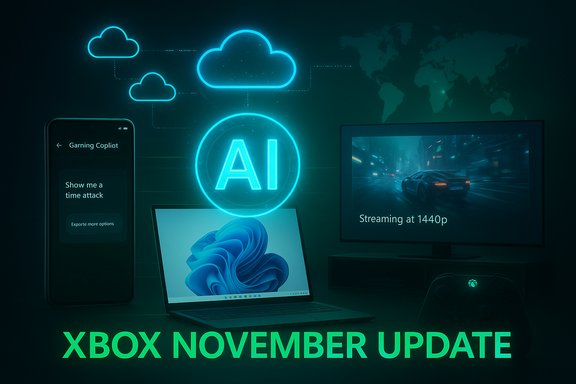 Background / Overview
Microsoft’s Xbox strategy over the last several years has been to blur hardware boundaries: purchases, saves, achievements and social identity should travel seamlessly across console, PC, handhelds and mobile. The November update continues that push by combining three trends that have dominated Microsoft’s playbook: cloud streaming at higher fidelity, deeper AI integration via Copilot, and a console-like UI layer for Windows devices. The official Xbox announcement lays out the components — Gaming Copilot on the mobile app, Full Screen Experience (FSE) expanding to more Windows 11 devices, user-selected cloud resolutions up to 1440p, and cloud availability in India — and positions them as incremental steps in a longer roadmap. Taken together, the release is notable for its scope rather than any single headline: it touches UI, accessibility, networking, and retail promotions (for example, a limited free engraving promotion at Xbox Design Lab). The update is staged: many features appear as betas or limited previews, and Microsoft is relying on Insider channels and telemetry-driven rollouts to catch problems early. That staged approach reduces immediate risk at the expense of fragmentation and short-term confusion as availability and feature sets differ by region, platform and account tier. Gaming Copilot Moves to Mobile — what changed and why it matters
What Gaming Copilot is now
- Gaming Copilot (Beta) is now available inside the Xbox mobile app as a dedicated tab and second‑screen assistant. It’s intended to be an in‑session helper: ask questions about what’s happening on your current play session, request tips, view achievement history, or get objective explanations without pausing your primary screen. The tool accepts voice or typed queries and is context‑aware — it can use screenshot data and account information to tailor replies.
- Interaction modes include push‑to‑talk voice, typed chat, and pinned mini‑conversations so answers remain accessible while you play. The assistant runs as a hybrid flow: local UI, optional capture permissions, and cloud reasoning from Microsoft’s backend models. Earlier Xbox preview posts and recent coverage show Microsoft labeling the feature Beta and gating it by age, region and Insider membership in some cases.
Practical benefits for players
- Reduces friction: instead of alt‑tabbing, pausing, or searching forums mid‑fight, you can ask Copilot on your phone for hints and return to action.
- Centralizes second-screen habits: many players already use phones or tablets for walkthroughs or chat; Copilot formalizes that into a single integrated surface.
- Personalized guidance: when signed in, Copilot can reference play history, unlocked achievements, and owned titles to recommend next steps or help with achievement hunts.
Risks and trade-offs
- Privacy and telemetry: Copilot’s screenshot and context capabilities help relevance but raise valid privacy questions. Microsoft has stated screenshots aren’t used to train models, but the boundary between ephemeral processing and transient cloud logs is a recurring concern. Until Microsoft publishes clearer data‑flow and retention documentation, expect privacy‑sensitive users and regulators to seek more details.
- Performance on constrained devices: overlay capture and cloud round‑trips add CPU/network overhead. Handhelds and low‑power laptops may see measurable battery and frame‑rate impacts when Copilot is active — especially in games already pushing thermal limits. Early testing suggests trade‑offs; users on handheld form factors should test for battery and FPS impact.
- Competitive fairness: for multiplayer and competitive contexts, AI assistance can be contentious. Microsoft’s staged rollout and beta labeling indicate the company knows this needs careful policy and publisher coordination to avoid unfair advantages in sanctioned play.
Full Screen Experience (FSE) Expands on Windows 11
What FSE does
The Full Screen Experience transforms the Xbox interface into a console‑style launcher on Windows 11 devices, prioritizing controller navigation, streamlining the library, and suppressing desktop clutter (background processes and Explorer distractions) to boost immersion. The feature debuted on handhelds like the ASUS ROG Xbox Ally and is now being rolled out to a wider range of handhelds, laptops, tablets and other Windows 11 form factors via Windows and Xbox Insider channels.Who benefits most
- Handheld gaming PCs: devices where window management and background processes frequently break immersion will see the largest UX gains.
- Controller‑first users: those who prefer a gamepad-centric workflow — especially in living room or couch setups — will find navigation simpler and less fiddly than mixing mouse and keyboard UI metaphors.
- Retail scenarios: OEMs shipping Windows handhelds or PC‑based gaming devices now have a polished, Xbox‑branded shell to present to buyers.
Implementation and caveats
- Access is rolling via Xbox Insider / Windows Insider channels; on desktops and laptops the experience remains optional and is most relevant when paired with a controller. Some community testers report variances in support across devices and driver versions; the rollout is deliberate rather than universal at once. The experience behaves like a shell layered on Windows rather than a replacement OS — Windows still runs underneath.
- Expect edge cases: desktop utilities, third‑party overlays, and certain accessibility setups may interact poorly with FSE until Microsoft and OEMs smooth integration points.
Cloud Gaming: India, user‑selected resolution, and 1440p streams
India launch and device surface area
Xbox Cloud Gaming has expanded into India, marking a major availability milestone and making India the 29th cloud gaming market in Microsoft’s rollout. The service is accessible through browser (xbox.com/play), the Xbox PC app, supported smart TVs and a variety of Fire TV devices, enabling players to stream hundreds of titles on devices they already own. Microsoft states local Azure capacity — notably Pune and Chennai — supports the launch, a change that materially reduces routing distance and often improves latency for Indian players.User‑selected streaming resolution and 1440p
- Microsoft introduced User‑Selected Resolution for select cloud titles, letting players manually pick streaming quality before launching a game. That control can favor smoother frame rates on constrained connections or sharper fidelity on large displays. For qualifying titles and devices the service now supports up to 1440p streams.
- Independent testing and Microsoft’s own notes indicate 1440p streams appear selectively, gated by per‑title readiness, device codec support, and subscription tier (top tiers like Ultimate get priority access and the best available bitrate profiles). Real‑world bitrate observations for higher‑quality profiles have shown burst peaks in the mid‑20s Mbps range, which materially increases visual fidelity compared with earlier 1080p/60/low‑bitrate streams — but it also raises the bar for stable home networking.
Practical network guidance
- Minimum: ~10 Mbps to launch a basic cloud session.
- Recommended for consistent 1080p: 20–35 Mbps.
- Recommended for consistent 1440p: sustained bandwidth in the mid‑20s Mbps or higher, low jitter, and sub‑50 ms round‑trip to the local Azure node for the best feeling of responsiveness.
Competitive context
- Microsoft’s 1440p step narrows the perceptual gap with high‑end cloud services like NVIDIA’s GeForce Now, which targets higher peak fidelity (and in some tiers 4K/120fps). However, GeForce Now’s India launch has been delayed into 2026, leaving Microsoft an immediate advantage in local availability. That said, GeForce Now’s hardware-first strategy remains the benchmark for peak fidelity.
Caveats and limits
- Not every title supports 1440p immediately; publisher permission, DRM/anti‑cheat compatibility, and encoding readiness determine per‑title eligibility.
- Upscaled quality on paper does not guarantee parity with a local console/PC: latency and input lag remain topology and ISP dependent. Local Azure footprints help, but home network conditions matter most.
Input flexibility and cross‑device continuity
Expanded input support
- Microsoft has added mouse & keyboard support to a larger swath of titles across cloud and Windows platforms, benefiting strategy, simulation and certain indie games where precision pointing is valued.
- Touch controls have expanded heavily on mobile: hundreds of titles now support controller‑free play with tailored on‑screen overlays, making casual on‑the‑go play more practical. Xbox reports 230+ cloud titles with touch layouts and 130+ cloud titles supporting mouse & keyboard at this time.
Cross‑device continuity: Xbox Play Anywhere and Stream Your Own Game
- Xbox Play Anywhere now lists over 1,000 titles that let you buy once and play across console, PC and supported handhelds while retaining saves, achievements and progression. That continuity reduces friction for people who switch devices frequently.
- The Stream Your Own Game program — which allows Game Pass subscribers to stream certain games they already own — has also expanded rapidly through 2025, reaching triple‑digit counts and, in Microsoft’s framing, a library in excess of 1,000 cloud‑playable titles across the catalog when combining Play Anywhere and stream‑your‑own coverage. This broadening is a strategic lever: it turns ownership into an immediately playable asset across devices without local installs. But remember: streaming owned titles still typically requires the appropriate Game Pass tier and publisher permission.
Accessories, customization and retail moves
- Xbox Design Lab is offering free engraving on controller purchases for a limited Black Friday promotion window (late November into December). The promotion is part of a bundle of holiday deals and underlines Xbox’s continued investment in personalization and hardware identity. Pure Xbox and other outlets are reporting the promotion alongside Xbox’s Black Friday messaging.
- Microsoft and partners are also releasing themed limited‑edition controllers and mobile controller hardware (e.g., the Backbone Pro – Xbox Edition), with availability timed to the broader promotional push. These moves are modest from a gameplay perspective but important to brand engagement and gift season economics.
Risks, governance questions and unanswered details
Privacy and data flows
- Copilot’s in‑game screenshot awareness creates a powerful UX, but users — and regulators — will ask for clearer, auditable proofs that ephemeral OCR outputs or diagnostic logs aren’t retained or misused. Public statements that screenshots are not used for training are helpful, but they are not the same as a transparent data retention policy or an auditable data‑flow diagram. Expect continued inquiries and demands for more technical detail.
Publisher and anti‑cheat complexity
- Streaming owned games and integrating AI helpers across a large catalog requires publisher cooperation and careful anti‑cheat integration. Fragmentation may arise if some publishers delay cloud builds or refuse streaming terms. Microsoft’s incremental rollout suggests these negotiations are ongoing, which can delay universal availability.
Performance and battery impacts
- Handhelds with limited thermal headroom face real trade‑offs: a Copilot overlay, continuous voice processing or high‑bitrate 1440p decoding can increase energy draw and lower sustained FPS. OEMs and Microsoft will need to tune for NPUs, driver optimizations, and thermal profiles to make these features feel polished on thinner hardware.
Subscription confusion and consumer expectations
- A recurring friction point: streaming owned games often still requires a subscription (e.g., Game Pass Ultimate) or is gated by varying title entitlements. Clearer messaging is needed to avoid “I already own it, why do I need a subscription?” frustration. Microsoft has signaled the subscription requirements repeatedly, but consumer expectations will still need careful handling.
Practical guidance — what to do next
For players who want to try Copilot and FSE
- Update the Xbox app on mobile and the Xbox PC/App and ensure you are signed into the same Xbox account.
- If you want to test FSE on Windows 11, join the Windows Insider and Xbox Insider channels to access preview builds, and pair a controller before switching shells for the best experience.
For those relying on cloud streaming
- Test your route to the nearest Azure node: aim for sub‑50 ms ping and stable throughput. Consider wired Ethernet for TVs and desktop clients.
- For 1440p, provision your home network for sustained mid‑20s Mbps or more and reduce competing household traffic during play sessions.
For privacy‑minded users and IT pros
- Review Copilot toggles inside Game Bar and the Xbox app. Disable screenshot capture or voice‑to‑cloud features if you require conservative data handling. If you are planning fleet deployment or shareable devices, treat Copilot like any new telemetry source: pilot, measure, and update acceptable use policies accordingly.
Why this update matters — and what to watch
Microsoft’s November update is significant because it stitches AI, cloud quality and UI design into a coherent user‑facing package rather than pursuing one flashy announcement. That design choice makes the update more broadly impactful: Copilot on mobile reduces friction; FSE brings console polish to Windows handhelds; 1440p streaming and user‑selected resolution give players concrete control over cloud fidelity; and India’s expansion ramps Microsoft’s addressable market.At the same time, the update is not a finished product. Expect iterative improvements and continued gating: Copilot remains Beta; 1440p is selective; FSE is rolling out through Insider channels first; and the “stream your own game” list will continue to grow only as publishers and Microsoft resolve DRM and anti‑cheat concerns. The rollout’s real success will depend on three measurable deliverables over the next 6–12 months:
- Transparency: clear, auditable privacy guarantees for Copilot’s screenshot and voice processing.
- Performance parity: reduced battery and thermal penalties on handheld devices when Copilot or FSE is enabled.
- Catalog and publisher buy‑in: expanding the set of fully supported titles for 1440p streams and owned‑game streaming without inconsistent gating across regions.
Final verdict
The November update is an example of strategic product management: small, worthwhile changes composed to move the ecosystem forward without overpromising. For players, the immediate benefits are tangible — more control over cloud quality, a helpful second‑screen Copilot, and a more immersive Xbox shell on Windows devices. For critics and regulators, the update raises the predictable questions: how Copilot processes and retains contextual data, how publishers and anti‑cheat systems will adapt, and how pricing and subscription models will be communicated to avoid consumer confusion.Microsoft’s official Xbox announcement provides the product roadmap and feature list, and multiple independent outlets are reporting on the rollout and its technical promises. For anyone who plays across devices, this update is worth testing: opt into Insider previews if you want early access, ensure your network can handle higher‑quality cloud streams, and check privacy settings before enabling Copilot’s screenshot or voice modes. The November changes are not a finished vision — they are a realistic step toward one. Conclusion: Microsoft’s November package is pragmatic, service‑centric progress. It tightens the seams between devices and folds AI into gameplay in a way that feels incremental and practical — and that is exactly the point. The real work ahead is governance, publisher alignment, and the steady refinement that turns promising betas into seamless, everyday play.
Source: Gizbot Xbox November 2025 Update Adds AI Copilot, Full-Screen Mode, 1440p Cloud Streaming, and More
