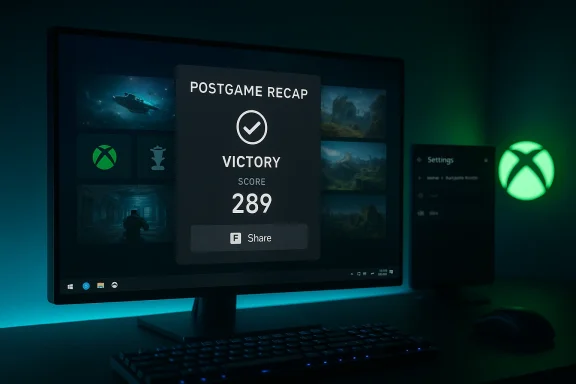
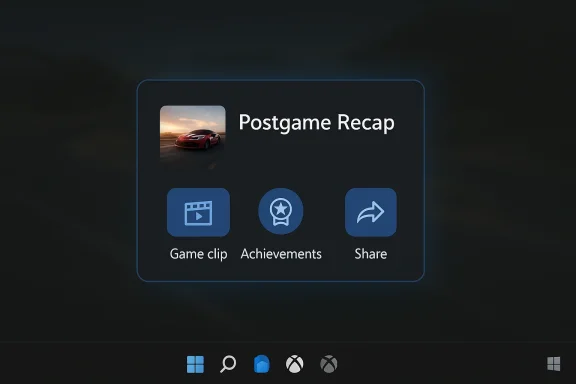
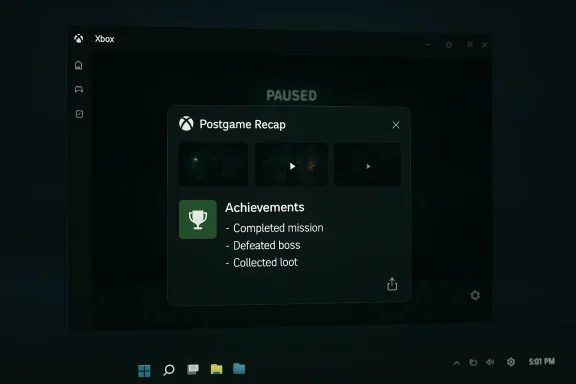
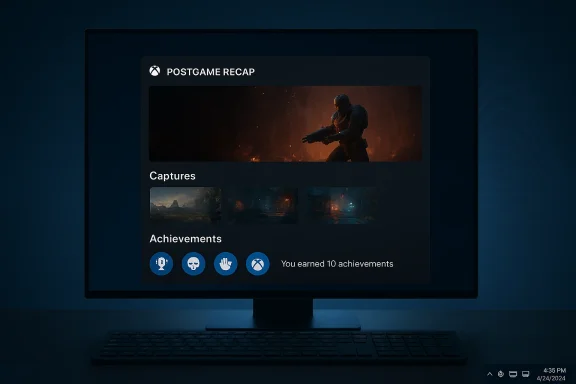
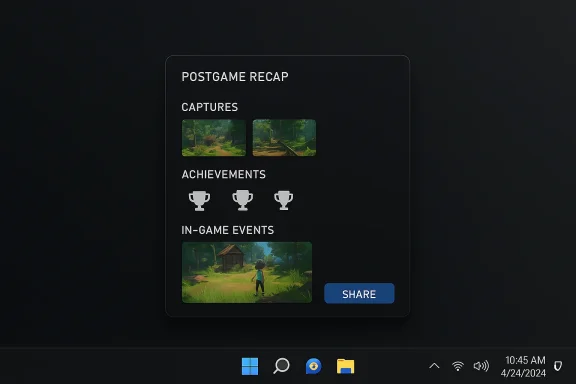
Microsoft is quietly testing a new “postgame recaps” feature in the Xbox PC app that automatically summarizes your recent play session—highlights like screenshots, achievements, and in‑game events—after you exit a game, and the rollout has begun with Xbox Insiders in the PC Gaming Preview.
Microsoft has been iterating the Xbox PC app steadily for several years, moving the client from a simple storefront into a centralized gaming hub on Windows. The company has increasingly added convenience features—library aggregation, quick‑launch elements and social tools—that aim to reduce launcher fragmentation and surface meaningful moments from play sessions. This latest experiment, rolled out to Insiders, builds on that trajectory by offering an at‑a‑glance recap designed to appear wheneful rather than after every single session.
Microsoft’s official announcement describes the feature as a lightweight background process that may start the Xbox PC app in the system tray during play so it can pop a recap after you quit a game. The company emphasizes customization—recap types can be toggled in Settings > App > Postgame recaps—and says the feature is optimized to minimize memory and performance impact. If you disable all recap types, the app will not start in the tray.
Third‑party reporting that surfaced earlier versions of similar functionality described a “last session” card and a recap sharing option in the Xbox PC app—suggesting Microsoft has been iterating several variants of session recaps for some time.
That limitation isn’t surprising. Achievements, cloud events, and standardized metadata are far easier to aggregate for Microsoft’s own ecosystem, and cross‑store instrumentation requires cooperation from third‑party launchers—something Microsoft has done selectively (library aggregation) but not uniformly (recaps may need richer telemetry than a simple launch). Community guides and forum posts already document the settings path to toggle the feature, underscoring the current implementation’s dependence on the Xbox app’s account and services.
That said, the devil is in the implementation details:
However, it’s not the same as an AI‑generated highlight reel or a cloud‑produced montage. The early rollout is explicitly conservative: small, event‑driven recaps rather than fully assembled gameplay videos. If your mental model was a SportsCenter‑style package delivered automatically, the current implementation isn’t there yet.
For Windows gamers, the feature is worth trying if you’re an Insider and curious about quick session summaries, but everyone else should wait for wider rollout and better privacy documentation. Microsoft’s incremental, test‑driven approach is appropriate here—postgame recaps could become a small but useful addition to the Xbox PC app’s evolving role as Windows’ centralized gaming surface, provided Microsoft listens to Insider feedback and publishes the missing operational details.
Source: How-To Geek Windows is getting automatic recaps for PC games
 Background
Microsoft has been iterating the Xbox PC app steadily for several years, moving the client from a simple storefront into a centralized gaming hub on Windows. The company has increasingly added convenience features—library aggregation, quick‑launch elements and social tools—that aim to reduce launcher fragmentation and surface meaningful moments from play sessions. This latest experiment, rolled out to Insiders, builds on that trajectory by offering an at‑a‑glance recap designed to appear wheneful rather than after every single session.Microsoft’s official announcement describes the feature as a lightweight background process that may start the Xbox PC app in the system tray during play so it can pop a recap after you quit a game. The company emphasizes customization—recap types can be toggled in Settings > App > Postgame recaps—and says the feature is optimized to minimize memory and performance impact. If you disable all recap types, the app will not start in the tray.
What postgame recaps actually show
The test version surfaces a compact summary of the session with items such as:- Captures you took using Game Bar (screenshots or short clips)
- Achievements you unlocked during the session, including rare/trophy items
- Relevant in‑game events the app can detect or correlate (examples in the announcement were sparse)
- An occasional short check‑in the first time you play a title, with recommendations for other games you might enjoy
Third‑party reporting that surfaced earlier versions of similar functionality described a “last session” card and a recap sharing option in the Xbox PC app—suggesting Microsoft has been iterating several variants of session recaps for some time.
How it works (the practical, observable details)
Microsoft’s blog post and the Insider release notes are intentionally light on implementation specifics, but the announcement and accompanying community write‑ups make a few operational points clear:- The Xbox PC app may run in the system tray while you play so it can assemble and show a recap after you exit. This is presented as an optimization to avoid polling or heavyweight background monitoring.
- You’re most likely to see a recap when you take a Game Bar capture or unlock an achievement, which suggests the recap is triggered by explicit events rather than continuous deep analysis of gameplay.
- There’s no stated requirement for a Copilot+ PC or other premium hardware, and Microsoft didn’t advertise a generative AI engine behind the recaps—so the first iteration appears to be an event‑aggregation and UI summarization feature rather than an LLM‑generated narrative.
Where postgame recaps will (and won’t) work
Based on Microsoft’s messaging and how the Xbox PC app currently integrates platform services, the feature appears to be scoped to titles that are connected to Xbox services—titles installed through the Microsoft Store or the Xbox app, and games that expose achievements or multiplayer data through Xbox services. There is no explicit mention of automatic recaps for third‑party storefronts like Steam, GOG, or the Epic Games Store in the announcement. Early coverage and community examples likewise show the UX tied to Xbox‑authenticated titles and the Xbox app’s game‑metadata surfaces.That limitation isn’t surprising. Achievements, cloud events, and standardized metadata are far easier to aggregate for Microsoft’s own ecosystem, and cross‑store instrumentation requires cooperation from third‑party launchers—something Microsoft has done selectively (library aggregation) but not uniformly (recaps may need richer telemetry than a simple launch). Community guides and forum posts already document the settings path to toggle the feature, underscoring the current implementation’s dependence on the Xbox app’s account and services.
Privacy and telemetry: what to watch
Any new feature that runs in the background during games raises two immediate concerns: what is being recorded or transmitted, and how long is it retained?- Microsoft says the recaps highlight captures you already made with Game Bar and achievements you unlocked. If those are the only inputs, the privacy risk is relatively constrained: the app is aggregating metadata and user‑initiated captures rather than constantly recording gameplay. However, official messaging does not enumerate every possible signal the feature may use; the phrase “relevant in‑game events” is deliberately vague and warrants caution.
- The Xbox blog explicitly calls out customization and opt‑out: you can turn individual recap types on or off, and if you opt out of all types the Xbox app will stop starting in the system tray when you launch a game. That opt‑out control is meaningful—but users should verify that toggling off recaps in the app also prevents any incidental telemetry or event logging that Microsoft may collect for diagnostics or feature improvement.
- There’s no explicit statement in the announcement about where recap data is stored or how long screenshots, summary metadata, or derived assets are retained. Until Microsoft adds an explicit retention/processing paragraph or privacy FAQ for this feature, treat any non‑local sharing or cloud processing as a potential data surface. Independent reporting and community posts so far have not documented cloud storage of the recaps; they instead show a local UI card and a share action that copies an image to the clipboard for user‑directed sharing. That behavior reduces remote privacy risk but does not eliminate telemetry concerns.
- For adversarial or high‑sensitivity users: if you’re playing anything you want to keep private (work‑related streams, NDA content, sensitive screenshots), the safe approach is to disable recap triggers (captures or the recap feature entirely) or leave the Xbox app closed when you play.
Performance considerations
A major selling point in Microsoft’s messaging is that postgame recaps are “optimized to minimize memory and performance impact.” The mechanics implied by the announcement—triggering on captures/achievements and running only a small system‑tray helper—align with a low‑overhead design. That’s good news for gaming rigs where every percentage point of CPU/GPU budget matters.That said, the devil is in the implementation details:
- Running a process in the system tray while you play can still consume RAM and, in edge cases, CPU or GPU resources (if the app hooks into overlay APIs or monitors frame timing). On low‑end systems or battery‑constrained handhelds, even a modest background task can have measurable effects.
- If Microsoft later expands recaps to include automatic clip generation, live highlight detection, or AI‑driven summaries, the resource profile could change—especially if parts of the work are performed locally (encoding) or demand network I/O for cloud processing.
- Community testing through the Xbox Insider program will surface the broad range of real‑world performance behaviors. Early adopters should watch resource use in Task Manager and report regressions through Insider feedback channels.
Comparisons: Is this new?
Automatic session summaries are common in mobile and social gaming ecosystems, and consoles have long kept automatic capture triggers (e.g., PlayStation clipping on trophy events). What sets Microsoft’s postgame recaps apart is the attempt to turn existing PC signals (Game Bar captures, Xbox achievements) into a concise, shareable end‑of‑session UI on Windows. That’s a subtle but meaningful difference: many PC players alrelocal recording tools, but they must manage those assets themselves. Microsoft’s feature aims to lower the friction for sharing and reflecting on a play session.However, it’s not the same as an AI‑generated highlight reel or a cloud‑produced montage. The early rollout is explicitly conservative: small, event‑driven recaps rather than fully assembled gameplay videos. If your mental model was a SportsCenter‑style package delivered automatically, the current implementation isn’t there yet.
How to try it (Insiders) and how to control it
If you want to test postgame recaps now, you’ll need:- The Xbox Insider Hub app installed and an account enrolled in th** ring.
- The Xbox PC app on Windows updated to the Insider build that contains postgame recaps.
- Play a supported title (one that uses Xbox services, typically from the Microsoft Store or Xbox app) and trigger a capture or unlock an achievement during your session to increase the chance of seeing a recap.
- Open the Xbox app, go to your profile > Settings > App > Postgame recaps.
- Toggle Show achievements and captures, Show upcoming game events, and Share feedback on my screen as desired.
- If you opt out of all recap types, the Xbox app will no longer start in the system tray when you launch games.
Developer and platform implications
From a platform perspective, this feature is modest but strategic:- Iscovery and retention surface inside the Xbox PC app: recaps that include “recommended games” could help Microsoft nudge players toward Game Pass or store titles. The first‑time check‑in and recommendation card implies the UX doubles as a light discovery engine.
- For game developers using Xbox services, recaps represent a new way their achievements and event hooks can be surfaced to players. That could make achievements more visible and increase post‑session engagement.
- For third‑party storefronts not integrated with Xbox services, the lack of automatic recap support reinforces the pattern of Microsoft privileging first‑party instrumented experiences—though that could change if Microsoft expands the feature or offers APIs for broader support.
Risks and edge cases
- False positives and noise: If recaps appear after inconsequential sessions (short crashes, testing, menu browsing), the feature risks being perceived as clutter. Microsoft’s selective trigger policy partially mitigates that, but user feedback will ultimately determine the right balance.
- Performance on low‑end hardware: Even a lightweight system‑tray helper can affect low‑spec machines or battery life on handhelds. Testers should evaluate the actual impact on frame rates and thermals, not just memory usage.
- Privacy unclearances: Without a clear retention and transmission statement, privacy‑sensitive players and streamers may be wary. Microsoft’s opt‑out toggles are positive, but explicit documentation of what is logged locally, what—if anything—is uploaded, and how long assets are retained is still needed.
- Ecosystem fragmentation: If recaps are only available for Xbox‑instrumented titles, then players who primarily use Steam or other launchers may feel excluded, which undermines a unified PC gaming UX ambition. Microsoft has built cross‑store aggregation, but deeper telemetry and metadata integration remain uneven.
Practical recommendations for Windows gamers
- If you value privacy and control: disable postgame recaps (or individual crosoft publishes clear retention and telemetry documentation.
- If you want to try the feature: join the Xbox Insider PC Gaming Preview and test it for titles you don’t mind sharing recaps from; monitor Task Manager for any unexpected resource use.
- Streamers and content creators: avoid relying on recaps for highlights until you confirm the feature’s behavior with overlays, streaming tools, and your workflow—especially if you capture sensitive content or NDA‑protected gameplay.
- For IT admins and privacy teams: treat the feature like any new background client behavior—evaluate company policy effects if game machines are used for both work and play, and document acceptable configurations.
What to look for as the feature matures
- A clear privacy and telemetry FAQ detailing exactly what signals postgame recaps read, whether any data is uploaded, and how long any assets are stored.
- Broader storefront support or public APIs so players on Steam, Epic, or GOG can gain similar recap capabilities.
- Optionality around local vs. cloud processing, and a “do not create” setting ensuring no implicit assets are created when users explicitly request that.
- Performance telemetry from Microsoft or independent testers that demonstrates the feature’s real‑world CPU, GPU, and memory impact across a range of hardware.
Final assessment
Postgame recaps in the Xbox PC app are a restrained, pragmatic experiment: they take existing, user‑initiated signals (Game Bar captures, achievements) and turn them into a lightweight summary UI that lowers the friction for sharing and reflection. In its current form the feature looks more like a polished convenience than an ambitious AI highlight producer, which is both a strength and a limitation. The conservative design reduces immediate privacy and performance concerns, but the lack of explicit retention and telemetry details is the biggest gap Microsoft needs to close.For Windows gamers, the feature is worth trying if you’re an Insider and curious about quick session summaries, but everyone else should wait for wider rollout and better privacy documentation. Microsoft’s incremental, test‑driven approach is appropriate here—postgame recaps could become a small but useful addition to the Xbox PC app’s evolving role as Windows’ centralized gaming surface, provided Microsoft listens to Insider feedback and publishes the missing operational details.
Source: How-To Geek Windows is getting automatic recaps for PC games