

Zen Browser’s newest stable build, 1.18.8b, arrived in mid‑February with a tight, focused set of fixes that target two of the most disruptive user complaints: how the browser’s back/forward controls interact with spaces (Zen’s workspace system) and how tabs behave when dragged between windows using different spaces. The release is small by design but important in practice — it patches regressions that could rewrite session history unexpectedly and improves cross‑window tab placement logic for users who run many windows and workspaces. The update is published as an official GitHub release with multi‑platform assets and checksums, and it has already been mirrored by mainstream download sites and community coverage. (github.com)
Zen Browser started as a community‑driven fork of Mozilla Firefox that rethinks the tab model around workspaces and vertical, sidebar‑first tab flows. Rather than a single long strip of tabs, Zen places tabs into spaces — named containers that act as project contexts — and combines this with features such as modal previews (Glance), split‑view workflows, and a community “Mods” ecosystem for UI and behavior tweaks. That core identity — *Firefox reimagined for workspace‑first wor anchor for every release and rationalizes many of the UX tradeoffs and integration choices the team makes.
Zen’s development cadence has historically been rapid, reactive, and community‑centred. That means frequent point releases, active GitHub issue triage, and a small core team pushing updates that often address edge cases for power users who keep many tabs and windows open. That model yields fresh features and fast fixes, but it also produces occasional regressions in complex areas like session restore, workspace migration, and cross‑window interactions. Community threads and archived release notes show that Zen tracks Firefox upstream carefully while layering workspace logic on top of it; this coupling helps Zen iny fixes but also makes migration and integration work non‑trivial for the maintainers.
Independent download repositories and software aggregators (Softpedia, MajorGeeks) have also indexed the 1.18.8b build and echo the same fix list in their changelogs, confirming the GitHub notes and indicating public availability as of mid‑February. Those listings are typical mirrors for users who prefer packaged installers or aggregator metadata rather than pulling releases directly from GitHub.
Practical steps for cautious installation:
That said, Zen remains a rapidly evolving fork. Its pace benefits users who prize workspace‑first workflows and a high degree of customization. But it also imposes a discipline on adopters: back up profiles regularly, test updates in a controlled environment, and treat each release as potentially beneficial but not risk‑free. If your priority is rock‑solid, zero‑surprise stability over an opinionated workspace UX, mainstream Firefox or an enterprise‑managed browser may be a safer bet until the project’s cadence settles further.
For users who live in workspaces and rearrange dozens of tabs every day, 1.18.8b is a worthwhile, targeted fix. Install cautiously, verify checksums, test session restore thoroughly, and — if you manage many seats — stage the update behind a short pilot to confirm the fix performs as intended in your environment. (github.com)
Source: Neowin Zen Browser 1.18.8b
 Background / Overview
Zen Browser started as a community‑driven fork of Mozilla Firefox that rethinks the tab model around workspaces and vertical, sidebar‑first tab flows. Rather than a single long strip of tabs, Zen places tabs into spaces — named containers that act as project contexts — and combines this with features such as modal previews (Glance), split‑view workflows, and a community “Mods” ecosystem for UI and behavior tweaks. That core identity — *Firefox reimagined for workspace‑first wor anchor for every release and rationalizes many of the UX tradeoffs and integration choices the team makes.Zen’s development cadence has historically been rapid, reactive, and community‑centred. That means frequent point releases, active GitHub issue triage, and a small core team pushing updates that often address edge cases for power users who keep many tabs and windows open. That model yields fresh features and fast fixes, but it also produces occasional regressions in complex areas like session restore, workspace migration, and cross‑window interactions. Community threads and archived release notes show that Zen tracks Firefox upstream carefully while layering workspace logic on top of it; this coupling helps Zen iny fixes but also makes migration and integration work non‑trivial for the maintainers.
What’s in 1.18.8b: the official changelog
The GitHub release for 1.18.8b lists three principal points under “Fixes”:- Fixed back / forward buttons changing the page’s history instead of switching spaces (issue #9157).
- Fixed drag and dropping tabs from multiple windows with different spaces acting weirdly.
- Other minor bug fixes and improvements.
Independent download repositories and software aggregators (Softpedia, MajorGeeks) have also indexed the 1.18.8b build and echo the same fix list in their changelogs, confirming the GitHub notes and indicating public availability as of mid‑February. Those listings are typical mirrors for users who prefer packaged installers or aggregator metadata rather than pulling releases directly from GitHub.
Why the back/forward fix matters
Zen’s spaces are more than cosmetic tabs; they are logical containers with their own tab ordering and navigation context. In practice a user navigates pages inside a tab (history stack) while the browser also must remember which tab was active inside a particular space. A regression that makes the back/forward buttons alter the page history (what the site reports as previous/next) instead of switching spaces breaks a predictable interaction model:- Users expect back/forward to operate on the current page’s navigation history.
- In workspace‑aware UI models, arrow controls are sometimes overloaded to mean “go to the previously active tab in a different space.” If that behavior is implemented incorrectly, pressing back can take you to a prior URL within the same tab, while the intended behavior was to restore the last active tab as you move between spaces.
- For people who rely on spaces to separate projects or sessions (research, media consumption, communication), wrong history changes can result in data loss from accidental navigation or a confused session state.
Why tab‑dragging across windows is not a trivial bug
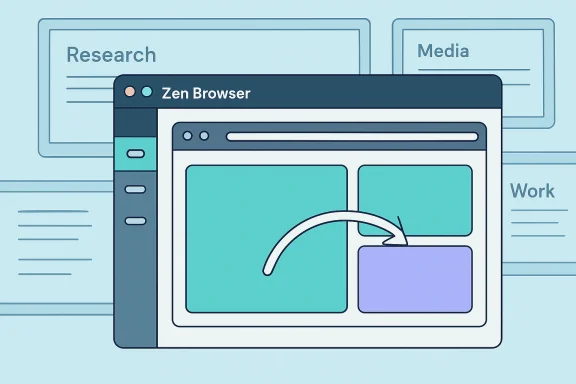
Dragging tabs between windows is deceptively complex in Zen because each window can represent a different space configuration. Mistakes here can yield several failure modes:- A tab dragged from Window A (Space: Research) into Window B (Space: Media) might be inserted into the wrong space, creating orphaned tabs that are hard to find.
- Drag operations can corrupt the tab order or cause UI flicker and duplicated tabs if event handling races with workspace state updates.
- For multi‑monitor power users, predictable cross‑window dragging is a fundamental workflow (organizing tabs into per‑display workspaces, creating a “clean” writing window, etc.). Broken behavior forces manual moves and increases friction.
Community response and rollout realities
Zen’s community is vocal and fast to report regressions. The project’s GitHub releases are the authoritative source for code and artifacts, but real‑world adoption can be bumpy for two reasons:- Staggered auto‑update and manual installation quirks. Community threads indicate that auto‑updates have occasionally been paused while hotfixes or migration patches are prepared, and that manual installers (or the wrong installer) can create a secondary app instance, especially on macOS where naming differences between the older “Zen Browser” and a newer “Zen” installer confused users. For some users, this resulted in two separate applications and missing profile data when they opened the newly installed app instead of upgrading the existing one.
- Past session restore and workspace migration problems. Historical updates (notably the 1.8 family of releases in 2025) experienced regressions that temporarily removed or lost tabs across other workspaces after an update; the community flagged missing essentials, disappearing pinned tabs, and workspaces that didn’t re‑open correctly. While the Zen team moved fast to patch many issues, these incidents left a mark: users with large, complex sessions now adopt a cautious posture toward immediate updates.
Installation details and verification (what power users should know)
The GitHub release page provides packaged assets for the major desktop targets and includes SHA‑256 hashes for the distributables. The assets list is explicit (Windows installer, Windows ARM, macOS mar, Linux AppImage, etc.), which gives admins the tools to verify binaries prior to install. When an update is small and targeted — as 1.18.8b is — verification of the downloaded file’s checksum remains best practice, especially for deployments where auditability is required. (github.com)Practical steps for cautious installation:
- Export bookmarks and any critical session data (or copy the profile folder).
- If you use numbered or named workspaces heavily, take a screenshot or use a session export tool to capture the layout.
- Disable automatic update temporarily on machines used for mission‑critical work until you’ve validated the new build on a test workstation.
- Download the exact asset that matches your OS/architecture and verify the SHA‑256 checksum printed on the GitHub release page.
- Install and run the new build in a secondary profile or VM to validate session restore, pinned tabs, and extension compatibility.
- If evl the update into your main profile or deploy to fleet machines using your normal distribution method. (github.com)
Security, privacy, and upstream dependencies
Two interlocking facts shape Zen’s risk profile:- Zen is a fork that tracks Firefox upstream for the rendering engine and many security fixes. That is an advantage because Zen benefits from Firefox’s security work; it’s also a maintenance cost because the Zen team must integrate complex upstream changes into their workspace‑enhanced codebase. Smaller teams can lag in integrating some fixes if the integration is non‑trivial. For users with high threat models, review the project’s visible security practices and verify update cadence for critical CVE patches.
- The Zen team has taken concrete steps to strengthen privacy. Recent release notes show efforts to strip Firefox telemetry from the core and to reduce external network connections by packaging onboarding and essentials content locally rather than fetching it over CDNs. Those moves reduce the browser’s call‑home surface and are meaningful for privacy‑minded users, but they are not a substitute for organizational governance of telemetry, extension permissilicy. If you require airtight privacy guarantees, validate the actual network flows after install (packet capture or privacy‑monitoring tools).
Strengths: who benefits from 1.18.8b and from Zen overall
- Power users with many windows and spaces will notice immediate usability improvements. The fixes in 1.18.8b directly address pain points that affect session hygiene and multi‑window workflows. (github.com)
- Users who prefer Firefox’s extension model but want a workspace‑centric UX get the best of both worth many Firefox add‑ons plus Zen’s curated workspace features. Community‑facing features like Mods let non‑technical users apply interface changes more safely than editing userChrome manually.
- Privacy‑focused individuals benefit from the team’s recent telemetry hardening and the packaging of onboarding assets to minimize external eliance on third‑party CDNs at first run and for initial essentials content.
Risks and limitations
- Rapid release cadence = occasional regressions. Zen’s agility is a double‑edged sword: it means fast bug fixes but also new releases introduce unforeseen edge‑case regressions. Community threads over the past year reflect that pattern. If your workflow cannot tolerate a disrupted session, delay upgrades until hotfixes are verified.
- Upstream integration complexity. Because Zen must merge Firefox changes into a custom UI layer, some Firefox security patches may take additional work to land safely. Track the project’s visible release cadence and prefer versions that list an explicit Firefox base to know which engine version you’re running.
- Extension and DRM edge cases. Some web apps and DRM systems are optimized for Chromium or expect certain platform behaviors; while Zen retains Firefox compatibility, certain proprietary codecs or Widevine flows may require additional steps to enable. Validate critical enterprdating.
- Installer confusion on macOS and duplicate app names. Past installer quirks led some users to accidentally create two separate applications (older “Zen Browser” vs newer “Zen”), resulting in profiles and data not being carried over. On macOS, verify the application bundle name and confirm profile data presence after installing.
Recommended pre‑update checklist (concise)
- Back up your profile folder and export bookmarks.
- Capture a screenshot of active workspaces and pinned tabs.
- Validate extension compatibility in an isolated profile.
- Download the correct asset and verify SHA‑256 checksums from the GitHub release. (github.com)
- Install on a single test device; confirm session restore, pinned tabs, and cross‑window dragging behaviors.
- Monitor community channels for 48–72 hours for any early regressions before fleet rollout.
Final assessment
Zen Browser 1.18.8b is a focused, pragmatic release: it does not change the product’s direction, but it addresses important practical problems that matter deeply to the browser’s core users — people who organize their work into spaces and actively move tabs betwcial GitHub release confirms the fixes and provides cross‑platform artifacts, and independent download indexes reflect public availability. (github.com)That said, Zen remains a rapidly evolving fork. Its pace benefits users who prize workspace‑first workflows and a high degree of customization. But it also imposes a discipline on adopters: back up profiles regularly, test updates in a controlled environment, and treat each release as potentially beneficial but not risk‑free. If your priority is rock‑solid, zero‑surprise stability over an opinionated workspace UX, mainstream Firefox or an enterprise‑managed browser may be a safer bet until the project’s cadence settles further.
For users who live in workspaces and rearrange dozens of tabs every day, 1.18.8b is a worthwhile, targeted fix. Install cautiously, verify checksums, test session restore thoroughly, and — if you manage many seats — stage the update behind a short pilot to confirm the fix performs as intended in your environment. (github.com)
Source: Neowin Zen Browser 1.18.8b
