

The web browser you choose matters more than you think: it shapes privacy, performance, productivity and — increasingly — how AI and platform services interact with everything you do online. A recent roundup of four standout alternatives intentionally omits Google Chrome and makes a strong case for Opera, Zen Browser, Tor Browser, and FireDragon as practical, high‑value options for different use cases. The original roundup frames its choices around tab management, built‑in convenience features (VPN, AI), and extreme privacy needs, and it stresses that the “best” browser is the one that maps to your workflow rather than the one with the largest market share.
The browser market today is no longer a single‑feature commodity. Underneath the familiar address bar are competing philosophies: Chromium‑based engines that prioritize extension compatibility and raw JS throughput; privacy‑centric forks that strip telemetry and harden fingerprinting resistance; and niche projects that reimagine tab and session management as first‑class features. This fragmentation gives users choice, but it also means you must be deliberate when switching — what you gain (privacy, workspaces, built‑in tools) you may also lose (Widevine DRM support, exact extension parity, or raw speed).
A few facts to anchor the discussion: browsers like Opera and Edge continue to add built‑in services (VPNs, AI assistants) that used to require separate apps; privacy tools such as Tor still remain the gold standard for anonymity at the network layer; and smaller projects — Zen Browser and FireDragon among them — are extending Firefox’s privacy model or reworking its UI into a workspace‑first experience. The choices and trade‑offs each project makes are what define their value to users.
Two high‑level rules of thumb:
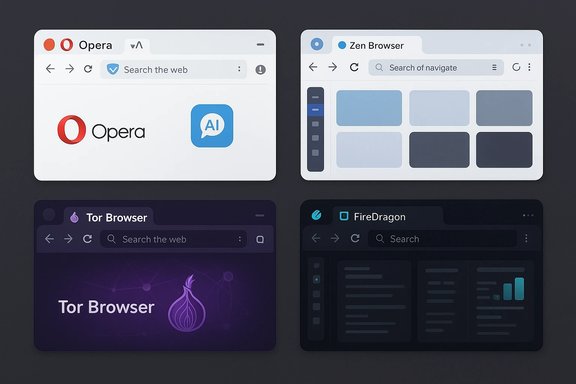
These four alternatives represent different philosophies in modern browsing: convenience plus services (Opera), workspace reimagination (Zen), uncompromising anonymity (Tor), and Linux‑first privacy customization (FireDragon). Each wins in its lane — the job is choosing the lane that matches how you work online.
Conclusion
Browsers are no longer interchangeable commodities; they’re opinionated platforms. The right browser should reduce friction for your daily tasks while aligning with your privacy and security expectations. Opera, Zen, Tor, and FireDragon each solve specific, real problems: integrated convenience, workspace management, network anonymity, and Linux‑centric privacy respectively. Evaluate your threat model, test the browsers against the sites and services you use daily, and then pick the one that makes the web feel like a tool — not an obstacle.
Source: ZDNET I've used nearly every browser available and these are my top 4 (spoiler: Chrome is out)
 Background / Overview
The browser market today is no longer a single‑feature commodity. Underneath the familiar address bar are competing philosophies: Chromium‑based engines that prioritize extension compatibility and raw JS throughput; privacy‑centric forks that strip telemetry and harden fingerprinting resistance; and niche projects that reimagine tab and session management as first‑class features. This fragmentation gives users choice, but it also means you must be deliberate when switching — what you gain (privacy, workspaces, built‑in tools) you may also lose (Widevine DRM support, exact extension parity, or raw speed).A few facts to anchor the discussion: browsers like Opera and Edge continue to add built‑in services (VPNs, AI assistants) that used to require separate apps; privacy tools such as Tor still remain the gold standard for anonymity at the network layer; and smaller projects — Zen Browser and FireDragon among them — are extending Firefox’s privacy model or reworking its UI into a workspace‑first experience. The choices and trade‑offs each project makes are what define their value to users.
Why Chrome isn’t always the best default
Chrome’s strengths — vast extension ecosystem, constant updates, and raw performance — still matter. But those benefits are increasingly offset by trade‑offs important to many users: heavy memory usage on constrained systems, limited native tab management, and privacy decisions baked into the Google ecosystem. For users who prioritize productivity features (AI summarization, cross‑device flows) or privacy (anti‑fingerprinting, no‑log proxies), alternatives increasingly fill gaps Chrome leaves open.Two high‑level rules of thumb:
- Choose a browser that matches your primary need (privacy vs productivity vs power‑user workflows).
- Test critical tasks (streaming DRM, corporate web apps, password sync) before fully switching, because not all browsers support every DRM or enterprise integration identically.
Opera: Convenience and performance with caveats
What Opera brings to the table
Opera aims to be a one‑app convenience bundle. Key built‑in capabilities make it attractive for users who want fewer moving parts:- Workspaces and improved tab theming for better session management.
- Built‑in VPN (free browser proxy) and a paid VPN Pro tier for device‑wide coverage.
- Integrated AI tools (Aria and later Opera One AI iterations) surfaced directly in the browser UI.
- Performance optimizations and a host of user‑facing tools (ad blocking, snapshot, battery saver).
Verified claims and cross‑checks
Opera publicly documented an independent no‑log audit of its free browser VPN conducted by Deloitte, confirming the implementation matched Opera’s management assertion at the time of the audit. That audit covers the browser VPN infrastructure for desktop and mobile builds and materially strengthens Opera’s privacy claim regarding the VPN’s no‑log promise. Opera’s own security blog and third‑party coverage both reflect this audit. Opera’s AI investments (Aria) and the evolution toward a more integrated Opera One AI have been announced and iterated in Opera’s developer notes and company blog; the vendor continues to refine UI placement and functionality for those assistants.Strengths
- Convenience: built‑in toolset reduces dependency on extensions (VPN, ad blocker, snapshot, Flow file sharing).
- Tab management and theming: Workspaces plus a flexible theming engine improve focus and workflow organization.
- Cross‑platform: consistent features across Windows, macOS, Linux and mobile.
Risks and limitations
- VPN scope: Opera’s free “VPN” is a browser‑level proxy and not a device‑wide VPN — it leaves non‑browser apps uncovered unless you pay for VPN Pro or use a separate system VPN. Users with higher threat models should treat Opera’s free option as convenience rather than a full device VPN.
- Centralized trust: built‑in features (AI assistants, syncing) often raise data governance questions — enterprises and privacy‑sensitive users should review data flows before enabling AI or sync features.
- Streaming/DRM: proxy‑style VPNs and privacy modifications can interfere with streaming services that aggressively detect proxies and VPNs.
Bottom line
Opera is an excellent general‑purpose browser for users seeking a powerful, opinionated default with strong tab management and built‑in privacy conveniences. For borderline threat‑model use or when you need system‑wide privacy, pair Opera with a vetted system VPN.Zen Browser: the Firefox reimagined for workspaces
What Zen Browser is
Zen Browser reshapes Firefox’s UI around workspaces, vertical tab flows, and community mods. It adopts the Arc/Workspace paradigm: tabs live in a left/right sidebar, can be grouped into named workspaces, and are paired with Glance (modal previews) and split‑view workflows. Zen’s customization model — “Mods” — lets the community extend the browser in ways that used to require deep fiddling with userChrome, but with a more approachable distribution channel.Verified claims and cross‑checks
Zen’s release notes and public changelog confirm that workspaces are a core feature and that the project tracks Firefox upstream closely (release notes show explicit Firefox version updates). The project publishes frequent fixes and feature additions (compact mode tweaks, Glance behavior), reinforcing that Zen is an active, fast‑moving fork of Firefox optimized for tab and session workflows. Community commentary (Reddit threads, release notes) independently corroborates these features and the pace of development.Strengths
- Workspace‑first UX: truly transforms tab chaos into manageable, project‑based contexts.
- Firefox compatibility: retains support for Firefox extensions and benefits from Firefox’s security model.
- Customization via Mods: allows non‑developers to apply curated tweaks or themes safely.
Risks and limitations
- Maturity and performance: community reports indicate occasional performance regressions and bugs in long running sessions; Zen is rapidly evolving, which means stability varies between releases. Users who require rock‑solid long‑term stability may prefer standard Firefox until Zen’s cadence stabilizes.
- Upstream dependency: because Zen tracks Firefox closely, timely security and compatibility depend on how quickly Zen integrates upstream fixes; this is typical for forks and requires active maintainership.
- Feature gap vs Chromium: some web apps built for Chromium may behave differently; Widevine DRM and proprietary codecs sometimes require additional steps.
Bottom line
If Firefox’s privacy remit appeals but you’ve always wanted Arc‑style tab management and workspace containers, Zen is the closest native answer. It’s best for users who prize curated UI workflows and don’t mind a browser with a rapid release cadence.Tor Browser: anonymity at the network layer (with the expected price)
What Tor delivers
Tor is the only mainstream browser designed to provide network‑level anonymity by routing traffic through volunteer‑run relays in the Tor network. Its design hides your IP from visited sites and encrypts traffic across multiple hops, making correlation attacks and straightforward tracing far harder than with normal browsers. For threat models that require plausible deniability, source protection, or secure communications in repressive environments, Tor is unmatched.Verified claims and cross‑checks
The Tor Project’s documentation is explicit about how onion routing works and the tradeoffs involved: three‑hop circuits, layered encryption, and the differing visibility at entry and exit relays. Independent analyses and multiple privacy guides agree that the extra encryption and circuit hops introduce latency, which translates into noticeably slower page loads compared with conventional browsers. That slowness is a direct security/performance trade‑off, not an implementation bug.Strengths
- Real anonymity: masks IP at the network level without relying on a single vendor.
- Encryption and censorship circumvention: built‑in routing can bypass many blocking systems and supports onion services for hidden endpoints.
- Open source and scrutinized: Tor’s code and architecture have been examined by the security community for years.
Risks and limitations
- Speed: expect slower browsing and variable latency. Tor’s architecture and volunteer nature (relay bandwidth limitations) are the causes; this is the known trade‑off for anonymity.
- Site compatibility: some sites block Tor exit nodes or require CAPTCHA/extra verification. Streaming and DRM rarely work over Tor.
- Criminal misuse headlines: the network’s anonymity can be used for illegal activity; coverage of such misuse sometimes leads to heated debates about Tor’s role — but that does not change the tool’s legitimate and often critical uses for journalists, activists, and users under surveillance. Independent reporting underscores both — Tor’s protections and its misuse — and these stories affect public perception.
Bottom line
Use Tor when anonymity and censorship circumvention are non‑negotiable. Do not expect it to replace your day‑to‑day browser for streaming, high‑bandwidth tasks, or enterprise apps.FireDragon: a Linux‑centric privacy and aesthetic fork
What FireDragon is
FireDragon is a community‑branded fork built from Floorp (which itself is a Firefox derivative), tailored with a dark default theme, integrated Dark Reader, Workspaces, and privacy‑oriented defaults. Its maintainers package the browser for AUR (Arch), Flathub, and AppImage formats, positioning it primarily for Linux desktop users who like Garuda’s dr460nized aesthetic and want a Firefox‑based engine with strong privacy customizations.Verified claims and cross‑checks
Flathub metadata and Garuda community posts describe FireDragon as a Floorp fork with the stated features: Searx default search engine, Dark Reader enabled, and the dr460nized theme. Packaging options on Flathub and community announcements show active distribution and a growing user base on Linux, which corroborates the claim that FireDragon is Linux‑focused and available through multiple packaging channels.Strengths
- Linux focus: packaged for common Linux channels (AUR, Flathub, AppImage).
- Privacy‑first defaults: Searx search, Dark Reader, and other privacy tweaks out of the box reduce configuration friction.
- Nice UI: attractive, dark, and consistent with dr460nized desktop theming.
Risks and limitations
- Platform availability: FireDragon is primarily Linux‑oriented; macOS and Windows builds are not first‑class citizens in the project (though community packaging can sometimes add them).
- Community maintenance: smaller forks rely on volunteer effort; timely security merges and upstream patches depend on contributors’ availability.
- Compatibility: site‑specific quirks can arise from Firefox patches and chosen hardening; test critical services before committing.
Bottom line
FireDragon is compelling for Linux users who want a privacy‑tuned, workspace‑oriented Firefox derivative with a polished aesthetic. It’s an excellent secondary or primary Linux browser for users willing to rely on community packaging.Comparative analysis: which browser for which user?
- If you want an all‑in‑one, low‑friction switch from Chrome and value built‑in conveniences (VPN, AI, Workspaces): choose Opera. Verify VPN scope and AI data controls before enabling for sensitive work.
- If your primary daily friction is tab chaos and you want Firefox‑level privacy plus modern workspace UI: Zen Browser is the strongest pick. Expect a rapid release cadence and occasional rough edges.
- If your threat model demands real network‑level anonymity or you must access blocked resources safely: Tor Browser is the only practical mainstream solution. Accept the slower performance and some site incompatibilities.
- If you run Linux and prefer a privacy‑tuned Firefox fork with a strong aesthetic and workspace features: FireDragon is tailored for that platform and audience. Confirm packaging method and update cadence for your distro.
Migration checklist — switching safely from Chrome
- Export and verify bookmarks and saved passwords; do not delete Chrome until logins are confirmed.
- Test DRM and enterprise webapps (Widevine, SSO, Citrix/Teams web clients) in the candidate browser.
- Confirm extension availability or viable alternatives, especially for critical extensions like password managers or ad blockers.
- Validate sync behavior and device continuity; set up backups and a fallback plan for 48–72 hours while you test.
- Review privacy/AI settings: disable cloud AI features or set stricter sharing policies for corporate/secret work.
Security and governance: what to watch for
- Patch cadence: forks and smaller projects must keep up with upstream security fixes. Prefer projects with automated update channels and visible release notes.
- VPN promises: an audited no‑log claim is valuable — but audits are snapshots. Confirm scope (browser‑only vs device‑wide) and whether the auditor’s sampling covered the components you care about. Opera’s Deloitte audit is a good example of an independently validated claim — but it explicitly covers the browser VPN service as implemented at audit time.
- AI telemetry: built‑in assistants may route content to cloud models. Read privacy docs, and for enterprise use, default to disabling or gating AI features until governance is established.
- Extensions: extensions are a frequent attack vector. Keep the extension count minimal, favor well‑maintained projects, and review permissions regularly.
Final assessment and practical recommendations
The four browsers under discussion deliver clear, differentiated value:- Opera: best for users who want convenience and integrated tools; treat the free browser VPN as a useful but limited privacy layer unless you upgrade to a device‑wide solution.
- Zen Browser: ideal for workspace‑driven workflows that want Firefox compatibility with Arc‑style UI; tradeoffs are potential temporary stability issues as the project matures.
- Tor Browser: the definitive choice when anonymity and censorship circumvention are essential — accept the performance trade‑off.
- FireDragon: a niche but attractive Linux choice for privacy‑minded users who want an out‑of‑the‑box experience aligned with dr460nized aesthetics and local packaging options.
These four alternatives represent different philosophies in modern browsing: convenience plus services (Opera), workspace reimagination (Zen), uncompromising anonymity (Tor), and Linux‑first privacy customization (FireDragon). Each wins in its lane — the job is choosing the lane that matches how you work online.
Conclusion
Browsers are no longer interchangeable commodities; they’re opinionated platforms. The right browser should reduce friction for your daily tasks while aligning with your privacy and security expectations. Opera, Zen, Tor, and FireDragon each solve specific, real problems: integrated convenience, workspace management, network anonymity, and Linux‑centric privacy respectively. Evaluate your threat model, test the browsers against the sites and services you use daily, and then pick the one that makes the web feel like a tool — not an obstacle.
Source: ZDNET I've used nearly every browser available and these are my top 4 (spoiler: Chrome is out)
