

Zendesk’s expanded tie-up with Microsoft places its AI-driven employee service tooling directly inside Microsoft’s rapidly maturing Copilot and agent management ecosystem, promising faster in‑workflow ticketing, centralized agent governance, and a native path for IT, HR and Finance teams to scale AI-assisted support inside Microsoft 365 apps — but it also raises fresh operational and security requirements that enterprise IT teams must plan for now.
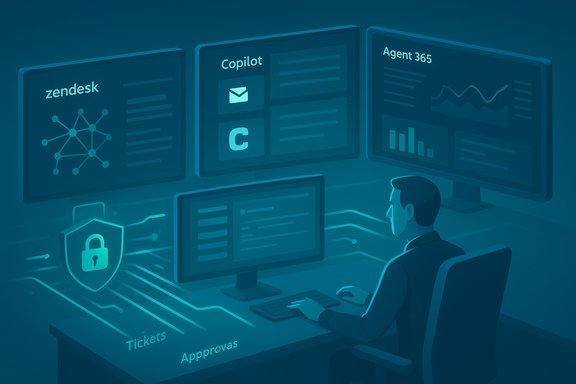
Zendesk this week announced two headline integrations with Microsoft’s evolving AI platform: becoming a launch partner for Microsoft Agent 365 and delivering Zendesk Agent for Microsoft 365 Copilot, a connector that surfaces Zendesk support actions and ticketing capabilities directly inside Microsoft 365 workflows. The integrations are presented as part of Zendesk’s broader Resolution Platform strategy to put AI agents, knowledge graphs, actions and governance at the center of both customer and employee service. Microsoft’s Agent 365 and Copilot agent ecosystem form the control and execution plane for enterprise agents: Agent 365 acts as a centralized, enterprise-grade control plane for registering, governing, and observing autonomous AI agents, while Microsoft 365 Copilot and the Agent Store provide the in‑app interface and deployment marketplace for partner-built agents. Microsoft documentation and independent reporting show the company positioning these primitives as the way organizations will manage agent lifecycles, identity, permissions, and telemetry across Microsoft 365. This article explains what the Zendesk–Microsoft tie‑up actually does, what IT and business leaders should expect, why it matters for employee service automation, and the security, compliance and operational guardrails necessary before broad deployment.
Source: Morningstar https://www.morningstar.com/news/pr...tions-through-expanded-microsoft-integration/
 Background / Overview
Zendesk this week announced two headline integrations with Microsoft’s evolving AI platform: becoming a launch partner for Microsoft Agent 365 and delivering Zendesk Agent for Microsoft 365 Copilot, a connector that surfaces Zendesk support actions and ticketing capabilities directly inside Microsoft 365 workflows. The integrations are presented as part of Zendesk’s broader Resolution Platform strategy to put AI agents, knowledge graphs, actions and governance at the center of both customer and employee service. Microsoft’s Agent 365 and Copilot agent ecosystem form the control and execution plane for enterprise agents: Agent 365 acts as a centralized, enterprise-grade control plane for registering, governing, and observing autonomous AI agents, while Microsoft 365 Copilot and the Agent Store provide the in‑app interface and deployment marketplace for partner-built agents. Microsoft documentation and independent reporting show the company positioning these primitives as the way organizations will manage agent lifecycles, identity, permissions, and telemetry across Microsoft 365. This article explains what the Zendesk–Microsoft tie‑up actually does, what IT and business leaders should expect, why it matters for employee service automation, and the security, compliance and operational guardrails necessary before broad deployment.What Zendesk announced (the essentials)
- Zendesk is a launch partner for Microsoft Agent 365, enabling Zendesk AI agents to be managed inside Microsoft’s agent control plane. This is framed as a secure, autonomous setup where Agent 365 acts as a control plane to manage Zendesk tickets, access knowledge bases, and maintain communications in Microsoft 365 contexts.
- Zendesk Agent for Microsoft 365 Copilot brings Zendesk capabilities — submit tickets, check statuses, add notes, escalate — into the Microsoft 365 apps employees use every day, so employees can interact with support without leaving Outlook, Teams, or other Microsoft workflows. Zendesk says the integration will be available to install from the Zendesk Marketplace starting November 21.
- Zendesk positions the integrations as an extension of its Resolution Platform and Employee Service Suite, aiming to reduce resolution time, raise agent productivity, and deliver auditable workflows for IT, HR and Finance teams. These are presented as part of a broader industry move toward agentic AI and in‑flow support experiences.
Why this matters: Operational benefit and strategic fit
Aligning support where employees already work
Bringing ticketing and support actions into Microsoft 365 is not new in principle, but doing it through the Copilot/Agent Store/Agent 365 stack changes the dynamics:- It reduces context switching by letting employees file and track requests inline in Outlook, Teams, or Copilot — a clear productivity win for service volume-heavy teams like IT and HR.
- It allows organizations to expose the same Zendesk processes, approval flows and knowledge graph inside the Microsoft UI surface, avoiding duplicate processes and fractured audit trails.
A governance-first architecture
Microsoft’s Agent 365 and Copilot management tooling emphasize identity, tenant-scoped permissions, logging and auditable workflows. For enterprises that have been cautious about agentic AI because of data leakage and compliance risk, the story Microsoft and partners are telling is: govern agents like employees — register them, control their capabilities via Entra/identity, and monitor actions. Zendesk’s use of that control plane is a practical step toward enterprise-ready agent automation.Faster time to value for internal service teams
Zendesk’s pitch — faster resolution times, higher agent productivity and reduced friction — rests on two mechanics:- AI agents and copilots accelerate diagnosis and automate routine tasks.
- In‑flow integration increases adoption because employees don’t need to leave their primary apps to request help.
Technical details and what to verify before rollout
How the integration pieces fit together
- Agent 365: The central control plane for agent lifecycle, identity registration (via Microsoft Entra), telemetry, and policy enforcement. It’s intended to manage both Microsoft-built and partner agents. Independent reporting describes dashboards for telemetry, alerts, and quarantine/registration controls.
- Microsoft 365 Copilot + Agent Store: The UI surface and marketplace where users discover and install agents. Agents can be configured to use tenant data sources and connectors. Partners publish agents to the Agent Store and rely on Copilot Studio or connectors to incorporate third‑party knowledge sources.
- Zendesk side: Zendesk maps its Resolution Platform into these primitives: knowledge graph and knowledge base connectors, action builders to execute workflows, and AI agents/coplots to resolve or escalate tickets. Microsoft Learn already documents the ability to add Zendesk unstructured knowledge base content as a knowledge source for Copilot Studio agents—an important technical building block.
Key implementation checkpoints for IT teams
- Identity and registration: Confirm how Zendesk agents register with Microsoft Entra / Agent 365 and what identity model is used for agent actions. Ensure agents have unique, auditable identities.
- Data access model: Validate the scope of data Copilot agents can access (SharePoint, Exchange, Zendesk KB) and whether access is permission-aware (i.e., users see only answers they are authorized to).
- Logging and audit trail: Ensure Agent 365 captures agent actions, ticket changes, approvals, and any autonomous steps with immutable logs.
- Governance controls: Check whether you can restrict agent capabilities (e.g., read-only, draft-only, or full action) and configure approval gates for action execution.
- Knowledge sync cadence: For Zendesk knowledge import into Copilot Studio, confirm synchronization windows (Microsoft documentation cites scheduled sync windows, e.g., 4–6 hours for some connectors).
Security, privacy and compliance: realistic benefits and residual risks
Strengths and defensive posture
- Tenant-scoped governance: Managing agents via Microsoft’s control plane enables enterprises to tie agents to tenant identity, leverage Entra permissions, and enforce conditional access and MFA-like protections for agent actions.
- Auditable workflows: Built-in telemetry and logging in Agent 365 and Copilot allow IT to preserve an auditable trail of every agent interaction and autonomous change — a core compliance requirement for regulated industries.
- Reduced data surface for external calls: When correctly scoped, Copilot connectors can limit the data surfaced to an agent to only required knowledge bases, reducing broad data exposure.
Remaining risks and blind spots
- Data leakage and grounding failures: Generative responses must be grounded to source documents to avoid hallucinations. Even with KB connectors, improper configuration, stale content, or a mis-scoped agent prompt can surface inaccurate or sensitive information.
- Cross-tenant model hosting and third-party models: Microsoft’s multi-model sourcing (OpenAI, Anthropic, etc. brings choices—and confusion—about where models are hosted and how consistency/behavior varies between providers. Enterprises must lock down which model provider is authorized for specific agent tasks.
- Autonomy vs. oversight: Agent 365’s ability to permit autonomous actions increases automation benefits — but also magnifies risk if runbooks or action builders are allowed to execute high‑impact operations without robust approvals.
- Supply chain and marketplace risk: Agents listed in the Agent Store or Zendesk Marketplace are third‑party software; vetting their code, connectors and runtime behavior is essential to avoid introducing malicious or poorly behaving agents.
Practical mitigation measures
- Use a staged rollout: pilot in a low‑risk domain (e.g., password resets or knowledge-only Q&A) and measure false positives, completion accuracy, and time saved.
- Lock model providers: explicitly provision which model(s) agents may use for particular tasks and track model versioning.
- Enforce least-privilege for agent actions: require an approval gate for any action that writes data, triggers provisioning, or changes entitlements.
- Implement continuous monitoring: capture hallucination incidents, action failures, and anomalous agent behavior in a security operations workflow.
Recommendations for IT, HR and Finance teams
Tactical checklist before deploying Zendesk + Agent 365 / Copilot integration
- Catalog use cases and classify by risk (informational, ticket creation, provisioning, finance approvals).
- For each use case, define the minimum data and actions required; map to Entra roles and Agent 365 capabilities.
- Create a pilot plan with acceptance criteria (accuracy targets, MTTR reduction goals, SLA adherence).
- Establish an approvals matrix for autonomous actions; require manual approval for anything that changes entitlements, provisioning or finance records.
- Schedule regular KB audits and write an operational playbook for remediation when agents cite incorrect or outdated guidance.
- Configure end‑to‑end logging into the enterprise SIEM and include agent actions in compliance reporting.
Measuring success (recommended KPIs)
- Time to resolution (median) for pilot tickets.
- Percentage of tickets fully resolved by AI agents vs. escalated.
- Agent-assist adoption rate inside Microsoft 365 apps.
- Number of flagged hallucination incidents per thousand queries.
- SLA compliance and average handling time for human agents.
Real-world considerations: costs, vendor lock-in and change management
- Cost model: Microsoft’s Copilot and agent tooling may carry per-user, per-agent, or consumption-based fees; Zendesk’s add-ons for copilot-like capabilities are often licensed separately. Finance teams should model both software and expected productivity gains.
- Vendor lock-in: Deep embedding inside Microsoft 365 and Agent 365 creates convenience at the cost of portability. If long-term strategy values escape routes, maintain exports of knowledge graphs, runbooks and action definitions in neutral formats.
- Change management: Rolling out in‑flow support affects process owners (ITSM, HR ops, Finance ops). Invest in training, FAQs and an internal champion network to drive adoption and maintain guardrails.
Where the industry is headed and how this announcement fits
Microsoft has explicitly built a partner ecosystem around Copilot, Copilot Studio, the Agent Store and Agent 365 to move agents from experimental pilots to tenant-managed production services. Partners such as Zendesk, Adobe and others are integrating knowledge graphs and service workflows into that ecosystem, which accelerates enterprise adoption by combining Microsoft’s governance with partner domain expertise in service automation. The result is an emerging pattern: platform provider handles identity, governance and UI; the partner supplies domain logic, industry workflows and service data. This pattern resolves a long-standing tradeoff: either accept rapid innovation with poor governance, or keep tight governance but slow down automation. The new model asks enterprises to trust a layered approach — platform governance + partner domain services — but it still requires disciplined implementation.Strengths, caveats and final assessment
Notable strengths
- Practical UX gain: Inline ticketing and status checks inside Microsoft 365 will materially reduce friction for employees and likely increase request accuracy.
- Enterprise-grade governance: Agent 365’s model-based control plane offers a defensible way to bring autonomous agents under enterprise policy and visibility.
- Ecosystem leverage: Combining Zendesk’s Resolution Platform with Copilot’s in‑flow experience accelerates time to value for employee service automation.
Potential pitfalls
- Overconfidence in autonomy: Allowing agents to act without robust human-in-the-loop processes risks unintended changes and regulatory exposure.
- Underestimating knowledge hygiene: The quality of Zendesk’s knowledge graph determines how useful in‑flow answers will be — poor KB data produces poor agent output.
- Operational complacency: Monitoring, retraining and incident handling must be baked into operations from day one, not retrofitted later.
Bottom line
The Zendesk–Microsoft integration is a logical and powerful next step for enterprises that want to deliver employee service where employees work. It offers a governance-bound pathway to agentic automation and a UX that will drive adoption. But it is not a turnkey guarantee of better service — success depends on careful scope, identity and permission design, robust knowledge management, and conservative autonomy gates.Practical rollout plan (30–90 day roadmap)
- Day 0–30: Define use cases, classify risk and set pilot KPIs. Provision a non-production tenant and register a Zendesk agent in Agent 365 with minimal read-only capabilities.
- Day 30–60: Run a closed pilot with a small business unit (e.g., desktop support). Monitor accuracy, escalation rates and telemetry. Enforce an approval gate for any write action.
- Day 60–90: Expand pilot to HR or Finance with limited workflows (e.g., PTO inquiries, invoice status checks). Conduct formal post-pilot review and adjust governance, training and KB content.
- Ongoing: Integrate agent telemetry into SIEM, run monthly KB hygiene reviews and keep a rolling playbook for incident response that includes rollback and de-provisioning steps.
Conclusion
Zendesk’s deeper Microsoft integration — pairing its Resolution Platform with Microsoft Agent 365 and Copilot — delivers a production‑grade route to native, in‑flow employee service automation. For IT, HR and Finance teams this can mean faster resolution, reduced context switching and auditable agent operations inside Microsoft 365. However, these gains come with renewed responsibility: identity-first governance, rigorous knowledge hygiene, staged autonomy and continuous monitoring are non‑negotiable if enterprises want the benefits without the operational or compliance downsides. The announcement is an important step toward mainstreaming agentic AI in the workplace — but the practical work of safe, measurable adoption still falls squarely on internal teams.Source: Morningstar https://www.morningstar.com/news/pr...tions-through-expanded-microsoft-integration/
