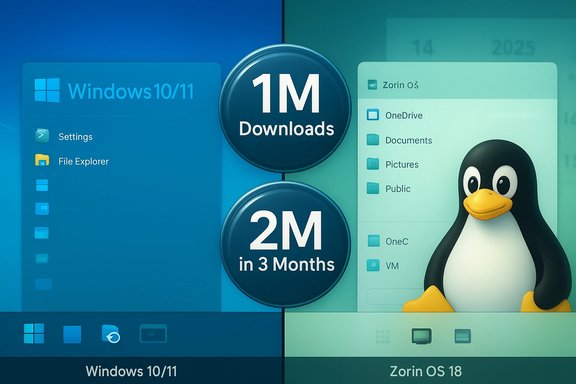
Zorin OS 18’s launch has become the clearest and most quantifiable signal so far that a large number of Windows users are actively testing — and in many cases replacing — Windows installations after Microsoft’s decision to end mainstream support for Windows 10. Within roughly five weeks of its October 14, 2025 release, Zorin Group announced that Zorin OS 18 had been downloaded about one million times, and the project reported that over 78% of those downloads originated from Windows systems — a milestone that transformed a well‑timed product update into a mainstream migration story.
In short: the Zorin phenomenon is real, its technical claims are verifiable, and its risks are ordinary and surmountable as long as migration plans are pragmatic, tested and measured. The story now shifts from “if” to “how” — how organisations and users will pilot, harden, and institutionalize migration choices amid a changing desktop landscape.
Source: Windows Report https://windowsreport.com/zorin-os-...-migration-amid-rising-hardware-requirements/
 Background
The timing: a hard deadline and a product that landed on the same day
Microsoft’s public lifecycle calendar closed the chapter on Windows 10 on October 14, 2025. After that date retail Windows 10 Home and Pro installations no longer received routine monthly security or feature updates; Microsoft pointed affected users toward Windows 11 or a time‑limited Extended Security Updates (ESU) program. That calendar-driven cutoff was an unambiguous trigger for risk‑averse households, schools and small businesses to evaluate alternatives. Zorin OS 18 landed on that same date and was explicitly positioned by its makers as a migration‑friendly alternative tailored to Windows holdouts: a visually familiar desktop, a migration assistant, OneDrive integration, a Web Apps utility for web-first workflows, and a modern upstream stack built on an Ubuntu LTS base. Zorin’s official blog and subsequent press coverage promoted the release as a practical way to extend device life without buying new hardware or paying for temporary ESU.What Zorin OS 18 ships with (high‑level)
- Built on the Ubuntu 24.04 LTS lineage with a Hardware Enablement kernel line (reported as Linux 6.14 in release images).
- A redesigned desktop with multiple “layout” presets that mimic Windows 10/11, classic Windows, macOS and compact modes via Zorin Appearance.
- OneDrive access through GNOME Online Accounts (mount/browse semantics rather than full selective sync).
- A Web Apps tool that converts web services (Office 365, Google Docs, Teams, Adobe Web) into desktop-style launchers.
- Bundled Windows compatibility tooling (reported integration of Wine 10), installer detection and triage, plus virtualization/VM suggestions for unsupported workloads.
- Multiple editions (Core, Pro, Education, Lite), with long‑term support scheduled through mid‑2029.
Why the story matters: the nexus of policy, hardware and user choice
Windows 10 EOL and the practical options facing users
When vendor-supplied security updates stop flowing, the security posture of connected devices changes materially. Microsoft’s advice was straightforward: upgrade to Windows 11 where hardware permits; enroll eligible devices in ESU or buy new hardware; or migrate to a supported alternative OS. ESU provides time‑bound breathing room but is explicitly limited and, for many consumers, comes with enrollment caveats (e.g., a Microsoft account requirement in some consumer pathways).Windows 11 hardware gates created a conversion problem
Windows 11 enforces firmware and platform checks — TPM 2.0, UEFI Secure Boot, and a curated CPU list — that exclude a notable share of otherwise functional PCs from a supported in‑place upgrade. That technical gate turned an otherwise routine lifecycle update into a potential forced hardware refresh for many users, pushing cost‑sensitive households to consider alternative operating systems that can revive ageing devices. The scale of affected machines is material: independent estimates place the count in the hundreds of millions, and several industry analyses were widely cited when Zorin marketed the urgency of migration.The numbers: what Zorin announced, how independent outlets covered it, and what the metrics actually mean
The announcement and cross‑reporting
Zorin Group publicly celebrated 1,000,000 downloads in just over a month and stated that “over 78%” of those downloads originated from Windows systems. This metric became the primary narrative fuel for mainstream coverage. Multiple outlets — including Tom’s Hardware, TechRadar, Windows Central and others — reproduced the milestone while amplifying the context (Windows 10 EOL + Windows 11 hardware barriers) and cautioning that downloads are not the same as completed, retained migrations.Downloads vs. installs vs. permanent migrations
It is essential to parse what a million downloads measures and what it doesn’t:- Downloads show trial intent and scale: live USB tests, VM experiments, and bare‑metal installers will all produce download events.
- Downloads can be inflated by re‑fetches, multiple testers, mirror and torrent behavior, and automated tooling (e.g., provisioning pipelines).
- Downloads do not measure retention, daily active usage, or the number of machines permanently converted.
Technical verification: what’s provable and cross‑checked
Release date, upstream base and support window
Zorin OS 18’s stable release date is documented as October 14, 2025 and the project lists Ubuntu 24.04 LTS as the upstream base. Zorin’s release notes and blog confirm a Long‑Term Support strategy extending the 18 series through at least 2029. These are direct, verifiable facts posted by Zorin.Kernel, audio stack and OneDrive integration
Multiple technical summaries and hands‑on reviews report that Zorin OS 18 ships with a hardware‑enablement kernel in the 6.14 series and uses PipeWire as the default audio server for better Bluetooth and multimedia handling. OneDrive access is provided through GNOME Online Accounts, presenting OneDrive as a mounted cloud location in the Files app (browse/open semantics rather than Windows‑style selective sync). Independent reviewers validated these behaviors in early testing and documented the same design trade‑offs.Windows compatibility (Wine 10 and triage tooling)
Zorin advertises enhanced Windows‑app compatibility via a bundled and polished Windows App Support runtime — reported by reviewers as integrating Wine 10 — and an installer‑detection assistant that classifies common .exe installers into native, web, Wine‑wrapped, or virtualized paths. Wine 10’s upstream improvements (Wayland/Vulkan and other compatibility fixes in 2025) materially improve the chances that many Windows apps will run, but they do not guarantee full parity — kernel‑mode drivers, copy‑protection, and specialized vendor utilities frequently still require a Windows VM.Strengths: why Zorin OS 18 is resonating with Windows users
- Low cognitive switching cost. Zorin Appearance and layout presets let users keep a familiar taskbar/menu arrangement so the initial productivity hit is small. This reduces training friction for non‑technical switchers.
- Cloud continuity. OneDrive browsing and the Web Apps utility drastically reduce the perceived loss for Microsoft 365 users by keeping files and web workflows accessible with minimal changes.
- Modern platform plumbing. The Ubuntu LTS base, hardware‑enablement kernel and PipeWire audio bring better out‑of‑the‑box hardware compatibility — a practical advantage when the explicit goal is to revive older machines without kernel tinkering.
- Realistic app‑continuity messaging. Bundled Wine support and an installer detection system provide a pragmatic triage process that reduces “Will my app run?” anxiety for many mainstream productivity apps and games.
- Edition segmentation. Core/Pro/Education/Lite editions allow matching of resource use to device capability, which suits both low‑end hardware and general consumer devices.
Risks, limitations and the unanswered questions
- Downloads ≠ conversions. As emphasized above, the headline download count doesn’t reveal retention or enterprise adoption. Public download counts can be noisy. Treat the figure as signal, not proof.
- Peripheral and vendor driver risk. Specialized printers, medical devices, certain fingerprint readers and vendor utilities often lack first‑class Linux drivers. These can be absolute blockers in corporate or institutional contexts.
- Enterprise application and management gaps. Many organisations rely on Windows‑centric device management, group policy, vendor support contracts and line‑of‑business (LOB) apps that assume Windows. Migration at scale requires architecture work (VMs, remote Windows hosts, hosted applications or porting) and non‑trivial procurement decisions.
- Offline OneDrive semantics. The Files app OneDrive integration is mount/browse, not a full selective sync clone. Users who rely on Files On‑Demand semantics or need guaranteed offline access must test and may need alternative sync strategies.
- Security and operational support. Home users benefit from community support, but organisations need SLAs, enterprise imaging and security tooling that historically have been Windows‑first. Zorin Pro and third‑party integrators help, but large migrations require operational commitment.
- Potential for churn. Some users will test Zorin and revert to Windows for comfort, incompatible peripherals, or enterprise‑imposed constraints — churn is inevitable and expected.
A practical migration playbook: step‑by‑step (home users and small orgs)
- Back up everything first. Create a full disk image or at minimum copy important files and credentials to an external drive or cloud location.
- Inventory critical apps and peripherals. Classify each item as: native Linux available, web/PWA replacement, Works under Wine/Proton, requires virtualization, or Windows‑only hardware driver. Use that triage to prioritize.
- Test with a Live USB. Boot Zorin OS 18 from a USB stick and validate network, Wi‑Fi, Bluetooth, audio, display, and peripheral drivers. Don’t skip real hardware tests for printers, scanners and special devices.
- Pilot a small fleet. For small organisations run a pilot group of 10–50 users across the major device/role types (knowledge worker, power user, kiosk). Measure support volume, app fidelity and productivity impact.
- Use virtualization for stubborn apps. Run complex or driver‑dependent Windows apps in a Windows VM (local or hosted) and treat the VM as a fallback for edge cases.
- Train and communicate. Provide short, targeted training sessions and quick reference guides that show differences in file access, app equivalents and common troubleshooting.
- Harden retained Windows hosts. For any machines retained on Windows 10 under ESU or otherwise, apply network segmentation, endpoint detection, remediation tooling and strict privilege controls.
- Execute staged rollouts and measure retention. Convert in waves and monitor helpdesk tickets, application breakage and user satisfaction to inform further rollouts.
Recommendations for enterprises and IT leaders
- Do the inventory. Visibility into installed apps and attached peripherals is the single most valuable asset when planning migrations. Use discovery tools and MDM/endpoint management data before drawing conclusions.
- Segment critical systems for ESU or rapid migration. Reserve ESU only for truly critical, hard‑to‑migrate devices; use it as a bridge, not a long‑term strategy.
- Pilot with measurable KPIs. Define success criteria (time‑to‑task, support calls per user, application fidelity) and run tightly scoped pilots.
- Plan for hybrid models. Some endpoints will be converted to Zorin; others will remain Windows (refreshed to Windows 11 or kept under ESU) and some applications will be hosted in VMs. Mix and match to minimize user disruption.
- Engage vendors early. Work with printer/scanner/embedded device vendors to confirm Linux driver support or replacement strategies before finalizing migration decisions.
The broader ecosystem impact: market, sustainability and strategy
- An alternative path reduces immediate hardware churn. For households and small institutions, Linux options like Zorin can meaningfully reduce e‑waste by prolonging usable life for perfectly serviceable PCs.
- A renewed focus on compatibility tooling matters. Wine/Proton improvements, better Flatpak and Snap packaging, and Web Apps reduce friction. Continued investment in these areas will further close gaps that historically locked users into Windows.
- Microsoft’s strategy will adapt. A visible migration signal — especially one amplified by public metrics — is likely to affect product and policy messaging from larger vendors over time, if only to counter optics around hardware gating and perceived forced upgrades.
Conclusion: a measured reading of a headline moment
Zorin OS 18’s one‑million‑download milestone — and the claim that roughly 78% of those downloads came from Windows systems — is real, verifiable and newsworthy. It demonstrates that a significant number of Windows users sought out alternatives immediately after Windows 10’s end of mainstream support. The product’s design choices (familiar layouts, OneDrive integration, Web Apps, and improved Windows compatibility tooling) are well aligned to reduce the common migration blockers, and the release is a textbook example of effective timing and product‑market fit. At the same time, the headline must be interpreted carefully. Downloads are an early and necessary indicator of momentum, not definitive proof of completed migrations or enterprise adoption. Practical migration planning still requires inventory, pilot testing, virtualization fallbacks for edge workloads, and an honest appraisal of peripheral and vendor driver risks. For households and small organisations, Zorin OS 18 is a credible, low‑cost option to extend device life without a forced hardware purchase; for enterprises it is a useful element of a hybrid strategy rather than a universal replacement.In short: the Zorin phenomenon is real, its technical claims are verifiable, and its risks are ordinary and surmountable as long as migration plans are pragmatic, tested and measured. The story now shifts from “if” to “how” — how organisations and users will pilot, harden, and institutionalize migration choices amid a changing desktop landscape.
Source: Windows Report https://windowsreport.com/zorin-os-...-migration-amid-rising-hardware-requirements/