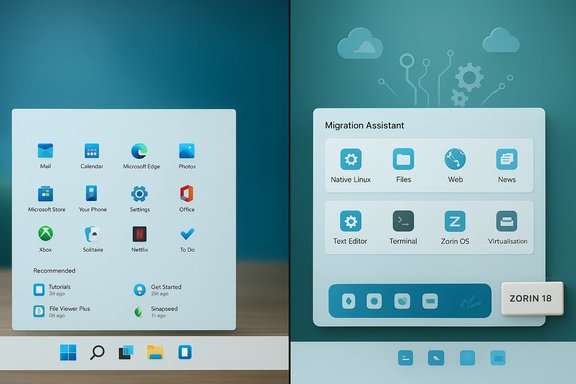
Zorin OS 18’s launch has become one of the clearest, most visible signals that a significant number of Windows users are actively testing Linux as a practical alternative — a surge driven by timing, product design, and a hard deadline in the Windows lifecycle.
Microsoft’s decision to end mainstream support for Windows 10 on October 14, 2025 created a sharp moment of choice for millions of users: upgrade to Windows 11 where hardware permits, purchase limited Extended Security Updates (ESU), buy new hardware, or adopt an alternative operating system. That deadline changed the risk calculus for many households, schools and small businesses and converted latent curiosity about Linux into concrete, time‑bounded trials.
Zorin OS 18 was deliberately timed and engineered to land in that window. The Zorin Group released a migration‑focused desktop that emphasizes familiarity, cloud continuity, and improved Windows application support — features that directly address the most common hurdles that stop Windows users from switching. The distribution’s public metrics and press amplification soon made the release the most visible beneficiary of the post‑Windows‑10 moment.
However, the headline numbers should not be conflated with a mass exodus from Windows. Downloads are a first step — a necessary but insufficient condition for long‑term adoption. The work to convert downloads into sustained, supported users depends on compatibility follow‑through, support infrastructure, software vendor engagement, and durable ecosystems around drivers and ISV support. Zorin’s milestone is a major opportunity for the Linux desktop; turning it into long‑term market share will require months and years of steady engineering, partnership, and support work.
Source: XDA Over 1,500,000 Windows users downloaded this Linux distro in under three months
 Background
Microsoft’s decision to end mainstream support for Windows 10 on October 14, 2025 created a sharp moment of choice for millions of users: upgrade to Windows 11 where hardware permits, purchase limited Extended Security Updates (ESU), buy new hardware, or adopt an alternative operating system. That deadline changed the risk calculus for many households, schools and small businesses and converted latent curiosity about Linux into concrete, time‑bounded trials.Zorin OS 18 was deliberately timed and engineered to land in that window. The Zorin Group released a migration‑focused desktop that emphasizes familiarity, cloud continuity, and improved Windows application support — features that directly address the most common hurdles that stop Windows users from switching. The distribution’s public metrics and press amplification soon made the release the most visible beneficiary of the post‑Windows‑10 moment.
What the headlines actually say
- Zorin announced a rapid milestone in the weeks after launch: roughly one million downloads within a little over a month, and the project reported that roughly 78% of those downloads were initiated from Windows machines. That early figure (≈780,000 Windows‑origin downloads) was widely reported and used to frame the release as the leading migration‑focused distro in the immediate aftermath of Windows 10 EOL.
- Subsequent coverage and community analysis treated that figure as a robust indicator of trial interest rather than proof of completed migrations. Public download counts measure trials — live‑USB boots, virtual machine experiments, re‑downloads, and full installs — but they do not directly report how many machines were permanently converted or how many users stayed beyond day one.
- Recent reporting in some outlets has pushed later download totals higher, and a number has circulated claiming ~2 million downloads with roughly 1.5 million coming from Windows origins. That larger milestone is consistent with a continued download cadence, but it should be treated cautiously unless confirmed by Zorin’s official telemetry posts or mirrored across multiple independent measurements, because download metrics are easily amplified by mirror re‑fetches, torrent seeds, and repackaging. The distinction between “downloaded” and “installed and retained” is central to interpreting the story.
Why Zorin OS 18 struck a nerve
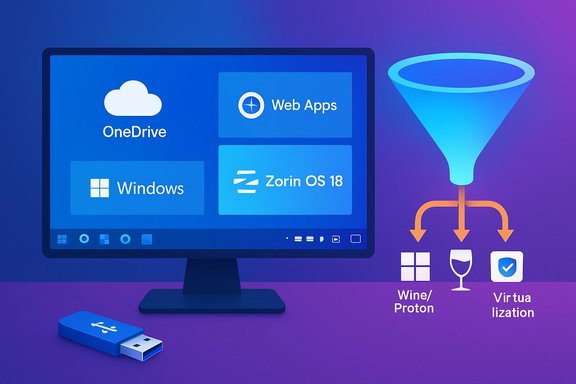
Zorin didn’t stumble into attention by accident. The product and go‑to‑market approach removed the three practical friction points that usually stop Windows converts:- Familiar UI and low cognitive switching cost. Zorin Appearance and the Layout Switcher let users instantly pick a Windows‑like taskbar/menu layout (Windows 10/11 style or classic Windows), lowering the immediate learning curve and preserving muscle memory. This single‑click familiarity matters enormously for mainstream, non‑technical users.
- Cloud continuity. Built‑in OneDrive access via GNOME Online Accounts and a Web Apps (PWA) installer allow users to access Microsoft 365 and other cloud workflows with minimal disruption. That reduces one of the biggest perceived losses for Microsoft‑centric households and businesses.
- Windows‑app compatibility tooling. Zorin packaged an updated Wine‑based compatibility layer (reported as Wine 10 integration) and installer‑detection tooling to triage common Windows .exe installers into native alternatives, wrappers, or virtualization paths. That practical triage reduces anxiety about “will my apps and games still run?” for many users.
Reading download metrics correctly
Downloads are a blunt-but-useful proxy for interest. Interpreting them requires an explicit conversion funnel:- Download initiated (HTTP/HTTPS/Torrent).
- Media created (live USB or VM).
- Booted/tested (live session).
- Installed (bare‑metal or VM).
- Daily use / retention (weeks to months).
- Long‑term adoption (months to years).
- Multiple downloads by the same user for different mirrors or checksum mismatches.
- Virtual machine and live‑USB testers who never install.
- Mirror or torrent peers counted differently across CDNs.
- Automated scraping or third‑party repackaging that re‑presents the ISO.
Independent signals that back the trend (but not the scale)
Beyond Zorin’s own stats, other telemetry indicates incremental Linux momentum on the desktop:- Public analytics providers such as StatCounter showed rising Linux desktop share in several markets in the months following Windows 10 EOL; the U.S. federal Digital Analytics Program (DAP) reported higher Linux session ratios in its dataset. These datasets are sample‑based and methodologically different, but they converge on the conclusion that Linux desktop traffic rose measurably in late 2025.
- Community scans and inventory datasets — where available — also reported incremental Linux presence on consumer fleets. Those readings corroborate that Zorin’s spike was not an isolated outlier in the desktop ecosystem. However, these telemetry streams differ widely in sample composition, so they are directional rather than definitive.
Strengths: why Zorin’s approach is defensible and effective
- Timing and narrative clarity. Launching at the Windows 10 EOL created a high‑relevance hook that converted news attention into trial behavior. Zorin’s messaging was tightly aligned with a real user pain point: forced upgrades, cost, and hardware gates.
- Lowered friction for ordinary users. The combination of a Windows‑like layout, integrated cloud access, and PWA fetcher reduced the perceived cost of switching. Many users focus on continuity — being able to open their files and use web‑centric workflows — and Zorin explicitly delivered that path.
- Technical pragmatism. Choosing an Ubuntu LTS base and a hardware enablement kernel line improves driver coverage and reduces initial driver‑related headaches. Bundling a modern audio stack (PipeWire), updated GPU stacks, and tested peripherals matters for out‑of‑box acceptance.
- Commercial sustainability built around a freemium model. Zorin combines a free Core/Education/Lite offering with a paid Pro edition and support channels, which creates a funding path for ongoing development and improved support for new users. That commercial realism matters if the project is to scale support and compatibility work.
Risks and limits — what the numbers don’t fix
- Downloads ≠ installs ≠ retention. This is the single largest caveat. Without independent telemetry on installs and active daily users, the headline counts remain a measure of trial volume rather than conversion. Many downloads will never become primary daily systems.
- Compatibility with niche or enterprise software. Specialized Windows apps, vendor‑supplied drivers (medical devices, scanners, label printers, and some proprietary printers), and bespoke line‑of‑business (LOB) software often remain barriers. Wine/Proton and virtualization solve many consumer cases, but not all enterprise ones.
- Peripherals and firmware edge cases. Fingerprint readers, certain docking stations, vendor-specific camera firmware, and anti‑cheat kernels used in some games can require additional engineering. These gaps produce support tickets that can swamp a small project as its user base expands.
- Support and onboarding scale. A sudden user influx increases demand for documentation, mirrors, upgrade tooling, and paid support. Zorin’s team is relatively small; converting downloads into satisfied, long‑term users requires investment in support infrastructure and an expanding ecosystem of third‑party partners.
- Measurement transparency. Origin metrics that identify a download as “from Windows” typically infer the OS from HTTP referrers or user agent strings at the time of the download, which is a reasonable heuristic but not a perfect proxy for eventual device migration. That metric is directional and useful, but not an audit of completed migrations.
Practical guidance for Windows users considering a test or migration
If you’re a Windows user curious about testing Zorin OS 18, these steps minimize risk and maximize the chance of a successful evaluation:- Back up everything first: full image plus file‑level backups to an external drive or cloud.
- Create a bootable live USB and run Zorin for at least a week under normal tasks (browsing, email, printing, media playback).
- Test critical apps in a VM or via Wine/Proton; document which Windows apps require virtualization or alternate workflows.
- Check peripherals: printers, scanners, Bluetooth headsets, fingerprint readers and docking stations. Test each device in the live session.
- If moving multiple machines (family or small office), run a staged pilot: image one machine, deploy, monitor, then expand. Create rollback images.
- Consider dual‑boot or keep a VM fallback for mission‑critical Windows‑only apps during transition.
- If you depend on Microsoft 365, test OneDrive integration and the Web Apps utility to replicate your daily cloud workflows.
- If you need enterprise support SLA, evaluate paid Pro options or third‑party support vendors who offer consultative migration services.
What this means for Microsoft, OEMs, and the broader ecosystem
- For Microsoft: lifecycle choices such as EOL timing and Windows 11 hardware gates have visible competitive consequences. The Zorin moment highlights how lifecycle policy and hardware requirements can push users toward alternatives if path‑forward options become economically or technically unattractive.
- For OEMs and refurbishers: there is an opportunity to offer Linux‑refreshed devices for cost‑sensitive customers. A polished, migration‑friendly distro reduces the hardware replacement argument and can extend the economic life of devices.
- For ISVs and hardware vendors: broad Linux uptake in consumer segments will increase pressure to provide first‑class Linux drivers and packaging. Vendors that maintain Linux drivers and certify common peripherals will win customers who might otherwise be locked into Windows-only hardware.
- For the Linux community and distributions: the Zorin surge is a rare opportunity to convert a wave of curiosity into durable users. That requires investments in documentation, driver testing, migration tooling, and commercial support to handle the inevitable influx of support questions from mainstream users.
Journalism note and verification status
- The early, highly verifiable claim is Zorin’s mid‑November announcement that Zorin OS 18 reached roughly one million downloads in just over a month and that around 78% of those downloads originated from Windows machines. That claim is documented in Zorin’s communications and widely repeated across independent outlets.
- Claims of a later two‑million total (and ~1.5 million Windows‑origin downloads) have appeared in some coverage. Those larger numbers are plausible given steady download activity, but they are not independently verifiable from the public files reviewed here. Treat any post‑release totals above the one‑million milestone as provisional until confirmed directly by Zorin’s official posts or multiple independent telemetry sources. Flagged claims should be corroborated by the vendor’s blog or social posts.
Bottom line — a cautious, evidence‑based assessment
Zorin OS 18’s rapid trial adoption is an important, measurable signal: many Windows users are genuinely willing to test alternatives when the cost of staying on an unsupported platform becomes real. Zorin’s deliberate focus on familiarity, cloud continuity and practical compatibility removed key adoption frictions and created a credible migration pathway for a large audience. The distribution’s early one‑million milestone and high Windows‑origin share reflect broad curiosity and active testing at scale.However, the headline numbers should not be conflated with a mass exodus from Windows. Downloads are a first step — a necessary but insufficient condition for long‑term adoption. The work to convert downloads into sustained, supported users depends on compatibility follow‑through, support infrastructure, software vendor engagement, and durable ecosystems around drivers and ISV support. Zorin’s milestone is a major opportunity for the Linux desktop; turning it into long‑term market share will require months and years of steady engineering, partnership, and support work.
Quick checklist for readers (summary)
- If you’re curious: make a full backup, run a live USB, and test your critical apps and peripherals before committing.
- If you’re an IT manager: pilot with imaging and MDM tests; plan staged rollouts and helpdesk playbooks.
- If you’re a vendor or OEM: consider Linux certification and driver investment — the market opening is real.
Source: XDA Over 1,500,000 Windows users downloaded this Linux distro in under three months