• Thread Author
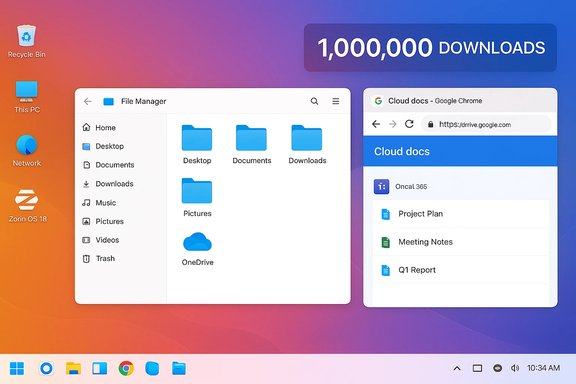
Zorin OS 18 has crossed the seven-figure mark: the distro’s developers say the new release has been downloaded more than one million times in just over a month, and that a striking majority of those downloads—over 78%—originated from Windows computers, a metric the project is using to argue that many Windows 10 users are actively exploring Linux as a practical alternative.

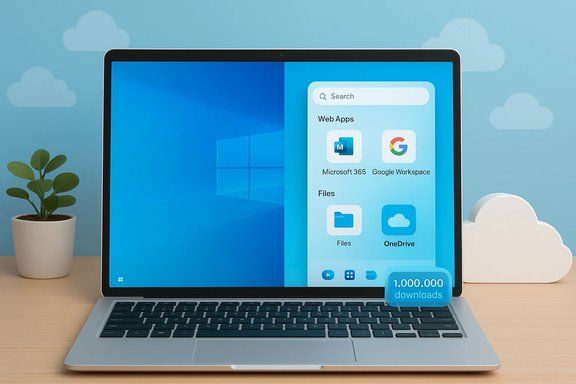
Laptop on a desk showing a Windows-style app panel with cloud storage icons.Background​

The announcement from Zorin Group arrived in the immediate aftermath of Microsoft’s formal end of free support for Windows 10 on October 14, 2025. That milestone removed the safety net of regular security patches for millions of older PCs, forcing owners into a narrow set of choices: upgrade to Windows 11 (often requiring new hardware), purchase short-term Extended Security Updates (ESU), continue running an unsupported OS, or migrate to another platform such as Linux. Microsoft’s lifecycle guidance makes the end-of-support date and its implications explicit. Zorin OS 18 was deliberately timed to coincide with that watershed moment. The release targets users who want an approachable, Windows‑like desktop experience while avoiding Windows 11’s hardware floor and, in many cases, high upgrade costs. The distro’s marketing emphasizes visual familiarity, Windows application compatibility tools, and cloud integration intended to lower the friction of migration. The company’s announcement and product pages list the new features and the value proposition for curious or stranded Windows users.

What Zorin OS 18 actually offers​

Zorin OS 18 ships with a substantial list of user-facing improvements aimed at easing migration and modernising the desktop experience. The release is built on a recent Ubuntu base and brings a refreshed visual language, improved window management, tighter web-app integration, and compatibility tools intended to run more Windows software without heavy manual configuration. Key highlights include:
  • A redesigned desktop with a floating, rounded panel and new workspace indicator for easier navigation.
  • Advanced window tiling, built into the desktop experience with drag-and-drop tile placement and preconfigured layouts.
  • Web Apps tool that converts websites and Progressive Web Apps (PWAs) into first-class desktop entries, integrating web services like Microsoft 365 and Google Workspace more naturally.
  • OneDrive integration through Online Accounts so cloud-stored files are accessible from the Files app sidebar.
  • Windows App Support improvements, powered by an updated Wine runtime (Wine 10) and a 170+ app installer-detection database that recommends native or web alternatives where appropriate.
  • PipeWire audio by default, improved Bluetooth audio, an updated Files app with global search, and long-term support through mid-2029.
These features are clearly aimed at making a migration from Windows as painless as possible for non-technical users while retaining enough power for enthusiasts and organisations deploying the distro at scale.

The numbers: what “1 million downloads” means — and what it doesn’t​

The headline figure—one million downloads in roughly five weeks—is indisputably attention-grabbing and a genuine milestone for a community distribution. That number, published directly by Zorin Group, is the central factual claim behind the current wave of press coverage. However, four important caveats must be highlighted to avoid overstating the scale of migration:
  • Downloads ≠ installs. A download is simply the retrieval of an ISO or installer file. Many users download an image to test it in a virtual machine, to inspect the UI, or to burn a USB stick that is never actually installed. The conversion from download to completed installation to permanent use is typically a fraction of the headline number.
  • Telemetry and attribution limitations. Zorin’s assertion that “over 78% of downloads came from Windows” is based on the project’s own telemetry/analytics (user-agent strings and related download metadata). While such telemetry can give directional insight, it can’t conclusively prove migration intent: people can download an ISO on a Windows machine and later discard it; corporate proxies and download mirrors can skew origin statistics; and some automated downloads (mirrors, caching services, or bots) can introduce noise.
  • Short-term spikes are common around major events. Product launches, media coverage, and major platform events (like Windows 10 EOL) often produce short-lived download surges. Sustained growth in active installations, daily active users, and community engagement is more telling for long-term adoption than the initial download count.
  • Geography and distribution matter. One‑million downloads distributed globally do not automatically equal one‑million migrations in a single market. Enterprise deployments and local government adoptions may raise the count in specific regions while leaving others unaffected.
Taken together, the million-download figure should be treated as a significant signal of interest—particularly from Windows users—but not as a definitive measurement of how many users have permanently switched their daily driver from Windows to Zorin OS. Independent reporting from mainstream outlets has echoed that nuance while confirming the raw number.

Why Zorin is seeing traction now​

Several structural and timing factors explain why Zorin OS 18 found fertile ground in late 2025:
  • Windows 10 end-of-support: The October 14, 2025 cutoff created urgency for users with older PCs that cannot upgrade to Windows 11 without hardware changes. Zorin OS’s comparatively low hardware requirements and Windows-like layout options present a cost-effective path to a supported environment.
  • Familiarity-first design: Zorin’s appearance tool and desktop layouts let users choose experiences resembling Windows 10, Windows 11, or macOS. That lowers cognitive friction for users who dread a steep learning curve.
  • Improved Windows compatibility: Wine continues to improve, and Zorin’s curated approach to recommending web or native alternatives reduces confusion for everyday apps like Office, Teams, or Photoshop (often via PWAs or web integrations).
  • Sustainability and cost pressure: For public sector and education customers, upgrading hundreds or thousands of endpoints to Windows 11 can be prohibitively expensive. Open‑source alternatives that enable hardware reuse can significantly reduce procurement costs and e‑waste.
  • Media and community momentum: A coordinated launch on the same day as Windows 10’s end-of-support, combined with positive reviews from mainstream outlets, amplified Zorin’s reach and prompted trial downloads at scale.
These factors combined to produce a classic “supply meets demand” scenario: users needed a supported OS that worked on old hardware, and Zorin OS 18 offered a polished, accessible option with migration tools front and centre.

Strengths: why many Windows users find Zorin appealing​

Zorin’s approach addresses practical barriers that typically deter less-technical users from switching to Linux. Its strengths include:
  • User-first onboarding. The UX decisions—like a familiar start menu, theme presets, and the Web Apps tool—smooth the path for users who expect a Windows-like mental model.
  • Lower total cost of ownership (TCO). For organisations and households facing hardware replacement to meet Windows 11 requirements, a free OS that extends the usable life of existing machines can be a major budget win.
  • Integrated cloud services. OneDrive integration and PWA support reduce friction for users dependent on cloud-stored documents and SaaS apps.
  • Improved compatibility stack. Bundling a newer Wine runtime and a curated installer detection system increases the likelihood that a given Windows app will either run or have a recommended alternative.
  • Active engineering and support window. Zorin OS 18’s LTS-style support until mid‑2029 gives institutions the breathing room they often need for staged migrations and testing.
For users with older hardware, privacy concerns about proprietary platforms, or budgets that preclude new PC purchases, these strengths create a compelling proposition.

Risks and practical challenges for those considering the switch​

While the promise is real, the switch to Zorin—or any Linux distro—carries measurable risks and operational considerations:
  • Application compatibility gaps. Despite Wine and web apps, some professional Windows-only software (specialised CAD tools, certain publishers’ DRM-locked suites, and niche industry programs) still require Windows or extensive workarounds.
  • Peripherals and driver support. Hardware with proprietary drivers—some Wi‑Fi chipsets, VPN dongles, specialised scanners, and certain printers—can be problematic. Driver availability varies by vendor and model; users may need to research compatibility for specific peripherals before committing.
  • User training and support load. For organisations, migrating desktops entails training, documentation updates, and potentially increased helpdesk workload during the transition period. The time and staffing cost can offset immediate licensing savings.
  • Security and management tooling. Enterprises rely on management tooling (patching, EDR, configuration management, group policies) that may not have direct equivalents on Linux or require different workflows. This matters when trying to conform to regulatory or compliance frameworks.
  • False sense of permanence. A high number of downloads can create an impression of mass defection that doesn’t always translate into long-term retention. Organisations making strategic decisions should demand metrics around active usage, uptime, and total cost over a multi-year horizon.
These are not deal-breakers for many users, but they are real trade‑offs that every migration plan must evaluate in context.

Real-world deployments and pilot programs​

The Zorin Group has pointed to pilot deployments and local government experiments to demonstrate viability. One European municipality cited in coverage moved a portion of town-hall PCs to free and open-source solutions that included Zorin, but reporting indicates that only a minority of endpoints (roughly one in ten in the referenced case) actually run the distro. Such pilots are useful tests—showing both the potential benefits and the practical limits of switching at scale. Independent reporting confirms the existence of these local experiments and underscores the importance of pilot-based validation before broader rollouts. For enterprise readers, the sensible play remains: run a constrained pilot, measure the support burden, catalog app and peripheral compatibility, and quantify the real TCO over three to five years before a full migration.

How to evaluate whether a switch to Zorin OS (or any distro) is right for you​

A methodical approach will save time and prevent costly missteps. Consider the following structured evaluation:
  • Inventory your hardware and software. Create a list of critical applications and peripherals. Mark anything that is Windows-native and mission-critical.
  • Run a pilot on a representative subset. Choose a small cross-section of end users (power users, general staff, and a few with niche needs) and install Zorin OS on spare hardware or virtual machines.
  • Test application workflows. Confirm whether required applications run natively, via Wine, or via PWAs. If not, identify acceptable alternatives and retraining needs.
  • Assess management and security tooling. Verify that patching, backups, endpoint protection, and remote support tools work within the organisation’s security posture.
  • Measure support impact. Track helpdesk tickets, average resolution times, and user satisfaction during the pilot.
  • Calculate total cost of ownership. Include staff time for migration, training, potential hardware refreshes, and ongoing support when comparing against the cost of Windows 11 upgrades or ESU purchases.
This stepwise strategy reduces organizational risk and clarifies whether a migration is primarily a technical, financial, or political decision.

The broader landscape: what Zorin’s success signals for Linux on the desktop​

A million downloads in the space of weeks—especially when driven predominantly by Windows-originating requests—is a market signal. It suggests that a non-trivial number of users are open to examining alternatives when their current vendor withdraws free security updates, and that a design-first Linux distribution can capture mainstream curiosity.
However, broader desktop market share changes depend on many more levers: sustained retention, OEM preloads, enterprise procurement decisions, and software ecosystem depth (drivers, specialized apps, management tooling). The desktop ecosystem is resilient; Windows’s incumbency is based on decades of vendor relationships and enterprise inertia. An individual distro’s marketing milestone will not dethrone an incumbent overnight, but it can accelerate conversations and create viable, lower-cost pathways for specific user segments.
Industry observers should therefore view Zorin’s milestone as a meaningful indicator of opportunity—not yet a wholesale market shift. Major inflection requires repeated wins across different categories: consumer retention, enterprise pilots converted to rollouts, and manufacturer support (pre-installs and certified images).

Practical advice for WindowsForum readers considering a test drive​

For enthusiasts and tech-savvy readers who want to evaluate Zorin OS without disrupting their Windows setup, the following steps offer a low-risk path:
  • Use a virtual machine (VirtualBox, VMware) to install Zorin OS 18 and evaluate UI, app compatibility, and performance.
  • Create a live USB to boot a machine without touching the installed Windows partition. This allows hardware testing—Wi‑Fi, audio, display, and printer checks—without risk.
  • Prepare a full backup of important data before attempting any dual-boot or replacement installation.
  • Keep a recovery USB or a Windows recovery image handy in case you need to revert.
  • If testing on production hardware, test peripherals and business-critical applications thoroughly, and prepare a rollback plan.
These simple precautions will make hands-on exploration safe and informative.

Conclusion​

Zorin OS 18’s seven-figure download milestone is an undeniable achievement for a mainstream-friendly Linux distribution. The timing—aligned with Windows 10’s end of free support—amplified interest and created an environment where users actively sought alternatives. Zorin’s design-led approach, improved Windows compatibility, and cloud integration address many of the pain points that historically have deterred mainstream adoption of Linux on the desktop.
Yet the community and enterprise must keep perspective: downloads are only the first signal in a longer conversion funnel that includes installation, daily use, and long-term retention. Practical risks—application compatibility, driver support, management tooling, and helpdesk load—remain real and vary by environment. For households, small organisations, and public bodies facing expensive hardware upgrades, Zorin OS 18 presents a compelling, budget‑friendly option that deserves evaluation. For enterprises and consumers making strategic choices, a disciplined pilot and measurement cycle will separate hopeful headlines from operational reality.
The broader lesson for Windows users is that viable alternatives exist—well-designed, actively supported, and increasingly compatible. Zorin’s surge shows that when necessity meets a thoughtful product, curiosity quickly turns into large-scale trial. The next two years will determine whether that curiosity becomes a durable shift in desktop computing patterns or a high-water mark of momentary interest.
Source: Neowin https://www.neowin.net/news/over-a-...y-downloaded-and-installed-this-linux-distro/
 

Zorin OS 18 has crossed a rare milestone for the Linux desktop: the project reports more than 1,000,000 downloads in just over a month, and the Zorin team says roughly 78% of those downloads were initiated from Windows systems, a directional signal that many Windows 10 users actively tested Linux as an alternative after Windows 10 reached end of mainstream support.

Gradient desktop showing two open windows (File Manager and Google Drive) with a 1,000,000 DOWNLOADS banner.Background / Overview​

Microsoft’s decision to end mainstream support for Windows 10 on October 14, 2025 created a hard calendar moment for millions of PCs. Microsoft’s lifecycle page and guidance make the practical options explicit: upgrade to Windows 11 where hardware permits, enroll eligible devices in the consumer Extended Security Updates (ESU) program for limited time, or replace the device (or its OS). The vendor’s own support notice lays out those options and the security implications of staying on an unsupported OS. Into that constrained choice set came Zorin OS 18, a release explicitly positioned to lower migration friction for users coming from Windows. The Zorin team timed the release and marketing to emphasize familiarity, cloud continuity and practical Windows-application compatibility—three of the most common blockers that stop mainstream users from switching to Linux. The project’s blog post announcing the one‑million-download milestone is the primary data point behind the coverage.

What Zorin OS 18 actually ships (and why it matters)​

Zorin OS 18 is not a lightweight experiment; it’s a purpose-built, migration-first desktop release. Reviewers and the project’s notes highlight a cluster of capabilities engineered to address real switching anxieties:
  • Familiar desktop layouts: Zorin Appearance offers layout presets that mimic Windows 10/11, classic Windows, macOS and other paradigms so users can preserve muscle memory and minimize relearning.
  • Web Apps (PWA installer): a utility that converts cloud services—Office 365, Google Docs, Teams, Photoshop Web—into desktop-like launchers, reducing the need to move away from established cloud workflows.
  • OneDrive integration: GNOME Online Accounts integration enables OneDrive browsing directly inside the Files app, giving Microsoft 365 users a continuity path for cloud files.
  • Improved Windows-application tooling: an updated Wine runtime and installer‑detection tooling that triages common Windows installers into native, web, Wine-wrapped or virtualized options. This practical triage reduces the “will my apps run?” barrier for many users.
  • Modern base and hardware enablement: built on the Ubuntu 24.04 LTS lineage and shipping with recent hardware-enablement kernels (review coverage cites the 6.14 series), Zorin aims to maximize out‑of‑the‑box driver coverage for both older and newer devices.
  • Multiple editions: Core, Pro, Education and a Lite edition for very old hardware give households, schools and small organizations choice based on resources and support needs.
These elements are not cosmetic: together they address the three classic migration blockers—unfamiliar UI, cloud continuity, and application compatibility—and help explain why many Windows-origin downloads happened so quickly.

The headline numbers: what they prove — and what they don’t​

The tight factual core is straightforward and documented: Zorin Group publicly announced that Zorin OS 18 hit ~1,000,000 downloads in a little over a month and reported that ~78% of those downloads originated from Windows systems. That announcement is confirmed by the project’s blog and repeated across independent outlets. But downloads are a funnel metric, not a direct count of completed migrations. Important caveats:
  • A downloaded ISO is a measurement of trial intent—it captures live‑USB testers, VM installs, multiple re‑downloads, mirror re-fetches and full installs.
  • Server analytics that attribute download origin (Windows vs macOS vs Linux) typically rely on request referrers and request headers; they tell you where a download was initiated, not whether the downloaded image was installed or retained.
  • Conversion stages exist: downloads → installation → first‑week use → daily active use → long‑term retention. Drop-off can happen at every stage.
In short: the one‑million figure is a robust signal of large‑scale curiosity and testing, but it is not conclusive proof that a million devices permanently switched away from Windows. Multiple reputable analyses reached this balanced reading of the data.

Why this moment happened: timing, economics, and technical friction​

Three converging forces explain the rapid spike in downloads:
  • A hard calendar deadline — Windows 10’s end of mainstream support created an immediate security calculus for consumers and small organizations. For many, the options were to upgrade to Windows 11 (if hardware allowed), buy short-term ESU protection, or replace the machine or its OS. The deadline forced decisions.
  • Windows 11 hardware gates — Windows 11 enforces baseline hardware requirements (TPM 2.0, UEFI Secure Boot, and curated CPU support) that left a meaningful share of otherwise perfectly usable PCs ineligible for a free upgrade. That made Linux a pragmatic option for owners unwilling or unable to buy new hardware.
  • Zorin’s deliberate migration-first design — Zorin OS 18 was explicitly engineered to lower the practical barriers to switching, and the product messaging highlighted exactly those friction points (UI familiarity, OneDrive continuity, Windows-compatibility tooling). The combination of timing and product positioning converted urgency into trial behavior at scale.

Practical implications for Windows users considering a switch​

For readers weighing whether to test or commit, a careful, staged approach is essential. The following checklist is pragmatic and risk-aware:
  • Back up everything first: create a full disk image or copy all user data to cloud or an external drive.
  • Test non‑destructively: boot a Live USB or install into a virtual machine to verify hardware and peripheral compatibility.
  • Validate cloud workflows: confirm OneDrive browsing, test PWAs for Office 365/Teams and make sure your browser-based workflows behave as expected.
  • Check Windows‑only app needs: try Wine or Proton for simple apps, and plan virtualization (VirtualBox, VMware, GNOME Boxes) or remote RDP for critical Windows-only software.
  • Stage conversions: start with a secondary device or a pilot machine before a full cutover.
  • Keep a rollback plan: ensure you can restore your original Windows image if you discover blockers.
These steps are the practical pathway from curiosity (download) to informed adoption (sustained daily use). Many community posts and hands‑on reviews repeated the same practical advice after the Zorin announcement.

Strengths: why Zorin’s approach is convincing to many Windows users​

  • Low cognitive cost: The familiar layout presets and polished onboarding shorten the ramp for non-technical users and reduce the friction of changing muscle memory.
  • Cloud continuity: OneDrive integration and Web Apps help users keep Microsoft 365 workflows intact without complex migration steps.
  • Cost effectiveness: No per-device OS license and strong driver coverage can extend the life of older machines and materially lower TCO for households, schools and small organizations.
  • Practical Windows compatibility: Packaging Wine, installer‑detection tools and virtualization options into the distribution reduces the need for users to be Linux experts.
  • Choice and flexibility: Multiple editions and a Lite variant let users match the distro to hardware capability and expectations.
These strengths explain the distribution’s traction: Zorin targeted the exact points that prevent many users from trying Linux and offered visible, practical remedies.

Risks, limits and unanswered questions​

The one-million-download milestone is an opportunity but also exposes multiple challenges that will determine whether trial interest converts into long-term adoption:
  • Downloads ≠ retention: As emphasized above, conversion and retention metrics will determine real market impact. Repeated independent commentary urges caution before declaring a shift in the installed base.
  • Peripherals and vendor drivers: Printers, specialized peripherals, and proprietary power-management firmware remain common sources of friction. Vendor-provided drivers are still inconsistent across consumer hardware.
  • Enterprise complexity: For businesses and public institutions, identity integration, management tooling, compliance and ISV support remain significant blockers. Migration at scale requires planning, partner support and service-level agreements.
  • Support and helpdesk burden: Large influxes of mainstream users can create a support treadmill for community projects; sustainable growth often requires commercial support options or third-party vendors.
  • Security assumptions: While a maintained Linux OS provides regular security updates, any migration must include patch management and endpoint hygiene; moving off Windows does not eliminate the need for security discipline.
These constraints are not fatal — they are practical realities that will shape the size and shape of any long-term desktop shift.

Strategic implications for the ecosystem​

  • For Microsoft: The Zorin moment underlines how lifecycle choices and hardware gate decisions can have visible competitive effects. Those policy choices will require careful channel and partner engagement to avoid reputation and support risks in the consumer segment.
  • For OEMs and refurbishers: There’s a clear commercial opportunity to repurpose older devices with Linux preloads or certified refurbish options for cost-sensitive buyers and public procurement channels focused on sustainability.
  • For ISVs: Large trial volumes could increase pressure to offer Linux builds, better web‑first options, or improved cross-platform packaging. PWAs are a practical strategy for preserving user workflows across OS boundaries.
  • For the Linux community and distros: Converting curiosity into retention requires investment in documentation, driver testing, onboarding, and scalable support options—areas where community and commercial projects must collaborate.
If even a modest share of trials converts to sustained use, the ecosystem effects—driver maintenance, ISV packaging, and commercial support offerings—will intensify. That is the real story to watch after the headline number.

Reading the telemetry: how Zorin’s numbers were derived (brief technical note)​

Zorin’s published metric (1,000,000 downloads; ~78% from Windows) is a vendor-published telemetry claim. Such figures typically derive from server-side analytics: download request logs, HTTP referrers, and user-agent strings. These sources are useful and standard, but they have limits:
  • They capture where a download was initiated (the request origin), not where the OS was ultimately installed or how long it was used.
  • Mirror networks, BitTorrent seeds and re-downloads by the same user can inflate raw download counts.
  • Attribution (Windows vs other OS) is approximate and depends on how the request headers and referrers were captured and interpreted.
Because of these measurement characteristics, independent outlets and analysts treat the numbers as directionally meaningful rather than as exact, definitive counts of permanent migrations.

Practical migration playbook (concise action list)​

  • Back up the system (disk image recommended).
  • Create a Live USB and test hardware and peripherals.
  • Run a VM test for critical Windows apps.
  • Validate OneDrive and PWA workflows.
  • If satisfied, pilot on a secondary machine or a small user group.
  • Build a rollback and support plan before full conversion.
This staged approach balances curiosity and discovery with operational caution and avoids premature cutovers that can create helpdesk crises.

Conclusion — a watershed of curiosity, not a confirmed mass exodus​

Zorin OS 18’s rapid one‑million-download milestone—combined with the project’s claim that roughly 78% of those downloads originated from Windows systems—is an unmistakable signal: a large number of Windows users were sufficiently motivated by the Windows 10 end‑of‑support moment to test a Linux alternative. The timing and product positioning were decisive: Zorin engineered features that directly address the main anxieties that keep mainstream users on Windows, and the result was an unusually visible wave of trial activity. That said, the number should be interpreted carefully. Downloads measure trial intent; the hard work ahead is conversion, retention and ecosystem follow‑through—drivers, ISV support, enterprise tooling and accessible paid support models. The coming months and years will show whether this curiosity turns into durable, supported desktop deployments at scale or remains an episodic response to a lifecycle deadline. For now, the distribution’s milestone is evidence of a real opening for Linux on the desktop—and an invitation to the wider ecosystem to invest in making that opening stick.

If you plan to test Zorin OS 18: back up your data, run a Live USB or VM, validate cloud and Windows‑app workflows, and proceed with a staged pilot before any full conversion. The one‑million downloads headline is a significant signal — it marks a surge in mainstream exploration — but the final metric that matters will be how many of those trials become daily, long‑term users supported by a robust hardware and software ecosystem.

Source: Neowin https://www.neowin.net/amp/over-a-m...y-downloaded-and-installed-this-linux-distro/
 

Zorin OS 18 has quietly become a headline-making alternative to Windows after crossing the 2 million-download mark in under three months — and, crucially, the Zorin team says more than three-quarters of those downloads came from Windows machines. That timing — with Zorin OS 18’s launch coordinated around the end of free support for Windows 10 — has produced what the Zorin team and multiple outlets describe as an unusually large, forced migration experiment: millions of Windows users downloading a Linux desktop because upgrading to Windows 11 would have meant new hardware, or because they want to avoid the increasingly AI‑centric, locked-down direction of modern Windows.

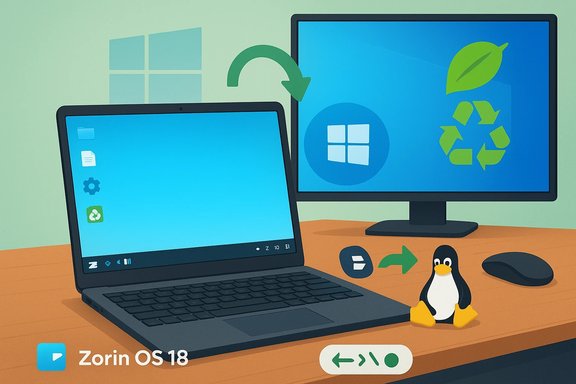
Desk setup showing Zorin OS 18 on a laptop and monitor, with a Linux penguin beside it.Background / Overview​

Windows 10 end of support and the timing of Zorin OS 18​

Microsoft ended mainstream support for Windows 10 on October 14, 2025. From that date Microsoft no longer issues regular security updates or feature patches for general Windows 10 releases, and its official guidance was to either upgrade eligible PCs to Windows 11, purchase new Windows 11 machines, or enroll in a limited Extended Security Updates (ESU) pathway. That decision left a very large installed base of still-working PCs — many of which cannot meet Windows 11’s technical gatekeepers — faced with a stark choice. Zorin Group timed the Zorin OS 18 release to coincide with that moment. The project promoted Zorin OS 18 as a user-friendly, Windows‑centric Linux alternative that lets people keep using perfectly functional machines without paying for a new PC simply to remain supported. Zorin’s official materials emphasize compatibility, a Windows-like desktop layout, and a long-term support window tied to its Ubuntu LTS base.

Windows 11’s hardware gates​

Windows 11’s baseline requirements — a modern 64‑bit CPU, UEFI with Secure Boot, and TPM 2.0 — were introduced years earlier and remain enforced in Microsoft’s compatibility checks and installer tools. The result is that a substantial tranche of hardware, particularly older laptops and desktops that still run Windows 10 comfortably, are officially declared ineligible for the free Windows 11 upgrade without hardware changes. The practical upshot has been a surge of interest in alternatives that continue to support older but working machines.

What the Zorin numbers actually say — and what they don’t​

The headline: 2 million downloads, 75% from Windows​

Zorin’s social announcement and subsequent coverage report that Zorin OS 18 hit roughly 2 million downloads in under three months, and that about 75–78% of those downloads originated from Windows systems. Zorin previously celebrated the 1 million-download milestone after only a few weeks, and then publicly marked the 2 million threshold in January 2026. Those figures are download counts — primarily ISO images and installer media — as reported by the Zorin project.

Why download counts are a blunt but meaningful metric​

Downloads are the easiest metric for a small OS project to track — every ISO fetch, every time a user clicks “download” produces a counter. But downloads are not the same as active installs or migrating users:
  • A single user can download more than once (multiple tries, multiple machines, new mirrors).
  • Some downloads are testers, reviewers, or automated crawlers.
  • Not every downloaded ISO gets written to USB, booted, or installed — some users merely experiment in a virtual machine.
  • Conversely, many users will distribute ISOs to friends, or use local repositories and mirrors, which can undercount real interest.
That said, when a small-to-midsize Linux project records multi‑million ISO downloads within months, and third‑party outlets corroborate the trend and the Windows-origin share, it’s unequivocal evidence of heightened interest — enough to call this one of the largest adoption bursts in the Linux desktop space in years. Independent reporting and developer posts make that case.

Why Zorin OS — product positioning and technical choices​

A Windows-friendly first impression​

Zorin OS has long marketed itself as a distribution built specifically to ease Windows-to-Linux migration. The 18 release doubles down on that positioning:
  • A default desktop layout and appearance designed to feel familiar to Windows users.
  • A strong “out-of-the-box” app set and graphical configuration options so new users rarely need a terminal.
  • Explicit cross-platform conveniences: OneDrive integration via Online Accounts, built-in RDP service for remote access, and a Web‑Apps tool to pin cloud apps to the desktop.
  • A curated compatibility approach that includes bundled Wine/Windows app support and recommendations for equivalents.
These features are pragmatic: they reduce the friction of switching. For users who value continuity over the last inch of Windows-only capability, Zorin’s design choices make Linux feel like less of a leap and more like a supported path forward. Independent reviews and hands‑on coverage have reinforced that Zorin 18 is polished and tailored to this exact audience.

LTS, kernel and hardware support​

Zorin 18 is based on Ubuntu 24.04 LTS and ships with a modern kernel and updated drivers aimed at broad hardware compatibility. The project explicitly advertises a support window extending into 2029 (software updates and security patches through at least April/June 2029), which matters to institutions and individuals weighing continuity versus forced hardware replacement. That combination — modern user experience, broad driver support, and multi‑year security maintenance — is a powerful selling point in the current transition moment.

The ecosystem effects: is the Linux desktop really “recovering”?​

Several indicators show Linux on the desktop nudging upward from a long plateau. Valve’s Steam Hardware & Software Survey — while gaming‑centric and not representative of general desktop use — has shown all‑time highs for Linux share in late 2025 and early 2026 after Valve revised December figures, pushing Linux to a reported 3.58% of Steam users in the revised survey. Zorin’s download numbers are one piece of a broader pattern: more downloads, more desktop‑oriented installers, and increasing press attention — but Windows still overwhelmingly dominates PC desktops.

Why people are leaving (or sampling) Windows now​

1) Hardware obsolescence caused by compatibility gates​

The enforced hardware requirements of Windows 11 — TPM 2.0, UEFI/Secure Boot, CPU generation lists — mean many otherwise functional PCs are disqualified from receiving Microsoft’s continued support. For price-sensitive users, buying a new PC solely to stay on a supported version of Windows is an unattractive option. Zorin’s positioning directly targets those users by promising extended life for current machines.

2) Pushback against AI integration, telemetry and lock-in​

Beyond hardware gates, some users report discomfort with Microsoft’s aggressive integration of Copilot and AI features into Windows and Office — features that some find difficult to fully disable and that raise privacy and performance concerns. Coverage of Copilot, Recall, and related features has documented both industry and community unease: concerns include default-on or hard-to-remove AI components, performance overhead on modest hardware, and a perception that modern Windows is shifting from a general-purpose tool into a platform that favors cloud, telemetry, and feature-bundled hardware. For many, a lightweight, privacy‑focused Linux desktop is a welcome contrast.

3) The economics of “replace or migrate”​

A working PC doesn’t magically become worthless when Microsoft stops servicing Windows 10. For users who primarily browse the web, use office apps, and stream media, switching to a supported Linux desktop can be cheaper and faster than buying new hardware — and Zorin has packaged the user experience to make that choice less daunting.

Critical analysis: strengths, weaknesses and risks​

Strengths — why Zorin’s surge matters​

  • Low friction for Windows users. Familiar UI, preinstalled tools, OneDrive and RDP integration narrow the “comfort gap.”
  • Hardware conservation. Zorin helps extend the usable life of older PCs rather than forcing replacements, which has environmental and cost benefits.
  • Security maintenance via LTS. A support window through 2029 (Ubuntu 24.04 LTS base) gives corporate and education buyers predictable security patch timelines.
  • Open ecosystem and transparency. Linux distributions typically allow much greater control over telemetry, updates, and installed components than modern closed-source platforms. This appeals strongly to privacy-aware users.

Weaknesses and migration risks​

  • Downloads ≠ installations. Zorin’s two‑million-download milestone is impressive — but it is not proof of two million active Linux desktops. The conversion funnel (download → write USB → boot → install → daily use) narrows, and a sizable share of downloads may be trials or repeated fetches. Analysts and independent outlets emphasize this caveat.
  • Hardware and driver gaps remain. Linux’s hardware support has improved dramatically, but specialized peripherals (some Wi‑Fi chips, printers, niche scanners, proprietary docking stations) can still be problematic and require vendor support or community workarounds. Users should test before committing.
  • Commercial software lock‑in. Creative professionals dependent on Adobe Creative Cloud, some industry‑specific tools, or Windows‑only enterprise software may find the migration infeasible without finding equivalents, paying for new cross‑platform licenses, or maintaining a Windows VM. Emulation and Wine do bridge many cases, but they’re not universal solutions.
  • Gaming and anti‑cheat issues. Gaming on Linux has improved (Proton, Wine, Valve’s Steam Play), but some titles rely on anti‑cheat systems that are not Linux‑friendly. Gamers must validate individual titles and anti‑cheat compatibility; this remains a key blocker for some users.
  • Enterprise constraints. Organisations with tightly controlled Windows environments, Group Policy dependencies, or centralized management tools may find migration complex and costly.

The geopolitical / sustainability angle​

There’s an environmental argument in favor of extending device lifespans rather than encouraging wholesale hardware churn. A shift toward Linux alternatives on older devices reduces e‑waste and capital expenditure, and that sustainability narrative is resonating in public and institutional procurement conversations.

Practical guidance for Windows users considering Zorin OS 18​

  • Back up everything first. Create full image backups of your Windows setup before trying anything; tools like Clonezilla, Macrium Reflect, or cloud backups are practical choices.
  • Try before you install:
  • Run Zorin OS from a live USB session to assess hardware, Wi‑Fi, display scaling, and peripheral support without touching your disk.
  • Alternatively, test in a virtual machine (VirtualBox, QEMU) to assess UI and app workflows.
  • Dual‑boot if you need a safety net. Keep Windows and Zorin on the same machine to switch back while you validate workflows and software.
  • Check app compatibility:
  • Evaluate Windows apps you need. For office work, web apps and Microsoft 365 via browser often suffice; for legacy Windows apps, test them under Wine/Proton or run a Windows VM.
  • Gaming: check ProtonDB and publisher notes for anti‑cheat status and performance caveats.
  • Plan printing and peripheral steps. Ensure printers, scanners, and audio devices function in the live session. Look for vendor Linux support or community drivers if needed.
  • Consider remote/enterprise features. Use Zorin’s RDP support for access to remote Windows resources or to expose a desktop for remote maintenance.
  • Use the community. Zorin’s forums, mainstream Linux communities, and distro‑specific documentation are invaluable for solving device‑specific issues.

Longer term — what this might mean for Windows and Linux​

Zorin’s rapid download growth is a consequential data point in an ongoing desktop narrative. It does not mean Windows will vanish or that millions have permanently defected overnight. However, the event signals several durable shifts:
  • Users will increasingly weigh the total cost of ownership (new PC vs. migrating OS) and may choose migration when the cost-benefit is favorable.
  • Desktop Linux distributions that prioritize usability, hardware breadth, and Windows‑like onboarding will capture more of these economically-driven switchers. Zorin, by design, sits at the front of that queue.
  • Microsoft’s strategy (hardware gating + deep AI integration) is accelerating a reassessment among some user segments about whether to stay fully inside the Windows ecosystem — especially those who prize privacy, performance on older hardware, or minimal cloud coupling. This is not only a technical choice but a values-based one.

Final assessment — cautious optimism, not a kosher coup​

Zorin OS 18’s milestone is an important cultural and technical signal: a well-crafted Linux desktop can attract millions of Windows users when market conditions push them to reconsider. The distribution’s polished, Windows‑friendly approach, plus the calendar alignment with Windows 10’s end of support, produced a rare alignment of supply and demand.
But metrics matter. Downloads are noisy; installation and retention rates are the true litmus tests. For now, what’s verifiable is curiosity — a meaningful number of Windows users have tried Zorin OS 18, and a subset will stay, especially among those whose needs are primarily web, document, and media-focused. The rest will either return to Windows or settle into dual‑boot or VM patterns.
For Windows users sitting on a still‑useful PC that Microsoft now considers “unsupported,” Zorin OS 18 offers a pragmatic, well-supported path that preserves hardware, respects user choice, and reduces dependence on hardware refresh cycles. For Microsoft, the lesson is that platform decisions (hardware gates, embedded AI, telemetry defaults) have competitive consequences. For Linux, Zorin’s milestone is an opportunity: not a return to mass‑market dominance in a single sprint, but a measurable widening of the funnel by lowering the friction to try and keep.
Zorin’s rapid growth does not end the Windows era, but it does create a visible crack — one that users, IT teams, vendors, and policymakers will watch closely as the next few quarters unfold.

Source: 36Kr Niche Linux System Becomes a 'Phenomenal Hit' Forced by Microsoft: 2M Downloads in 3 Months, 1.5M Windows Users 'Defect'
 

Zorin OS 18 has quietly become one of the most visible beneficiaries of Windows 10’s end of support, crossing the 2 million downloads mark in under three months after its October 14, 2025 launch — and the Zorin team says roughly three‑quarters of those downloads originated on Windows machines, a figure that has reignited debate about whether Linux is finally converting serious numbers of desktop users.

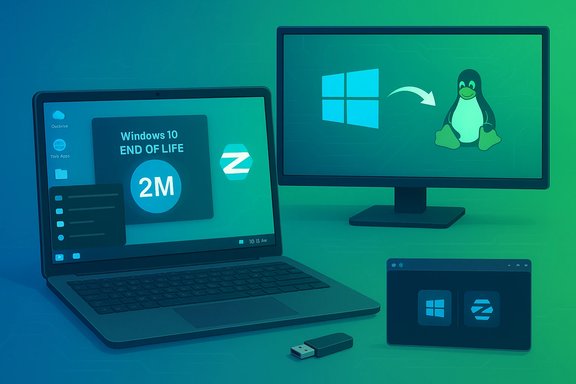
Desk setup shows Windows 10 end of life and a migration to Linux.Background / Overview​

Microsoft formally ended mainstream, free support for Windows 10 on October 14, 2025, removing routine security updates and technical assistance for consumer installations and pushing many owners to choose between upgrading to Windows 11, paying for limited Extended Security Updates (ESU), buying new hardware, or migrating to another platform. Zorin Group timed Zorin OS 18 to land on that exact date and positioned the release as a migration‑focused, Windows‑friendly alternative: an updated desktop with multiple familiar layouts, OneDrive integration, a built‑in Progressive Web App (PWA) tooling, a beefed‑up Wine-based compatibility stack, and LTS support that spans several years. The project’s official announcement and follow‑up social posts are the clearest public signals of the distribution’s intent and its early traction.

What the headline numbers actually are​

The claim: 2 million downloads in under 3 months​

Zorin’s public messaging — echoed by major tech outlets — states Zorin OS 18 “just crossed 2 million downloads in under 3 months,” and that “more than ¾ of these downloads came from Windows users.” The message was amplified via the project’s social channel and picked up widely by the tech press.

Why this matters (and what it does not mean)​

  • It’s a strong indicator of interest. Two million ISO downloads (or equivalent distribution fetches) in that timeframe is an exceptional engagement rate for a desktop Linux release, especially one aimed at mainstream switchers.
  • Downloads ≠ installs ≠ daily active users. An ISO download can represent a live‑USB trial, a virtual machine install, repeated downloads by the same user, mirror re‑fetches, or a bare‑metal replacement. Zorin’s figure captures trial volume and demand, not the precise number of machines permanently converted. Independent coverage has repeatedly noted this distinction and urged caution in interpreting the metric.
These two realities — a demonstrable spike in trial activity and the difficulty of mapping downloads to permanent migrations — are both true and shape how we should read the story.

Why Zorin OS 18 is resonating now​

Zorin OS 18’s feature set and product positioning deliberately address the top migration blockers that most discourage non‑technical users from leaving Windows. The timing of the release (Windows 10 EOL) amplified that positioning.

Key product hooks​

  • Familiar desktop layouts: Zorin Appearance and layout switching let users pick a Windows‑like interface, reducing the learning curve and preserving muscle memory.
  • OneDrive + Microsoft 365 continuity: Built‑in Online Accounts and OneDrive access make it easier for Microsoft cloud users to find their files without complex migration steps.
  • Web Apps and PWA tooling: Turn cloud services like Office 365, Google Docs, or Photoshop Web into desktop‑like apps that appear in the menu and behave more like native software.
  • Stronger Windows app compatibility: A newer Wine runtime and an installer‑detection database improve the odds that a user’s critical Windows apps will run, or that Zorin can recommend a pragmatic alternate path.
  • Low‑end hardware support: Zorin claims recent optimizations allow non‑Lite editions to run on machines as old as 15 years, a crucial selling point for users whose hardware won’t satisfy Windows 11’s requirements.
  • Long‑term support (LTS): Zorin OS 18 is described as supported through mid‑2029, giving schools, small businesses, and households a multi‑year maintenance horizon without forced hardware replacement.
These features are practical, not academic. They directly lower the perceived cost (time, money, risk) of trying an alternative to Windows.

Interpreting the data: a cautious, evidence‑first read​

Journalistic and technical rigor requires separating headline metrics from operational reality. Here’s how to interpret the most load‑bearing claims, backed by available public evidence.
  • Zorin OS 18 was released on October 14, 2025, the same day Windows 10 reached end of mainstream support. That release timing is deliberate and verifiable.
  • Zorin publicly reported a rapid growth trajectory — 100k in days, 1M in roughly five weeks, and then a later milestone of 2M downloads — with the majority of download origins recorded as Windows machines. These figures come from Zorin’s announcements and public social posts, and are widely reproduced in the press. They are vendor‑published metrics and should be treated as such.
  • The developer‑reported statistic that “more than ¾” of downloads came from Windows origins implies roughly 1.5 million downloads started from Windows systems; however, the method of attribution (HTTP referrers, mirror logs, etc. and any de‑duplication logic is not publicly audited. That makes the exact number of unique Windows users who fully installed and retained Zorin uncertain. Treat the Windows‑origin number as a strong directional signal — not a definitive conversion count.
  • Independent press corroboration (multiple outlets repeating Zorin’s claims) increases confidence that activity spiked, but does not change the fundamental limitation that downloads are an imperfect proxy for deployed, daily‑used systems. Cross‑checking vendor numbers with telemetry from installs is difficult or impossible for many Linux distros by design. Multiple independent outlets nevertheless confirm the raw download milestones.

Strengths: why this development is notable for the Linux ecosystem​

  • Lowering the bar for switching. Zorin’s design choices directly tackle the psychological and technical hurdles that historically kept mainstream users tethered to Windows: unfamiliar UIs, missing cloud continuity, and app compatibility worries.
  • Reviving hardware and reducing e‑waste. By enabling usable performance on older machines, Zorin presents a low‑cost pathway for households, schools, and public bodies to avoid immediate hardware replacement.
  • Marketing + timing savvy. Launching an LTS release on Windows 10’s EOL date created a clear narrative: a supported modern OS alternative exists immediately for those who can’t (or won’t) upgrade to Windows 11.
  • Signal to vendors and ISVs. Large, obvious trial volumes attract attention from peripheral manufacturers, independent software vendors, and OEMs — the entities needed to make Linux a more robust day‑to‑day option at scale.
These are real strategic wins: product decisions that map cleanly to user pain points and a coordinated market message that converts curiosity into action.

Risks, caveats, and the friction that remains​

While this surge is meaningful, there are still material limitations and hazards for users and organizations considering a migration.
  • Application compatibility is still the single biggest operational risk. Many line‑of‑business Windows apps, proprietary drivers, and specialized utilities have limited or no support on Linux. While Wine and virtualization close some gaps, they do not solve enterprise‑grade dependencies or niche applications without dedicated ports or web‑based alternatives.
  • Peripheral and driver edge cases. New Wi‑Fi chipsets, certain fingerprint readers, proprietary GPU features (especially for gaming with anti‑cheat), and vendor‑specific power management can require troubleshooting and sometimes lack polished vendor drivers on Linux. Expect occasional hardware headaches.
  • Management and support overhead for IT teams. Larger deployments need management tooling, imaging workflows, and support contracts. Linux distributions can be managed at scale, but the tooling stack and vendor SLAs differ from Windows ecosystems — planning and pilot testing are essential.
  • False positives in download metrics. The headline 2M figure is convincing, but it does not guarantee a persistent installed base or daily active user count. Downloads can reflect short experiments, mirrored fetches, or repeated trials. Treat the milestone as a signal of interest rather than definitive adoption.
  • Gaming and professional software caveats. Although the Linux gaming story has improved (Proton/SteamOS, Steam Deck momentum), many AAA titles, anti‑cheat systems, and professional creative suites still have better, native support on Windows. Linux is much stronger than a decade ago, but it’s not universally equivalent yet.

What this means for Microsoft and the desktop landscape​

  • Momentum, not a wholesale collapse. Windows remains dominant across most desktop contexts. This wave of downloads is an important inflection — and one that Microsoft will observe — but a permanent market share shift requires sustained retention, OEM preloads, enterprise deals, and app ecosystem parity.
  • A policy design consequence. Windows 11’s strict hardware gates (TPM, CPU families, Secure Boot) and Microsoft’s push toward integrated Microsoft Account/ESU flows have created friction that some users are resolving by looking elsewhere. Zorin’s growth shows that friction can produce migration experiments where a polished alternative exists.
  • Opportunity for competition and cooperation. If mainstream Linux distributions continue to reduce friction and upstream tooling (driver support, commercial ISV investments) follows, there is a realistic path for Linux to become the practical choice for many budget‑sensitive or privacy‑conscientious users.

Practical guidance: how to test Zorin OS safely (for enthusiasts and IT teams)​

For users interested in trialing Zorin OS 18 without disrupting their production Windows installs, follow this low‑risk sequence:
  • Back up critical data and create a Windows recovery drive.
  • Run Zorin from a live USB to validate hardware support (Wi‑Fi, printers, GPU, audio).
  • Try a Virtual Machine (VirtualBox, VMware Workstation/Player) to evaluate app workflows and integrations.
  • For pilot deployments, use dual‑boot only after verifying all drivers and essential apps; maintain a documented rollback plan.
  • For organizations:
  • Start with non‑critical machines (classroom desktops, kiosk units).
  • Build an image and a management playbook (patching cadence, remote tools, user support).
  • Measure conversion metrics: successful installs, daily active users, helpdesk ticket volume, and app compatibility rates.
This measured approach preserves business continuity while producing measurable signals about how well Zorin fits your environment.

A checklist for IT decision‑makers considering Linux pilots​

  • Inventory critical Windows apps and test them under Wine, Proton, or virtualization.
  • Validate driver support for key peripherals and OEM models you plan to retain.
  • Evaluate management tooling (remote management, imaging, patching solutions).
  • Prepare training and support materials for end users (addressing UI differences, file access, printing).
  • Estimate total cost of ownership (TCO): saved hardware costs vs. support migration effort.
  • Run a 30–90 day pilot with clear acceptance criteria before scaling.

The broader ecosystem effects: gaming, education, and public sector​

  • Gaming: Valve’s Proton, SteamOS improvements, and the Steam Deck have already moved Linux closer to being game‑ready. Linux gaming share has been creeping up in hardware surveys; Zorin’s surge complements that trend but does not replace Windows’ dominant gaming ecosystem yet.
  • Education and public sector: Zorin’s emphasis on low‑spec performance and LTS support makes it attractive for schools and municipal deployments looking to extend device life and reduce procurement budgets. Several local government pilots and small school rollouts demonstrate practical savings when migrations are executed carefully.
  • Commercial software vendors: A visible increase in mainstream trials provides an incentive for ISVs to prioritize Linux packaging or cloud‑first delivery models — a precondition for durable migration at scale.

Final assessment — why this matters for WindowsForum readers​

Zorin OS 18’s rapid growth is an important, credible signal that a significant number of Windows users are actively testing alternatives after Windows 10 reached end of support. The combination of deliberate product design (familiar UI, cloud integrations, compatibility tooling), LTS guarantees, and well‑timed messaging created a unique market moment that converted curiosity into measurable trial activity. That said, the raw download count should be parsed carefully: it demonstrates momentum, not necessarily mass, permanent migration. For hobbyists, power users, schools, and some small businesses the path forward is already practical; for enterprises anchored to specialized Windows software, the road requires methodical pilots and focused vendor engagement.

Recommended next steps for readers​

  • If you’re curious: try Zorin from a live USB or inside a VM; check OneDrive access and your key apps.
  • If you’re an IT manager: run a focused pilot (10–50 machines) with clear metrics and a rollback plan.
  • If you’re tracking the desktop market: treat Zorin’s 2M milestone as a leading indicator of opportunity — watch retention metrics and OEM/ISV responses over the next 12–24 months.
Zorin OS 18’s milestone is a meaningful chapter in the modern desktop narrative: it shows that when an incumbent platform raises the cost of staying (security risk, hardware buy‑in, or privacy tradeoffs), well‑crafted open‑source alternatives can attract mainstream attention — and a lot of downloads.
Zorin OS’s rapid adoption of trials after Windows 10’s support end is both a tactical success for the project and a broader signal to the industry: user choice is alive, distribution engineering matters, and the desktop market’s next phase will be decided by practical compatibility, hardware partnerships, and the ability to turn trial interest into durable, supported usage.

Source: PC Guide Linux distro designed to look like Windows hits 2 million downloads since the end of Windows 10 support
 

Back
Top