
📎 AI Summary:
The WindowsForum thread discusses a recurring page fault BSOD issue linked to ntoskrnl.exe. The original poster provides a mini dump, and the responder identifies potential causes, including outdated or incompatible drivers such as Virtual Audio Cable and CAM_V3.sys, and suggests removing or updating these drivers. The engineer also recommends testing without Avast antivirus, as antivirus software can contribute to such system errors, leading to a probable conclusion that driver conflicts are the root cause.

B00M

New Member
Joined
Jan 13, 2018
Messages
2
Thread Author #1
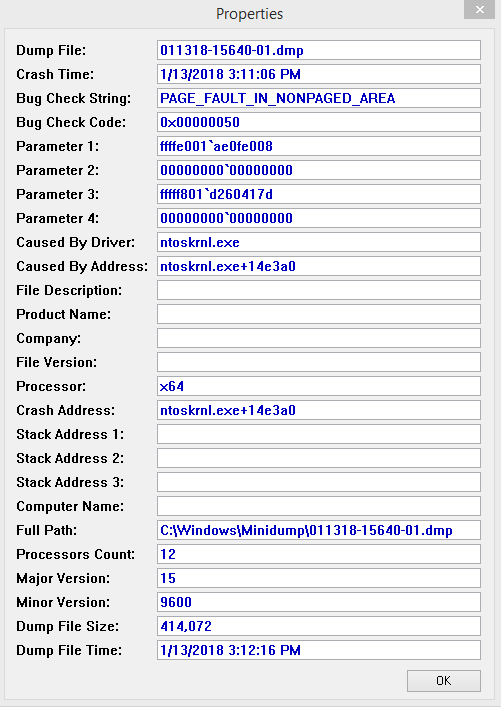
i'm having issues lately with page fault in none paged area not sure what to do i downloaded a program to find the dump files not sure what to make of it says caused by ntoskrnl.exe caused by address ntoskrnl.exe+14e3a0 any help would be appreciated
2521ee907aaa2484f7def7b9bcaf0954.png

Gyazo - 2521ee907aaa2484f7def7b9bcaf0954.png
 

Solution
Code:
*******************************************************************************
*                                                                             *
*                        Bugcheck Analysis                                    *
*                                                                             *
*******************************************************************************

Use !analyze -v to get detailed debugging information.

BugCheck 50, {ffffe001ae0fe008, 0, fffff801d260417d, 0}

*** WARNING: Unable to verify timestamp for vrtaucbl.sys
*** ERROR: Module load completed but symbols could not be loaded for vrtaucbl.sys

Could not read faulting driver name
Probably caused by : portcls.sys (...

kemical

Essential Member
Joined
Aug 28, 2007
Messages
36,163
That dump file can be caused by either bad ram or anti virus apps and we really need to see your dump files to help further.

Please download and run the app found in the section sticky and post the results, thank you.
Link Removed

I also moved your thread to the correct section.
 

kemical

Essential Member
Joined
Aug 28, 2007
Messages
36,163
Code:
*******************************************************************************
*                                                                             *
*                        Bugcheck Analysis                                    *
*                                                                             *
*******************************************************************************

Use !analyze -v to get detailed debugging information.

BugCheck 50, {ffffe001ae0fe008, 0, fffff801d260417d, 0}

*** WARNING: Unable to verify timestamp for vrtaucbl.sys
*** ERROR: Module load completed but symbols could not be loaded for vrtaucbl.sys

Could not read faulting driver name
Probably caused by : portcls.sys ( portcls!GetMaxMapRegisters+5 )

Followup:     MachineOwner
Hi,
I can see in the call stack vrtaucbl.sys which belongs to something called Virtual Audio Cable. This needs either updating or removing.
Ventrilo - Download
Something else you may want to consider removing as a test:
CAM_V3.sys Sat Jul 26 14:29:37 2008: CAM 3 Advanced PC monitoring software by NZXT. The CAM_V3.sys driver dates from 2008 and may not be compatible w/W10. FYI - this program also uses the WinRing library drivers - which have also been known to cause BSOD's on some Windows systems.

If the bsod continues try removing Avast as some anti virus suites can cause the above bughceck.
 

Solution