📎 AI Summary:
The WindowsForum thread discusses an issue where a user’s DVD writer icon disappeared from "My Computer" on a desktop PC. The user has verified physical connections and BIOS recognition but couldn't restore the icon through driver updates or registry checks, with multiple troubleshooting methods attempted. Contributors suggest checking for buggy filter drivers, providing a support link, and asking for additional details like the device's status code in Device Manager, though the user hasn't yet found this code.

NettleWarbler

Banned
Member details
Joined
Mar 25, 2016
Messages
636
Thread Author #1
Afternoon all , the dvd writer icon in my computer is now missing , it was ok . The cables seem to be in right , when I start and go in settings . In the BOOT menu there is a Dvd -Rom drive listed , so I think it's the Logo in My computer that's missing . I don't know how that could have or should have happened though . Thank you .
 

Solution
The drive is present. What it says in 'This Computer' depends on what disc you have in the drive. From the picture it looks like you have a DVD-R disc in the drive

NettleWarbler

Banned
Member details
Joined
Mar 25, 2016
Messages
636
Thread Author #21
pnamajck , I tried most of those see above ,method 1 and method 3 .
 

Neemobeer

Windows Forum Team
Staff member
Member details
Joined
Jul 4, 2015
Messages
8,995
The letter assignments are logically assigned, meaning they will change base on what you boot to. For example if you have 2 hard drives and 1 optical drive. If you boot the the first drive it will be assigned Letter C since C is always the drive you boot to. D will likely get assigned to the optical drive and E will be the second hard drive. If you then boot to the second hard drive the second hard drive will be C D again will likely be the optical and E will be the first drive.
 

NettleWarbler

Banned
Member details
Joined
Mar 25, 2016
Messages
636
Thread Author #24
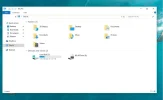
Morning all , my BD-RE Drive logo is back . I put the leads in on the Drive as it had been standing a while , last night this morning when I started the PC the BD-RE Drive logo is back and working though I don't know how long that will last . Is there any way of putting a short-cut on the desk-top or Taskbar or somewhere else , Thank you .
 

Attachments

  • BD-RE Drive Back.webp
    BD-RE Drive Back.webp
    31.1 KB · Views: 256