

📎 AI Summary:
The forum thread discusses a user experiencing a persistent error during a Windows update or upgrade process, with initial troubleshooting focusing on confirming system status and disabling antivirus. A respondent suggests examining Windows Update logs for clues. The original poster clarifies their error code indicating an "Object already exists" issue and speculates it may relate to a network card problem, recommending replacing potentially problematic PCI network hardware. Overall, the conversation centers on diagnosing and resolving a Windows update error, with some technical troubleshooting provided.
The forum thread discusses a user experiencing a persistent error during a Windows update or upgrade process, with initial troubleshooting focusing on confirming system status and disabling antivirus. A respondent suggests examining Windows Update logs for clues. The original poster clarifies their error code indicating an "Object already exists" issue and speculates it may relate to a network card problem, recommending replacing potentially problematic PCI network hardware. Overall, the conversation centers on diagnosing and resolving a Windows update error, with some technical troubleshooting provided.
Solution

If you can reboot and get back into windows, you may want to look at the Windows Update log (assuming you are doing the upgrade) and not a clean install for some clue as to the issue. C:\Windows\WindowsUpdate.log or it may log update details in C:\$Windows.~BT which is a hidden folder.
Yes I can boot to desktop, No I'm not using WiFi, and yes I turned off Anti Virus but it still doesn't work :CCan you boot to desktop
Did you turn the anti virus off before trying to update
Is the system on the internet and not using a WiFi...
Whatever system that happens to be?

Member details
- Joined
- Jul 4, 2015
- Messages
- 8,995
If you can reboot and get back into windows, you may want to look at the Windows Update log (assuming you are doing the upgrade) and not a clean install for some clue as to the issue. C:\Windows\WindowsUpdate.log or it may log update details in C:\$Windows.~BT which is a hidden folder.

Member details
- Joined
- May 22, 2012
- Messages
- 4,599
I've searched for someone with a similar error as me and haven't found anyone.
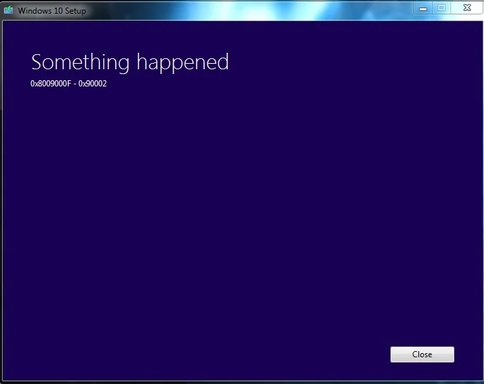
That looks like a two part error code... the first is (0x8009000f) Object already exists, the second is a line code for a part and could be anything plugged into a pci slot… I assume something network related first because of the timing so what network card have you got… a PCI-E Gigabit Ethernet Controller (known to have windows driver issues) perhaps try putting a cheap intel card instead?
