

📎 AI Summary:
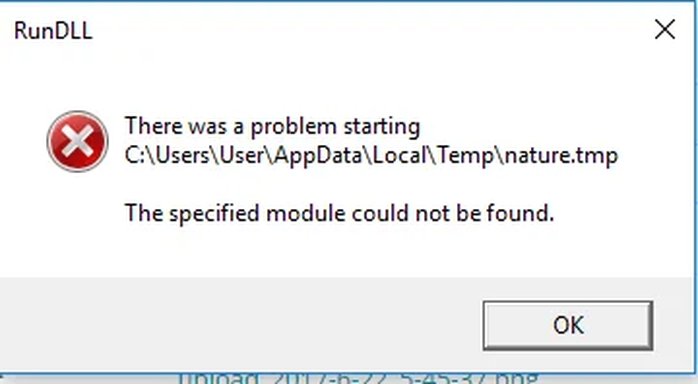
The user "yogev" seeks help with a recurring error related to a missing "nature.tmp" module that persists for over a month. With guidance from "HenkB," they identify "Google-system-updater" as the source, which is difficult to uninstall but was eventually stopped via Windows Scheduler. The overall tone is of problem-solving and gratitude, indicating a successful resolution.
The user "yogev" seeks help with a recurring error related to a missing "nature.tmp" module that persists for over a month. With guidance from "HenkB," they identify "Google-system-updater" as the source, which is difficult to uninstall but was eventually stopped via Windows Scheduler. The overall tone is of problem-solving and gratitude, indicating a successful resolution.

Solution

Look for a yellow line with "C:\Users\User\Appdata\Local\Temp\nature.tmp" as in the error message, somewhere on it.
Which application is that? Is that a non-Microsoft program you have installed? Try uninstalling it
Which application is that? Is that a non-Microsoft program you have installed? Try uninstalling it

bochane
Essential Member
Member details
- Joined
- Oct 18, 2012
- Messages
- 1,403
I found Autorun: Autoruns for Windows
Try downloading it, unpack it and run it. Look in the tab Winlogon or Logon for yellow lines, one will have the path you mentioned.
That is the program causing this.
Have you found it?
Try downloading it, unpack it and run it. Look in the tab Winlogon or Logon for yellow lines, one will have the path you mentioned.
That is the program causing this.
Have you found it?
bochane
Essential Member
Member details
- Joined
- Oct 18, 2012
- Messages
- 1,403
Look for a yellow line with "C:\Users\User\Appdata\Local\Temp\nature.tmp" as in the error message, somewhere on it.
Which application is that? Is that a non-Microsoft program you have installed? Try uninstalling it
Which application is that? Is that a non-Microsoft program you have installed? Try uninstalling it
