📎 AI Summary:
The thread discusses a new PC build experiencing issues with Windows 7 update checks stalling indefinitely. The original poster tried troubleshooting and cleaning the Windows Update cache but without success, ultimately resolving the issue by performing a system restore in safe mode. Responders suggest various troubleshooting steps like resetting Windows Update and express appreciation for the resolution, noting the effectiveness of rebooting and restoring to an earlier point.

carbide

New Member
Member details
Joined
Apr 17, 2016
Messages
3
Thread Author #1
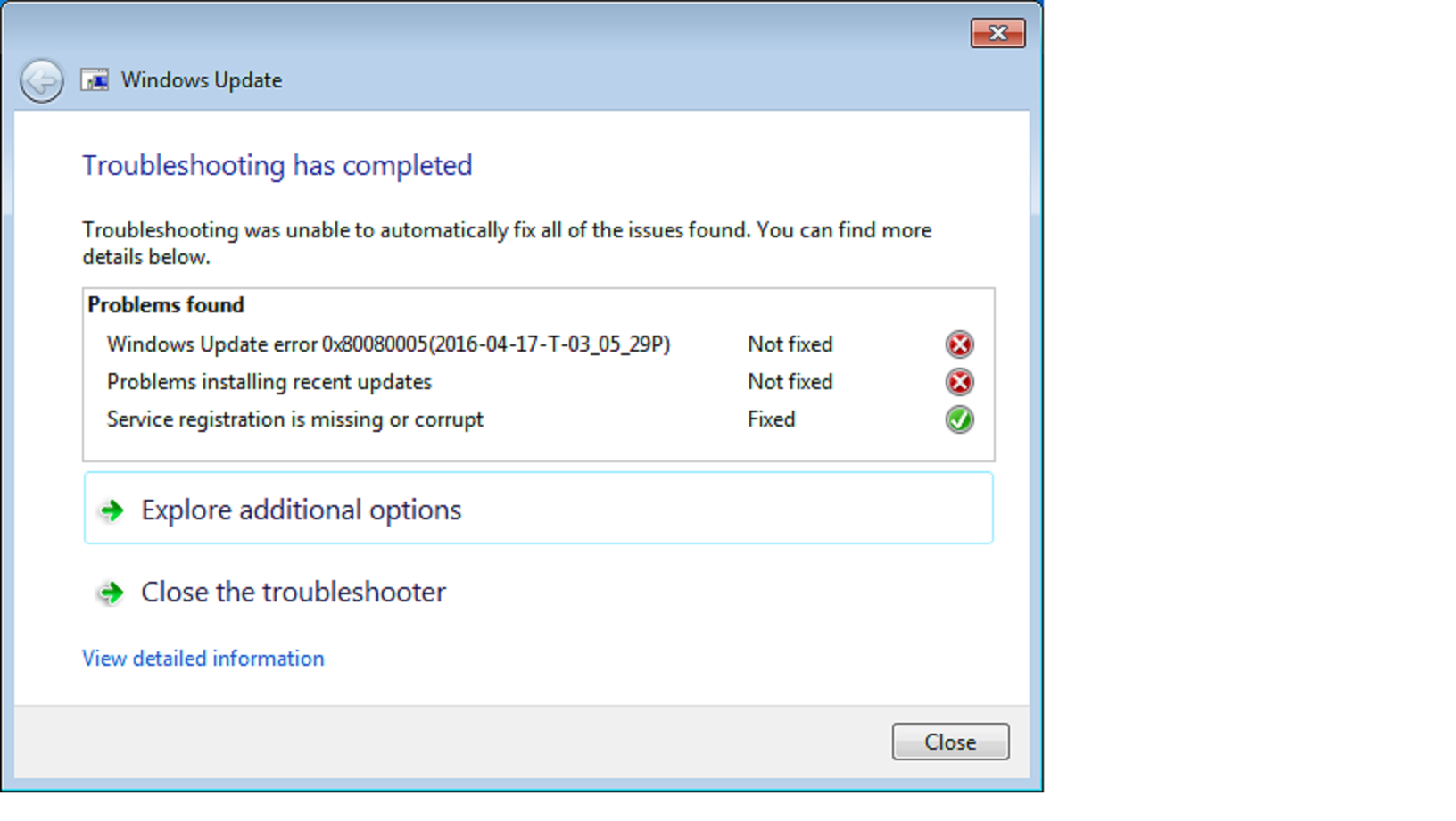
New pc build, got everything set up and now went to install the updates(security, bugs etc..) from the windows checker but it just keeps on checking forever, after 2 hours it is still checking.I ran the troubleshooter and it came up with this(
7lSr0VH.png
). Any ideas?
 

Solution
Remove your Windows Update cache and try to get updates again
  • Press [Windows key + r]
  • Type services.msc
  • Stop Windows Updates and Background Intelligent Transfer Service
  • Delete C:\Windows\SoftwareDistribution
  • Restart Windows Update service and try getting updates again

carbide

New Member
Member details
Joined
Apr 17, 2016
Messages
3
Thread Author #3
Hi carbide! A lot of users are having trouble with W7 up dates. You have to keep trying different things.
I'm sure other members will reply latter. If you haven't tried this yet, give it a shot!😉
Thanks, tried it but nothing. Since building this Pc I've had like 3 problems with Windows 7. I'll keep on trying but hopefully someone can help.
 

Neemobeer

Windows Forum Team
Staff member
Member details
Joined
Jul 4, 2015
Messages
8,994
Remove your Windows Update cache and try to get updates again
  • Press [Windows key + r]
  • Type services.msc
  • Stop Windows Updates and Background Intelligent Transfer Service
  • Delete C:\Windows\SoftwareDistribution
  • Restart Windows Update service and try getting updates again
 
Solution

carbide

New Member
Member details
Joined
Apr 17, 2016
Messages
3
Thread Author #6
To anyone still having this problem, I just went into safe mode and did a system restore to when my mouse and keyboard were working(before installing mobo drivers) and it all worked. Thanks to those that tried helping me
 

holdum333

Banned
Member details
Joined
Mar 27, 2016
Messages
1,242
To anyone still having this problem, I just went into safe mode and did a system restore to when my mouse and keyboard were working(before installing mobo drivers) and it all worked. Thanks to those that tried helping me
Thanks for your feed back. Don't think anyone here thought your rig had been running long enough for restore points.
Any way, I'm glad you got the issue solved. It's amazing how many times rebooting and restoring to a earlier time fix our problems!:up:
PS I'm not sure how this solved your up date problems however!!😉🙂