
In a longer-term review published July 24, Ultrabookreview found that the updated Scar 18 does not deliver a dramatic generation-over-generation performance leap. The GPU remains Nvidia’s 175W GeForce RTX 5090 Laptop GPU, while Intel’s Core Ultra 9 290HX Plus is a modest Arrow Lake HX refresh. Asus, meanwhile, officially lists the machine with a 4K 240Hz Mini LED panel, up to 128GB of DDR5-6400 memory, PCIe 5.0 storage support, and Thunderbolt 5.
The result is a machine whose best feature is not peak benchmark chasing, but the amount of performance it can retain outside its loudest Turbo and Manual modes.
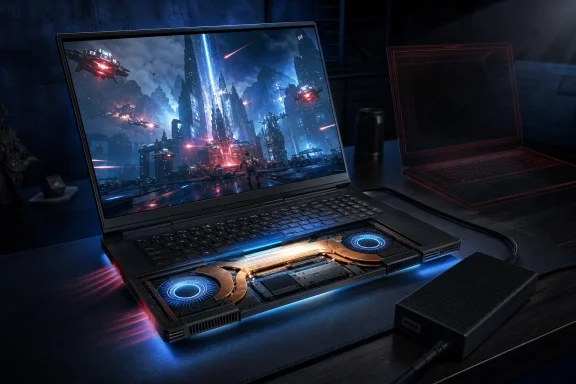 The cooling upgrade matters more than the CPU refresh
According to Ultrabookreview, Asus enlarged the vapor chamber, heatsink assembly, and fans, making the 2026 model thicker and heavier than its predecessor. At roughly 8.2 pounds before its 450W power brick, this is emphatically a desktop-replacement PC rather than a portable workstation.
That bulk pays off during sustained gaming and production workloads. The review measured the laptop’s Performance profile at about 42 dBA while retaining roughly 85–90% of Turbo CPU results and about 90–95% of its GPU performance in tested workloads. For buyers who want an 18-inch system that can run long renders or modern games without immediately resorting to headphones, that is the more consequential upgrade.
Turbo mode still produces roughly 48 dBA fan noise, while a fully opened-up Manual profile climbs past 53 dBA for only limited additional performance. The practical recommendation is clear: Performance mode appears to be the machine’s sensible default, with Turbo reserved for workloads where every frame or minute matters.
A 4K Mini LED screen raises the bar—and the power draw
The new 18-inch 3840×2400, 240Hz Mini LED display replaces the prior 2.5K panel. Asus says it has more than 2,000 dimming zones, G-Sync support, an anti-glare low-reflection coating, and its ELMB motion-clarity technology.
There is a catch familiar to Windows laptop users: the display’s native 4K resolution is demanding even for an RTX 5090 Laptop GPU. Ultrabookreview reported that demanding games such as Cyberpunk 2077 and Black Myth: Wukong benefit substantially from DLSS and Multi Frame Generation at the panel’s native resolution. The screen can reach 240Hz only when the laptop is switched to Ultimate dGPU mode; otherwise, it defaults to 120Hz.
The panel also appears to hurt endurance. The review saw roughly four to five hours of light work or video playback in one-zone mode, with multi-zone lighting reducing that further in some tests. That is acceptable for a 90Wh, 18-inch performance system, but it is worse than the previous 2.5K Scar 18 and limits the appeal of the included 100W USB-C charger beyond light work.
Buyers should compare the 2025 Scar before paying the premium
Asus’s official configuration supports tool-free RAM and SSD upgrades, including two memory slots and two PCIe 5.0 M.2 slots. That is a genuine advantage for users building a long-lived local AI, virtualization, editing, or game-library machine.
But Ultrabookreview reports U.S. starting prices around $4,999 for an RTX 5090 configuration with 32GB of RAM and 1TB of storage. At that price, the 2026 Scar 18 is difficult to justify solely for its slightly newer CPU or small gains in headline frame rates.
Its case is stronger for buyers who specifically value lower sustained temperatures and quieter high-performance operation, along with the new 4K Mini LED panel. Everyone else should treat a discounted 2025 RTX 5090 Scar 18 as the more rational buy—provided they can live with hotter internals and the lower-resolution display.

