
Virtualization Review first reported Gartner’s view that licensing restructuring and pricing changes are opening a “major displacement window” in enterprise virtualization. The storage consequence is more concrete than the phrase suggests: a storage platform tightly coupled to one virtual infrastructure manager can turn a hypervisor change into a data migration, backup redesign and operations-project rewrite at the same time.
Independent coverage from Blocks & Files and Germany’s Security Storage and Channel confirms that Gartner’s 2026 storage research is framing hypervisor flexibility alongside storage-as-a-service, AI-oriented storage tiers and cyber-resilience. The useful takeaway is not that every organization should replace its storage array while leaving VMware. It is that a renewal or exit decision now needs a much harder technical question: which storage and protection functions survive if the compute control plane changes?
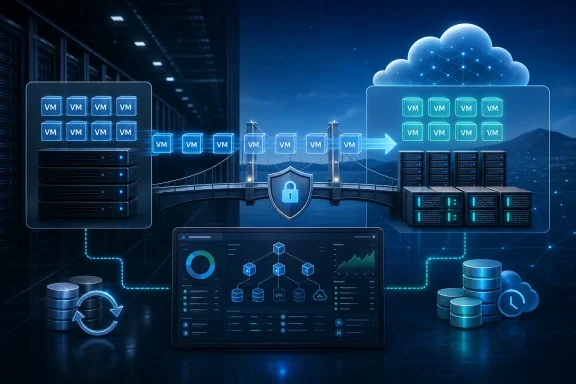 Storage Mobility Is More Than Moving VMDKs
A VM conversion utility can copy a virtual machine disk, but it does not automatically reproduce the operational assumptions around that VM. Snapshot handling, replication, backup integration, encryption-key access, performance policies, multipathing, volume layout and disaster-recovery runbooks may all be linked to the source platform’s APIs or management tools.
That is the gap concealed by generic “multihypervisor” promises. A storage system might present NFS, SMB, iSCSI or Fibre Channel to several hypervisors, and still require different provisioning policies, plug-ins, backup procedures and failover behavior on each one. A team that only proves that a converted VM boots has tested the least difficult part of the migration.
Gartner’s guidance, as described by Virtualization Review, favors platforms that avoid binding data to one hypervisor and that support container interoperability and VM-to-container paths. That is sensible directionally, but it should be translated into acceptance criteria rather than accepted as a feature label. Procurement teams should require vendors to demonstrate the actual workload path: restore a protected VM into the destination platform, recover an application-consistent database, fail over a representative workload, and return it to service under the organization’s documented recovery objectives.
The storage platform matters especially where virtualization and storage were bought as an integrated stack. Hyperconverged systems can simplify operations while the stack is stable, but a move away from the embedded hypervisor may force a redesign of the storage fabric itself. External storage does not automatically eliminate the issue either; its management, protection and automation layers can be just as dependent on the virtualization estate it serves.
Azure Local Makes the Integration Visible
Microsoft’s Azure Local documentation provides a useful real-world measure of what replatforming entails. Azure Migrate supports moving VMware VMs to Azure Local 2503 and later, with discovery, replication, migration verification and completion coordinated through Azure. Microsoft says the data flow remains on premises between the VMware source and Azure Local target, and the service is designed to minimize downtime.
That is a meaningful option for organizations that want to retain local execution while adopting Microsoft’s hybrid control plane. It is also not a storage-neutral “lift and shift.” Microsoft requires a source appliance and a target appliance, and its current migration guidance generally limits an Azure Migrate project to a one-to-one pairing of source and target appliances. That design may be manageable, but it has implications for a large estate divided across multiple vCenter environments, sites or target clusters.
Microsoft also recommends shutting down VMs before migration to avoid data loss. The documentation says VMware source machines must be powered on and have VMware Tools installed for discovery and replication. It further preserves the source boot type: BIOS-based VMware VMs become Generation 1 Hyper-V VMs on Azure Local, while UEFI systems become Generation 2 VMs.
Those are implementation details, but they are the details that determine the migration schedule. A Windows Server workload with legacy BIOS dependencies, a protected SQL Server instance, or a line-of-business application tied to particular storage latency may require a different treatment from a general-purpose Linux VM. The same applies to backup: retaining old VMware backups is not equivalent to proving that Azure Local backups can restore the migrated application at the expected recovery point and recovery time.
Azure Local’s own architecture guidance also undercuts the idea that storage can be considered later. Microsoft’s Storage Spaces Direct design choices affect capacity efficiency, performance and resilience; it recommends matching volume fault tolerance to workload requirements. Three-way mirroring, for example, consumes more capacity but is recommended for high resilience and performance in clusters with at least three machines. Teams moving from an external SAN or all-flash VMware environment need to model those capacity and protection tradeoffs before committing to a target node count.
The Control Plane Is the New Lock-In Test
Gartner’s broader definition of enterprise storage—centrally managed block, file and object services spanning on-premises and hybrid environments—reflects an industry shift away from evaluating arrays as isolated capacity purchases. The control plane is now where provisioning, policy, telemetry, replication, ransomware response and consumption accounting converge.
That makes the control plane the most important lock-in test. An organization may be able to expose the same LUN to another hypervisor, yet lose the automation that creates volumes, sets performance classes, rotates certificates, applies data-protection policy or reports usable capacity. If those tasks return to manual tickets and bespoke scripts after a migration, the platform is technically compatible but operationally less portable.
For Microsoft-focused shops, the test should include how the storage and management layers behave with Azure Arc, Azure Local, Windows Server, Kubernetes and existing backup products. Microsoft lists third-party migration options including Carbonite, Commvault and Veeam for Azure Local, which underscores that migration and protection are an ecosystem integration exercise rather than a single platform feature.
A practical migration design therefore needs an inventory that is richer than VM count and allocated terabytes. It should identify:
- Every application whose backups, snapshots or replication depend on VMware-specific tooling or APIs.
- Every storage service presented to virtual machines, including raw device mappings, shared disks, guest-based clustering and latency-sensitive database volumes.
- The restore path for each critical workload, including identity, DNS, certificates, load balancers and application-consistent recovery.
- The target storage efficiency and resilience configuration, because usable capacity after mirroring or parity may differ sharply from source-array capacity.
- The operating model after cutover, including who owns Azure portal controls, firmware maintenance, capacity forecasting and incident response.
This is not bureaucratic inventory work. It is the difference between migrating virtual machines and migrating a service.
Gartner’s Cost Forecast Needs Careful Reading
Gartner’s reported financial assumptions are striking. Blocks & Files says Gartner expects consumption-based storage-as-a-service to replace 50% of on-premises storage and data-services capital expenditure by 2029, up from 25% in early 2026. The same coverage reports Gartner’s expectation that organizations will deploy purpose-built AI storage tiers for large-scale inference and retrieval-augmented generation, and that infrastructure leaders may need to budget 250% to 300% of their 2025 storage spend for 2027 amid component price pressure.
These are Gartner forecasts, not observed market results, and they should not be treated as a universal price forecast for a particular Windows Server cluster or Azure Local deployment. Still, the forecast highlights a real planning hazard: a hypervisor migration scheduled around a licensing renewal can collide with a storage refresh, AI capacity demand and an expensive hardware cycle.
Storage-as-a-service can smooth capital outlay and shift some capacity risk to the supplier, but it does not erase cost. It changes the cost model. IT leaders should compare committed minimums, burst pricing, egress or data-movement charges, refresh terms, performance guarantees, support boundaries and the price of leaving the service. A consumption contract that requires overcommitting for peak capacity can reproduce much of the financial rigidity it was meant to avoid.
The Migration Program Must Include Recovery
Gartner’s report also links storage change with cyber-data resilience, a connection teams should take literally. Ransomware recovery is frequently designed around the incumbent hypervisor, its backup APIs and the way it presents virtual disks. Replatforming without rebuilding those recovery assumptions can leave the organization with a successful migration and a weaker recovery posture.
Before production cutover, administrators should prove isolated restoration of a representative Windows workload, validate Active Directory and application dependencies, and test recovery when the original virtualization management plane is unavailable. They should also preserve enough source-platform capability and backup retention to recover a migration that fails after a partial cutover.
The central finding from Gartner’s analysis is sound: storage is no longer a peripheral line item in a hypervisor decision. For organizations moving VMware workloads toward Azure Local, Nutanix AHV, OpenShift-based infrastructure or another destination, the decisive milestone is not the first converted VM. It is the point at which the destination platform can run, protect, restore and operate the workload without depending on the infrastructure being retired.