
Intel’s own Wildcat Lake product record lists the Core 3 304 as a five-core, five-thread part: one Performance core boosting to 4.3GHz and four Low Power Efficient cores reaching 3.3GHz. Beelink’s EQi product page uses the same Core 3 304 designation, as does CNX Software’s hands-on testing. Intel does list a Core 5 330 in the same family, but there is no “Core 3304” SKU in its current processor catalog.
That naming error sounds cosmetic, yet it conceals the useful distinction. The EQi carries the entry-level five-core Wildcat Lake chip, not the six-core Core 5 330. Buyers should evaluate it as a low-power client, media box, compact workstation endpoint, or network appliance with unusually strong I/O — not as a broadly capable replacement for a mainstream laptop-class Core processor.
CNX Software tested the 16GB EQi under Windows 11 Pro and confirmed that the Core 3 304 delivers better single-threaded responsiveness and stronger integrated graphics than the Alder Lake-N systems it compared. But the same review found a problem serious enough that it recommended waiting for clarification or a fix before purchasing. That finding changes the practical reading of Beelink’s port list.
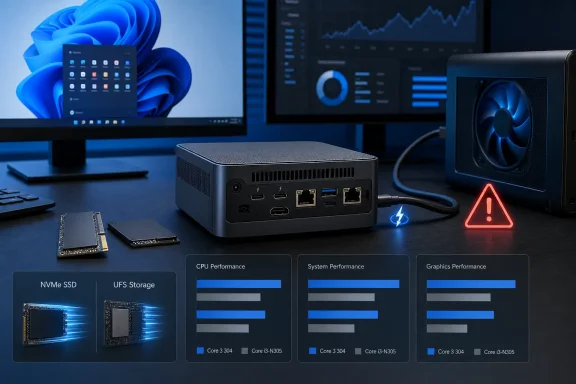 The Core 3 304 does outperform Core i3-N305 — with a narrower margin in sustained multicore work
The supplied performance claims point to a clear generational move forward from Intel’s Core i3-N305, a processor built from eight Efficient cores. CNX Software’s comparison against a Core i3-N305 mini PC broadly supports that conclusion, though it does not substantiate Beelink’s much larger marketing claim of 120% higher single-core and roughly 60% higher multicore performance.
In CNX’s Windows testing, the EQi recorded 1,732 points in Cinebench R23 single-core versus 1,344 for the Core i3-N305 system — roughly a 29% advantage. The EQi’s 4,863 multicore score was only about 8% ahead of the N305’s 4,505, which makes sense: the newer chip has one fast Performance core, but it has five cores total rather than the N305’s eight E-cores.
Graphics showed a more substantial gain. The EQi posted 1,940 in 3DMark Fire Strike against 1,534 for the N305 comparison system, a roughly 26% improvement. That supports the claim that Intel’s Xe3 graphics can make older games and lower-resolution modern games viable, especially when XeSS is available. It does not turn this into a gaming mini PC. The Core 3 304 has one Xe3 graphics core, and CNX’s broader comparison found its 3D and multicore results materially behind a similarly priced six-core, 12-thread Ryzen 5 7530U mini PC.
For Windows users, the practical payoff is less about Cyberpunk 2077 and more about eliminating the sluggishness that can show up in browser-heavy productivity, Office work, remote management consoles, and occasional image or media tasks. The Core 3 304’s stronger single-core result is the meaningful advance over N305 hardware. A compact server running numerous parallel containers, virtual machines, or CPU-bound build jobs will still benefit more from additional full-performance cores than from this chip’s newer architecture.
Beelink’s storage configuration is UFS, not a preinstalled NVMe SSD
The published description says the EQi includes a 500GB SSD with a second M.2 slot available for expansion. Beelink’s specifications and CNX Software’s teardown tell a different story: the system ships with 512GB of UFS 3.1 flash storage, then provides two empty M.2 2280 slots for NVMe expansion.
That distinction is consequential. UFS 3.1 is much faster than eMMC, but it is not equivalent to a standard PCIe NVMe boot drive. CNX measured about 2,014 MB/s sequential read and 831 MB/s sequential write from the onboard UFS. Those are respectable figures for a compact office machine, but the default storage dragged down the system’s disk benchmark result against mini PCs fitted with NVMe SSDs.
The expansion slots are also not symmetrical high-bandwidth sockets. Beelink specifies one PCIe 4.0 x2 slot and one PCIe 4.0 x1 slot. CNX installed drives and measured approximately 1,600 MB/s read on the x2-connected slot and roughly 880 MB/s on the x1-connected slot with its test hardware. The faster slot offers a sensible place for a Windows system drive, but neither slot is a full PCIe 4.0 x4 connection.
For an IT buyer, this means the EQi can be made into a more conventional Windows machine, but it should be budgeted as an upgrade project rather than assumed to arrive with NVMe-class primary storage. A clean Windows installation on an added SSD is the more defensible configuration for a long-lived deployment.
Memory also depends on which chassis variant is purchased. Beelink sells a 16GB LPDDR5 version with soldered memory, while the 24GB and 32GB DDR5 models use a SO-DIMM socket. The company advertises up to 64GB on the DDR5 version, but that is not an upgrade path available to the 16GB LPDDR5 model. The blanket claim that the EQi is simply “easy to upgrade” leaves out the most important choice: pick the SO-DIMM version if memory expansion is part of the plan.
Thunderbolt 4 is the EQi’s best feature on paper and its current risk in practice
Beelink advertises two Thunderbolt 4 ports with 40Gbps transfers, DisplayPort output, external SSD support, docks, and multi-display capability. The hardware did successfully drive three displays in CNX Software’s testing, using HDMI plus both USB-C ports. It also achieved about 3.1 GB/s read and 2.5 GB/s write once a Thunderbolt NVMe enclosure connected properly.
The trouble is reliability. CNX reported repeated detection failures with NVMe enclosures, a need for retries and reboots, and inconsistent behavior across the two rear USB-C ports. Most importantly, the reviewer connected a Khadas Mind Graphics 2 eGPU dock with an Nvidia GeForce RTX 5060 Ti and found that neither Thunderbolt port recognized the graphics card. Windows displayed a warning that the display connection might be limited, while Device Manager showed no Nvidia GPU.
That is not a minor footnote for the EQi. The published story presents eGPU support as an upgrade route for demanding workloads; the available independent test says that route is not working at present. Beelink has not publicly detailed a firmware, driver, or hardware explanation on its product listing, and no second outlet has independently reproduced the exact eGPU failure. Still, one thorough review finding is enough to make eGPU capability an unproven purchase assumption rather than a selling point.
The 10GbE and 2.5GbE Ethernet ports did fare well. CNX recorded about 9.4Gbps on the 10GbE connection and 2.35Gbps on 2.5GbE, close to what those interfaces should deliver in a properly configured network. For a compact NAS-adjacent workstation, high-speed file-transfer client, router-adjacent utility box, or lab endpoint, those ports may be more valuable than the processor itself.
The power claims are lower than independent wall measurements
The published figures cite 4W at idle and 7W during 4K playback. CNX’s wall-meter results came in higher: 5.7W to 6.2W at idle over Wi-Fi, 6.0W to 6.4W with 2.5GbE active, and 6.8W to 7.2W using 10GbE. Its 4K60 YouTube playback test in Firefox drew 13.4W to 15.3W.
Different peripherals, power settings, video pipelines, monitors, and meter placement can account for some variation. But the published 7W playback number is not representative of CNX’s tested Windows setup. The EQi remains efficient, particularly next to a conventional desktop, but it should not be sized for power budgets on the assumption that it will remain near idle consumption during sustained 4K video playback.
CNX also found Secure Boot disabled by default on its review unit. That may not apply to every retail shipment, and it is simple to change in firmware, but organizations deploying Windows 11 Pro should verify Secure Boot, TPM status, BitLocker configuration, firmware password controls, and BIOS updates before putting these systems into managed use. The product’s small size and integrated 85W power supply make it physically tidy; they do not remove normal endpoint-hardening work.
Beelink’s storefront still lists the EQi as a preorder product and says shipping is expected in roughly 35 days. Notebookcheck reported July pricing beginning at $509 for the 16GB model, while Beelink’s current page displayed $739 for a selected 32GB configuration. The sensible buying position is to wait for a documented Thunderbolt fix or independent confirmation that retail firmware resolves the external-storage and eGPU issues. Until then, the EQi is a fast, quiet, network-rich successor to N305-class mini PCs whose most expensive expansion promise remains unsettled.
