
That matters for Windows users who occasionally need to fix a document from a phone without first signing into a Microsoft account or moving the file to OneDrive. Collabora Office is available as a single open-source Android app and supports Microsoft’s modern Office formats alongside OpenDocument formats. Its Google Play listing says it collects and shares no data, though that declaration is supplied by the developer.
 A Local-First Alternative for Routine Edits
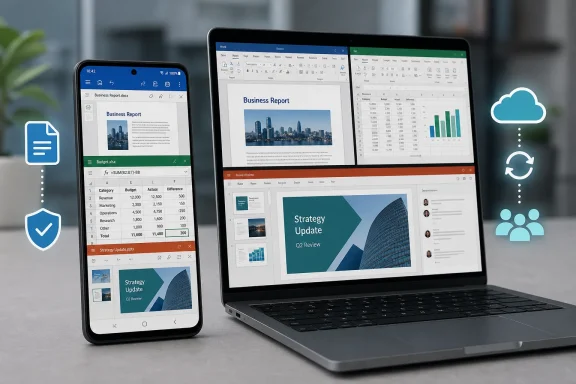
According to MakeUseOf, Collabora handled a four-page DOCX with tables, images, comments, headers, footers, nested lists, and tracked changes on a Samsung Galaxy S10+. It also opened a multi-sheet XLSX file with formulas, conditional formatting, charts, and frozen headers, plus a PPTX containing images, shapes, notes, and layouts.
The practical appeal is not that a phone becomes a good place to author a long report. It is that a user can open a locally stored attachment, correct a paragraph, change a formula, review a comment, or repair a slide without turning the task into an account-and-cloud workflow.
There is an important caveat: support for a file format is not a guarantee of perfect round-trip fidelity. The test found one nested-list indentation shift after saving, a small issue but exactly the kind of formatting drift that can matter in a client document or a carefully controlled template.
Microsoft 365 Still Has the Better Fit for Office-Native Work
Microsoft’s own support documentation says core editing is free in its Android apps on devices with screens of 10.1 inches or less. A qualifying Microsoft 365 subscription unlocks additional features, including tracked-change review, page orientation controls, advanced chart editing, SmartArt support, Presenter View, and access to certain Information Rights Management-protected files.
Those differences are not cosmetic for business users. Organizations using sensitivity labels, rights-managed documents, complex Excel models, SmartArt-heavy decks, custom fonts, macros, or elaborate PowerPoint media should continue to validate files in Microsoft’s apps or on desktop Office before distribution.
Microsoft also retains the advantage in cloud collaboration, version history, identity integration, and managed enterprise controls. Collabora can work with remote services, but its value proposition is primarily independence from a mandatory cloud account—not a replacement for Microsoft 365’s collaborative ecosystem.
Treat It as a Useful Second Editor
For routine document maintenance, Collabora Office is worth keeping on an Android device. Its local editing model is particularly useful when connectivity is limited, a file should remain on-device, or a user wants a capable fallback without another subscription.
But Windows and Microsoft 365 users should treat it as a second editor rather than a universal Office replacement. The closer a file gets to advanced Microsoft-specific features or an enterprise compliance workflow, the more important it becomes to perform the final review in the Microsoft application that will ultimately open it.
