

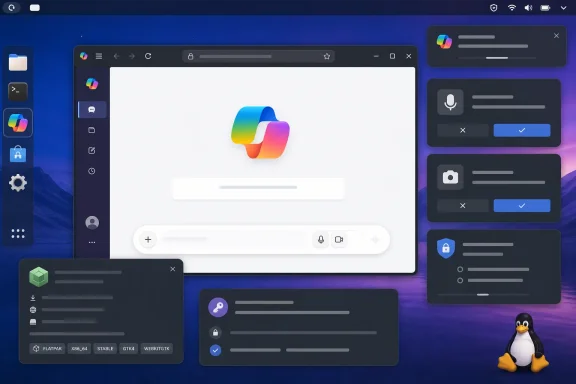
Windows Central first highlighted the project on August 7, describing it as a native Copilot app for Linux. Barnes’ GitHub repository confirms the app uses .NET 11, GTK4, and WebKitGTK, ships through Flatpak, and is explicitly unaffiliated with Microsoft. Microsoft, for its part, still documents the consumer Copilot app on Windows, macOS, iOS, and Android, while directing other desktop users to copilot.com in a modern browser. There is no Microsoft-announced consumer Copilot application for Linux in the company’s current support documentation.
That means the project fills a real desktop-integration gap, but it does not change what Copilot is on Linux: the service, feature availability, account requirements, and data handling still belong to Microsoft’s web product.
A Linux Desktop Shell, Not a Separate Copilot Product
Barnes’ app launches a dedicated WebKitGTK view pointed at copilot.microsoft.com. The repository source makes that unambiguous: the application URL is Microsoft’s Copilot website, and the main window is built around a WebKit web view with JavaScript, WebRTC, media, local storage, and browser-style database support enabled.
Calling it “native” is therefore accurate in one limited sense. The app window, launcher entry, keyboard shortcuts, desktop notifications, downloads, file picker integration, and optional tray behavior are handled by Linux-native GTK and desktop APIs rather than by Chromium, Firefox, or Microsoft Edge.
But the actual Copilot interface is still Microsoft’s web interface rendered inside a browser engine. There is no local inference, no alternate model provider, no offline assistant, and no evidence that the app exposes Copilot features that the website does not already offer. Its practical advantage is isolation and desktop fit: Copilot gets its own window, its own process lifecycle, and its own session store instead of being one more tab among a browser’s open workload.
For Linux desktop users, that may be enough. A separate launcher, desktop notifications, file-dialog support, a tray-aware window, and autostart are all conveniences that a PWA can implement unevenly depending on browser and desktop environment. Barnes has also made the project available as a Flatpak, which should make deployment simpler on distributions where the relevant runtime is present.
The current public release is version 0.1.17, published early on August 7. That version number matters: this is an early project, despite its relatively polished packaging and automated build setup. The repository had no stars, forks, or open issues when checked, so there is not yet a meaningful public track record for stability across GNOME, KDE Plasma, Xfce, immutable distributions, or enterprise Linux builds.
The App Persists More Than a Temporary Browser Session
Windows Central said the app keeps the user’s login session on disk. The source code shows how that works, and it is more specific than the phrase “safely on disk” suggests.
Copilot Desktop GTK creates a persistent WebKit network session under the user’s XDG data directory. It stores cookies in a SQLite database and preserves HTTP authentication, local storage, IndexedDB data, cache, and persistent credentials across restarts. The purpose is straightforward: a Microsoft account sign-in should survive closing the app, rather than requiring authentication every launch.
That design is normal for a desktop web application, but it carries the same local-account-security implications as a browser profile. Anyone who can access the relevant account and profile data may be able to access an active Microsoft Copilot session. The project’s Flatpak manifest requests the Secret Service D-Bus interface, but the application code also explicitly creates a WebKit cookie database in its own persistent data directory. The repository does not document encryption at rest for that SQLite cookie store, nor does it explain what happens to existing local sessions if the app is removed.
For a single-user Linux workstation with full-disk encryption and a locked screen, this may be an acceptable tradeoff. For a shared workstation, a jump host, a lab machine, or any endpoint with weaker local controls, it deserves the same scrutiny as saving a browser profile with a signed-in Microsoft account.
There is also a versioning wrinkle. The August 7 release page identifies the newest package as version 0.1.17, while the application source’s visible version constant still says 0.1.12. That may simply be a packaging oversight, but it means the About dialog and release artifact can report different versions. In a young app, that is a small issue; for administrators validating a deployed build, it is an avoidable one.
Broad Permissions Are the More Material Caveat
The larger concern is not that the app is unofficial. It is that the Flatpak package requests a broad set of desktop permissions, then the application’s WebKit layer automatically approves most browser-level permission requests.
The manifest requests network access, audio access, all devices, PipeWire camera access, notifications, printing, autostart configuration, and read access to the user’s Documents, Pictures, Videos, Music, Desktop, and font directories. It also grants read-write access to Downloads. Some of that is easy to justify: Copilot voice needs a microphone; Vision and WebRTC can need camera and PipeWire access; uploads and downloads need file-picker and download-directory access.
The implementation goes further. When the embedded Copilot site asks for microphone, camera, notification, clipboard, device-information, media-key, cross-site storage, or unknown permissions, the app code approves them automatically. Geolocation is the notable exception; it is explicitly denied.
That approach makes the experience frictionless, especially for voice and vision features. It also removes the consent boundary users expect from a browser. In a standard browser, users can normally inspect and change site permissions, and browser permission prompts put a decision in front of them. In Copilot Desktop GTK, Microsoft Copilot’s web application is pre-approved for those categories by the wrapper.
The project also uses a Windows 10-era Microsoft Edge user-agent string rather than identifying itself as WebKitGTK on Linux. Barnes’ code comments explain why: Microsoft’s sign-in flow reportedly had trouble enabling the “Stay signed in” prompt under the normal WebKitGTK identity. The app additionally injects JavaScript into Microsoft login pages to re-enable and, after a delay, select the “Yes” option on the “Stay signed in?” screen.
This appears aimed at compatibility rather than deception, and the code limits that script to Microsoft authentication domains. Still, it is a significant behavioral decision. The application is not merely preserving a session after the user elects to keep it; it contains code designed to make a persistent-login choice happen automatically once that page is detected.
For personal use, that may prevent an annoying authentication loop. For managed devices, it is a reason not to treat the application as a drop-in replacement for an approved browser configuration.
Flatpak Makes Installation Easier, Not Automatically Safer
The project’s packaging does include several good practices. Barnes distributes a Flatpak reference that adds a project update repository, embeds a signing key, and uses GitHub Actions to produce release artifacts. The source is publicly available under the MIT license, which permits administrators and security teams to inspect the implementation rather than blindly trusting a closed wrapper.
Flatpak also provides sandboxing, but a sandbox is defined by its permissions. A package with network access, broad media/device access, persistent storage, and access to several user directories is still constrained compared with an unrestricted native application, yet it is not operating with minimal privileges.
This distinction should guide installation decisions. The Flatpak is sensible for a personal Linux desktop where a user wants a dedicated Copilot window and accepts the permission model. It is less suitable for unattended deployments, locked-down corporate endpoints, or systems where Microsoft account credentials must remain in a centrally managed browser profile with auditable settings.
Microsoft’s own guidance for Copilot in Edge stresses permissions, consent, and control over what browser context Copilot can use. Copilot Desktop GTK does not inherit those Edge controls. It is a different browser engine, a separate profile, and a separate permission implementation—even though the page it loads is Microsoft’s.
What Linux Users Actually Gain
The project’s strongest case is mundane but valid: it makes Copilot feel like an application in Linux desktop environments that otherwise receive only the web experience. It can run independently of a tab-heavy browser, receives native notification handling, can remain available through a system-tray workflow where the desktop supports it, and has direct handling for file selection, downloads, printing, and media access.
It also avoids one common PWA limitation. A browser-installed Copilot app remains dependent on that browser’s profile, rendering engine, notification policy, process management, and desktop integration. Barnes’ wrapper gets to define those behaviors directly.
But users should resist reading “native Copilot app” as a promise of greater platform support from Microsoft. It is better understood as a focused Linux web-app container with a deliberately persistent Microsoft sign-in and unusually permissive defaults for Copilot’s web capabilities.
For now, Copilot Desktop GTK gives Linux users a dedicated window Microsoft has not supplied. The price of that convenience is a new local authentication store and a permission model that is more generous than most users would choose manually.