
StorageReview tested the 4.17-pound Dell Pro Precision 5 16s AMD with the 12-core, 24-thread Ryzen AI 9 HX PRO 475, Radeon 890M integrated graphics, 64GB of LPDDR5x memory, a 1TB PCIe 4.0 SSD, and a 2,560 x 1,600, 120Hz IPS display. Dell’s current U.S. configurator confirms the PW516265 model, the 60-TOPS NPU-equipped HX PRO 475 option, Windows 11 Pro as a Copilot+ PC configuration, and a starting price of $2,118.70.
The important result is narrow but useful. The larger 16s chassis does not turn Radeon 890M into a graphics workstation replacement, nor does it erase Intel’s lead in many AI and GPU-compute tasks. It does make the AMD configuration a stronger choice than the 14s for people whose day is dominated by long multithreaded CPU jobs—and who value a full numeric keypad, Ethernet, HDMI, two USB-A ports, two Thunderbolt 4 ports, and a 16:10 screen without living through a dock.
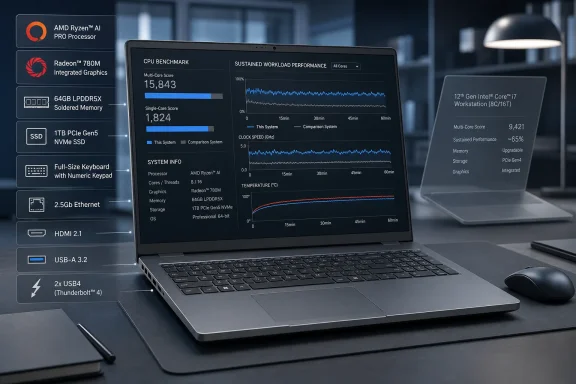 The 16-inch chassis helps the CPU, not the Radeon 890M
The Ryzen AI 9 HX PRO 475 is a 28W-class processor with a configurable TDP range that AMD lists at 15W to 54W. It combines four Zen 5 cores with eight Zen 5c cores, for 12 cores and 24 threads. Those details explain why sustained cooling can matter more than it does for shorter bursty workloads: the processor has considerable multithreaded capacity, but the chassis must hold power and temperature long enough to use it.
StorageReview’s results show that effect in several longer CPU tests. The 16s AMD posted a Cinebench 2026 multicore score of 4,767, ahead of the Intel 16s result of 4,618 and nearly 13% above the AMD 14s. It also led the completed y-cruncher tests, finishing the 2.5-billion-digit Pi run in 64.242 seconds, compared with 71.084 seconds for the AMD 14s and 80.463 seconds for the Intel 16s. In 7-Zip decompression, it reached 117.863 GIPS, more than 20% ahead of the Intel system in that particular task.
Those are meaningful results for developers compiling large projects, analysts compressing or unpacking data archives, engineers running CPU-bound numerical software, and users doing CPU rendering. The increase is not universal: the 16s AMD’s Geekbench 6 multicore result, 14,169, was actually lower than the 14s AMD’s 14,611. That inconsistency is a reminder that “larger laptop” does not reliably translate to higher performance in short mixed workloads; sustained work is the demonstrated advantage.
A public Geekbench 6 result for a Dell Pro Precision 5 16S with the same Ryzen AI 9 HX PRO 475 and Radeon 890M records the exact 2,854 single-core and 14,169 multi-core scores reported by StorageReview. That does not independently validate the whole review suite, but it does corroborate the core CPU result on an identifiable PW516265 system rather than leaving it entirely inside one lab’s data.
Intel’s lead is broad, but the SSD comparison needs context
StorageReview’s most sobering finding for the AMD model is how often Dell’s Intel 16s pulls ahead. The Intel configuration scored 9,994 in PCMark 10 to AMD’s 8,627, and it led in Geekbench CPU, OpenCL compute, Blender GPU rendering, most local AI tests, Blackmagic RAW GPU decode, and several professional-graphics workloads. The Intel model’s 24-hour, 43-minute Modern Office battery result also exceeded the AMD model’s 15 hours, 5 minutes by 9 hours and 38 minutes under StorageReview’s stated test settings.
For local AI in Windows, the distinction is stark. StorageReview reported that the Intel Arc Pro B390 substantially outpaced Radeon 890M in UL Procyon text generation, AI image generation, and native-runtime computer vision. The AMD system’s 60-TOPS NPU is enough to meet Microsoft’s Copilot+ PC hardware threshold, but that label should not be mistaken for a guarantee of equal local model performance. Copilot+ eligibility describes a platform capability baseline; it does not settle which iGPU, NPU runtime, application backend, model format, or driver path runs a given AI workload best.
There is, however, a configuration issue buried in the storage charts. StorageReview’s AMD unit used a 1TB PCIe Gen4 SanDisk SSD and delivered roughly 5.07 GB/s sequential reads and writes in Blackmagic Disk Speed Test. The Intel comparison systems used faster drives and reached 8.4 GB/s and 9.8 GB/s reads. Dell’s own AMD configurator offers both a 1TB and 2TB Gen5 “Performance SSD, SED Ready” upgrade for the 16s AMD.
That makes the review unit’s storage deficit real, but not an inherent Ryzen-versus-Intel platform verdict. IT buyers using the results for a deployment standard should specify the desired SSD class in the purchase order rather than treating the Gen4 result as fixed behavior for every AMD 16s. The same discipline applies to single-unit prices: Dell’s base configuration begins with 16GB memory and a 256GB Gen4 SSD, so the approximately $5,087 review configuration is a reference point, not the cost of every system carrying this model name.
The permanent choice is memory, not the SSD
The more restrictive hardware decision is memory. Dell sells the AMD 16s with 16GB, 32GB, or 64GB of LPDDR5x-8533 memory, and the jump from 16GB to 64GB currently adds $1,610 in Dell’s U.S. configurator. StorageReview found that the AMD model lacks the Intel 16s’ replaceable LPCAMM2 memory module.
That changes the purchasing calculus. SSD capacity can be selected at purchase and, depending on the installed module and support policy, may be serviceable later. The AMD system’s memory capacity cannot be expanded after deployment. Anyone expecting multi-year use with multiple virtual machines, local containers, large datasets, CAD assemblies, or memory-hungry developer toolchains should treat 64GB as a lifecycle decision, not a luxury option.
The limitation also has a practical benchmark consequence. StorageReview reported that neither AMD Pro Precision system could complete y-cruncher’s 5-billion- and 10-billion-digit calculations because memory reserved for the integrated GPU reduced available system memory below what the tests required. This is not a CPU stability failure, and the 16s was fast in the smaller completed runs. Still, it illustrates the tradeoff of an integrated-GPU workstation design: the GPU shares the same fixed memory pool that CPU-heavy professional workloads may need.
The Intel model has its own integrated graphics, but its upgradeable LPCAMM2 design gives fleet owners a different service posture. Dell’s product line therefore divides on more than CPU brand: AMD buyers get a platform with strong threaded CPU behavior and fixed LPDDR5x, while Intel buyers get better results across many GPU and AI tests alongside a more repairable memory component.
The workstation label requires workload discipline
The Pro Precision 5 16s AMD is a business workstation in form factor, security, and connectivity. It includes a smart-card reader option, fingerprint reader, TPM 2.0, 8MP IR camera with a privacy shutter and Windows Hello support, wired Gigabit Ethernet, and an unusually complete port layout for a thin 16-inch notebook. For managed Windows environments, those details can be more valuable than a small benchmark lead: they remove adapters from desks and make it easier to support wired networks, legacy USB peripherals, external displays, and card-based authentication.
The Radeon 890M remains integrated graphics, though, and StorageReview’s data makes clear where that boundary appears. The AMD system was essentially unchanged from the 14s in Blender GPU rendering and LuxMark, while Intel’s Arc Pro B390 opened large leads in those tests. In Blackmagic RAW 8K 12:1 GPU decoding, the AMD model reached 49 fps versus Intel’s 87 fps. In local LLM inference using DirectML, the Intel system was roughly 60% faster to more than twice as fast depending on the model tested.
There are exceptions. StorageReview found the AMD system ahead in V-Ray’s CUDA-engine test, and its SPECviewperf results included wins or near-ties in 3ds Max, Blender, medical visualization, and SolidWorks. It also performed particularly well in Topaz Video AI’s Hyperion HDR and completed the 16x Aion task where Intel systems did not finish. These are application-specific outcomes, not evidence that Radeon 890M broadly beats Arc Pro B390.
Organizations selecting systems for named applications should test the actual workflow, plug-ins, drivers, and model formats they intend to deploy. For broad local AI, GPU rendering, accelerated video decode, and OpenCL-heavy work, StorageReview’s comparison favors Intel. For long CPU-bound jobs, compression, numerical computation that fits in available memory, and users who work primarily in Office, code editors, spreadsheets, and browser-based enterprise tools, the AMD model has a clearer case.
A sensible AMD configuration starts with 64GB and Gen5 storage
Dell’s 16s AMD earns its place over the lighter 14s AMD when the extra 1.09 pounds buys a better working environment: the 16-inch 120Hz display, numeric keypad, ports, and cooling capacity that improves some all-core loads. It is not a compelling upgrade for someone expecting materially better Radeon 890M performance; StorageReview’s own comparisons show that GPU gains are usually negligible between the two AMD chassis sizes.
For a long-lived Windows workstation deployment, the safest configuration is the one Dell’s pricing makes least attractive: 64GB from day one, plus the Gen5 SSD option when storage-intensive work is part of the job. That raises acquisition cost sharply, but it avoids locking a user into 16GB or 32GB of non-upgradeable memory while also preventing a lower-cost Gen4 drive from being mistaken for the machine’s storage ceiling.
The Dell Pro Precision 5 16s AMD is therefore a targeted purchase rather than a universal recommendation. Choose it for sustained CPU work in a thin, well-connected 16-inch Windows business laptop. Choose the Intel 16s when battery longevity, broadly stronger integrated graphics, and local AI throughput matter more—and when replaceable memory is a requirement rather than a preference.