
Electronic Arts has confirmed that EA SPORTS FC 27 launches worldwide on September 25, 2026, with Ultimate Edition and Ultimate Plus Edition access beginning September 18. The publisher is positioning the release around new community-focused features, including The Grounds, a rebuilt Career transfer market, and a new Ultimate Team Gallery. EA’s announcement also confirms that the game is headed to PC alongside PlayStation, Xbox, Nintendo Switch, and Nintendo Switch 2.
For PC players, the headline is straightforward: Windows 10 or Windows 11, 8GB of RAM, and a GTX 1050 Ti or Radeon RX 570 are enough to meet the official minimum specification. The recommended configuration raises the GPU target to a GeForce GTX 1660 or Radeon RX 5600 XT, increases memory to 12GB, and calls for an SSD rather than merely 100GB of free capacity.
That is welcome news for players with older desktop PCs, but minimum specifications should never be mistaken for a performance promise. They establish the lowest officially supported hardware baseline; they do not guarantee a preferred resolution, a stable frame rate in every stadium, or the ability to enable every visual feature. EA’s published requirement list does not attach explicit 1080p, 1440p, 4K, or frames-per-second targets to either tier. The official EA PC listing provides the hardware requirements but not detailed quality presets or benchmark expectations.
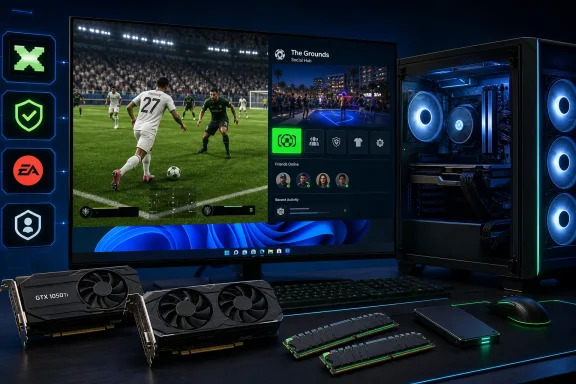 EA SPORTS FC 27 PC requirements at a glance
The following EA FC 27 system requirements are the published Windows specifications. The important distinction is storage: 100GB is required at both levels, but EA specifically identifies an SSD for the recommended configuration. EA’s requirements page and the Steam store listing align on the key CPU, memory, graphics, DirectX, and storage targets.
| Component | Minimum PC requirements | Recommended PC requirements |
|---|---|---|
| Operating system | Windows 10/11, 64-bit, latest update | Windows 10/11, 64-bit, latest update |
| Processor — AMD | AMD Ryzen 5 1600 | AMD Ryzen 7 2700X |
| Processor — Intel | Intel Core i5-6600K | Intel Core i7-6700 |
| Memory | 8GB DDR4 dual-channel RAM | 12GB dual-channel RAM |
| Graphics — AMD | Radeon RX 570 | Radeon RX 5600 XT |
| Graphics — NVIDIA | GeForce GTX 1050 Ti | GeForce GTX 1660 |
| DirectX | Version 12 | Version 12 |
| Storage | 100GB available space | 100GB available space on an SSD |
| Internet | 512 Kbps connection listed by EA | 512 Kbps connection listed by EA |
The internet figure deserves careful interpretation. EA’s official page specifies 512 Kbps for both tiers, while general game listings may describe the requirement simply as a broadband connection. EA’s PC specification page is the more precise source here. That speed may be enough for the game’s baseline connectivity check, but it should not be read as a complete measure of online-match quality: latency, packet loss, Wi-Fi reliability, regional routing, and other household traffic matter substantially in a competitive football game.
Background: a cross-generation football game with a low entry barrier
EA SPORTS FC 27 is continuing the franchise’s wide platform strategy. EA has confirmed versions for PlayStation 4, PlayStation 5, Xbox One, Xbox Series X|S, PC, Nintendo Switch, and Nintendo Switch 2. The company’s launch announcement confirms that broad release footprint, and it helps explain why the PC minimum requirements remain approachable.
A Ryzen 5 1600, Core i5-6600K, GTX 1050 Ti, and RX 570 were already mid-range or entry gaming components in their respective eras. Their appearance in the FC 27 minimum tier means that many PCs built around the middle of the previous decade should still qualify to install and launch the game. For a major annual sports release, that compatibility is a meaningful strength.
However, accessible is not the same as future-proof. A system that only clears the minimum threshold may have less headroom when game updates arrive, drivers change, background applications consume more memory, or online modes become particularly busy. It also has little room for users seeking high-refresh-rate gameplay, enhanced visual settings, or a multitasking-heavy setup with browsers, voice chat, recording tools, and RGB or peripheral utilities open in the background.
The Grounds matters for PC buyers
The biggest feature addition is The Grounds, which EA describes as a social football playground extending the Clubs experience beyond conventional matches. It includes districts inspired by football heritage, progression and customization, and casual-to-competitive activities. EA’s FC 27 reveal frames the mode as one of the game’s central additions.
For PC players, the encouraging part is that The Grounds is available on PC. The less obvious implication is that its social, connected design makes a stable installation and reliable online environment more important than a simple offline kickoff match. Meeting the GPU requirement is only one part of the readiness checklist.
EA also says that FC 27 brings gameplay changes across modes, including dynamic corners, revised attacking awareness, and rebalanced AI defending. The publisher’s announcement presents these as community-driven improvements. The published PC specification does not separate requirements by mode, so prospective buyers should assume that the stated minimum and recommended configurations apply to the core game package rather than to isolated modes.
Minimum specifications: what they really mean
The minimum EA FC 27 PC requirements are:
- Windows 10 or Windows 11, 64-bit, fully updated
- AMD Ryzen 5 1600 or Intel Core i5-6600K
- 8GB DDR4 dual-channel RAM
- AMD Radeon RX 570 or NVIDIA GeForce GTX 1050 Ti
- DirectX 12
- 100GB of available storage
- 512 Kbps internet connection, according to EA’s listing
These requirements are officially listed by EA. The FC 27 product page explicitly identifies both the AMD and Intel processor options, the 8GB dual-channel memory target, the GTX 1050 Ti/RX 570 graphics baseline, and DirectX 12.
A usable baseline, not an ideal target
The strongest aspect of the minimum tier is its inclusiveness. A GTX 1050 Ti or RX 570-class GPU is not modern hardware, yet it remains sufficient for an officially supported FC 27 installation. That makes the game viable for a wide audience of players who have deferred expensive graphics-card upgrades.
The trade-off is obvious: there is no published guarantee of high settings, high resolution, or high refresh-rate performance at minimum specifications. Users with 60Hz displays may find the minimum configuration more practical than those with 120Hz, 144Hz, or 165Hz monitors, where the desired performance target is much higher even if the game technically launches.
The processor target also matters. Football games are not solely GPU-bound. Simulation, AI behavior, animation, input processing, match presentation, background services, and online synchronization can all draw on system resources. The Ryzen 5 1600 and Core i5-6600K should be treated as compatibility baselines, not as evidence that every system built around those processors will produce equivalent results.
Why dual-channel RAM should not be ignored
EA’s wording specifically calls for dual-channel memory at the minimum level. That detail is easy to overlook because consumers often focus on the total number of gigabytes.
A PC with two matched memory sticks running in dual-channel mode generally has more memory bandwidth available than one with a single stick of the same total capacity. The key practical point is simple: a system with 2×4GB DDR4 meets the published 8GB dual-channel intent more cleanly than a single 8GB module.
That said, 8GB is an increasingly narrow amount of total system memory for a modern Windows gaming setup. Windows itself, launchers, security software, web browsers, Discord, controller tools, and background update services all compete for RAM. Players who meet the minimum 8GB requirement but experience stutter should inspect memory use before assuming the GPU is solely responsible.
Recommended specifications: the sensible place to aim
EA’s recommended EA FC 27 PC requirements are:
- Windows 10 or Windows 11, 64-bit, fully updated
- AMD Ryzen 7 2700X or Intel Core i7-6700
- 12GB dual-channel RAM
- AMD Radeon RX 5600 XT or NVIDIA GeForce GTX 1660
- DirectX 12
- 100GB of free SSD storage
- 512 Kbps internet connection, according to EA
These values are published on EA’s official FC 27 requirements page, while Steam’s product listing also identifies the title as a PC release with online features, cross-platform multiplayer, HDR availability, and in-app purchases.
The GPU step-up is significant
The move from a GTX 1050 Ti to a GTX 1660—or from an RX 570 to an RX 5600 XT—is the clearest performance-oriented upgrade in the list. The recommended cards represent a materially stronger graphics class than the minimum options, which should give more room for higher graphics settings and more consistent play in visually busy scenes.
Still, buyers should avoid assigning a precise frame-rate number to this hardware from the specification alone. EA has not published official PC benchmark charts or a resolution/FPS matrix in the listed requirements. Until such data is available, it is more accurate to describe the recommended tier as EA’s intended hardware target for a better overall experience, not as a guaranteed 60fps, 120fps, or 4K configuration.
The GTX 1660 is also notable because it is not an RTX-branded card. That tells PC players that FC 27’s recommended path does not require hardware ray tracing as a baseline expectation. The game may still benefit from driver improvements and feature support in newer GPUs, but its published recommendation remains attainable without a recent premium graphics card.
The SSD requirement is more important than it looks
The recommended tier changes the storage wording from 100GB of free capacity to 100GB on an SSD. EA’s listing makes that distinction explicit.
This is one of the most practical pieces of advice in the entire EA FC 27 PC requirements list. An SSD cannot turn a minimum GPU into a recommended GPU, but it can improve the day-to-day experience around installation, updates, game startup, asset streaming, and menu transitions.
Players installing FC 27 on a nearly full hard drive should not merely free exactly 100GB and move on. Keeping additional room for game patches, shader caches, Windows temporary files, and launcher updates is sensible. A drive filled to the edge can become a source of installation failures or poor maintenance rather than a cost-saving victory.
Windows 10 support: technically eligible, strategically questionable
FC 27 officially supports both Windows 10 and Windows 11 in 64-bit form, provided the operating system is on the latest update. EA’s requirements page includes both versions.
There is an important Windows-specific caveat, however. Microsoft states that Windows 10 reached end of support on October 14, 2025, with the final standard monthly security update delivered in October 2025. Microsoft’s Windows release-health documentation explains that users can pursue Extended Security Updates in some circumstances, but Windows 11 is the normal supported path for compatible PCs.
That does not mean EA FC 27 cannot run on Windows 10; EA explicitly lists it as supported. It does mean Windows 10 users should separate game compatibility from operating-system support. A PC can meet the game’s stated requirements while still running an operating system that no longer receives ordinary free security updates.
For a device used for online matches, account sign-ins, storefront purchases, and companion services, Windows 11 is the more defensible long-term choice where the hardware supports it. Those staying on Windows 10 should ensure they understand their security-update position rather than treating the FC 27 compatibility line as a broader endorsement of the platform’s lifecycle status.
DirectX 12, drivers, and update hygiene
EA FC 27 requires DirectX 12 at both the minimum and recommended levels. That is not a reason to manually hunt for an older standalone DirectX installer before launch; the more useful first step is ensuring Windows and graphics drivers are current.
EA’s own support guidance for DirectX-related EA app problems recommends checking for pending Windows updates and notes that the DirectX End-User Runtime can restore missing libraries when needed. EA’s DirectX troubleshooting guide provides the vendor’s recommended recovery path.
A clean pre-launch routine should include:
- Install the latest Windows updates available for the supported version of Windows in use.
- Update the NVIDIA, AMD, or Intel graphics driver from the hardware vendor.
- Confirm 100GB-plus of genuinely available space, preferably on an SSD.
- Close unnecessary background applications before the first launch, particularly on 8GB systems.
- Check display and power settings, especially on laptops that may default to integrated graphics or a battery-saving profile.
- Verify game files through the relevant launcher if launch or update errors occur.
The goal is not to modify a stable PC unnecessarily. It is to eliminate avoidable configuration problems before attributing every issue to the game’s published requirements.
Anti-cheat and launcher requirements deserve equal attention
PC compatibility is no longer just a CPU-and-GPU calculation. Steam’s FC 27 listing says the game requires EA online activation, EA app installation and background use, Denuvo Anti-Tamper, and EA Javelin Anticheat. It also labels the anti-cheat as kernel-level and notes that manual removal is required after uninstalling the game. Steam’s store page makes those dependencies clear.
For some Windows enthusiasts, that will be more consequential than the GPU requirement. The advantage is the anti-cheat’s intended role in supporting fair online competition. The risk is added complexity: a PC that meets the graphics specification can still hit startup or compatibility problems because of Windows configuration, old drivers, blocked background utilities, or anti-cheat installation issues.
EA says that its Javelin anti-cheat automatically installs for games that use it and requires at least Windows 10 version 20H1, build 10.0.19041, or newer. EA’s Javelin support documentation also notes that anti-cheat errors can stem from corrupted files or conflicting background software.
Secure Boot may become relevant
EA’s Secure Boot documentation says some EA games require the feature, and explains that Secure Boot depends on TPM 2.0, a GPT Windows disk, and UEFI BIOS configuration. EA’s Secure Boot guide is a useful reference for players facing an anti-cheat prompt.
FC 27’s public system-requirements list does not separately state that Secure Boot must be enabled for every player. It would therefore be inaccurate to present Secure Boot as a universal FC 27 requirement based solely on the currently published specification. But players with legacy BIOS mode, an MBR system disk, or heavily customized Windows installations should recognize that anti-cheat compatibility can become a practical point of failure even when the CPU and GPU are adequate.
The sensible approach is preventative: check System Information in Windows, confirm the BIOS mode, keep drivers current, and avoid disabling important platform security features without a clear reason. EA cautions that incorrect BIOS configuration can stop a PC from booting, so firmware changes should not be treated as casual troubleshooting. EA’s Secure Boot guidance specifically recommends consulting the PC or motherboard manufacturer when navigating BIOS settings is unfamiliar.
Release timing, editions, and a date discrepancy to understand
EA’s official announcement gives September 25, 2026 as the worldwide release date, with early access beginning September 18, 2026 for Ultimate Edition and Ultimate Plus Edition players. EA’s announcement is the clearest publisher statement on the global launch plan.
Steam currently lists the PC release as September 24, 2026. Steam’s FC 27 page does not explain the one-day difference on the listing itself. The most plausible interpretation is a storefront unlock time crossing date boundaries in some time zones, rather than a different edition of the game or a contradictory regional product. Players planning a midnight install should consult the storefront’s countdown and their local time zone as launch approaches.
The three Steam editions currently listed are priced at $69.99 for Standard, $99.99 for Ultimate, and $149.99 for Ultimate Plus. Steam’s store listing identifies those price points and describes the higher tiers’ early-access and Ultimate Team benefits. Purchasing a premium edition does not change the underlying PC hardware requirement; it changes access timing and content.
A practical readiness checklist for Windows players
Before committing to EA FC 27, Windows users should focus on the entire system rather than checking one graphics-card name against a table.
- Meet the recommended tier where possible. A GTX 1660 or RX 5600 XT-class GPU, 12GB or more of dual-channel RAM, and SSD space are a more comfortable foundation than the minimum list.
- Do not stop at 100GB free. Keep a buffer beyond the stated allocation for updates, operating-system housekeeping, and launcher files.
- Use Windows 11 if practical. Windows 10 remains an official FC 27 option, but it reached end of support on October 14, 2025. Microsoft’s lifecycle guidance makes that distinction unavoidable.
- Update graphics drivers before judging performance. DirectX 12 compatibility is only part of the equation.
- Plan for EA app and anti-cheat dependencies. Steam ownership does not remove the EA app activation requirement or EA Javelin component. Steam’s requirements disclosure confirms both.
- Treat laptops with extra care. Ensure the dedicated GPU, not integrated graphics, is assigned to the game, and play while connected to power when performance matters.
- Avoid unnecessary BIOS changes. Secure Boot and UEFI matters can be addressed if an error demands it, but firmware settings deserve deliberate handling.
The bottom line
The published EA FC 27 PC requirements are good news for players on older Windows gaming hardware. The minimum tier keeps the door open for GTX 1050 Ti and RX 570 systems with 8GB of dual-channel memory, while the recommended target of a GTX 1660 or RX 5600 XT, 12GB of RAM, and SSD storage remains attainable without buying a high-end new PC.
The caveat is that the minimum tier is a launch threshold, not a quality standard. Players who want a more dependable experience across Ultimate Team, Clubs, Career Mode, and The Grounds should view the recommended specification as the real target, leave substantial free SSD capacity, and account for EA app, Denuvo, and Javelin anti-cheat requirements alongside the familiar CPU-and-GPU checklist.
EA’s decision to support Windows 10 and older graphics cards makes FC 27 unusually reachable for a major annual sports game. But with Windows 10’s standard support already ended and PC gaming increasingly shaped by platform security and launcher dependencies, the best FC 27 setup is not merely the one that meets the minimum list—it is the one with enough performance, storage, software support, and system stability to keep playing well after the first kickoff.
