

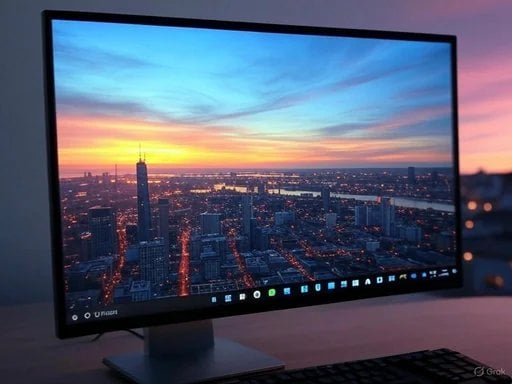
 A Closer Look at Windows Spotlight
Windows Spotlight, initially introduced with Windows 10 and carried over into Windows 11, is designed to automatically fetch stunning images from the web, emphasizing various themes and locations. Users can interact with these images, providing feedback about their preferences, which in turn refines the types of photos delivered. The feature doesn't just enhance aesthetic appeal; it fosters a blend of personalization, as users can express their interests in various landscapes—ranging from picturesque nature scenes to urban landscapes.
Benefits of Windows Spotlight
- Dynamic Content: Every time you log on or refresh your desktop, a new, stunning image greets you, creating a refreshing and engaging desktop experience.
- User Interaction: Users can indicate their preferences by liking or disliking images, helping the algorithm learn and provide more tailored content over time.
- Comprehensive Information: Alongside beautiful wallpapers, users receive contextual information about the scenes, including related links for further exploration.
The Latest Update: Reducing UI Clutter
The recent leak shared by tech enthusiast PhantomOfEarth on social media has shed light on new developments in the Windows Spotlight feature. Microsoft's aim is to minimize intrusive UI elements that can detract from the aesthetic enjoyment of the wallpaper. According to the information shared, there are multiple UI variants in the pipeline that will allow for a more focused view of the imagery.
Key Changes
- Hiding the Excess UI: Users will be able to hide search links and additional UI elements that typically accompany the Spotlight feature. This change is particularly significant for those who prefer a cleaner, less cluttered desktop.
- Three Display Options: The update introduces three settings for users to choose from:
- Full Interface: Maintain the existing layout, displaying all available information and search options.
- Reduced Interface: Toggle to a minimal UI setup that still keeps essential features while reducing visual clutter.
- Hide Interface: An option to fully hide UI elements, focusing exclusively on the wallpaper.
- Enhanced Photo Showcase: By allowing users to choose how much UI they want to see, Microsoft is enhancing the primary function of the Spotlight feature: showcasing beautiful images.
How Will This Impact Users?
As Microsoft continues to evolve user-centric features like Spotlight, it paves the way for a more individualized experience tailored to personal preferences. This update helps users engage more deeply with the aesthetic elements of their desktops, allowing them to appreciate artwork without unnecessary distractions.
Significance of the Update
User Experience
This enhancement aligns with current UI/UX design principles that emphasize minimalism and user engagement. By providing customization options, Microsoft caters to a user's preference for personalization, which can enhance overall user satisfaction. Users who relish their desktop experience will appreciate the ability to curate their view and remove elements that may undermine the visual appeal of their wallpapers.
Technical Considerations
In a broader sense, these UI changes reflect an evolving understanding of user interactions within Windows. It symbolizes Microsoft's commitment to addressing feedback and continuously improving user interfaces not just within standard applications, but across integral features of Windows 11.
Community Reactions
Initially, reactions from the community towards these changes have been positive, highlighting users' desire for customization. The Windows Insider community, always eager to provide feedback, appears to be optimistic about this direction. A cleaner UI helps users focus on content rather than distractions, enhancing productivity and enjoyment.
Conclusion
In conclusion, Microsoft's initiative to reduce the UI impact of the Desktop Spotlight feature is a step in the right direction toward a more user-friendly experience. By aligning with contemporary design preferences, the updates promise to allow users to fully engage with the visual beauty of their desktops while retaining essential functionalities. As Windows enthusiasts, it's essential to stay updated with these changes that reflect user feedback and enhance overall usability. Microsoft appears to be listening and evolving—qualities that signify a good omen for future updates. Windows users can look forward to a more personalized, visually engaging desktop environment, making the experience of using Windows 11 even more enjoyable. Should you decide to explore this feature, be prepared for a refreshing change that will transform not only the look of your desktop but also the way you interact with it daily.