
The useful correction to the initial reports is versioning: this is a Firefox 154 feature, not Firefox 153.0.1. Mozilla’s release channel shipped Firefox 154 on August 18, 2026, and its formal release notes specifically identify Firefox on Windows as a supported GeForce NOW browser. Anyone still running Firefox 153, including its point releases, should update rather than assume the service is officially supported.
The practical result is straightforward: Firefox is now a first-class option alongside Chrome, Microsoft Edge, and Opera for Windows users who want to access GeForce NOW at play.geforcenow.com. It is a browser compatibility change, not a change to game ownership, GeForce NOW’s catalog rules, subscription limits, or the network realities of cloud gaming.
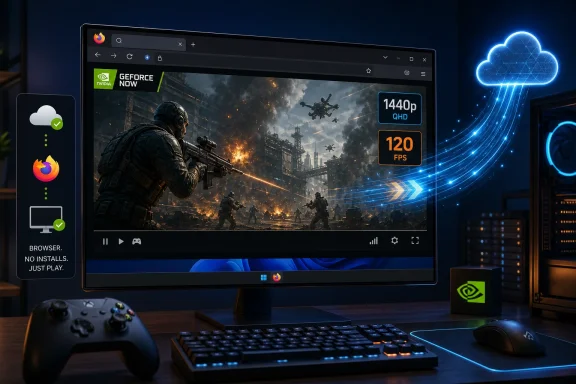 Firefox 154 is the confirmed minimum release
Mozilla’s release notes establish the important baseline: Firefox 154.0 was first offered to Release channel users on August 18, and its feature list says that Firefox on Windows is supported for NVIDIA GeForce NOW. Mozilla’s accompanying announcement says the two companies spent months working on the integration, framing cloud gaming as a demanding browser workload where video decoding, input handling, latency, fullscreen behavior, and streaming stability all have to work reliably at once.
That formal support status matters more than merely being able to load the site. Before this change, Firefox users could encounter a browser-support block or run into behavior NVIDIA had not committed to troubleshoot. Firefox is now on the supported-browser list, which means compatibility failures have a clearer escalation path through Mozilla and NVIDIA instead of being treated as an unsupported configuration.
NVIDIA’s August 20 GFN Thursday post describes Firefox support as available “starting today,” while Mozilla’s August 18 blog post and Firefox 154 release notes already described it as live. The public record therefore points to August 18 as the earliest confirmed availability date, with NVIDIA’s later post serving as its weekly service announcement rather than the first indication that the feature existed.
For Windows users, the immediate requirement is to update to Firefox 154 or later and use the normal GeForce NOW web player. The Firefox release does not make Windows 8.1 or older systems eligible: Mozilla notes that current Firefox itself is no longer supported on Windows 8.1 and earlier.
The browser replaces the client install, not the cloud-gaming requirements
The headline benefit is convenience. A user can sign into GeForce NOW in Firefox, connect supported Steam, Epic Games Store, GOG, Ubisoft Connect, or Xbox PC Game Pass accounts, and launch a title without first downloading a multi-gigabyte game install or NVIDIA’s Windows client.
But browser delivery does not turn every older PC into a high-end local gaming machine. The game runs in NVIDIA’s data center, yet the local system must still decode a high-bitrate video stream promptly and return controller, mouse, and keyboard input with minimal delay. A weak GPU, a heavily loaded CPU, an outdated graphics driver, poor Wi-Fi, packet loss, or a distant NVIDIA data center can still make a game feel worse than its rendered image suggests.
NVIDIA’s published browser guidance calls for:
- A 64-bit Windows 10 system or newer, with Firefox updated to the latest release.
- At least 15 Mbps for HD streaming at up to 60 fps, 25 Mbps for 1080p at 60 fps, and 35 Mbps for 2560 × 1440 at 120 fps.
- Less than 80 milliseconds of latency to an NVIDIA data center, though lower latency remains preferable for responsive games.
- Ethernet or stable 5 GHz Wi-Fi, plus a 120 Hz display if the goal is to see a 120 fps stream rather than simply request one.
The 1440p/120 fps figure is also a ceiling, not a default entitlement. NVIDIA reserves browser-based QHD streaming at 120 fps for GeForce NOW Ultimate members. A display running at 60 Hz, an inadequate connection, a server-side limitation, or a game that does not benefit from high frame rates can make the top setting unnecessary or unavailable in practice.
Firefox removes a Chromium-shaped gap on Windows
This change carries more weight than another streaming shortcut because Firefox is the only major Windows browser in NVIDIA’s supported group that does not use Chromium’s Blink engine. Chrome, Edge, and Opera all share Chromium ancestry even if their features and policies differ. Official Firefox support gives users who prefer Mozilla’s browser a way to use GeForce NOW without changing browsers specifically for game streaming.
Mozilla’s own announcement leans into that point by presenting GeForce NOW as compatible with the rest of a Firefox workflow: a game in fullscreen, Discord in a separate view, a guide in another tab, and no browser switch required. That is marketing language, but the underlying user benefit is genuine for people who maintain Firefox as their default browser for privacy settings, extensions, profiles, containers, or enterprise-managed configurations.
It does not mean every Firefox customization is automatically compatible. Content blockers, privacy extensions, strict cookie controls, VPN routing, corporate proxies, filtered DNS, and browser policies can interfere with authentication, storefront sign-ins, controller detection, video playback, or the streaming session itself. NVIDIA and Mozilla have announced support for the browser; neither has published a compatibility matrix covering every extension, network policy, codec path, or managed Windows configuration.
For administrators, that distinction is worth preserving. Firefox 154 makes the browser a supported access route, but a managed environment still needs to permit GeForce NOW’s web traffic and the connected game-store authentication flows. If an organization blocks consumer cloud-gaming services or applies restrictive browser policies, this update does not override those controls.
Windows-only support remains a limitation
Mozilla and NVIDIA are explicit about the platform scope: Firefox support is for Windows. Mozilla’s wording says “Firefox on Windows,” and NVIDIA says Firefox joins Chrome, Edge, and Opera as GeForce NOW options on Windows browsers.
That means this is not a general Firefox rollout across desktop platforms. Firefox users on macOS and Linux should not read the Windows announcement as a promise of identical support, performance settings, or troubleshooting coverage. Mozilla has not published a delivery date for Firefox support on those platforms, and NVIDIA’s browser requirements page still separates browser support and capabilities by operating system.
The omission is especially relevant to Linux users, who often rely on browser access for cloud gaming. NVIDIA already provides a Linux path for GeForce NOW, but that does not establish official Firefox-on-Linux browser support. Until NVIDIA and Mozilla make that announcement, Firefox users outside Windows should treat any successful access as outside the newly confirmed support scope.
What Windows users should do now
The sensible rollout is small: update Firefox, verify the version under Firefox’s About page, open the GeForce NOW web player, and test a familiar game before treating the browser route as a replacement for the native client. Start with the service’s recommended automatic settings, then move to a custom resolution and frame-rate target only after confirming that the connection is stable.
The native Windows app remains relevant for users seeking features beyond the browser’s stated 1440p/120 fps ceiling, or for those troubleshooting codec, controller, HDR, or streaming-performance problems. NVIDIA’s announcement does not claim Firefox reaches feature parity with every capability offered by its Windows application.
For everyone else, Firefox 154 closes a long-standing compatibility gap. The next concrete date is August 25, when Mozilla says it and NVIDIA will share more about the partnership at Gamescom; until then, the confirmed change is narrower but useful: on supported Windows PCs, GeForce NOW is now an officially supported Firefox workload rather than a reason to install another browser or client.