
A Forza Horizon 6 player who says a Steam Deck crash has left their Xbox cloud save unusable for 70 days may have run into a real recovery gap—but the record does not support the broader claim that an Xbox console is the only way forward. Microsoft’s own Forza Support documentation, updated on August 4 and August 5, describes Steam- and cloud-gaming-based reset paths alongside the console method. The problem is that those routes still demand a fresh save that can successfully synchronize, precisely where the player says their account fails.
Windows Central first highlighted the account from a post in the Steam Deck subreddit. The player, posting as “golfben,” says Forza Horizon 6 crashed during a sync in late May, then began returning error E:0-19 across SteamOS, Linux, and Windows. They characterize the failure as a stuck server-side upload state and say they were unable to upload even a newly created offline save once the game reconnected.
That last diagnosis has not been independently confirmed by Microsoft, Playground Games, or Valve. But the wider premise—that Forza Horizon 6 has had material save and cloud-sync failures—is no longer in dispute. Forza Support has acknowledged lost or reset progress affecting some players, issued Gaming Services and Xbox platform fixes, and specifically warned people moving among Steam, Xbox consoles, Xbox on Windows, and Cloud Gaming to allow saves to finish syncing before closing a game or switching devices.
The Steam Deck is where this player’s problem began, but it is not where it apparently remains. According to the Reddit account, the same linked Microsoft/Xbox profile fails on a Steam Deck, a Linux PC, and a Windows PC. The player says local troubleshooting—including deleting local data, rebuilding the Proton prefix, signing out and back in, and creating a new offline save—did not resolve the server-side sync refusal.
That distinction is important. A Steam Deck crash, especially under Proton, could be a platform-specific fault. A cloud-saved account that cannot be used after moving to Windows is a different class of incident: the cross-save service has become the single point of failure for every client tied to that account.
Playground Games promoted Forza Horizon 6 as Steam Deck Verified and as supporting cross-save across Xbox Series X|S, Windows PC, Steam, SteamOS handhelds, and the later PlayStation 5 release. The Steam store page also requires a linked Xbox Live account. The convenience of that design is clear: progression follows the account, not the device. Its downside is on display here. If the authoritative cloud state is damaged or locked, changing operating systems does not create a clean escape hatch.
There are other reports of E:0-19, loading, and sync failures from Forza Horizon 6 players on Steam Deck and Windows, though they do not establish that every case has the same cause or that a PlayFab upload lock is responsible. Steam Deck HQ’s early testing also recorded a crash after the May 13 patch, despite generally finding the game playable on the handheld. One reported account is not proof of a widespread Steam Deck defect; Microsoft’s own save-loss notices, however, confirm that the game has had broader save-recovery problems since launch.
The Reddit post says a final support response stated that the corrupted data could not be fixed or recovered, and advised deleting the cloud save from an Xbox console—potentially one owned by a friend or family member. The player says they do not own an Xbox because they bought the €100 Premium Edition on Steam.
Forza Support’s updated lost-progress guidance does recommend an Xbox console as the easier route, even for Steam customers. But it explicitly includes methods to wipe a Forza Horizon 6 save from Steam and through Xbox Cloud Gaming. Its Steam instructions tell players to disable Steam Cloud, remove Steam and local Forza save data, launch the game on a new save, then re-enable sync. Its alternative Forza Horizon 6 instructions include launching offline, completing the introduction, saving, reconnecting, and choosing the local save at the sync prompt.
More significantly, the same support document outlines a cloud-gaming route to delete game saves through the Xbox web player’s storage-management controls. That method only lists games played through Xbox Cloud Gaming in the previous 30 days. For a Steam-only owner, it may mean obtaining a cloud-gaming entitlement before the game can be launched there—an added cost and a poor substitute for a support escalation—but it is not a requirement to physically obtain an Xbox console.
The document also explains the likely reason the player saw no cloud save in the browser: if a game has never been launched through Xbox Cloud Gaming, it will not be displayed in the cloud-management list. Forza Support’s instruction is to launch the game through Cloud Gaming, create a save, exit, wait a minute or two, then return to the storage screen. That is essentially the community workaround discussed in the Reddit thread, but it has since become part of the vendor’s documented process.
None of that proves it will work for this account. The player says the cloud state blocks every new save from synchronizing, and the official support guide itself warns that a damaged account may require a complete deletion before play can resume. What it does prove is that the reported advice was either incomplete, stale, or poorly communicated. By August 6, the public guidance already described recovery options beyond “borrow a console.”
The same support notice says a separate change was rolled out for all players to reduce the chance of total data loss. If the game detects a loss scenario, it is supposed to show a conflict dialog where a player can select the cloud save and restore the most recent version. Microsoft says this should reduce a full loss to one session. That is a mitigation for future incidents, not evidence that the 70-day-old account described on Reddit has an accessible restore point.
The public guidance is also unusually candid about the limits of support. If recovery fails, players may need to permanently delete the save and start again. After the player reaches online mode on the new profile, Forza Support says it can reproduce a player’s identifiable inventory—cars, credits, cosmetic items, and Wheelspins—but cannot restore level, experience, skill points, campaign progress, tokens, or other progression.
That partially matches what the Reddit poster says they were offered: inventory restoration on a new save. Yet the proposed remedy is circular if the account cannot create a cloud-synced new save. Microsoft’s documentation assumes that deleting the bad state creates a working base. The player’s case alleges that it does not.
That makes the “just use an Xbox” advice more awkward than it first sounds. A Steam player may have shared progress, but they do not necessarily own the console version needed to install the game on a borrowed Xbox. A Game Pass subscription can provide a separate way into the game and, potentially, Cloud Gaming storage tools, but asking a customer to subscribe after a support failure shifts the cost of recovery back to the customer.
Microsoft’s technical position is more nuanced than “nothing can be done.” Its support pages describe rollback attempts, save deletion, cloud storage management, inventory restoration, and a new console restore feature. The customer-support failure is that none of those mechanisms appears to have produced a clear, validated path for the reported case—or an escalation to someone able to determine whether the account’s cloud state can actually be cleared.
For Steam Deck and Windows players, the immediate practical advice is less satisfying than it should be: update Gaming Services to version 37.114.10001.0 or later, avoid force-closing during a save, wait for the sync indicator to finish before changing devices, and preserve local save data before trying destructive reset steps. For anyone already seeing E:0-19 or an endless sync, Microsoft’s own documents now recognize that a complete save deletion may be the only recovery route—and that it can cost every piece of campaign progress that inventory restoration cannot replace.
That last diagnosis has not been independently confirmed by Microsoft, Playground Games, or Valve. But the wider premise—that Forza Horizon 6 has had material save and cloud-sync failures—is no longer in dispute. Forza Support has acknowledged lost or reset progress affecting some players, issued Gaming Services and Xbox platform fixes, and specifically warned people moving among Steam, Xbox consoles, Xbox on Windows, and Cloud Gaming to allow saves to finish syncing before closing a game or switching devices.
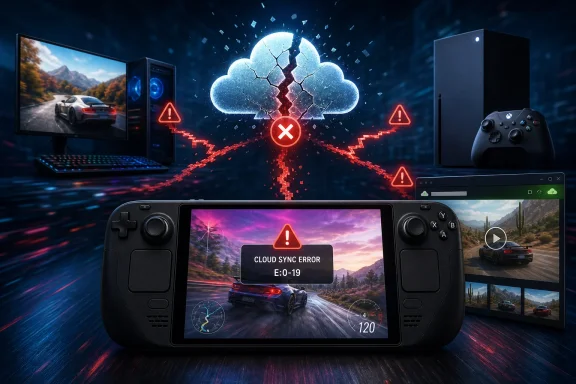 The reported failure crosses platforms
The Steam Deck is where this player’s problem began, but it is not where it apparently remains. According to the Reddit account, the same linked Microsoft/Xbox profile fails on a Steam Deck, a Linux PC, and a Windows PC. The player says local troubleshooting—including deleting local data, rebuilding the Proton prefix, signing out and back in, and creating a new offline save—did not resolve the server-side sync refusal.That distinction is important. A Steam Deck crash, especially under Proton, could be a platform-specific fault. A cloud-saved account that cannot be used after moving to Windows is a different class of incident: the cross-save service has become the single point of failure for every client tied to that account.
Playground Games promoted Forza Horizon 6 as Steam Deck Verified and as supporting cross-save across Xbox Series X|S, Windows PC, Steam, SteamOS handhelds, and the later PlayStation 5 release. The Steam store page also requires a linked Xbox Live account. The convenience of that design is clear: progression follows the account, not the device. Its downside is on display here. If the authoritative cloud state is damaged or locked, changing operating systems does not create a clean escape hatch.
There are other reports of E:0-19, loading, and sync failures from Forza Horizon 6 players on Steam Deck and Windows, though they do not establish that every case has the same cause or that a PlayFab upload lock is responsible. Steam Deck HQ’s early testing also recorded a crash after the May 13 patch, despite generally finding the game playable on the handheld. One reported account is not proof of a widespread Steam Deck defect; Microsoft’s own save-loss notices, however, confirm that the game has had broader save-recovery problems since launch.
Forza Support’s written guidance contradicts the dead-end narrative
The sharpest discrepancy is between the player’s account of support and the public documentation Forza Support is currently publishing.The Reddit post says a final support response stated that the corrupted data could not be fixed or recovered, and advised deleting the cloud save from an Xbox console—potentially one owned by a friend or family member. The player says they do not own an Xbox because they bought the €100 Premium Edition on Steam.
Forza Support’s updated lost-progress guidance does recommend an Xbox console as the easier route, even for Steam customers. But it explicitly includes methods to wipe a Forza Horizon 6 save from Steam and through Xbox Cloud Gaming. Its Steam instructions tell players to disable Steam Cloud, remove Steam and local Forza save data, launch the game on a new save, then re-enable sync. Its alternative Forza Horizon 6 instructions include launching offline, completing the introduction, saving, reconnecting, and choosing the local save at the sync prompt.
More significantly, the same support document outlines a cloud-gaming route to delete game saves through the Xbox web player’s storage-management controls. That method only lists games played through Xbox Cloud Gaming in the previous 30 days. For a Steam-only owner, it may mean obtaining a cloud-gaming entitlement before the game can be launched there—an added cost and a poor substitute for a support escalation—but it is not a requirement to physically obtain an Xbox console.
The document also explains the likely reason the player saw no cloud save in the browser: if a game has never been launched through Xbox Cloud Gaming, it will not be displayed in the cloud-management list. Forza Support’s instruction is to launch the game through Cloud Gaming, create a save, exit, wait a minute or two, then return to the storage screen. That is essentially the community workaround discussed in the Reddit thread, but it has since become part of the vendor’s documented process.
None of that proves it will work for this account. The player says the cloud state blocks every new save from synchronizing, and the official support guide itself warns that a damaged account may require a complete deletion before play can resume. What it does prove is that the reported advice was either incomplete, stale, or poorly communicated. By August 6, the public guidance already described recovery options beyond “borrow a console.”
Microsoft has acknowledged a recovery problem, not a universal fix
Forza Support’s August 5 update adds another complication. Xbox console users in the Xbox Insider program can browse available cloud-save versions and restore an earlier sync from the console, with wider rollout planned for the following week. This is a useful feature for players whose account still has a recoverable previous version. It does nothing for someone who owns only the Steam edition and has no console access—and it offers no stated equivalent control on Windows, SteamOS, or the web.The same support notice says a separate change was rolled out for all players to reduce the chance of total data loss. If the game detects a loss scenario, it is supposed to show a conflict dialog where a player can select the cloud save and restore the most recent version. Microsoft says this should reduce a full loss to one session. That is a mitigation for future incidents, not evidence that the 70-day-old account described on Reddit has an accessible restore point.
The public guidance is also unusually candid about the limits of support. If recovery fails, players may need to permanently delete the save and start again. After the player reaches online mode on the new profile, Forza Support says it can reproduce a player’s identifiable inventory—cars, credits, cosmetic items, and Wheelspins—but cannot restore level, experience, skill points, campaign progress, tokens, or other progression.
That partially matches what the Reddit poster says they were offered: inventory restoration on a new save. Yet the proposed remedy is circular if the account cannot create a cloud-synced new save. Microsoft’s documentation assumes that deleting the bad state creates a working base. The player’s case alleges that it does not.
Steam ownership is not Xbox Play Anywhere ownership
One point in the original Windows Central framing needs correcting. Forza Horizon 6 is an Xbox Play Anywhere title, but that entitlement applies to Xbox and Xbox-on-Windows purchases through Microsoft’s store ecosystem. A Steam purchase requires a linked Xbox Live account for cross-save and online services, but it does not automatically give the buyer an Xbox console or Xbox app license.That makes the “just use an Xbox” advice more awkward than it first sounds. A Steam player may have shared progress, but they do not necessarily own the console version needed to install the game on a borrowed Xbox. A Game Pass subscription can provide a separate way into the game and, potentially, Cloud Gaming storage tools, but asking a customer to subscribe after a support failure shifts the cost of recovery back to the customer.
Microsoft’s technical position is more nuanced than “nothing can be done.” Its support pages describe rollback attempts, save deletion, cloud storage management, inventory restoration, and a new console restore feature. The customer-support failure is that none of those mechanisms appears to have produced a clear, validated path for the reported case—or an escalation to someone able to determine whether the account’s cloud state can actually be cleared.
For Steam Deck and Windows players, the immediate practical advice is less satisfying than it should be: update Gaming Services to version 37.114.10001.0 or later, avoid force-closing during a save, wait for the sync indicator to finish before changing devices, and preserve local save data before trying destructive reset steps. For anyone already seeing E:0-19 or an endless sync, Microsoft’s own documents now recognize that a complete save deletion may be the only recovery route—and that it can cost every piece of campaign progress that inventory restoration cannot replace.
References
- Primary source: Windows Central
Published: August 6, 2026 at 5:32 PM UTC
Loading…
www.windowscentral.com - Related coverage: forza.net
Loading…
forza.net - Related coverage: steamdeckhq.com
Loading…
steamdeckhq.com - Related coverage: steamdeckhq.com
Loading…
steamdeckhq.com - Related coverage: forzahorizon6game.wiki
Loading…
forzahorizon6game.wiki - Related coverage: trueachievements.com
Loading…
www.trueachievements.com - Related coverage: steamhardware.io
Loading…
steamhardware.io - Related coverage: keengamer.com
Loading…
www.keengamer.com - Related coverage: fh6.willgameguide.com
Loading…
fh6.willgameguide.com - Related coverage: trueachievements.com
Loading…
www.trueachievements.com - Related coverage: windowscentral.com
Loading…
www.windowscentral.com - Related coverage: pcgamer.com
Loading…
www.pcgamer.com - Related coverage: pcgamer.com
Loading…
www.pcgamer.com - Related coverage: gamesradar.com
Loading…
www.gamesradar.com - Related coverage: techradar.com
Loading…
www.techradar.com - Related coverage: support.xbox.com
Loading…
support.xbox.com - Related coverage: support.xbox.com
Loading…
support.xbox.com - Related coverage: store.steampowered.com
Loading…
store.steampowered.com - Related coverage: store.steampowered.com
Loading…
store.steampowered.com - Related coverage: xbox.com
Loading…
www.xbox.com - Related coverage: xbox.com
Loading…
www.xbox.com - Related coverage: news.xbox.com
Loading…
news.xbox.com - Related coverage: forza.net
Loading…
forza.net - Related coverage: snippdocs.blob.core.windows.net
Loading…
snippdocs.blob.core.windows.net - Related coverage: techradar.com
Loading…
www.techradar.com - Related coverage: gamesradar.com
Loading…
www.gamesradar.com - Related coverage: tomsguide.com
Loading…
www.tomsguide.com