
 Overview
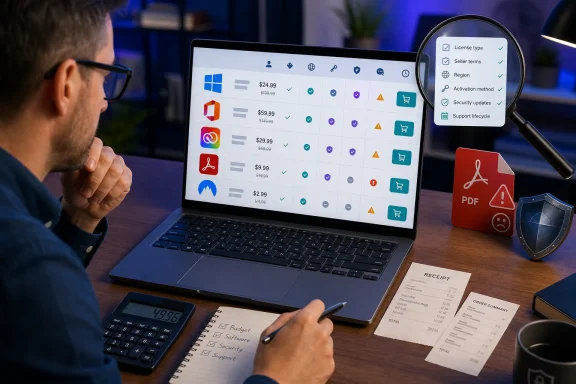
For freelancers, startups, and small organizations, software spending has become more complicated than simply purchasing a Windows license and an office suite every few years. Modern business stacks often include an operating system, office apps, PDF tools, design software, cloud storage, identity services, endpoint protection, and network privacy products. Individually, many of those costs appear manageable. Combined, they can become a recurring expense that is easy to underestimate.
That is the appeal of a marketplace such as G2A.COM. Rather than functioning like a single-vendor storefront, it connects buyers with sellers offering digital products, including game keys, subscriptions, software activation codes, and other digital goods. Its advertised prices can be substantially lower than direct retail pricing, particularly for older perpetual-license software, region-specific keys, promotional subscription codes, and volume-oriented products.
The central distinction is important: a low-priced activation key is not automatically equivalent to a conventional direct retail license. The product description, intended sales channel, geographical availability, transfer terms, and account requirements all matter. In business environments, where compliance, security updates, continuity, and vendor support carry real consequences, those details should be part of the purchasing calculation rather than an afterthought.
The offers highlighted here may still be worthwhile for the right buyer. A self-employed user who needs a legitimate one-PC office installation, a home lab operator upgrading a personal machine to Windows 11 Pro, or a creative professional seeking a short-term Adobe subscription could find material savings. However, organizations should not confuse a discounted upfront purchase with an all-purpose replacement for software bought through a vendor’s standard commercial channel.
Microsoft Office Professional Plus 2024: The Strongest Savings Claim—and the Most Important Licensing Detail
The headline Office offer is Microsoft Office Professional Plus 2024, promoted with a “lifetime” license starting at $17.52. According to the deal reporting, the package includes Word, Excel, PowerPoint, Outlook, OneNote, and Access, positioning it as an affordable alternative for people who prefer perpetual desktop applications to an ongoing Microsoft 365 subscription. The reported G2A offer frames the product as a permanent-access option for buyers who do not need constant cloud collaboration or feature releases.
What Office LTSC Professional Plus 2024 actually is
Microsoft’s own documentation adds critical context. Office LTSC Professional Plus 2024 is the long-term servicing version of Office designed primarily for commercial and government environments that cannot take frequent feature updates. It includes Access, Excel, OneNote, Outlook, PowerPoint, and Word, and Microsoft distributes the Professional Plus edition for Windows devices through volume licensing. Microsoft’s Office LTSC 2024 overview makes that channel distinction explicit.
That does not mean the software is inherently unsuitable for a smaller business. It does mean a buyer should avoid assuming that every listing titled “Office Professional Plus 2024” maps neatly to Microsoft’s consumer retail products. Microsoft’s standard consumer and small-business perpetual offerings are Office Home 2024 and Office Home & Business 2024. The latter includes Outlook and commercial-use rights, while Professional Plus belongs to the Office LTSC volume-licensing family. Microsoft’s Office 2024 launch announcement differentiates those retail editions from LTSC deployment options for organizations.
A perpetual purchase can be a sensible fit
A one-time Office purchase has real advantages when the software requirement is stable. A business that mainly prepares documents, invoices, spreadsheets, presentations, and local email may not need a subscription’s continuous stream of new features. The applications remain familiar, run locally, and do not become unusable simply because a monthly payment stops.
Microsoft describes Office 2024 as a one-time purchase of classic applications, while Microsoft 365 is a subscription service that receives the latest app features, ongoing security improvements, and cloud-connected capabilities. Microsoft’s comparison of Microsoft 365 and Office 2024 is clear that perpetual Office receives security updates but not future feature additions or major-version upgrades.
That makes the discounted Office offer potentially compelling for:
- Freelancers who work primarily on one Windows PC.
- Small businesses with established offline or local-file workflows.
- Users who do not depend on advanced Microsoft 365 collaboration.
- Organizations that prefer capital-style software purchases over recurring subscriptions.
- Buyers who have verified that the license’s intended use, activation method, device count, and region match their requirements.
The trade-off: Office 2024 is deliberately “locked in time”
The limitation is not hidden: perpetual Office editions are intentionally more static than Microsoft 365. Microsoft says Office 2024 and Office LTSC 2024 receive security and quality updates, but they do not receive new feature updates after release. Microsoft 365 Apps includes the LTSC feature set plus continuing collaboration, security, and productivity enhancements. Microsoft’s Office LTSC FAQ explains the difference.
That matters because Microsoft’s subscription platform increasingly combines desktop applications with services such as OneDrive, Exchange Online, SharePoint, Teams integrations, shared-document workflows, cloud identity controls, and evolving Copilot features. A perpetual install can be exactly the right productivity tool for one user, while being a poor fit for a business that expects real-time coauthoring, centralized user management, cross-device licensing, or cloud-first information governance.
The 2024 release does bring useful improvements. Microsoft highlights a refreshed Office theme, improved accessibility capabilities, dynamic-array chart improvements in Excel, and broader refinements across the core apps. Microsoft’s Office 2024 and Office LTSC 2024 feature guide provides the clearest official overview of what changed. Still, buyers should treat these as a stable baseline rather than a route to every future Office innovation.
Checklist before purchasing a discounted Office key
The practical question is not simply whether an offer says “genuine.” It is whether the particular listing suits the business’s licensing and technical needs.
Before purchasing, confirm:
- Edition and channel: Is it Office Home & Business 2024, Office LTSC Professional Plus 2024, or another edition?
- Operating-system compatibility: Office LTSC Professional Plus 2024 is a Windows-oriented product; Access is not available on macOS. Microsoft’s LTSC documentation confirms that distinction.
- Activation mechanism: Does the listing use a retail-style Microsoft account redemption, a product key, MAK activation, or an organizational activation method?
- Device entitlement: Is the license for one device, multiple devices, or a named user?
- Commercial-use rights: Do not assume that consumer-oriented licensing and volume-oriented licensing have identical business-use terms.
- Region: “Global” claims should be checked against the listing’s activation restrictions and the buyer’s Microsoft account region.
- Support path: Determine whether installation and activation support comes from Microsoft, the seller, or marketplace dispute procedures.
For a carefully validated one-device deployment, the Office deal could be the most financially attractive offer in the group. For a growing organization, the savings can be quickly outweighed if the license does not align with expected deployment, compliance, or support needs.
Windows 11 Pro: A Low Entry Price for a Core Business Platform
The reported Windows deal offers Windows 11 Pro for $22.57 on G2A.COM. The promotion positions the license as a cost-saving way to upgrade office PCs, particularly for buyers deploying several systems.
Windows 11 Pro is the more business-oriented edition of Windows 11, adding capabilities beyond the Home edition that can matter in professional environments. Those include BitLocker device encryption management, Remote Desktop host support, domain and Microsoft Entra ID joining capabilities, Hyper-V virtualization support, Windows Sandbox, and more expansive policy and management options.
Why Windows 11 Pro can make operational sense
Windows 11 Pro’s value is not just its feature list. It is in the administrative flexibility that those features enable. A solo consultant may care about BitLocker and Remote Desktop. A small office may value group policy options, account-management integration, and the ability to fit systems into a more managed Windows environment as the business grows.
Microsoft continues to update Windows 11 through its regular servicing process, with platform changes spanning security, interface improvements, modern hardware support, and AI-related experiences on compatible devices. The reporting specifically highlights File Explorer improvements, stronger protections, multitasking refinements, and expanding Copilot integration. The G2A offers article captures why the OS has become a more mature proposition than it was at launch.
For WindowsForum readers, the more immediate point is that a Windows license governs the foundation underneath every other productivity and security investment. Saving money on the operating system can be valuable, but it is not a place to accept ambiguity casually.
Windows activation is not the whole procurement story
A key that activates Windows is useful, but activation alone does not answer every business question. Buyers should establish whether a listing represents a retail license, an OEM-style entitlement, a volume-license key, or another form of activation code. These categories can differ in how licenses are associated with a device, whether they can be moved to replacement hardware, and how support is handled.
That does not make marketplace purchases categorically inappropriate. It means the buyer must read the offer’s exact terms before payment, rather than infer rights from the words “Windows 11 Pro key.” A business replacing a failed motherboard, transferring a workstation license, or documenting software assets for an audit needs more clarity than a consumer installing Windows on one long-lived personal desktop.
A sensible Windows 11 Pro purchase workflow looks like this:
- Verify that the PC meets Windows 11 hardware requirements before buying.
- Confirm that the listing is explicitly for Windows 11 Pro, not an upgrade-only key or an unclear edition.
- Check the advertised territory and activation method.
- Retain the invoice, product page, order confirmation, and seller information.
- Activate through Windows’ normal activation settings and document the resulting license state.
- Avoid using untrusted scripts, unofficial activators, or instructions that require disabling security controls.
- Ensure the business has an independent backup and recovery plan; a license key is not a system-recovery strategy.
The $22.57 offer is especially notable for multi-PC setup costs. Yet that is also where sound license recordkeeping becomes more important. Buying several inexpensive keys without tracking which system received which entitlement can create administrative confusion that erases the original savings.
Adobe Creative Cloud Pro: Short-Term Savings Versus Continuous-Service Needs
Adobe Creative Cloud Pro is the most service-oriented offer in the lineup. The deal reporting says that a three-month plan is available through G2A.COM starting at an effective $11 per month, compared with Adobe’s stated $99.99 monthly price for Creative Cloud Pro. The marketplace offer summary characterizes it as an accessible way to obtain Photoshop, Illustrator, Premiere Pro, Acrobat, and Adobe Firefly capabilities.
Adobe’s own business pricing page lists Creative Cloud Pro at $99.99 per license per month when billed annually, with more than 20 Creative Cloud apps, Acrobat Pro, and Firefly creative AI included. Adobe’s official Creative Cloud plans page confirms both the pricing structure and broad application bundle.
Why the deal is attractive
For a freelancer with a temporary project, a marketing agency covering a short production cycle, or a small business that needs professional image, video, and PDF software immediately, a discounted three-month subscription can deliver substantial short-term budget relief.
Creative Cloud remains deeply embedded in professional design, photography, publishing, video, and brand workflows. Bundling Adobe’s major apps under one plan can be simpler than managing multiple single-app subscriptions, especially where a project needs Photoshop image work, Illustrator vector design, Premiere Pro video editing, and Acrobat document handling at once.
The appeal is amplified by Adobe Firefly integration. Generative tools, including image-generation and editing capabilities, have become part of Adobe’s broader creative workflow, and access to premium AI features is increasingly tied to subscription tiers and generative-credit allocations. Adobe’s plan information presents Firefly creative AI as part of the Creative Cloud Pro proposition.
Where businesses need to be careful
A discounted Adobe subscription should be evaluated as a time-limited entitlement, not as a permanent replacement for a production software budget. Buyers should confirm the exact subscription duration, whether the code is redeemable in the United States, whether it applies to new or existing Adobe accounts, whether it auto-renews, and what price applies once the promotional period ends.
Adobe-centric workflows also create a continuity issue. A business may be able to create assets during a three-month discounted term, but it should plan for what happens afterwards. Projects using Adobe Fonts, cloud documents, shared libraries, Adobe Stock assets, or paid Firefly features can have dependencies that extend beyond a single promotional subscription.
This is where the total cost of ownership calculation matters more than the introductory price. A short G2A offer is ideal if the requirement is short. It is less compelling if the business needs Adobe apps continuously, must manage multiple users, or requires centralized administration and predictable renewals.
Adobe Acrobat Standard 2020: Cheap, Useful, and No Longer Supported
The most striking price in the roundup is Adobe Acrobat Standard 2020, advertised from $1.63. The deal report presents it as a low-cost solution for editing, signing, and managing contracts, invoices, forms, and PDFs.
The price is undeniably appealing. But this particular offer comes with a major caveat that should override the bargain framing for many business uses: Adobe Acrobat 2020 reached end of support on November 30, 2025.
Adobe states that end of support means it no longer provides technical support or security updates for Acrobat 2020 and related derivatives. Adobe recommends upgrading to a current Acrobat version, identifying Acrobat Pro 2024 as its latest desktop-only, non-subscription alternative with support. Adobe’s Acrobat 2020 end-of-support notice leaves little room for interpretation.
Why end of support changes the equation
PDF software routinely processes documents received from customers, suppliers, legal contacts, financial institutions, and the open web. That makes unpatched document-handling applications a poor candidate for a long-term business deployment, particularly on systems handling confidential data or connected to corporate services.
Acrobat Standard 2020 may still install and perform basic desktop PDF work. Adobe continues to provide installer information for owners with valid serial numbers. Adobe’s Acrobat 2020 installation guidance shows that availability of installation media is distinct from active support.
The problem is not whether the product can open a PDF. The problem is whether a business should normalize the use of a document-processing application that no longer receives security fixes. For a disconnected legacy workflow with strict controls, the product might have narrow utility. For everyday contracts, customer records, invoices, and externally sourced PDFs, it is difficult to recommend as a frontline tool.
The $1.63 price is therefore best interpreted as a legacy-software price, not evidence of an unusually modern business software opportunity. The savings are real, but the support status should be the decisive consideration.
NordVPN Basic: Inexpensive Coverage for Multiple Devices
The G2A.COM offer for NordVPN Basic starts at $3.43 for a one-year subscription, according to the supplied reporting. It is positioned as a low-cost privacy and security tool that can cover up to 10 devices. The G2A deal coverage also highlights NordVPN’s server network, no-logs policy, and tools such as Meshnet and Threat Protection.
For freelancers and small teams working on hotel Wi-Fi, airport networks, cafés, shared co-working spaces, or remote locations, a VPN can add an important layer of protection for traffic moving between a device and the wider internet. It can also be useful when staff need secure remote access to their own equipment.
What NordVPN’s tools do—and do not do
NordVPN’s Meshnet creates direct encrypted connections between devices, functioning much like a secure private network. NordVPN says a Meshnet network can include up to 10 devices owned by the same account and up to 50 external devices. NordVPN’s Meshnet documentation explains the feature’s role in direct device access, file sharing, and remote connectivity.
Its Threat Protection Pro feature is more than a traditional VPN tunnel. NordVPN says it can block ads, trackers, malicious URLs, and some malware-bearing downloads, and can operate without an active VPN connection on supported Windows and macOS devices. NordVPN’s Threat Protection support guide also notes that the more basic Threat Protection feature relies on DNS filtering and requires a connection to a NordVPN server.
Those capabilities are useful, but they should not be overstated. A VPN is not a replacement for endpoint security, operating-system updates, encrypted backups, multifactor authentication, staff training, password management, or sensible access controls. It is a component in a layered security strategy—not the strategy itself.
As with the Adobe offer, buyers should validate whether the discounted NordVPN code applies to new users only, whether it can be added to an existing account, whether the listed region is compatible, and whether automatic renewal is enabled at the end of the term.
How to Buy Marketplace Software More Safely
The best use of discounted software marketplaces is disciplined purchasing, not impulse buying. The savings can be significant, but buyers need a repeatable process that considers more than the number displayed next to the “Buy” button.
Treat every listing as its own licensing product
A marketplace listing is not merely “Office,” “Windows,” or “Adobe.” It is a specific offer from a specific seller with a defined code type, delivery method, region, usage period, and redemption process.
That is especially important for software that exists in multiple channels. Office 2024 consumer licenses, Office LTSC licenses, Microsoft 365 subscriptions, OEM Windows licenses, retail Windows licenses, Adobe subscription vouchers, and old Acrobat serial-number products all have different practical implications.
Maintain evidence of the purchase
Businesses should preserve:
- The complete product title and listing description.
- The seller name and rating at the time of purchase.
- Region and compatibility information.
- Delivery terms and activation instructions.
- Order numbers, receipts, and invoices.
- Screenshots of any “lifetime,” “global,” or device-count claims.
- Correspondence related to activation problems or refunds.
This documentation is valuable not only for marketplace disputes, but also for routine software asset management. A $20 key becomes far less economical if nobody can prove where it came from or which device it belongs to six months later.
Avoid unsafe activation practices
No discounted offer is worth compromising the PC that will use it. Buyers should never run unknown activators, command scripts, crack tools, or “license fix” utilities. Those tools can undermine Windows security, introduce malware, alter system files, or make a future legitimate activation more difficult.
A genuine key should work through the product’s documented activation flow. If a seller’s instructions require bypassing Microsoft or Adobe licensing controls, disabling antivirus protection, or installing untrusted software, that should be treated as a serious warning sign.
The Bottom Line
G2A.COM’s advertised discounts are compelling because they target the software categories businesses buy repeatedly: Windows 11 Pro, Microsoft Office, Adobe Creative Cloud, PDF tools, and VPN services. The reported prices could help freelancers and small businesses reduce immediate setup costs, particularly when the need is limited to one device, one user, or a defined project period.
The Office Professional Plus 2024 and Windows 11 Pro offers have the strongest potential value, provided buyers confirm the exact licensing channel, activation terms, region, and device entitlement. The Creative Cloud Pro promotion can make sense for short creative engagements, but it should be budgeted as a subscription with an end date. NordVPN Basic is a low-cost way to cover multiple devices, though it belongs alongside—not instead of—core security controls.
The Adobe Acrobat Standard 2020 deal requires the clearest warning. Its price may be exceptionally low, but Adobe ended support and security updates on November 30, 2025. For business systems handling external PDFs and sensitive documents, that support status makes the apparent bargain difficult to justify.
The sensible conclusion is not that discounted marketplace software should be ignored. It is that software savings should be measured against licensing fit, support lifecycle, security exposure, and operational continuity. When those checks are satisfied, G2A.COM offers may reduce the cost of a practical Windows business software stack without forcing every buyer into full-price, long-term subscriptions.
