
The immediate Windows consequence is straightforward: VS Code shops can install a marketplace extension now, while teams built around full Visual Studio and .NET solutions can test a separate VSIX extension in preview. Google’s Antigravity documentation says the VS Code extension supports Windows, macOS, and Linux; the Visual Studio integration is specifically positioned for Visual Studio 2026 and .NET solution architectures.
As first reported by The New Stack, the product shift is about getting Antigravity into the editors developers already use. Google’s own announcement makes the strategy even clearer: Antigravity 2.0 remains the place for multi-agent orchestration, but the company now treats conventional editors as the place to inspect code paths, diagnose compiler problems, debug, and make localized changes. The Register independently reported the same expansion and tied it to Google Cloud administration and billing controls.
This is a practical reversal of the usual “AI IDE” pitch. Instead of asking an enterprise to standardize around another desktop environment, Google is moving its agent harness into the tools that already sit on developer workstations. For organizations that have resisted standalone AI coding products because they create another extension estate, another sign-in path, or another application to secure, that is the part worth watching.
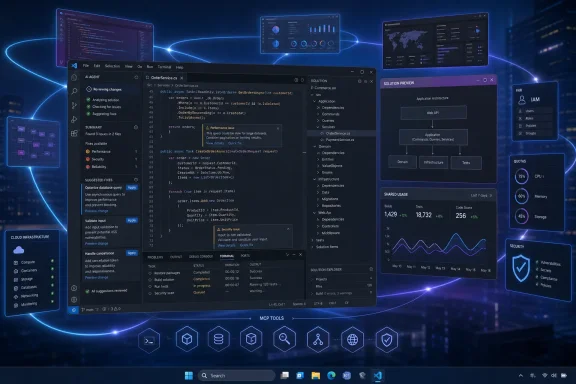 Visual Studio Code gets the finished path; Visual Studio is still a preview
The support matrix is not uniform, despite the broad launch announcement. Visual Studio Code is the most complete Windows option today: it is available through Microsoft’s Visual Studio Code Marketplace and carries the full extension experience, including an agent side panel, inline change review, plans, and multi-step task execution.
Visual Studio’s Antigravity extension is explicitly in preview. Google says it installs through the Visual Studio Marketplace or Visual Studio’s extension manager, requires a restart, and runs from the main toolbar. That makes it relevant to Windows developers maintaining .NET applications, but it is not a signal to replace a production Copilot, ReSharper, or other established workflow without a pilot.
JetBrains support begins with version 2026.2.1 and covers IntelliJ IDEA, PyCharm, WebStorm, GoLand, CLion, Rider, and related IDEs. However, Google labels enterprise support for both JetBrains and Zed as preview. That distinction matters for mixed Windows engineering teams: the extension may be available to install, but the governed Gemini Enterprise experience is not equally mature across every editor.
Google’s own documentation also uses overlapping product names that administrators should not confuse. The earlier Antigravity IDE is a standalone agentic development environment and is not supported for enterprise deployments. The new product is Antigravity for IDEs, an extension layer that connects existing editors to the Antigravity service. Google’s current enterprise documentation supports Antigravity 2.0, Antigravity CLI, and the newly announced IDE extensions—not a blanket endorsement of every standalone Antigravity editor build an employee might already have installed.
The control plane, not the extension, decides enterprise readiness
Installing an extension is the easy part. The real deployment decision is whether an Antigravity session inherits the right identity, network, data-residency, and access policies once it starts inspecting repositories, running commands, opening a browser, or calling an MCP server.
Google says enterprise users can sign in through Gemini Enterprise or Google Cloud credentials, including Workforce Identity Federation and Application Default Credentials. They then choose a Google Cloud project and region. According to Google’s extension documentation, those sessions follow the organization’s IAM policies, VPC Service Controls, and relevant custom dual-region or sovereign-cloud boundaries; Google also says enterprise prompts, code, responses, and agent transcripts are not used to train its foundation models.
Those guarantees address an important procurement barrier, but they do not reduce every risk to a checkbox. Antigravity is designed to do more than generate a function in a chat panel. Google describes agents that can inspect local code, execute terminal commands, interact with browsers, and use Model Context Protocol tools. Its enterprise announcement says administrators can restrict workspaces, browser access, and MCP server permissions, while The Register reported that policy settings can require approval for terminal commands or confine execution to a sandbox.
For Windows administrators, the correct comparison is therefore not a conventional autocomplete extension. It is closer to granting a developer-facing automation client access to local source trees and selected cloud or SaaS tools. A safe rollout should begin with repositories that contain no production credentials, no customer data, and no privileged deployment path. The first policy review should inventory which MCP servers are allowed, whether the agent can use a browser, what folders it can read or write, and what it may execute unattended.
Google itself warned in a May security post that agentic development environments extend the attack surface beyond source code: repository instructions, runtime settings, agent configuration files, and extension packages can influence what an agent trusts and executes. That makes repository-level agent instructions and MCP configurations part of the software supply-chain review, rather than developer convenience settings.
Google’s quota model can turn one engineer into a team-wide outage
The more revealing part of the launch is billing. Google bundles Antigravity into eligible Gemini Enterprise subscriptions, but included developer-tool credits are not a personal allowance in the way the pricing language initially suggests.
Google’s published quota documentation assigns Gemini Enterprise Standard customers $10 in included Antigravity credits per user each month and Plus customers $15. Yet the same documentation says those credits are enforced as a shared, rolling seven-day pool within the same edition, Google Cloud project, and location. The monthly per-seat amount is divided by four, then multiplied by the number of licensed seats; unused credit does not roll into the following week.
That means a 100-seat Standard deployment nominally carrying $1,000 in monthly included developer-tool credit operates as a roughly $250 shared weekly pool. One heavy user, or a small group running agentic refactors and repeated test cycles, can consume it before colleagues begin their work. Google’s documentation is direct: individual user caps do not apply by default unless an administrator configures them.
This is where the marketing copy and the operational documentation do not fully line up. Google’s August 20 product post says administrators can set budget thresholds across projects, teams, and individuals. But the currently published configuration procedure details a project-level monthly spend limit for Antigravity and other Gemini Enterprise services. It does not provide a documented procedure for setting a separate per-developer or per-team Antigravity allocation. Organizations should not assume those granular controls are already available merely because the platform announcement describes them.
The cost controls have other limits. Overages require an invoiced Cloud Billing account and an active non-trial subscription. If overages are enabled, usage continues at pay-as-you-go rates after the pooled quota is depleted; if they are disabled, users are cut off for that feature until the quota resets. Google says a project spend cap stops overage usage, but warns that enforcement can take a few minutes, so charges can exceed the selected limit. Its cost-management documentation also says Gemini Enterprise does not automatically email or push-notify users when a pooled quota is exhausted or overage charges begin.
For a first deployment, administrators should treat the shared quota as a production resource:
- Create a dedicated Google Cloud project for the Antigravity pilot rather than attaching it immediately to a broad engineering project.
- Keep overages disabled until baseline usage is understood, or pair them with a tested monthly project spend cap.
- Turn on audit logging before authorizing browser actions, terminal execution, or MCP access.
- Test quota exhaustion deliberately so help-desk staff know what developers will see when the shared pool is depleted.
- Limit the pilot to the VS Code extension on Windows if it is the organization’s primary editor, rather than adding preview Visual Studio, JetBrains, and Zed deployments at once.
This is Google’s migration path after retiring consumer Code Assist access
The extension launch also resolves a gap Google created earlier this year. On June 18, Google stopped serving Gemini Code Assist IDE extension and Gemini CLI requests for individual, Google AI Pro, and Google AI Ultra tiers, directing affected users toward Antigravity and Antigravity CLI. Enterprise Gemini Code Assist arrangements were left intact, but Google was clearly consolidating its future agent strategy around Antigravity.
Antigravity for IDEs is the missing bridge between that consolidation and established coding habits. The standalone Antigravity 2.0 app is still Google’s preferred environment for coordinating multiple agents. The extension is deliberately lighter: it lets developers remain in Visual Studio Code, Visual Studio, Rider, or another established editor while using the same account identity, quotas, and policy boundary as Antigravity 2.0 and the CLI.
For Windows development teams, the change is significant because it removes the easiest reason to dismiss the platform: a mandated editor migration. It does not remove the need to govern an agent that can act on code, a shell, a browser, and connected tools. The extension gets Antigravity onto the workstation; the IAM roles, MCP allowlist, sandbox policy, audit logs, and project-level spending limit decide whether it belongs there.