
Google is now telling U.S. users that QR-code pairing for Google Messages on the web is no longer available, signaling the end of a familiar way to bring Android texts to a Windows PC without typing in a Google account. Google’s own Messages support documentation now carries the notice, while Android Authority reports that the QR option was still visible in both the Android app and the web portal as of July 28.
The change does not retire Google Messages for web. It changes the onboarding path: users setting up Messages on a new PC will need to sign in with the same Google Account selected in Google Messages on their phone.
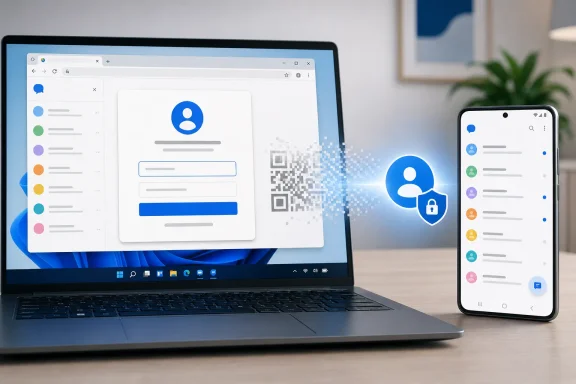
Android Authority first reported warnings about the QR-pairing retirement in March, then found the scanner option missing from beta versions of the Android app in May. Google’s support pages now make the U.S. restriction explicit, but the remaining UI suggests a staged server-side rollout rather than a feature that vanished everywhere at once.
That distinction matters for Windows users who rely on the browser client at work or across several PCs. An existing paired session may continue to function, but the QR method should no longer be treated as a dependable way to reconnect after clearing browser data, changing machines, or unpairing a device.
The trade-off is straightforward. QR pairing offered a quick, local-feeling handoff that could be convenient on a secondary machine; account sign-in puts Google Account authentication at the center of the experience. That may be easier to manage for users already signed into Chrome or Edge, but it also makes account recovery, multi-factor authentication, and browser-profile hygiene more important.
For shared or managed Windows devices, admins should discourage persistent browser sessions for personal messaging accounts and ensure users sign out when access is no longer needed. Anyone who depends on Messages for web should also confirm that their Android phone is signed into the intended Google Account before a device replacement or browser reset forces a new setup.
Google has not published a precise date for the final removal of the QR option from every Messages interface. Its support documentation, however, makes the direction clear: in the United States, Google Account sign-in is becoming the only supported path to Google Messages on the web.
The change does not retire Google Messages for web. It changes the onboarding path: users setting up Messages on a new PC will need to sign in with the same Google Account selected in Google Messages on their phone.
A gradual shutdown, not a clean cutover
Android Authority first reported warnings about the QR-pairing retirement in March, then found the scanner option missing from beta versions of the Android app in May. Google’s support pages now make the U.S. restriction explicit, but the remaining UI suggests a staged server-side rollout rather than a feature that vanished everywhere at once.That distinction matters for Windows users who rely on the browser client at work or across several PCs. An existing paired session may continue to function, but the QR method should no longer be treated as a dependable way to reconnect after clearing browser data, changing machines, or unpairing a device.
The account login becomes the default
Google’s documented replacement is account-based access. On a Windows PC, users will sign in to Google Messages for web with the same Google Account chosen in the Android Messages app, rather than scanning a browser-generated code from the phone.The trade-off is straightforward. QR pairing offered a quick, local-feeling handoff that could be convenient on a secondary machine; account sign-in puts Google Account authentication at the center of the experience. That may be easier to manage for users already signed into Chrome or Edge, but it also makes account recovery, multi-factor authentication, and browser-profile hygiene more important.
For shared or managed Windows devices, admins should discourage persistent browser sessions for personal messaging accounts and ensure users sign out when access is no longer needed. Anyone who depends on Messages for web should also confirm that their Android phone is signed into the intended Google Account before a device replacement or browser reset forces a new setup.
Google has not published a precise date for the final removal of the QR option from every Messages interface. Its support documentation, however, makes the direction clear: in the United States, Google Account sign-in is becoming the only supported path to Google Messages on the web.
References
- Primary source: Android Authority
Published: 2026-07-28T20:02:02+00:00
Google steps up its warnings about the end of this Messages feature
Google keeps prepping us for losing the ability to sign in to Messages on the web with a QR code - but it still works.www.androidauthority.com - Related coverage: support.google.com
- Related coverage: appdefensealliance.dev
- Related coverage: androidcentral.com
Google's QR code protection for chats in Messages offers a preview in beta | Android Central
This was spotted late last year, and it's something that would help ensure your chats are a little more secure.www.androidcentral.com - Related coverage: techradar.com
Google Messages is getting a new weapon to keep you safe from impersonation scams – here’s how it works | TechRadar
Google doubles down on its Messages security measureswww.techradar.com