
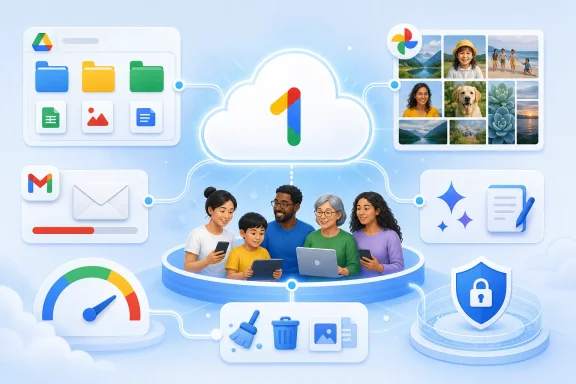
Google One subscribers who treat the service as nothing more than a Drive storage upgrade may be leaving backup, collaboration, family sharing and AI tools unused. A new BGR guide argues that the most practical fix is not simply buying more capacity, but auditing how Google Drive, Google Photos, Gemini and NotebookLM are configured around the subscription.
BGR’s July 31 rundown arrives as Google increasingly packages cloud storage with its AI subscriptions. Google’s current plan lineup and included benefits can vary by billing region, but the company has been tying higher tiers to expanded Gemini and NotebookLM access alongside storage shared by Drive, Gmail and Photos.
The most immediately useful advice is mundane: organize Drive before it becomes an archive nobody can search. For Windows users running Google Drive for desktop alongside OneDrive, that means using folders, meaningful filenames, colors and Drive’s move tools rather than dumping entire PC backup folders into one location.
Google One’s Storage Manager is the other essential stop. It can surface large files, contents of the trash and space consumed across Drive, Gmail and Photos—useful for identifying duplicate media, old attachments and forgotten backups before moving to a larger tier.
BGR also highlights Google Photos’ Storage Saver setting. It reduces upload sizes and can stretch a storage pool substantially, though users who need original-quality video or raw photography files should think carefully before enabling it. Compression is a capacity-management tool, not a substitute for a separate local backup.
BGR’s ten-point checklist spans the following overlooked areas:
That can be valuable for summarizing personal PDFs, generating drafts or working across a large set of research documents. But Windows users should avoid treating consumer AI features as an approved destination for corporate records, customer data, credentials or confidential source code. Employer policy, account settings and the data-handling terms of the specific service matter more than the fact that access came bundled with storage.
For most subscribers, the sensible next step is simple: check the exact plan shown in the Google One dashboard, run Storage Manager, review family sharing, and verify which benefits are actually active. The unused storage is easy to see; the unused features are where Google One’s monthly bill can become harder to justify.
 The Storage Pool Needs Housekeeping First
The most immediately useful advice is mundane: organize Drive before it becomes an archive nobody can search. For Windows users running Google Drive for desktop alongside OneDrive, that means using folders, meaningful filenames, colors and Drive’s move tools rather than dumping entire PC backup folders into one location.Google One’s Storage Manager is the other essential stop. It can surface large files, contents of the trash and space consumed across Drive, Gmail and Photos—useful for identifying duplicate media, old attachments and forgotten backups before moving to a larger tier.
BGR also highlights Google Photos’ Storage Saver setting. It reduces upload sizes and can stretch a storage pool substantially, though users who need original-quality video or raw photography files should think carefully before enabling it. Compression is a capacity-management tool, not a substitute for a separate local backup.
Google One Is Not Just a Drive Upgrade
The guide’s broader point is that Drive accepts far more than Office-style documents and photos. It can be used for application exports, archived installers, project files, media libraries and device migrations. That does not make it an ideal replacement for an image-based Windows backup, but it can be a useful off-device copy of important files.BGR’s ten-point checklist spans the following overlooked areas:
- Users should store and organize more than documents and phone photos, while keeping an independent backup for irreplaceable data.
- Google One’s Storage Manager should be used to find the files and mail that actually consume capacity.
- Google Photos’ Storage Saver can reduce the rate at which photo backups fill a shared pool.
- Paid subscribers should check whether Magic Editor is available to their plan and device.
- A Google Family Group can share eligible storage and benefits with up to five other people.
- Higher tiers may include increased Gemini usage and integrations in Gmail or Workspace apps.
- NotebookLM limits and capabilities can be materially better on qualifying subscriptions.
- Some higher subscriptions include access to Google’s newer AI products, but availability and limits change frequently.
AI Perks Need a Privacy Review
The AI portion of the bundle is where the value proposition becomes less straightforward. Google has linked its AI subscription tiers to Gemini, NotebookLM and other services, while moving some usage controls toward compute-based limits rather than simple daily prompt counts.That can be valuable for summarizing personal PDFs, generating drafts or working across a large set of research documents. But Windows users should avoid treating consumer AI features as an approved destination for corporate records, customer data, credentials or confidential source code. Employer policy, account settings and the data-handling terms of the specific service matter more than the fact that access came bundled with storage.
For most subscribers, the sensible next step is simple: check the exact plan shown in the Google One dashboard, run Storage Manager, review family sharing, and verify which benefits are actually active. The unused storage is easy to see; the unused features are where Google One’s monthly bill can become harder to justify.
References
- Primary source: bgr.com
Published: 2026-07-31T20:02:00+00:00
10 Ways You've Been Using Google One Wrong
Alongside the obvious perk of additional cloud storage, Google One packs in plenty of other features to take advantage of, despite not emphasizing them.www.bgr.com - Related coverage: kiplinger.com
Google Is Making Android Backups Count Against Your Free Storage | Kiplinger
Google is changing how Android device backups count toward free storage. Find out who may need more space and how to check your account.www.kiplinger.com - Related coverage: support.google.com
- Related coverage: blog.google
Google AI subscription updates from Google I/O 2026
Introducing a $100 AI Ultra plan — plus, new features and benefits for Google AI Plus, Pro and Ultra subscribers.blog.google - Related coverage: play.google.com
- Related coverage: store.google.com