
Android Central reports that Google has confirmed there will be no new Googlebook announcements on September 15. Instead, invited media are expected to see the platform, its Gemini features, native Android foundation, and partner hardware more closely. That makes the date important for evidence rather than specifications: reviewers should finally be able to test whether Googlebook behaves like a laptop platform or an ambitious large-screen Android experience.
Google introduced Googlebook in May as a premium laptop category built around Gemini Intelligence, with Acer, Asus, Dell, HP, and Lenovo preparing the first systems for release this fall. Google has not published prices, final hardware configurations, a full application-compatibility list, or detailed AI-processing requirements. Those omissions matter more on a premium machine than they did on low-cost Chromebooks, where a constrained app catalog was easier to accept.
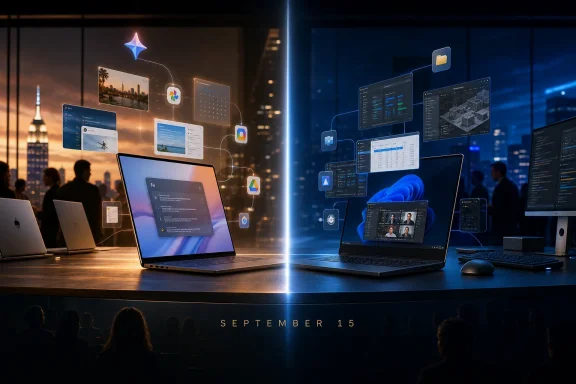 September 15 Needs to Answer More Than a Hardware Question
Google’s public pitch centers on two ideas: Gemini can make a PC more proactive, and Android applications can evolve into desktop-class software. The company calls Googlebook the next generation of ChromeOS built on Android technology, while retaining Chrome as a core part of the experience. That is a significant architectural change, but it does not automatically solve the software problem that has historically separated Chromebooks from Windows PCs and Macs.
The September event should show actual applications in windows, with a keyboard, mouse, trackpad, files, printers, external displays, and more than one task underway. Google’s developer documentation makes clear that it expects Android apps to support multi-instance use, drag and drop, file and print management, keyboard and mouse input, and higher information density. Those are desktop requirements, not cosmetic enhancements.
Google says existing Android apps will run on Googlebook. That is a useful compatibility floor, but it is not proof of a suitable laptop experience. An app that technically launches can still be poorly suited to the work users expect from a $1,000-plus notebook: comparing documents side by side, handling files from multiple locations, working with several windows, using shortcuts, attaching peripherals, or moving material between applications without falling back to a browser.
WIRED’s reporting on Googlebook captures the company’s intended distinction from Android apps on traditional Chromebooks. Google executive Alex Kuscher described Android applications as primary platform citizens with more direct access to hardware and the operating system than they had within ChromeOS’s older, web-first architecture. That could remove a meaningful source of friction. It does not guarantee that developers will redesign their products for a desktop workflow.
Googlebook’s real launch checklist is therefore less glamorous than a new chassis or a Gemini demo:
- Reviewers need to establish which major apps have adaptive layouts, reliable keyboard support, multi-window behavior, file handling, and useful mouse or trackpad interactions on day one.
- IT buyers need to know how Googlebook receives operating-system updates, how long each model is supported, whether management tools carry over from ChromeOS, and how Android applications are governed in managed deployments.
- Developers need a firm definition of Googlebook’s desktop APIs and quality baseline, rather than a general invitation to make phone applications larger.
Google can answer some of those questions at a hands-on preview without announcing a single new model. If it cannot, the event will underscore how much unfinished platform work remains before the fall shipments.
Android 17 Removes an Escape Hatch, Not the Design Work
Google is applying more pressure to the Android app ecosystem with Android 17. According to Android Developers’ release notes, apps targeting Android 17 on large-screen devices with a smallest width of at least 600dp can no longer opt out of resizing or orientation changes. Several manifest controls that developers previously used to preserve phone-like behavior are ignored on those displays. Games and smaller devices are exceptions.
That policy forces applications to confront resizable windows. It is necessary groundwork for Googlebook, particularly because a fixed portrait phone interface inside a broad laptop display looks unfinished and wastes space. Yet it is also easy to overstate what the policy accomplishes.
A resizable application is not automatically a desktop application. The system can stretch a user interface across a larger window, but only the developer can decide whether the extra space becomes a useful navigation pane, an inspection panel, a task list, a toolbar, visible metadata, or a second document. Only the developer can make keyboard navigation, shortcut behavior, context menus, drag and drop, printing, exports, and multiple instances feel intentional.
Google’s own Googlebook developer page effectively acknowledges this gap. It tells developers to optimize for professional workflows and calls out desktop-specific concerns such as file management, printing, contextual cursors, and side-by-side instances. The documentation is a stronger signal than the marketing: Google knows that the migration is not merely about screen size.
TechNewsWorld reports that Google’s Apps Experience Program will require participating applications to support adaptive Googlebook layouts by March 1, 2027. Google has not publicly published a broad launch-day roster of desktop-grade Android applications. If that reported deadline holds, it also creates an awkward timing issue: the first Googlebooks are expected this fall, while a program requirement for participating apps arrives months later.
For Windows users evaluating Googlebook, that means the early question is not “Can it run apps?” It plainly can. The question is whether the applications they use have become functionally larger—capable of handling deeper, longer work—or whether users will spend much of their time in Chrome and encounter Android apps only for quick, mobile-style tasks.
Gemini Is the Differentiator—and the Missing Architecture Is the Risk
Google’s most interesting Googlebook feature is Magic Pointer. Google says users can move the cursor to summon contextual Gemini suggestions based on whatever is under it: a date in an email, for example, or selected images in the file manager. Create your Widget goes further, allowing Gemini to create customized dashboard-style widgets using internet searches or connected Google services such as Gmail and Calendar.
These examples point toward a computing model built around context rather than application selection. Rather than opening Calendar, Gmail, Drive, Chrome, and a notes app separately, the long-term promise is that a user expresses an outcome and Gemini assembles the material and actions needed to achieve it.
That is the persuasive version of the agentic-PC argument. It could reduce the importance of application parity for routine knowledge work, especially among Android-first users already living in Google Workspace, browser tabs, cloud storage, and mobile applications. It could also make Googlebook attractive to freelancers and small businesses whose work does not require specialized Windows-only software.
But Google has shown discrete contextual actions, not a demonstrated autonomous workflow spanning sensitive personal and business data. There is a major difference between suggesting a calendar event and independently collecting meeting emails, Drive files, public background research, and notes into a briefing. The latter requires access controls, clear confirmation steps, error recovery, auditability, and a reliable account of what data left the device.
Google’s May announcement does not explain how much Gemini processing occurs locally on Googlebook, how much is cloud-dependent, whether capabilities vary across Intel, Qualcomm, and MediaTek systems, or how users and administrators can constrain cross-service access. Googlebook’s hardware partners may use different processors, but customers will expect a consistent answer to a basic operational question: what did the assistant read, what did it send, and what did it change?
The company cannot leave those answers as a privacy-policy abstraction. On a PC designed to sit beside company mail, client documents, financial data, and browser sessions, AI permissions must be legible at the moment an action occurs.
Windows Has a Different Agentic-PC Problem
Googlebook arrives as Microsoft and Nvidia pursue a different strategy. Microsoft’s Windows Experience Blog says RTX Spark systems due this fall will pair Windows with Nvidia’s new platform for local AI and agent workloads, including up to 128GB of unified memory in certain configurations. Nvidia says the partners are working on Windows-native agents and security primitives intended to run agents securely on a user’s primary PC.
The contrast is sharp. Windows is trying to add AI agents while keeping its enormous application, peripheral, gaming, and enterprise-management base intact. Google is using a new Android-based laptop platform to reduce the dependence on traditional desktop applications in the first place.
Windows’ advantage is obvious for organizations and professionals tied to Win32 applications, specialized line-of-business tools, CAD, engineering workflows, advanced media production, established development stacks, and complex peripherals. A contextual Gemini layer does not replace the application that opens a proprietary project, drives an instrument, connects to a corporate system, or supports a regulated process.
Googlebook’s opportunity lies elsewhere. If Gemini can reliably complete common, cross-app tasks with fewer steps—and if adaptive Android apps make the remaining hands-on work comfortable—Google may not need to replicate all of Windows. It only needs to prove that users in its target audience can finish their work without feeling the missing software catalog.
September 15 is therefore a test of substance, not theater. Googlebook does not need to beat Windows at every workload this fall. It needs to show that its Android applications work like laptop software, that Gemini can act with understandable boundaries, and that the premium hardware has a complete experience behind it.