
Halo: Campaign Evolved’s PC release has avoided the shader-compilation hitching that has become a familiar risk in Unreal Engine 5 games, according to Overclock3D’s performance review—but the result is more conditional than the headline suggests. The remake can run smoothly once it is correctly launched and configured, yet Halo Studios’ own support pages document driver-specific crashes, a Steam launch-path bug that can cause severe performance problems, and cinematic stutter tied to display refresh rate.
That is still a better opening position than many high-profile Unreal Engine 5 ports have managed. Overclock3D reports that shader-compilation stutter was not a meaningful issue in its testing and that traversal hitches were similarly limited, calling the game practically hitch-free. For a franchise moving from 343 Industries’ Slipspace engine to Unreal Engine, frame-time consistency was one of the first technical questions PC players had reason to ask.
The important qualification is that Overclock3D tested with AMD Software 26.7.1 and Nvidia GeForce 610.88. Those versions matter. Halo: Campaign Evolved launched into a short, messy period of GPU-driver compatibility problems, and a result from a clean test system on current drivers should not be read as a guarantee that every installation will behave the same way.
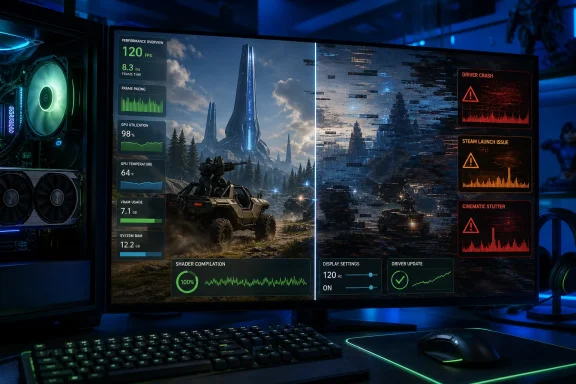
Overclock3D’s central finding is significant: Halo: Campaign Evolved appears to have addressed two distinct sources of PC stutter that often get blurred into one complaint.
The first is shader-compilation stutter, where a game compiles shaders while a player encounters new effects, materials, enemies, or environments. The second is traversal stutter, where streaming in new assets as the player moves through the world causes frame-time spikes. A high average frame rate does not fix either problem; a game can report 120 fps and still feel poor if it pauses for a frame or two during combat or while crossing a level boundary.
According to Overclock3D, neither issue was a major factor in its testing. That is a notable result for a technically ambitious remake that uses hardware-accelerated lighting and other modern Unreal Engine features. Halo Studios has documented a broad PC feature set, including DLSS, FSR, XeSS, TSR, vendor-specific latency reduction, dynamic resolution controls, and frame generation on compatible hardware.
There is a practical reason this matters beyond benchmark charts. Halo’s original campaign relies on rapid target acquisition, vehicle combat, and close-quarters encounters where a dropped frame is more obvious than in a slower third-person game. A port that is demanding but consistent is easier to tune than one whose frame pacing breaks down unpredictably.
The early independent evidence also supports the broad conclusion that the game scales visually. PC Gamer tested four desktop systems and an Xbox ROG Ally X, finding that the difference between Low and Ultra presets could be subtle in motion while the performance penalty at Ultra was substantial. Windows Central’s reporting on those results put the tradeoff plainly: at 1440p with DLSS set to Ultra, PC Gamer recorded 60 fps on an RTX 3070, 84 fps on an RTX 4070 Super, and 127 fps on an RTX 5080; at Low settings with DLSS Low, the same systems reached 82 fps, 148 fps, and 172 fps.
That does not make Ultra pointless. It means the PC version has a viable visual-performance compromise instead of locking acceptable image quality behind its heaviest settings.
That is not ordinary gameplay traversal stutter, and it does not invalidate Overclock3D’s result. It does, however, mean players with 75 Hz, 100 Hz, 144 Hz, 165 Hz, or 180 Hz displays should not assume every part of the game will be equally smooth. The issue is especially awkward because high-refresh displays are common among the PC audience most likely to buy a technically demanding Halo remake.
Halo Support also warns Steam players not to start the title by double-clicking
That is an unusually consequential distinction for a PC game. Users who bypass Steam out of habit—through a desktop shortcut, third-party launcher, scripting tool, or handheld front end—can accidentally turn a sound game-performance result into a broken installation. It is the kind of support note that should have been surfaced prominently in-game or through the launcher, rather than buried in a known-issues article.
Overclock3D’s use of GeForce 610.88 was therefore not just a routine “latest driver” choice; it put the test on the correct side of a documented RTX 50-series crash fix. Players on Nvidia hardware should treat 610.88 or a later driver as the baseline for judging the game, rather than comparing their experience against launch-week reports from older R610 packages.
AMD users have a different problem history. Halo Support says Radeon drivers 26.6.2 and 26.6.4 can crash when players skip The Maw introduction while FSR is enabled. The specified workarounds are to watch the cinematic to completion, change to DLSS, XeSS, or TSR where available, enable FSR frame generation, or roll back to AMD Software 26.6.1. Overclock3D tested newer AMD Software 26.7.1 without flagging the same issue, which is encouraging, but Halo Studios has not published a clean statement declaring every earlier FSR-related crash fixed by that driver.
There is also an Intel platform warning that has nothing to do with Unreal Engine. Halo Support says some 13th- and 14th-generation Intel systems can crash before reaching the splash screen because of a pre-existing microcode issue. The listed remedy is to install the latest BIOS supplied by the motherboard or system manufacturer. For PC administrators and enthusiasts maintaining systems with those processors, this is a reminder that a game launch failure can be a firmware-maintenance problem rather than evidence of a bad GPU driver or corrupt game files.
The game also exposes unusually granular reconstruction options. DLSS works on RTX 20-series cards and later; FSR is available broadly, with FSR 4 automatically enabled on AMD’s RDNA 4-based Radeon RX 9000-series cards; XeSS is available only in the Steam version; and TSR works across hardware generations. That storefront split is worth underlining: an Intel Arc owner using the Xbox app or Microsoft Store cannot select XeSS in Halo: Campaign Evolved, even though the Steam build can.
Halo Studios says its “Ultra” upscaling quality setting renders at 67% of output resolution, while “Low” renders at 33%. The naming is potentially misleading to players accustomed to conventional quality modes: “Ultra” is still an upscaled presentation, not native rendering. Native is separately available at 100%, and it carries the expected performance cost.
Frame generation can improve displayed smoothness but does not increase the rate at which the game actually responds to input. Halo Studios acknowledges that generated frames can add latency and visual artifacts, making the feature better suited to players seeking smoother motion than the most responsive aiming. For campaign play, that trade is often reasonable; for players using mouse and keyboard at high refresh rates, it is a setting to test rather than enable automatically.
The actual baseline is modern in every other respect: a Ryzen 5 3600 or Core i7-10700K, 16GB of RAM, 8GB of VRAM, a DirectX 12 Ultimate-class GPU such as a GeForce RTX 2060 Super, Radeon RX 6600, or Intel Arc A580, and 100GB of SSD storage. Halo Studios’ 4K targets move to 32GB of system memory and considerably stronger graphics hardware.
The real conclusion from the first PC performance evidence is straightforward. Halo: Campaign Evolved is demanding, but it is not broadly broken. Overclock3D’s hitch-free test result is credible as a report of a current, properly configured system; it is not a reason to ignore the driver version, the Steam launch method, refresh-rate behavior, or firmware state of the machine in front of you.
For most Windows players, the sensible starting point is to update the GPU driver, launch through Steam or the Xbox app rather than the executable, use a 60 Hz or 120 Hz display mode if cinematics stutter, and begin with Low or Medium lighting and global-illumination settings. The good news is that those compromises do not appear to gut the remake’s presentation—and, unlike a shader-stutter problem embedded in a game’s rendering pipeline, they are settings and maintenance issues players can actually control.
The important qualification is that Overclock3D tested with AMD Software 26.7.1 and Nvidia GeForce 610.88. Those versions matter. Halo: Campaign Evolved launched into a short, messy period of GPU-driver compatibility problems, and a result from a clean test system on current drivers should not be read as a guarantee that every installation will behave the same way.
Smooth traversal is the good news
Overclock3D’s central finding is significant: Halo: Campaign Evolved appears to have addressed two distinct sources of PC stutter that often get blurred into one complaint.The first is shader-compilation stutter, where a game compiles shaders while a player encounters new effects, materials, enemies, or environments. The second is traversal stutter, where streaming in new assets as the player moves through the world causes frame-time spikes. A high average frame rate does not fix either problem; a game can report 120 fps and still feel poor if it pauses for a frame or two during combat or while crossing a level boundary.
According to Overclock3D, neither issue was a major factor in its testing. That is a notable result for a technically ambitious remake that uses hardware-accelerated lighting and other modern Unreal Engine features. Halo Studios has documented a broad PC feature set, including DLSS, FSR, XeSS, TSR, vendor-specific latency reduction, dynamic resolution controls, and frame generation on compatible hardware.
There is a practical reason this matters beyond benchmark charts. Halo’s original campaign relies on rapid target acquisition, vehicle combat, and close-quarters encounters where a dropped frame is more obvious than in a slower third-person game. A port that is demanding but consistent is easier to tune than one whose frame pacing breaks down unpredictably.
The early independent evidence also supports the broad conclusion that the game scales visually. PC Gamer tested four desktop systems and an Xbox ROG Ally X, finding that the difference between Low and Ultra presets could be subtle in motion while the performance penalty at Ultra was substantial. Windows Central’s reporting on those results put the tradeoff plainly: at 1440p with DLSS set to Ultra, PC Gamer recorded 60 fps on an RTX 3070, 84 fps on an RTX 4070 Super, and 127 fps on an RTX 5080; at Low settings with DLSS Low, the same systems reached 82 fps, 148 fps, and 172 fps.
That does not make Ultra pointless. It means the PC version has a viable visual-performance compromise instead of locking acceptable image quality behind its heaviest settings.
The official issue list contradicts a blanket “hitch-free” verdict
Halo Support’s current known-issues page makes clear that the game still has performance-adjacent problems in specific configurations. The most visible one is cinematic playback: pre-rendered cinematics may stutter when the display refresh rate is not an even multiple of 30 Hz. Halo Studios recommends using 60 Hz, 120 Hz, or 240 Hz, enabling a television’s Game Mode where applicable, or disabling variable refresh rate if the issue persists.That is not ordinary gameplay traversal stutter, and it does not invalidate Overclock3D’s result. It does, however, mean players with 75 Hz, 100 Hz, 144 Hz, 165 Hz, or 180 Hz displays should not assume every part of the game will be equally smooth. The issue is especially awkward because high-refresh displays are common among the PC audience most likely to buy a technically demanding Halo remake.
Halo Support also warns Steam players not to start the title by double-clicking
HaloCampaignEvolved.exe from the installation directory. Doing so can launch the game without a working Steam connection and may lead to sign-in failure, severe performance issues, or a freeze that requires ending the process in Task Manager. The supported launch path is the Steam Library.That is an unusually consequential distinction for a PC game. Users who bypass Steam out of habit—through a desktop shortcut, third-party launcher, scripting tool, or handheld front end—can accidentally turn a sound game-performance result into a broken installation. It is the kind of support note that should have been surfaced prominently in-game or through the launcher, rather than buried in a known-issues article.
Drivers are part of the minimum specification in practice
The driver situation is the larger caveat to any early performance conclusion. Halo Studios’ release documentation identifies multiple GPU-related problems, while Nvidia’s 610.88 driver specifically lists a fix for crashes observed on GeForce RTX 50-series GPUs using earlier R610 drivers.Overclock3D’s use of GeForce 610.88 was therefore not just a routine “latest driver” choice; it put the test on the correct side of a documented RTX 50-series crash fix. Players on Nvidia hardware should treat 610.88 or a later driver as the baseline for judging the game, rather than comparing their experience against launch-week reports from older R610 packages.
AMD users have a different problem history. Halo Support says Radeon drivers 26.6.2 and 26.6.4 can crash when players skip The Maw introduction while FSR is enabled. The specified workarounds are to watch the cinematic to completion, change to DLSS, XeSS, or TSR where available, enable FSR frame generation, or roll back to AMD Software 26.6.1. Overclock3D tested newer AMD Software 26.7.1 without flagging the same issue, which is encouraging, but Halo Studios has not published a clean statement declaring every earlier FSR-related crash fixed by that driver.
There is also an Intel platform warning that has nothing to do with Unreal Engine. Halo Support says some 13th- and 14th-generation Intel systems can crash before reaching the splash screen because of a pre-existing microcode issue. The listed remedy is to install the latest BIOS supplied by the motherboard or system manufacturer. For PC administrators and enthusiasts maintaining systems with those processors, this is a reminder that a game launch failure can be a firmware-maintenance problem rather than evidence of a bad GPU driver or corrupt game files.
Low settings are a rational choice, not a visual surrender
Halo Studios’ own optimization guide identifies Global Illumination Quality and Lighting Quality as especially expensive settings, recommending that players lower those first rather than indiscriminately reducing every option. That advice matches the external testing: the game’s presets appear to spend a meaningful amount of GPU performance on refinements that are far less obvious during normal play than they are in screenshot comparisons.The game also exposes unusually granular reconstruction options. DLSS works on RTX 20-series cards and later; FSR is available broadly, with FSR 4 automatically enabled on AMD’s RDNA 4-based Radeon RX 9000-series cards; XeSS is available only in the Steam version; and TSR works across hardware generations. That storefront split is worth underlining: an Intel Arc owner using the Xbox app or Microsoft Store cannot select XeSS in Halo: Campaign Evolved, even though the Steam build can.
Halo Studios says its “Ultra” upscaling quality setting renders at 67% of output resolution, while “Low” renders at 33%. The naming is potentially misleading to players accustomed to conventional quality modes: “Ultra” is still an upscaled presentation, not native rendering. Native is separately available at 100%, and it carries the expected performance cost.
Frame generation can improve displayed smoothness but does not increase the rate at which the game actually responds to input. Halo Studios acknowledges that generated frames can add latency and visual artifacts, making the feature better suited to players seeking smoother motion than the most responsive aiming. For campaign play, that trade is often reasonable; for players using mouse and keyboard at high refresh rates, it is a setting to test rather than enable automatically.
Windows 10 support is clearer after launch, but requirements remain demanding
There is one small but relevant documentation discrepancy around the operating-system baseline. Pre-release system-requirement reporting described Windows 11 as the required OS. The current Steam listing and Halo support material now list Windows 10 version 22H2 or Windows 11, both 64-bit, as supported. That means a fully updated Windows 10 installation remains viable, despite the earlier Windows 11-only language.The actual baseline is modern in every other respect: a Ryzen 5 3600 or Core i7-10700K, 16GB of RAM, 8GB of VRAM, a DirectX 12 Ultimate-class GPU such as a GeForce RTX 2060 Super, Radeon RX 6600, or Intel Arc A580, and 100GB of SSD storage. Halo Studios’ 4K targets move to 32GB of system memory and considerably stronger graphics hardware.
The real conclusion from the first PC performance evidence is straightforward. Halo: Campaign Evolved is demanding, but it is not broadly broken. Overclock3D’s hitch-free test result is credible as a report of a current, properly configured system; it is not a reason to ignore the driver version, the Steam launch method, refresh-rate behavior, or firmware state of the machine in front of you.
For most Windows players, the sensible starting point is to update the GPU driver, launch through Steam or the Xbox app rather than the executable, use a 60 Hz or 120 Hz display mode if cinematics stutter, and begin with Low or Medium lighting and global-illumination settings. The good news is that those compromises do not appear to gut the remake’s presentation—and, unlike a shader-stutter problem embedded in a game’s rendering pipeline, they are settings and maintenance issues players can actually control.
References
- Primary source: OC3D
Published: 2026-08-01T19:30:44.987230
Loading…
overclock3d.net - Related coverage: tomsguide.com
Loading…
www.tomsguide.com - Related coverage: gamesradar.com
Loading…
www.gamesradar.com - Related coverage: overclock3d.net
Here's what you need to run Halo: Campaign Evolved on PC - OC3D
Halo: Campaign Evolved launches with DLSS, FSR, and XeSS on PC alongside low-latency modes for all GPU vendors.overclock3d.net - Related coverage: support.halowaypoint.com
Loading…
support.halowaypoint.com - Related coverage: forum.overclock3d.net
Loading…
forum.overclock3d.net - Related coverage: lagofast.com
Loading…
www.lagofast.com - Related coverage: creativebloq.com
Loading…
www.creativebloq.com - Related coverage: api.motion.ac.in
Loading…
www.api.motion.ac.in - Related coverage: techradar.com
Loading…
www.techradar.com - Related coverage: support.halowaypoint.com
Halo: Campaign Evolved – Release Notes (Early Access) – Halo Support
Published July 23, 2026Download size: 70 GB or lessOverviewWelcome to early access for Halo: Campaign Evolved, a modern remake of Halo:...support.halowaypoint.com - Related coverage: pcgamer.com
Loading…
www.pcgamer.com - Related coverage: news.xbox.com
Halo: Campaign Evolved Hands-On Demo – It’s The Halo You Love, But Even Better - XBOX Wire
We went hands-on with Halo: Campaign Evolved’s remake of Assault on the Control Room, Combat Evolved’s memorable fifth – and longest – campaign level.news.xbox.com - Related coverage: nerdschalk.com
Loading…
nerdschalk.com - Related coverage: neowin.net
Loading…
www.neowin.net - Related coverage: metacritic.com
Loading…
www.metacritic.com - Related coverage: digitalcitizen.life
Loading…
www.digitalcitizen.life - Related coverage: twistedvoxel.com
Loading…
twistedvoxel.com - Related coverage: allthings.how
Loading…
allthings.how - Related coverage: games.gg
Loading…
games.gg - Related coverage: destructoid.com
Loading…
www.destructoid.com - Related coverage: intel.com
Loading…
www.intel.com - Related coverage: pcgamer.com
Loading…
www.pcgamer.com - Related coverage: techradar.com
Loading…
www.techradar.com - Related coverage: windowscentral.com
Halo: Campaign Evolved on PC manages to look good even at low settings, sparing folk from selling their souls for RTX 5000 cards that are rising in price | Windows Central
Our colleagues at PC Gamer have discovered that Halo: Campaign Evolved can achieve high framerates on low graphical settings without sacrificing much of its graphical fidelity, even if you're using older RTX 3000 series GPUswww.windowscentral.com - Related coverage: as.com
Loading…
as.com - Related coverage: as.com
Loading…
as.com - Related coverage: playstationtrophies.org
Loading…
www.playstationtrophies.org - Related coverage: xboxachievements.com
Loading…
www.xboxachievements.com