

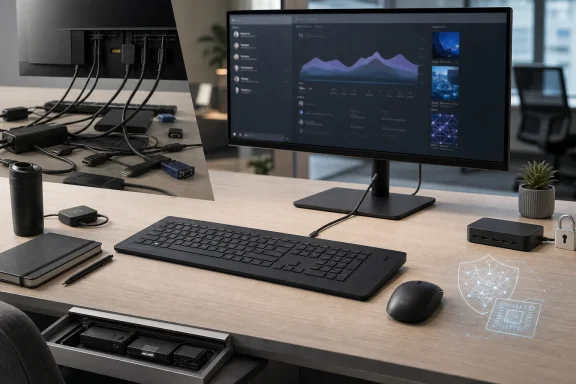
The distinction matters for IT buyers because the EliteBoard is not a self-contained computer in the way a laptop is. There is no display, webcam, Ethernet jack, HDMI port, USB-A port, or audio jack on the keyboard-PC itself. It is a compact, Windows-capable endpoint intended to attach to an existing workplace screen—ideally a USB-C monitor with power delivery—and HP’s clean single-cable desk vision works best only under that condition.
For companies standardizing on USB-C conferencing monitors, the EliteBoard G1a can replace a conventional mini PC, keyboard, and perhaps a dock with one portable device. For offices still full of HDMI-only panels, wired peripherals, and Ethernet-dependent desks, HP’s keyboard computer trades the tower for adapters and docking hardware. It saves space, but not necessarily complexity.
The “first” claim has a narrow but defensible definition
HP calls the EliteBoard G1a the world’s first full AI PC built entirely into a keyboard. The company’s fine print defines that claim narrowly: commercially available desktop-class systems with a neural processing unit rated at 40 TOPS or higher and complete PC hardware contained inside a keyboard chassis, measured as of January 2026.
That does not mean HP invented the keyboard computer. The Commodore 64 and Sinclair home computers made the form factor familiar decades ago; Raspberry Pi’s Pi 400 and Pi 500 put modern low-power ARM computers into keyboards; and the category has resurfaced periodically in hobbyist and retro-computing circles. What HP has brought to the idea is an enterprise x86 Windows machine with modern manageability features, a Copilot+ PC-class NPU, and user-serviceable parts.
Ars Technica and Windows Central both identified the obvious historical lineage when HP announced the product. The more important difference is that this is intended to sit on a corporate procurement list beside mini PCs and laptops, rather than next to a Raspberry Pi kit. HP offers configurations based on AMD Ryzen AI 300-series processors, including Ryzen AI 5 PRO 340 and Ryzen AI 7 PRO 350 options, with Radeon 800M-series integrated graphics, up to 64GB of DDR5 memory, and up to 2TB of SSD storage.
The NPU is rated at up to 50 TOPS, clearing Microsoft’s 40-TOPS baseline for Copilot+ PCs. That enables local acceleration for compatible Windows and third-party AI features, but the number should not be mistaken for a broad performance guarantee. HP itself notes that NPU-dependent software may require separate purchase, subscription, enablement, or configuration. “AI PC” here establishes a hardware capability; it does not mean every enterprise workload becomes faster or more private by default.
The clean desk requires the right monitor
The EliteBoard’s strongest configuration is straightforward: place it on a desk, plug its USB4 Type-C connection into a monitor that supplies video, USB connectivity, and enough power delivery, then work. HP includes a pre-paired HP 675 wireless mouse, and the keyboard has dual-array microphones, stereo speakers, backlighting, a numeric keypad, and an optional fingerprint reader. In that setup, the only visible system cable can indeed be the one between the keyboard and monitor.
But HP’s own QuickSpecs expose the central limitation behind the minimalist imagery. The base device offers two rear USB-C ports: one USB4 port at 40Gbps with DisplayPort 2.1 and one 10Gbps USB-C port with DisplayPort 1.4. There is no native HDMI, DisplayPort, Ethernet, or USB-A. An optional attached USB-C cable exists on some configurations, but it does not add general-purpose legacy connectivity.
HP says the EliteBoard can support up to four displays, yet its specification sheet explicitly says a dock, hub, or dongle may be required. Its optional HDMI Multiport Hub supplies the HDMI 2.1 outputs and Gigabit Ethernet missing from the keyboard. The same documentation warns that monitor-integrated webcams that use HDMI are not compatible through that arrangement; organizations would need a separate USB webcam.
This is where the difference between a tidy deployment and a merely smaller one becomes clear. Notebookcheck’s hands-on review reached the same conclusion after testing retail hardware: the device is most persuasive where a USB-C monitor with video and power delivery already exists. Add HDMI adapters, a network dongle, webcam, dock, external storage, and wired peripherals, and the desk begins to look like a conventional small-form-factor PC setup—with the computer now directly under the user’s hands.
The company is selling a workspace standard, not simply a clever keyboard. That is valuable for organizations replacing displays and desks at the same time, especially in hot-desking or shared-workstation projects. It is less compelling as a drop-in replacement across mixed fleets of older monitors.
It is portable, but it is not a laptop replacement
HP’s optional 32Wh battery is one of the EliteBoard’s more interesting design choices. It lets a worker disconnect the keyboard-PC from one desk, carry it to another equipped station, and resume without a shutdown. The device weighs from roughly 676 grams without the battery to about 768 grams with it, substantially less than a typical business notebook.
The battery does not, however, make the EliteBoard independent. It still needs an external display to be useful. HP rates it for up to seven hours when connected to an external monitor and up to three hours with an external portable monitor, subject to the usual configuration and workload qualifications. That makes it better understood as a carryable desktop identity: the user moves the computer itself between prepared displays, rather than carrying a screen, keyboard, battery, camera, and PC in one enclosure.
For hybrid staff who already move between assigned USB-C desks at home and in the office, that model can be sensible. It also sidesteps the familiar issue of employees treating a laptop docked to a large display as a stationary desktop, then leaving the office with the organization’s only working setup in their bag.
Yet the form factor creates a practical tradeoff. Every heat-producing component—including processor, storage, memory, cooling, speakers, and battery—sits inches from the user. Notebookcheck measured 40.5 dB(A) average system noise under load and up to 45.2 dB(A), noting that fan noise is more conspicuous because the system is much closer than a tower or many mini PCs. Engadget independently reported that the fans could become loud in quiet rooms.
That does not make the EliteBoard unusually loud for a compact Ryzen system. It does mean the absence of a tower does not eliminate cooling noise; it relocates it to the desktop’s most intimate position.
Serviceability is the enterprise feature HP should emphasize
The unusually serious part of HP’s pitch is repairability. Keyboard computers have traditionally been disposable or hobbyist machines: a failed key matrix, worn-out battery, or damaged internal board could mean replacing the entire unit. HP says the EliteBoard uses a modular design that allows replacement or upgrade of the keyboard module, RAM, SSD, speakers, and battery without full chassis disassembly or specialized tools.
The official service claims still deserve to be read precisely. HP’s QuickSpecs say memory is accessible and upgradeable by IT staff or self-maintainers, not necessarily intended for casual end-user upgrades. The optional battery can be replaced through a service spare kit, but only on systems originally configured with the battery. The system has two SODIMM slots, rather than soldered memory, which is a meaningful departure from many thin business machines.
For desktop administrators, that is more consequential than the novelty of having Windows hidden below the keys. A failed keyboard does not automatically retire the PC, and memory or storage can be changed without disrupting the entire desk installation. It also means the form factor could survive longer than the processor generation inside it—provided HP maintains parts availability and documentation over the usual commercial support lifecycle.
Security claims need to be separated from quantum marketing
HP bundles the EliteBoard under its Wolf Security for Business umbrella, listing HP Sure Start, Sure Click, Sure Recover, Sure Run, Sure Sense, Sure Admin, Tamper Lock, a TPM 2.0 module, and Secured-core PC capabilities. The important practical protection is the firmware layer: HP Sure Start is designed to detect BIOS corruption and restore a known-good image. That is relevant in fleets where firmware persistence and physical tampering are genuine concerns.
HP also says Wolf Security creates a hardware-enforced defense against firmware attacks and “quantum threats.” That language should not be read as proof that every component, protocol, application, cloud service, or document stored on the EliteBoard is post-quantum secure. HP’s own published configuration material identifies familiar endpoint controls and recovery tools; it does not provide a product-specific cryptographic inventory showing which EliteBoard data paths are using post-quantum algorithms.
The company’s claims are best treated as a statement about the security architecture and future-readiness of its commercial endpoint platform, rather than a blanket guarantee against a future quantum attack. IT teams evaluating the device for regulated work should request the exact BIOS, TPM, certificate, cryptographic, and management details required by their compliance program rather than relying on the marketing phrase.
The HP EliteBoard G1a is a credible workstation form factor for a narrow deployment: USB-C-equipped desks, shared workspaces, managed Windows 11 estates, and users who value a portable desktop over a full laptop. Its A$2,685 Australian entry price puts it well above the cost of many capable mini PCs and a quality keyboard, so the business case will rest on reduced desk hardware, simpler moves, and standardized monitor deployments—not on the novelty of hiding a PC beneath the keys.
Update: UK review finds longer battery life but faults HP’s bundled dock (August 7, 2026)
Expert Reviews reports that the EliteBoard G1a is now available from HP in the UK at £1,439 for a Ryzen AI 7 PRO configuration with 16GB of RAM and a 512GB SSD.
Its hands-on testing also suggests the optional 32Wh battery may last longer than HP’s conservative rating in light use. The reviewer recorded just over five hours in a looping-video test on a 1080p external monitor and about four hours of general writing work.
However, the review sharply criticizes the included USB-C dock: it provides Ethernet, HDMI, and USB-C expansion, but no USB-A ports. That reinforces the compatibility concern for organizations with legacy peripherals, which may need a third-party dock rather than relying on HP’s supplied accessory.