
Neowin’s release notice surfaced the update on August 26, while ImageGlass’s own release notes and issue tracker confirm the build is 10.0.5.825. The release follows ImageGlass 10’s general availability on August 21, a major rewrite that moved the formerly Windows-only application to a .NET and Avalonia codebase shared with macOS and Linux.
The practical message for Windows users is straightforward: 10.0.5.825 is the build to evaluate, rather than the initial 10.0.4.819 release. It is still an early maintenance update to a ground-up rewrite, but it closes several rough edges that affect the very Windows integration ImageGlass is supposed to provide.
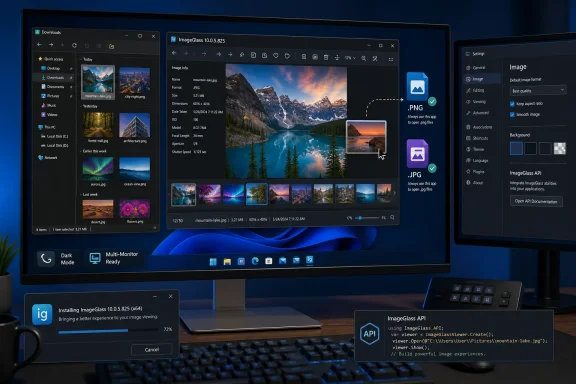 Windows file associations are no longer treated as one broad category
The most important Windows-specific fix addresses file-type associations that did not distinguish between particular image formats in ImageGlass 10.0.4.819. That matters when a user wants ImageGlass to open, say, PNG and JPEG files while leaving another program responsible for a specialist format, or when an administrator is standardizing defaults across a mixed fleet.
Windows associates defaults by extension and protocol, not by an abstract “image file” class. An image viewer that collapses those choices into a less-specific setting can make its own configuration screen misleading and may encourage users to assume a format has been assigned when Windows has not actually recorded the intended per-extension association. ImageGlass says 10.0.5.825 corrects that distinction.
The release also repairs an “Open image location” behavior that opened a fresh File Explorer window in the background rather than reliably bringing the relevant folder forward. This is a small defect, but it is a good example of why Windows-native fit still matters after a cross-platform rewrite. ImageGlass’s appeal has long been fast browsing with Explorer-aware navigation; forcing users to hunt for a background Explorer window undercuts that workflow.
Two other Windows fixes are worth noting:
- Folder shortcuts no longer throw errors with mixed drag-and-drop operations.
- The application frame no longer remains white in dark mode on Windows 10.
The latter should not be dismissed as cosmetic. A white frame around an otherwise dark application is a visible signal that the app is not consistently reading or applying Windows theme state. It is fixed here, but it also illustrates a predictable risk in the transition from ImageGlass 9’s Windows-specific architecture to a cross-platform UI framework.
The MSI installer is new, but the packaging guidance is inconsistent
ImageGlass 10.0.5.825 makes an MSI installer available to all Windows users. That is useful news for organizations and enthusiasts who prefer the conventional installer format, particularly where a portable ZIP is unsuitable and MSIX packaging does not fit an existing deployment process.
However, ImageGlass’s documentation has not fully caught up with the release. The official ImageGlass 10 launch article, published August 21, lists Windows distribution as MSIX or ZIP. Its configuration documentation also describes Windows version 10 installations chiefly in terms of MSIX or portable ZIP packages. The 10.0.5.825 release notes now add MSI, while still recommending MSIX for a “better installation experience” and ZIP for portable use.
That discrepancy does not mean the MSI is suspect; it means admins should avoid assuming the current documentation describes every supported installation path. Before placing ImageGlass into a managed deployment, test the specific MSI package in the environment that will use it, including upgrade behavior, file-association handling, per-user versus machine-wide installation, and interaction with existing ImageGlass 9 installations.
ImageGlass has not claimed in the release notes that the MSI offers enterprise deployment switches, policy support, or unattended-install behavior beyond what its packaging format normally implies. Those are details administrators should verify themselves rather than infer from the presence of an .msi file.
The project’s MSIX preference also has a trade-off. ImageGlass says its Microsoft Store and packaged builds cannot register custom Windows file-type icons because of Store sandbox limitations. The official project comparison makes clear that this is a packaging limitation, not a missing viewer feature. Users who depend on custom extension icons should therefore verify whether the chosen distribution method preserves that capability.
A small API change opens more in-app customization
Version 10.0.5.825 adds IG_ApplySettings, an API action that allows a custom action—such as a toolbar button—to change application settings. On its own, that is a narrow feature. In the context of ImageGlass 10’s rebuilt configuration system, it gives power users a cleaner route to switch behavior from inside the app rather than manually editing settings files or repeatedly digging through the Settings interface.
The value depends on how ImageGlass users configure their viewer. A person who uses the same layout and browsing mode every day may never touch it. But users who alternate between inspecting large images, presenting a slideshow, working with a compact toolbar, or using different navigation preferences can potentially turn those changes into an intentional, repeatable action.
The release also adds platform drag support for Gallery thumbnails, allowing them to be dragged out to other applications. That extends ImageGlass’s role beyond passive viewing: a thumbnail can now serve as a handoff point to another app in the Windows workflow. The release notes do not describe limitations or supported targets, so this is another feature best tested with the applications that matter locally rather than assumed to work identically everywhere.
The upgrade path from ImageGlass 9 still deserves care
The larger story remains ImageGlass 10 itself. The new generation replaces the older Windows-only architecture with a shared codebase, adds native SVG rendering in place of the old WebView2-based implementation, moves image decoding off the main UI thread, and uses ahead-of-time compilation. ImageGlass says its Windows packages are self-contained and support Windows 10 version 1809, build 17763, or later, on x64 and ARM64 systems.
Those changes also explain why upgrading is not a routine in-place refresh from version 9. ImageGlass explicitly instructs version 9 users to disable Startup Boost, remove ImageGlass as the default photo viewer, back up or migrate igconfig.json, uninstall version 9, and then install version 10. Its migration documentation confirms that ImageGlass 10 uses a different settings format; an older configuration is ignored on first run unless it has been converted.
There is a converter for ImageGlass 9 configuration files, but it does not make every setting a one-for-one transfer. Some settings have changed names or formats, while others disappeared because the underlying feature changed. In particular, the project documents a new browsing-mode model, revised window-bound storage, and changes to menu hotkey mappings. The hotkey configuration bug fixed in 10.0.5.825 is therefore especially relevant to users migrating a heavily customized setup.
For managed installations, ImageGlass 10 can merge default, user, command-line, and administrator configuration files. The administrator override and feature-lock functions are Pro features, according to ImageGlass’s documentation. The free Classic edition remains available, but organizations looking to lock down settings or remove actions such as delete, rename, printing, or opening Settings should account for that licensing boundary before designing a rollout.
ImageGlass 9 is now in maintenance mode and is slated to receive critical hotfixes for six months after ImageGlass 10’s August 21 general release. That gives existing users a window to test the new build rather than rush a migration. With 10.0.5.825 already repairing file associations, Explorer behavior, dark-mode framing, and secondary-monitor restoration, the sensible route is to pilot this build with real file types, real shortcuts, and real multi-display systems before making it the default viewer.
