

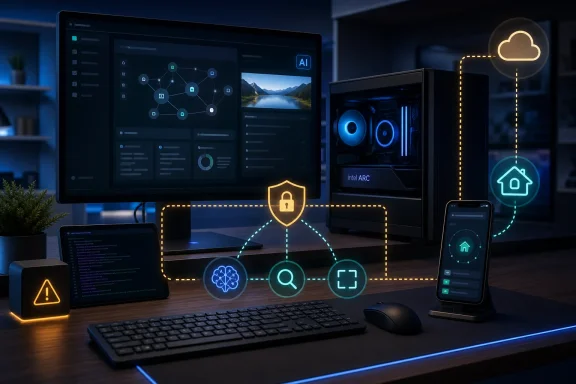
Intel’s August 28 post describes June’s AI Playground 3.1.2 release and frames 3.2.0 as the late-summer delivery vehicle for context compression, hybrid cloud providers, Game Agent, LAN-only Home Agent, Qwen-based speech generation, and Linux installation changes. Yet the project’s public GitHub repository, checked August 29, identifies the application version as “3.2.0-alpha,” while its prominent downloadable installer remains AI Playground 3.1.2 beta-hf3 for Windows and Ubuntu.
So the summer announcement is meaningful, particularly for Intel Arc and Core Ultra owners who want a single local-AI launcher. But it is a roadmap-and-preview update as much as a release announcement. Users should not treat every feature in the post as a finished, broadly supported capability until Intel publishes a matching 3.2.0 installer and release notes.
Home Agent expands the attack surface along with the utility
The most consequential feature already associated with the 3.1.2 line is Home Agent. Intel says it lets a phone user send requests to AI Playground through Slack or Telegram while the home PC performs the inference work and returns the results to the chat app. The basic proposition is appealing: a desktop with an Intel Arc GPU or Core Ultra platform can become a personal AI endpoint without paying for a hosted model subscription.
For consumers, that changes AI Playground from a desktop application into something closer to a self-hosted service. A user can request an image generation job, run a chat prompt, or potentially use other supported workflows without sitting in front of the machine that holds the model files and compute hardware.
The tradeoff is easily lost in Intel’s emphasis on local AI. The inference may remain local, but the prompt-and-response path is not necessarily local when Slack or Telegram is involved. Requests, results, bot credentials, chat identities, and whatever material a user submits are subject to the security and retention characteristics of the messaging service, plus the configuration of the PC running the agent. “Local compute” and “private communication” are separate claims.
Intel’s planned private LAN Home Agent is therefore more than an extra convenience mode. It is the version enterprise labs, regulated users, and privacy-conscious home users should wait for if they need remote access without routing a request through a third-party messaging platform. Intel says the LAN mode will operate from a wireless or tethered device on the local network with no external cloud dependency. The company has not published the authentication model, device-pairing process, network exposure requirements, or administrative controls for that mode, all of which will decide whether it is suitable beyond an enthusiast setup.
There is also a hardware constraint beneath the remote-access pitch. Intel’s GitHub documentation says Home Agent needs at least 32GB of system memory on supported Core Ultra systems, or 16GB of VRAM on a discrete GPU. That pushes the feature outside the comfortable range of many entry-level AI PCs and makes it a better fit for a well-equipped desktop or a higher-memory laptop than for every machine carrying an NPU badge.
Linux support is real, but the supported target is narrower than “Linux”
Intel says AI Playground now runs on Linux and credits an internal pull request that was validated for standard Ubuntu. The public project documentation corroborates Ubuntu Linux as a supported operating system and links a Linux installer alongside the Windows package. The codebase also contains a separate Linux build command, rather than treating Linux as an experimental source-only port.
That is a useful expansion for Intel GPU users, because AI Playground packages a collection of backends and front ends that otherwise require a considerable amount of manual setup: local language models, image generation components, video workflows, document search, model downloads, and GPU runtime dependencies. The app is meant to lower the entry barrier for OpenVINO, Llama.cpp, ComfyUI-derived workflows, and related tooling.
However, “Linux support” should be read as Ubuntu-focused support, not a guarantee that the application will behave consistently across every distribution, desktop environment, or graphics stack. Intel’s own August post acknowledges driver and dependency fragmentation, pointing to OMIX—Intel Open Middleware—as its intended standard environment for Linux installation guidance. That wording is an admission that the friction is not solved merely by offering a .deb package.
The public instructions also label the app open-source beta software and warn of component and version conflicts. For administrators, this should rule out a broad unmanaged rollout. Test it first on the exact Ubuntu release, Intel graphics driver branch, proxy configuration, and endpoint protection stack used in production. AI Playground’s installer downloads backend components after installation, and Intel explicitly warns that firewalls, network controls, sleep settings, missing Visual C++ runtime files on Windows, existing Python installations, and stale temporary files can interrupt setup.
The application may simplify local generative AI, but it does not eliminate the operational work of supporting it.
MCP tools create a useful assistant—and a more sensitive one
Intel’s summer update also adds built-in web search and screen capture through MCP, the Model Context Protocol. In plain terms, this gives a model running in AI Playground a way to obtain information beyond the text in a chat window: it can potentially search the web and inspect an active application window when a workflow permits it.
This is the feature set that begins to make a local chatbot resemble an assistant. A language model without tools can summarize or generate text from its context window; a model with browser-like search and screen access can fetch current information and reason over what a user is doing on the PC. Intel’s Game Agent concept depends on the same general direction: an agent that creates assets, takes screenshots, generates icons and descriptions, writes code, and iterates across a game or web-app project.
But screen capture and automated tool invocation should be handled as privileged functions, not decorative AI features. A captured window can contain customer records, source code, access tokens, internal dashboards, private messages, or a password reset flow. Once web search is enabled, content from external pages can also influence the model’s next action. Administrators need clear approval boundaries for any tool that can read the screen, access files, invoke a browser, or send results elsewhere.
Intel has not published a detailed permissions model for the newly described MCP integrations in its summer post. It has also not documented whether users can centrally disable individual tools, restrict them by network policy, log tool calls, or require per-action confirmation. Those omissions matter more than the marketing language around “agentic” AI. An agent can only be trusted to the extent that its access, confirmation prompts, and output channels are controllable.
Context compression and hybrid cloud change the privacy promise
AI Playground’s local-first positioning is straightforward when a model runs entirely on the PC. Intel’s proposed context-compression feature is designed to preserve longer conversations by condensing earlier chat history, reducing the context-window pressure that grows during multi-step tool use, coding sessions, and Home Agent requests.
The benefit is practical: smaller local models and consumer hardware have tighter memory limits than frontier cloud systems, and long conversations can become unusable if the entire history must remain in the active prompt. Compression is a sensible attempt to extend local workflows without requiring an ever-larger model or GPU.
Hybrid cloud support is a different category of change. Intel says users will be able to connect preferred providers and selectively route difficult requests to cloud-hosted frontier models. That can be sensible for workloads where a local model lacks capacity or quality, but it ends the assumption that AI Playground is wholly offline or wholly private.
Users will need to know which provider receives a request, what portion of the conversation history accompanies it, whether attachments or screen-derived context are included, how API keys are stored, and whether the application makes the routing decision automatically or leaves it entirely to the user. Intel’s post says people can choose when to remain local or use cloud models, but it does not spell out the data-handling behavior that should govern that choice.
For Windows users, the safest interpretation is simple: treat any cloud-enabled provider connection as an external service until its request payload and retention terms are understood. Do not assume that an app which can run local models will keep every prompt on-device after a cloud provider has been configured.
The stable build still matters more than the feature list
Intel’s public repository confirms that AI Playground supports Windows and Ubuntu, and lists Intel Core Ultra platforms, Intel Arc A-series and B-series discrete GPUs with at least 8GB of VRAM, and certain Nvidia RTX configurations among the supported hardware. But it also makes plain that the current packaged software remains beta and may encounter dependency conflicts.
The immediate recommendation is to install the available 3.1.2 beta-hf3 build only on a machine that can tolerate troubleshooting, then verify which of the newly promoted features are actually enabled in that package. Keep Home Agent off of production systems until its external-messaging design, authentication, and permissions are reviewed. For organizations, isolate any testing system from sensitive data and restrict outbound access before enabling web search, cloud-provider connectors, or screen-aware workflows.
Intel has made AI Playground more interesting by moving it beyond local image generation and chat. The summer work points toward a genuine personal AI workstation: one that can accept remote requests, call tools, use local acceleration, and selectively hand difficult tasks to cloud models. But on August 29, 2026, the public record says the 3.2.0 code remains alpha and the downloadable build remains a 3.1.2 beta. The sensible next move is not a fleet rollout—it is a controlled test of the features Intel has actually shipped.