
Microsoft detailed the releases in its August 10 What’s New in Microsoft Entra post, and Neowin first gathered the changes into a single report. The combined list covers capabilities that have arrived at different maturity levels and with different licensing, platform, and architectural boundaries. Three of the newly highlighted items remain in public preview, while the Windows policy and key Cloud Sync functionality have concrete prerequisites that can make a policy appear configured without producing the expected result.
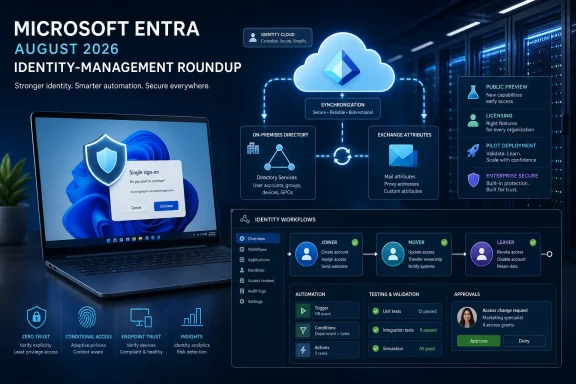 Windows 11 gets an SSO-prompt override, but only on a narrow support matrix
The most immediately useful addition for Windows administrators is the
AutoAcceptSsoPermissionregistry policy. On Windows 11 version 24H2 or 25H2 with the July 2026 cumulative update, KB5101650, administrators can set the following DWORD value to automatically accept Windows’ SSO permission prompt:
HKLM\SOFTWARE\Policies\Microsoft\Windows\AAD
AutoAcceptSsoPermission = 1
Microsoft says the policy applies only to organization-managed devices using Microsoft Entra work or school accounts. It can be delivered through Group Policy, Microsoft Intune, Configuration Manager, or another management product able to deploy registry settings. It does not apply to consumer Microsoft accounts or unmanaged PCs.
This policy exists because Windows changed its behavior in the European Economic Area. Instead of silently reusing a user’s Windows sign-in for other Microsoft apps and services, Windows can ask whether the user wants that account reused. In a personally managed environment, that choice is intentional. In a tightly managed business fleet, it can generate inconsistent enrollment and sign-in experiences—and a surprising number of help-desk questions.
The policy’s name can invite overreach. It automatically accepts the Windows-level permission to reuse the signed-in account; it does not bypass multifactor authentication, Conditional Access, application consent, device-compliance checks, or a later authentication prompt caused by a risk policy or expired session. Microsoft’s own documentation is explicit about the managed-device and Entra-account limits.
There is also a deployment trap: the registry value can be present on an unsupported Windows build, yet do nothing. Independent deployment guidance from Intune administrators has pointed out that compliance reporting based only on the registry key can therefore show a green result while the prompt remains visible. Inventory KB5101650—or a later cumulative update—and validate the actual user experience on Windows 11 24H2 and 25H2 pilot devices before declaring the change complete.
Cloud Sync writeback removes one Exchange dependency, not Active Directory dependency
Microsoft Entra Cloud Sync can now write supported Exchange Online attribute changes back to on-premises Active Directory. The feature is part of Microsoft’s broader push toward cloud management of Exchange attributes for directory-synchronized mailboxes, a transition intended to make it easier to retire the last on-premises Exchange server.
The distinction in Microsoft’s Exchange documentation is critical. This does not turn a synchronized user into a cloud-only identity. An administrator can transfer Exchange-attribute source of authority for an Exchange Online mailbox, edit eligible mail attributes in Exchange Online, and use Cloud Sync to write supported changes back to AD. Identity attributes still remain under on-premises Active Directory management.
For an organization that still retains an Exchange server chiefly to edit recipient properties, that is meaningful progress. Proxy addresses and other supported Exchange values can be managed in the cloud and remain aligned with the local directory. Microsoft’s current documentation says the supported writeback set includes the
mailattribute and supports up to 600,000 cloud-managed mailboxes per tenant.
But it also means the rollout is not a shortcut around hybrid-identity design. Cloud Sync is mandatory for the writeback path, and mailbox management has to be enabled through the Exchange-specific source-of-authority process. A mailbox administrator cannot simply start editing a synchronized recipient in Exchange Online and assume local AD will follow. First names, last names, and other identity data remain managed through AD, while Exchange-specific properties use the cloud-management path.
There is one recent cutover detail worth checking in every existing deployment. Microsoft says Cloud Sync configurations created on or after August 3, 2026 include the
Mail-to-
mailmapping by default. Older writeback configurations are not updated automatically. Teams that enabled the feature before that date must add the mapping themselves if they expect the primary
mailattribute to return to AD.
That omission matters because the product announcement reads like a broadly available writeback capability, but the real operational state depends on when the configuration was created and which mailbox attributes were deliberately moved to cloud management. A change-management record for every pilot mailbox is advisable before enabling tenant-wide Exchange attribute source-of-authority settings.
External ID loosens the email requirement for federated sign-ups
Microsoft Entra External ID also now supports federated customer sign-up without requiring an email address to be shared by the external identity provider. Microsoft’s documentation describes this as making the email attribute optional at the user-flow level for OpenID Connect federation.
This is useful for customer-facing applications that authenticate users through an existing identity provider but do not need email as the account’s primary identifier. It reduces the amount of personal data an application has to collect and can remove a hard blocker for identity providers that either do not expose email or should not disclose it to the relying application.
The catch is that this is a user-flow-wide choice, not a per-application toggle. When an administrator makes email optional, the rule applies to sign-ups for every application connected to that user flow. Microsoft also notes that account-selection experiences normally display an email address; when no email is collected, the display name becomes the identifier users see instead.
That changes the design work rather than eliminating it. External ID teams should make sure the federated identity returns a stable unique identifier and a useful display name, then confirm that downstream CRM, fraud-prevention, support, and notification processes do not quietly assume that every account has an email address. Federation still creates an identity object in the External ID tenant; it merely removes email collection as a prerequisite for the sign-up flow.
Lifecycle Workflows gains testing controls, but licensing remains part of the feature
The largest cluster of updates sits in Lifecycle Workflows. Microsoft has added a What-if tool that lets administrators see which users are currently in a workflow’s scope, preview potential task failures, and simulate execution for up to 10 users without changing those users. It is designed to reduce the risk of discovering a bad scope rule only after a workflow has disabled accounts, sent notifications, or changed group membership.
Microsoft’s documentation puts a real boundary around that simulation: workflows triggered by attribute changes or group-membership changes are not currently supported by the What-if tool. Administrators testing mover processes built around those triggers will still need a separate staging approach. The tool also requires Microsoft Entra ID Governance or Microsoft Entra Suite licensing.
Lifecycle Workflows can now also cancel runs, update user attributes through the User Attributes Update task, and use a wider set of dynamic values and an updated attribute format in custom emails. The attribute task permits up to 10 configured attributes to be set or cleared during a lifecycle event. That makes it possible to consolidate actions that may previously have needed several workflow tasks, custom extensions, or an external automation process.
The governance implication is straightforward: a workflow that can change ten attributes is more powerful, but a poorly scoped one can create a wider cleanup problem. Test the scope, review the simulated result, and establish who is authorized to cancel an in-flight run before moving a new process into production. Microsoft’s workflow history documentation already records canceled, failed, and partially successful processing states, so cancellation should be incorporated into operational runbooks rather than treated as an emergency-only control.
Three public previews extend Cloud Sync, guest governance, and managed domains
Microsoft also highlighted three capabilities still in public preview. The first brings on-premises Active Directory device synchronization to Entra Cloud Sync, expanding a service that has historically concentrated on users, groups, and selected hybrid scenarios. This is strategically important because Microsoft is already notifying eligible organizations about its phased move from Entra Connect Sync toward Cloud Sync.
However, preview device synchronization should not be mistaken for a blanket instruction to migrate all hybrid-joined device scenarios. Device objects interact with Windows registration, Intune, Conditional Access, compliance reporting, and certificate or trust dependencies. The feature needs validation against the organization’s actual hybrid-join and device-management architecture before it is allowed to replace an established Entra Connect configuration.
The second preview uses Lifecycle Workflows to detect and clean up sponsorless guest accounts. The security case is strong: a guest whose internal sponsor has left the organization is a common example of access that loses a clear business owner. Yet the feature is also attached to a billing boundary Microsoft’s roundup does not emphasize. Microsoft’s licensing documentation says Lifecycle Workflows with guests in scope requires the Microsoft Entra ID Governance for Guests add-on connected to an Azure subscription, and there is no free tier for that guest-governance billing.
The third preview adds backup and restore for Group Policy Objects in Microsoft Entra Domain Services using backup points maintained by the service. This will be welcome for organizations running legacy domain-joined workloads against a managed domain, where a bad GPO change can have a wider blast radius than intended. Because it is preview, it should be treated as a recovery aid to test—not as evidence that existing GPO export practices, change approvals, or configuration documentation can be retired.
For Windows and identity teams, the immediate action is targeted: verify KB5101650 before deploying the SSO registry policy; audit existing Exchange writeback mappings; simulate Lifecycle Workflows before enabling them; and keep the three previews in a pilot ring. Microsoft’s August roundup is less a single feature launch than a sign that Entra administration is becoming more automated—and that the cost of an untested scope, unsupported configuration, or missing license is becoming easier to hide until production exposes it.