
As first reported by Neowin, the July 28, 2026 update moves the installed WinRE image to version 10.0.26100.8971. Microsoft describes the package simply as making improvements to Windows recovery, without publishing a detailed change log or associating the release with a CVE, a known issue, or a visible new recovery feature.
That lack of consumer-facing detail is normal for this class of update. KB5102117 is not a monthly cumulative update, and it is not the optional Windows 11 preview package KB5101684 released on the same date. It is servicing for the small, separate Windows installation that sits behind the advanced-startup menu—the environment that provides Startup Repair, Safe Mode, System Restore, Command Prompt, BitLocker recovery access, and Reset this PC.
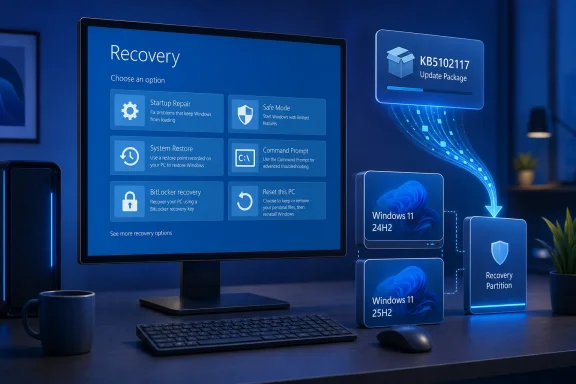 The Update Lives Where Windows Goes When Windows Fails
WinRE is easy to overlook precisely because it is not meant to be used during normal operation. On a typical Windows 11 PC, it resides in a recovery image, commonly on a dedicated recovery partition, and loads independently of the regular Windows installation when the operating system is damaged, startup fails repeatedly, or a user explicitly chooses Advanced Startup.
That separation is why keeping it current matters. A Windows installation can be fully patched while its recovery image remains older, carrying outdated binaries and servicing components into the one part of the PC meant to repair the rest. Microsoft’s Safe OS updates address that gap by servicing the recovery image itself rather than merely adding components to the running OS.
KB5102117 applies to every edition of Windows 11 24H2 and 25H2. Those releases share a servicing foundation, which is why they commonly receive the same Safe OS package even though their visible build numbers differ. The target WinRE version, 10.0.26100.8971, also follows the underlying 24H2 servicing baseline rather than the 26200-series build numbering associated with Windows 11 25H2.
For most people, there is no action to take and no reason to chase the update manually. Microsoft says Safe OS Dynamic Updates are delivered through Windows Update and install automatically. The package does not require a restart of the main operating system, and it cannot be removed after it has been applied to the recovery image.
Dynamic Update Is Deployment Plumbing, Not Another Patch Tuesday
The phrase Dynamic Update can be confusing because it describes a delivery and setup-servicing mechanism rather than one predictable kind of patch. During a feature update or in-place repair, Windows Setup can contact Microsoft’s update service early in the process and retrieve fresher content than the installation media contained when it was created.
Microsoft’s deployment documentation identifies several components that can arrive through Dynamic Update:
- Windows Setup binaries can be updated so the installation and migration process uses newer code.
- The Safe OS image used by WinRE can be refreshed before it is needed for setup or recovery.
- Servicing stack, cumulative-update, and applicable driver content can be included in a feature-update workflow.
- Existing language packs and Features on Demand can be reacquired and preserved during an upgrade.
In this case, KB5102117 is specifically a Safe OS release. It does not appear to carry a companion Setup Dynamic Update package, so administrators should not read it as a broad fix for every failed 24H2 or 25H2 upgrade. It improves the recovery image; it does not announce changes to setup compatibility, the Windows 11 user interface, hardware requirements, or application migration.
That distinction matters in managed environments. A feature update may fail in the SafeOS phase, but that phase name alone does not mean a new Safe OS package will solve the underlying problem. Storage drivers, disk layout, BitLocker protectors, third-party filter drivers, firmware, and insufficient recovery-partition space can all be involved. KB5102117 provides Microsoft’s newest recovery payload, not a universal remediation for upgrade failures.
Why IT Teams Should Care Even If Users Never Notice
The recovery environment is one of Windows’ most consequential components when something has already gone wrong. It can be the difference between a repair completed locally and a machine that needs bootable external media, a remote-hands visit, or a full reimage.
That puts Safe OS servicing in a different category from a feature rollout. There may be no visible payoff on a healthy PC today, but the update affects the reliability and currency of the emergency path used later. For organizations maintaining thousands of devices, an updated WinRE image can reduce the mismatch between production Windows builds and the tooling used to troubleshoot them.
It is also relevant to enterprise deployment teams that service Windows images offline. Microsoft’s documentation supports applying recovery updates directly to a mounted WinRE image using DISM and REAgentC workflows, while the Microsoft Update Catalog provides standalone packages for environments that do not rely on unrestricted Windows Update access. This is particularly useful for custom deployment media, task sequences, repair images, and devices deployed in disconnected or tightly controlled networks.
The operational caveat is that recovery servicing should fit into an image-management process rather than become an ad hoc fix. Recovery images are not ordinary application packages: once a Safe OS update is integrated, Microsoft does not support uninstalling it from that image. Teams using Configuration Manager, Windows Server Update Services, or offline WIM servicing should validate the package in representative deployment scenarios before baking it into long-lived media.
Microsoft’s own guidance also stresses that language packs and Features on Demand require careful ordering when maintaining offline images. Those optional components can include language resources, handwriting, speech, optical character recognition, legacy support components, and other Windows capabilities that may not be in a base image. Dynamic Update is designed to preserve or reacquire them during a feature upgrade, but it does not remove the need for administrators to maintain matching language and optional-feature sources.
Verify the Recovery Image, Not Just Windows Update History
Windows Update history can show that an update has been received, but WinRE is a separate image with its own state. For a home PC, the most useful check is simply confirming that Windows Recovery Environment remains enabled. Running reagentc /info from an elevated Command Prompt displays whether Windows RE is enabled and identifies the location of the recovery image.
For administrators validating KB5102117 more closely, the important reference point is Microsoft’s specified WinRE version: 10.0.26100.8971. Microsoft documents DISM-based methods to inspect the winre.wim image after locating it with REAgentC, and its deployment guidance also recommends checking installed packages when a Dynamic Update has been applied directly to a mounted image.
There is no indication that users should disable and re-enable WinRE, resize a recovery partition, or download a standalone installer solely because KB5102117 appeared. Those are remediation or deployment tasks, appropriate only when an administrator has identified a specific servicing problem. The correct default is to let Windows Update handle the package.
The release arrives as Windows 11 24H2 approaches an important lifecycle boundary. Microsoft has said Home and Pro editions of 24H2 reach the end of servicing on October 13, 2026, while 25H2 remains the successor release for consumers and businesses moving forward. Updating WinRE across both versions now gives Microsoft a common recovery baseline while that transition is underway.
A Quiet Update With a Long Tail
KB5102117 will not fix RAM pressure on minimum-spec hardware, add a new Windows feature, or change the optional preview improvements delivered in KB5101684. Its job is less visible: keep the repair environment current before a PC needs it.
For individual Windows 11 users, that means allowing the automatic update to install and keeping recovery options enabled. For IT administrators, it is another reminder that Windows servicing is no longer only about the monthly cumulative update: the setup engine, language resources, drivers, servicing stack, and recovery image all have their own roles in whether an upgrade succeeds—and whether a failed installation can be recovered cleanly.
