
Neowin first flagged the Patch Tuesday release, but Microsoft’s own support record fills in the details omitted from the initial report: this is not a general return of monthly patching for all Windows 10 installations. Windows 10 22H2 reached end of support on October 14, 2025. KB5120249 is offered to machines covered by the Windows 10 Extended Security Updates program, while the 19044 build serves the still-supported LTSC 2021 family.
For administrators, the practical instruction is straightforward: confirm both ESU entitlement and the installed build before treating a missing update as a Windows Update fault. A standard Windows 10 22H2 Home or Pro PC that was never enrolled in ESU should not be expected to receive KB5120249 simply because the package is publicly downloadable from the Update Catalog.
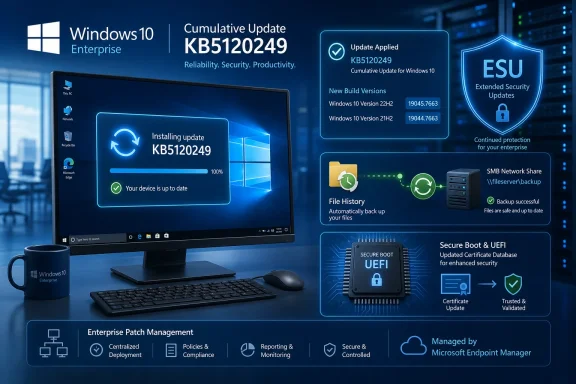 The August build numbers and who receives them
KB5120249 covers two superficially similar but operationally different Windows 10 branches:
- Windows 10 22H2 moves from build 19045.7548, released July 14, to 19045.7663. This is the branch used by the conventional Windows 10 desktop estate, but it now requires ESU coverage to remain in Microsoft’s monthly servicing stream.
- Windows 10 Enterprise LTSC 2021 and Windows 10 IoT Enterprise LTSC 2021 move from build 19044.7548 to 19044.7663. These editions have their own lifecycle; Enterprise LTSC 2021 remains supported until January 12, 2027, while IoT Enterprise LTSC 2021 runs to January 13, 2032.
That distinction is easy to lose when reports refer collectively to “Windows 10 21H2 and 22H2.” Ordinary Windows 10 21H2 editions stopped receiving support years ago. In this release, build 19044 is the LTSC 2021 track, not a revived servicing channel for old consumer or standard enterprise 21H2 deployments.
Microsoft’s Windows 10 release information page had not yet refreshed its top-level table to show the August entry at publication time, still displaying July’s build as the latest release. The KB article, catalog availability, and Microsoft’s Windows 10 community update post all identify KB5120249 and the 19045.7663/19044.7663 builds. In other words, the update is real; the release-health rollup is lagging the day-one documentation.
File History’s SMB failure is carried forward, not newly discovered
Microsoft’s changelog identifies one user-visible reliability fix: File History automatic backups to network shares using Server Message Block could fail with an incorrect invalid credentials message. When that happened, scheduled jobs copied no files. KB5120249 resolves the failure.
The important qualification is that Microsoft attributes this correction to the July 14 cumulative update, KB5099539. Because Windows monthly cumulative updates roll up prior fixes, August’s package supplies the File History repair to devices that skipped July. A machine already on the July build should not expect that particular fix to represent a new August behavioral change; it already had it.
That small wording detail matters for incident response. If an ESU workstation still cannot write File History backups to an SMB target after updating to 19045.7663, the case should not be closed as “fixed by August Patch Tuesday.” Check the actual backup target, saved credentials, SMB policy, permissions, and whether File History is being used against a legacy NAS or domain share. Microsoft currently lists no known issues for KB5120249, but “no known issues” means the company has not acknowledged a release-specific defect, not that every backup deployment will work after installation.
The more consequential change is Secure Boot targeting
The August update also contains additional “high confidence device targeting data” for the continuing deployment of new Secure Boot certificates. That is technical wording, but it has a concrete purpose: Microsoft is expanding the set of devices it considers suitable for automatic certificate delivery through Windows Update.
This is part of the 2026 Secure Boot certificate transition, not an ordinary feature update. Several Microsoft certificates issued in 2011 began expiring in June 2026. The Microsoft Corporation KEK CA 2011 expired on June 24, and the Microsoft UEFI CA 2011 expired on June 27. The Microsoft Windows Production PCA 2011 certificate is scheduled to expire on October 19, 2026.
Microsoft says PCs that have not received the newer certificates will continue to boot and install normal Windows updates. The risk is more subtle and more serious over time: those devices lose the ability to receive fresh protections for the early-boot chain, including Windows Boot Manager updates, Secure Boot database and revocation-list updates, and mitigations for subsequently discovered boot-level vulnerabilities.
KB5120249 does not promise that every recipient will immediately receive the new certificates. It says the targeting data increases coverage for devices eligible for automatic certificate delivery, with deployment continuing in the coming months. That is a material difference. Installing the August cumulative update is a prerequisite for broader coverage, not proof that a system’s UEFI trust databases have already been updated.
For managed fleets, this should move Secure Boot certificate readiness from a background maintenance item into a tracked deployment task. The 2011 certificate expirations affect firmware-level trust. A device can look healthy in day-to-day use while being unable to accept future boot-chain protections. Organizations relying on BitLocker hardening, custom boot paths, third-party EFI applications, or tightly controlled firmware configurations should validate their certificate state and OEM firmware posture rather than assuming Windows Update has completed the work.
ESU remains a security bridge, not full Windows 10 support
Microsoft continues to describe ESU as a route for critical and important security updates after end of support. It explicitly excludes new features, customer-requested nonsecurity updates, design changes, and ordinary support for the underlying OS. The File History correction in KB5120249 is included because it is carried in the monthly cumulative package, not because Windows 10 has returned to normal feature-and-reliability servicing.
Commercial and educational customers can receive Windows 10 ESU patches for up to three years after the October 2025 end-of-support date. Microsoft lists the first-year commercial price as $61 per device, with the price doubling in each successive year. Consumer ESU arrangements have different enrollment options, but the common operational point is the same: the PC must be enrolled and running version 22H2 to qualify for the conventional Windows 10 ESU channel.
This makes patch compliance reporting more complicated than it was before October 2025. A dashboard that merely reports “Windows 10 22H2” no longer tells an administrator whether the endpoint should be receiving the August update. Inventory needs to distinguish at least four conditions: 22H2 devices enrolled in ESU, 22H2 devices outside ESU, LTSC 2021 systems, and obsolete Windows 10 releases that have no supported route to this package.
Deployment details that matter in older estates
For normally maintained machines using Windows Update, KB5120249 should download and install automatically under the relevant ESU or LTSC policies. Microsoft combines the latest servicing stack update with the latest cumulative update, reducing the separate prerequisite work that older Windows servicing once demanded.
Offline servicing and long-neglected WSUS estates require more care. Microsoft says images without the July 25, 2023 cumulative update or a later package must first receive the special standalone October 13, 2023 servicing stack update, KB5031539, before KB5120249. For catalog or WSUS installation on devices missing the May 11, 2021 cumulative update or later, the required prerequisite is the standalone August 10, 2021 servicing stack update, KB5005260.
Administrators applying the update as Dynamic Update to existing installation media also need to account for
boot.stl. Microsoft warns that failure to include the matching file can prevent a device from booting from the updated installation media and produce error 0xc0430001. That warning is aimed at image-management workflows, not ordinary endpoint patching, but it is precisely the sort of edge case that surfaces after a bare-metal recovery fails.
Microsoft currently reports no known issues with KB5120249. The immediate task is to move eligible systems to build 19045.7663 or 19044.7663, verify that File History jobs resume where SMB backup failures were present, and treat the Secure Boot targeting change as the start of certificate validation work—not its completion.