
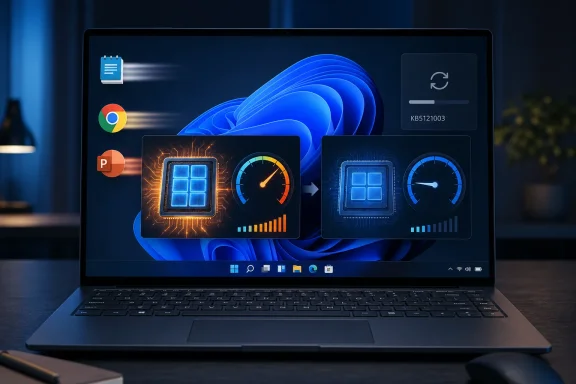
There is an important qualification behind the “released today” framing. KB5121003 was issued on Tuesday, August 11, 2026, taking Windows 11 24H2 to build 26100.9168 and 25H2 to build 26200.9168. The app-launch behavior appears to be a Controlled Feature Rollout activation carried by that update, not a universal new switch that every patched PC will receive immediately.
That distinction is more than Microsoft rollout boilerplate. It means administrators can install the security update, reboot, check the build number, and still see no Low Latency Profile burst when launching Notepad, Chrome, PowerPoint, or a line-of-business application. Windows Latest says it observed the change after installing KB5121003 on an Intel Core i5-13420H system, with performance cores jumping near their 4.6 GHz maximum as applications opened. But no broad, independent before-and-after benchmark set for this specific August activation has yet emerged.
The feature is real; the claim that all apps now launch faster after this patch is much broader than the evidence currently supports.
 The August change appears to finish a rollout Microsoft described months ago
Microsoft’s public performance language from the May and June 2026 Windows 11 updates already promised acceleration for “app launch and core shell experiences” such as Start, Search, and Action Center. Windows Central independently reported in May that the Low Latency Profile was intended to cover both app launches and shell flyouts, using brief high-frequency CPU bursts for responsiveness.
Yet that is not how the initial retail rollout behaved in practice. Windows Latest’s May testing found the feature affecting Start, Search, Action Center, and other Windows shell interactions, while ordinary inbox and third-party app launches did not exhibit the same deliberate clock jump. The June cumulative update, KB5094126, brought the technology more broadly into the stable channel, but reporting and user testing continued to focus chiefly on shell responsiveness.
The current report therefore looks less like a brand-new performance subsystem than the delayed completion of a scope Microsoft described from the beginning. In other words, Microsoft’s original wording included app launches; the observable retail behavior evidently lagged behind it.
That is the material development in KB5121003. Windows is apparently beginning to apply the profile at the point where users actually perceive a computer as slow: click an app icon, wait for the process, framework, disk access, and UI initialization to get moving, then decide the PC is lagging. A scheduler-level boost cannot make an application’s network request, DRM check, startup extensions, or poor WebView2 design disappear. It can shorten the time spent reaching useful CPU performance at the start of that work.
For a modern desktop with a fast SSD, high-end processor, plenty of RAM, and applications already resident in memory, the effect may be hard to notice. On lower-power laptops, entry-level desktops, older supported hardware, and machines carrying 8 GB of RAM, the ramp-up delay is a larger portion of an app’s visible launch time. That is where a short burst can make the system feel materially quicker even when no sustained benchmark changes much.
Low Latency Profile is a power-management decision, not a CPU overclock
The mechanism is commonly called race to sleep. Instead of allowing clock speed to rise gradually as demand accumulates, Windows gives a foreground interaction a short period at or near the processor’s higher performance state. It performs the immediate work sooner, then returns to a low-power idle state.
The idea is well established in operating-system and mobile power design. CPUs often consume less energy completing a short burst quickly and returning to idle than they do sitting at an intermediate clock for longer. The performance benefit is primarily latency: reduced time between input and an initial visible response. It is not a claim that a processor has acquired more cores, higher sustained clocks, or faster storage.
Windows Latest’s report makes the right observation when it distinguishes frequency from utilization. Task Manager’s CPU percentage will not necessarily show a dramatic change because the profile can alter how quickly a core reaches a high performance state rather than create a large amount of additional computation. The Performance tab’s Speed readout can catch the behavior, but HWiNFO’s faster sensor polling is a better diagnostic for a burst lasting only one to three seconds.
This also explains why statements that the feature cannot affect battery life or thermals go too far. A short burst is unlikely to cause a meaningful sustained thermal problem on a properly functioning PC, and the race-to-sleep approach can be energy-efficient. But the power impact depends on processor generation, firmware, cooling policy, active power plan, background load, and what the application does after launch. Microsoft has not published a device-class battery study for this app-launch expansion, and no independent fleet-scale measurements have established a universal “zero impact” result.
For typical users, the right expectation is modest: a more immediate launch response, particularly for lightweight desktop apps and interfaces that had been waiting on CPU frequency scaling. The Epic Games Store, Chrome, or another large application still has to initialize its own services, render complex UI, access storage, and in some cases contact remote servers.
KB5121003 does not guarantee the feature is enabled
The first operational fact to establish is whether KB5121003 is installed. On the supported mainstream branches, the relevant build numbers are:
- Windows 11 version 24H2 should report OS build 26100.9168.
- Windows 11 version 25H2 should report OS build 26200.9168.
Those build numbers confirm the August 11 cumulative update, but they do not confirm Low Latency Profile for apps is active. Microsoft’s Controlled Feature Rollout system permits code to arrive in a cumulative update while the feature remains disabled for a subset of eligible devices. This lets Microsoft halt or narrow the activation if telemetry identifies compatibility, stability, or performance trouble.
That deployment design is prudent, but it leaves Windows users with an awkward verification problem. There is no Settings page, Windows Update status line, or supported PowerShell command that says “Low Latency Profile for app launches: enabled.” The only available test is behavioral: monitor effective CPU clock speed, launch an app that is not already running, and look for an immediate, brief frequency jump.
Even that test has limits. Intel Turbo Boost, AMD Precision Boost, background tasks, antivirus scanning, cached startup state, hybrid-core scheduling, and application preloading can all change clock behavior. A CPU spike alone is not a controlled performance benchmark. For useful comparison, restart the PC, let background activity settle, use the same launch scenario several times, and compare cold and warm launches separately.
The recommended ViVeTool command hides a more complicated feature chain
Windows Latest recommends forcing the feature with ViVeTool and feature ID 58989092. That is the familiar community command, and other Windows-focused outlets including Pureinfotech have published it. But reverse engineering published by Windows 技! identifies a meaningful wrinkle: 58989092 is internally named TestLoc02, not LowLatencyProfile.
According to that analysis, the internal feature explicitly named LowLatencyProfile is ID 60716524, and it has a dependency on 58989092. Enabling the named LowLatencyProfile ID alone did not satisfy the internal check in that testing; enabling 58989092 did. Community guides that use only 58989092 may therefore work because they meet a prerequisite, not because they directly name the whole feature.
That does not make the command fraudulent. It does mean users should stop treating one ViVeTool ID as a documented Microsoft configuration interface. It is an unsupported override of Windows feature-control plumbing, and it may interact with other IDs, rollout state, servicing changes, or hardware-specific safeguards that Microsoft has not explained publicly.
For personal test machines, a technically competent user can decide whether the tradeoff is worthwhile. On managed systems, kiosks, shared PCs, developer workstations, or machines with business-critical applications, forcing a hidden feature to chase a slightly faster app launch is poor change control. KB5121003 is a security update and should be evaluated and deployed through normal rings; an unofficial feature override should be handled separately, documented, and reversible.
There is already at least one unverified report in the Sysadmin Patch Tuesday discussion alleging that KB5121003 affected an ODBC-dependent application. One post is not evidence of a widespread defect, and it should not become a reason to avoid the August security update. It is, however, a reminder that visible performance polish is never the primary reason enterprises should approve a monthly cumulative update—and never a reason to bypass pilot testing.
What Windows 11 users should do now
Install KB5121003 through the normal Windows Update process for its security content, then treat any faster app launches as a welcome but gradual addition. If the behavior is absent after the update, that does not mean the patch failed; it most likely means the Controlled Feature Rollout has not enabled the profile for that device.
Do not expect the update to transform every slow program. Low Latency Profile can reduce the front-end delay before a program begins working, but it cannot repair an app bottlenecked by disk pressure, browser extensions, insufficient RAM, an overloaded endpoint security agent, a remote service, or its own inefficient code.
Microsoft has so far made this performance work deliberately invisible. That may be the right product decision once it is mature, but it also means the company has left users and administrators to infer state from transient clock telemetry and undocumented feature IDs. Until Microsoft provides an explicit activation status and published measurements across common hardware classes, the defensible conclusion is narrower than the headline: KB5121003 appears to extend Windows 11’s Low Latency Profile to app launches for some devices, while the rollout remains controlled and the real-world gain will depend heavily on the PC and the app.