

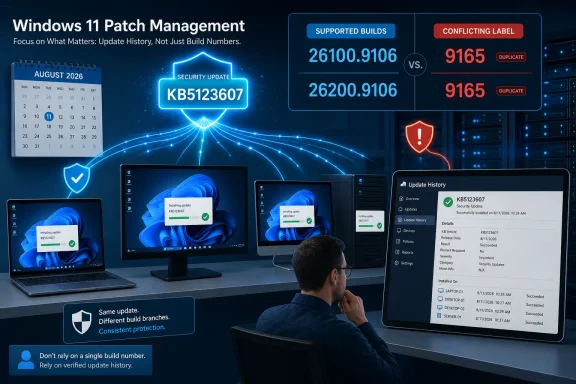
That mismatch is more than a cosmetic documentation problem. KB5123607 is intended to install after the August 2026 hotpatch, KB5120994, and Microsoft’s Windows 11 release-health calendar also lists KB5120994 at build 26100.9106 or 26200.9106, depending on whether the device runs Windows 11 24H2 or 25H2. In other words, Microsoft’s published records presently indicate that the new standalone package may not advance the visible OS build at all.
For IT teams using build numbers as their primary patch-compliance check, that creates a blind spot: a device can show the expected August hotpatch build and still need KB5123607.
KB5123607 is an extra security package, not the monthly hotpatch
Microsoft Support says KB5123607 addresses two vulnerabilities, CVE-2026-6726 and CVE-2026-66804. It characterizes the release only as a security update and provides no vulnerability descriptions, severity ratings, exploitability assessment, affected component names, or workaround guidance in the KB article itself.
The limited disclosure means administrators should treat the update as a required follow-up to the August hotpatch rather than trying to risk-rank it from the short release note. Microsoft says the package is offered after KB5120994, the August 2026 security hotpatch update, has been installed.
Microsoft Learn’s Windows 11 release information identifies KB5120994 as the August hotpatch for Windows 11 version 24H2, build family 26100, and version 25H2, build family 26200. That establishes the prerequisite. It does not resolve why the standalone KB5123607 page presently uses the same 9106 build number as its prerequisite, nor why some published metadata described build 9165 instead.
The practical reading is straightforward: KB5123607 is a second August security package for already-hotpatched devices. It is not the standard August cumulative update, and it is not relevant to devices that are outside the hotpatch program.
The update targets hotpatch-enrolled enterprise devices only
Microsoft explicitly limits KB5123607 to devices enrolled in hotpatch updates. That excludes ordinary Windows 11 Home and Pro PCs, and it also excludes enterprise endpoints that receive the conventional monthly cumulative update instead of Microsoft’s hotpatch servicing track.
Hotpatch is designed to apply eligible security fixes without rebooting the operating system. Microsoft’s hotpatch documentation describes a quarterly rhythm: organizations install a baseline cumulative update that requires a restart, then receive security-only hotpatches in subsequent months without a restart. Feature updates, firmware updates, application changes, and other servicing events can still require reboots.
Microsoft says KB5123607 takes effect without a restart. That is the immediate operational benefit for organizations maintaining user-facing systems, shared workstations, kiosks, and workloads where planned restart windows are difficult to secure. But it should not be read as permission to indefinitely defer normal reboot and maintenance practice; hotpatch depends on devices remaining on a supported baseline.
The KB article also limits delivery options. It is available through Windows Update and Microsoft Update, where it downloads and installs automatically. Microsoft lists neither the Microsoft Update Catalog nor Windows Server Update Services as available channels for this package. Administrators depending on manual Catalog imports or conventional WSUS approval workflows should therefore not assume their normal process will expose KB5123607.
Build-based compliance reporting can miss this patch
The documentation conflict is the central issue for patch management. Microsoft’s live KB5123607 page uses 26100.9106 and 26200.9106, the same build numbers Microsoft Learn assigns to prerequisite KB5120994. Yet KB5123607 is described as a distinct, standalone security update delivered after that prerequisite.
A build query alone cannot reliably establish that the standalone package arrived if the installed build stays at 9106. This is especially relevant for reports built around winver, operating-system version inventory, or endpoint-management dashboards that treat a build increment as proof of patch installation.
Administrators should instead verify the update by its KB identifier in the Windows Update history or through their endpoint management platform’s update-installation inventory. A compliant hotpatch device should show both of these August 2026 items:
- KB5120994, the August 2026 security hotpatch prerequisite.
- KB5123607, the standalone follow-up security update covering CVE-2026-6726 and CVE-2026-66804.
Microsoft has not explained whether the 26100.9165 and 26200.9165 build numbers in the release metadata reflected an earlier revision, a planned revision, or a publishing error. Until that record is clarified, organizations should preserve KB-level evidence rather than normalizing their reporting around either the 9106 or 9165 build number.
Microsoft reports no known issues, but the scope is narrow
Microsoft says it is not currently aware of issues with KB5123607. That statement concerns the hotpatch package itself, not every deployment environment, and the KB article contains no rollout-status details or compatibility holds.
The release is therefore a limited but important action item: if a Windows 11 24H2 or 25H2 device participates in Microsoft’s hotpatch program and has received KB5120994, it should receive KB5123607 automatically without a reboot. Devices outside that program should follow the normal August 11, 2026 Windows security-update path instead.
For administrators, the immediate consequence is to add KB5123607 to August compliance checks and avoid treating the OS build number as the sole installation signal until Microsoft reconciles its conflicting build documentation.