
Microsoft Support lists the update as released on August 27, 2026, and says it supersedes KB5103211, the Qualcomm Image Processing component package published in June. For the small set of organizations deploying Windows 11 26H1 hardware, the practical task is straightforward: let the normal update process complete, then confirm the component appears in Update history. There is no standalone installer, no catalog package, and no user-facing feature switch described in the KB.
The more important detail is what KB5124886 is not. This is not a new Windows build, a driver package, or a broad Copilot+ feature release. It is a separately serviced machine-learning component that Windows and applications can call for local image-analysis work.
 A component update for a narrow Windows branch
KB5124886 applies only to Windows 11 version 26H1 and only to Copilot+ PCs using Qualcomm hardware. Microsoft’s documentation for 26H1 describes that release as a specialized, preinstalled Windows branch for selected new hardware platforms, rather than the annual Windows feature update offered to existing PCs.
That makes the scope considerably narrower than the generic phrase “Qualcomm-powered systems” may suggest. A Snapdragon-based Windows PC running Windows 11 24H2 or 25H2 is not in the KB5124886 target group simply because it uses Qualcomm silicon. Nor can an existing 24H2 or 25H2 machine be upgraded in place to 26H1 to obtain this component; Microsoft says 26H1 is not delivered through Windows Update as a feature update.
For IT administrators, that changes how the update should be tracked. KB5124886 belongs in the servicing record for a distinct hardware-and-OS cohort, likely new Qualcomm Snapdragon X2-based deployments, rather than a fleetwide Windows 11 compliance baseline. Microsoft continues to recommend Windows 11 24H2 and 25H2 for existing enterprise rollout plans.
Microsoft’s AI update history confirms the separation. On August 27, its 26H1 table lists Image Processing version 1.2607.840.0 for Qualcomm systems as KB5124886. The corresponding 24H2 and 25H2 table lists a different Qualcomm Image Processing package, version 1.2608.951.0, under KB5124876. The same component name does not mean the same package across Windows branches.
What Image Processing actually supplies
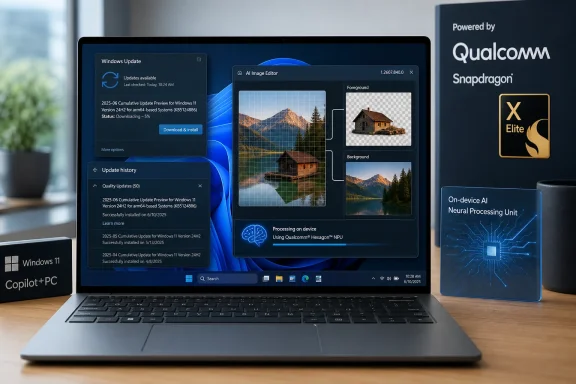
Microsoft describes Image Processing as an on-device AI component made up of machine-learning models and supporting runtime pieces. It performs work such as image scaling, segmentation, visual analysis, and foreground/background extraction—operations that can underpin Windows experiences and applications involving image enhancement, accessibility, editing, and transformations.
The software is designed to run on the Copilot+ PC’s neural processing unit, or NPU, rather than sending image data to a cloud service for the computation Microsoft describes. That local-processing claim is relevant to privacy-sensitive workloads, but it should not be overstated: the KB is about a Windows component, not a blanket guarantee that every app using images on a Copilot+ PC keeps every image local. Individual applications may have their own services, telemetry, storage, and AI-processing paths.
The component also is not the same thing as Microsoft’s Image Creation or Image Transform AI packages. In Microsoft’s August servicing table for 26H1 Qualcomm systems, those are separately versioned and separately identified updates. An administrator validating a particular image-editing workflow should therefore avoid treating KB5124886 as evidence that all related Copilot+ AI models are current.
That separation is easy to miss because the model packages are updated in groups and use closely related version numbers. It is also why a device can be fully patched at the operating-system level while still showing a different AI-component version from another supported Windows branch.
Microsoft does not say what changed
The KB’s release notes say only that the package includes “improvements” to the Image Processing AI component. Microsoft does not publish a changelog of revised models, quality metrics, performance measurements, fixed defects, affected Windows features, or known issues. It also does not associate KB5124886 with a CVE, a security advisory, or a reliability issue.
That omission puts this release in a different category from a security update with documented exposure and an explicit remediation deadline. Administrators should install it through their standard Windows Update policy because it is the supported component revision for the affected platform. But the available documentation does not support claims that it fixes a particular vulnerability, resolves an image-editing bug, improves Recall, or changes a named application’s behavior.
The replacement chain supplies the only concrete before-and-after comparison. KB5124886 moves Qualcomm 26H1 systems from the June component version, 1.2605.856.0 in KB5103211, to 1.2607.840.0. Microsoft’s AI update history shows no July Image Processing update for the 26H1 Qualcomm column, so August is the first recorded refresh of this component on that branch since June.
Version numbers should not be used as a performance comparison across architectures. The 24H2/25H2 Qualcomm package is now at 1.2608.951.0, while the 26H1 package is 1.2607.840.0. That difference does not establish that one platform has newer image models or fewer fixes; it shows that Microsoft is servicing the platform-specific branches independently.
What to verify on managed devices
Microsoft’s documented verification method is Settings > Windows Update > Update history. After installation, the entry should read: “2026-08 Image Processing version 1.2607.840.0 for Qualcomm-powered systems (KB5124886).”
Before escalating an apparent deployment failure, administrators should confirm all three conditions Microsoft actually specifies:
- The computer is a Qualcomm-powered Copilot+ PC, rather than a non-Copilot+ Snapdragon system or an Intel- or AMD-based Copilot+ PC.
- The device runs Windows 11 version 26H1, not Windows 11 24H2 or 25H2.
- The latest cumulative update for Windows 11 version 26H1 is installed before Windows Update attempts to add the AI component.
That last requirement deserves attention in rings where quality updates are deferred, paused, or approved separately from feature-related content. Microsoft says KB5124886 downloads and installs automatically, but its prerequisite means an otherwise eligible PC can remain on the previous component until its normal 26H1 cumulative-update baseline catches up. The support article does not identify the exact cumulative update needed, leaving administrators to validate that the device is current rather than target a named prerequisite package.
There is also no evidence in the KB that a restart is required, that end users need to take action, or that the update exposes a new app capability. Avoid presenting it as a feature rollout to users. This is maintenance for the local model-and-runtime layer behind existing Windows and application experiences.
The operational takeaway
KB5124886 is routine servicing, but it illustrates the maintenance model Microsoft is building around Copilot+ PCs: model components can be updated independently from the monthly Windows build and independently across processor families and Windows release branches. That gives Microsoft room to revise local AI foundations without waiting for a feature update, while giving administrators another versioned layer to inventory.
For 26H1 Qualcomm deployments, the target state after the August 27 release is Image Processing version 1.2607.840.0, recorded as KB5124886. For Windows 11 24H2 and 25H2 fleets, that number is the wrong compliance target; those systems follow their own Image Processing update line.
